eSIM guide · Basics
What Is an eSIM Card and How Does It Work?
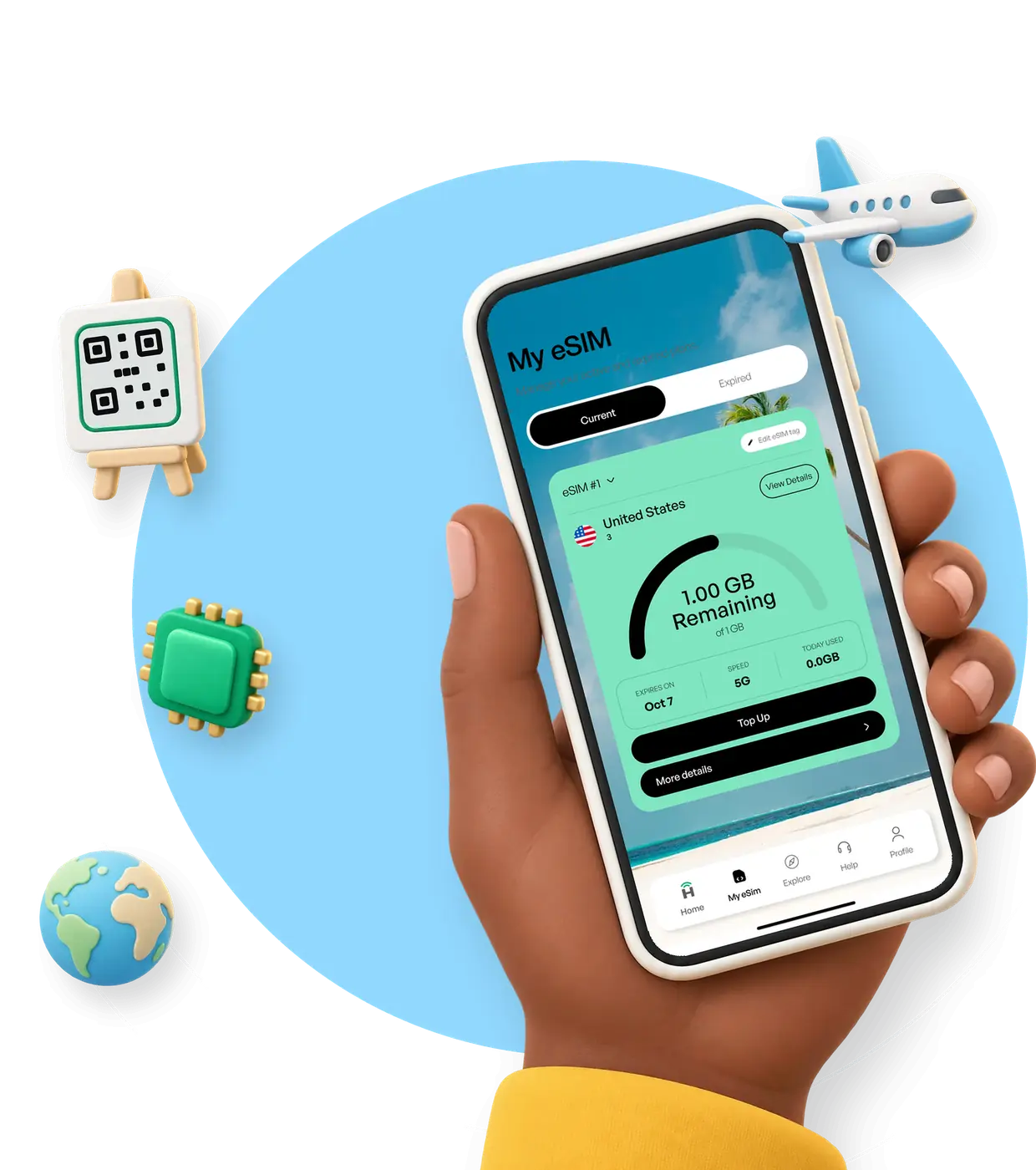
An eSIM is a SIM chip built into your phone, called an eUICC, that stores mobile plans as downloaded profiles.(1) There is no physical card to insert.(1) You scan a QR code, and the phone downloads the plan from the carrier's server.(1)(4) You can install a HelloRoam travel eSIM at home before you fly, for any of 185+ destinations.
Video explainer
What Is an eSIM and How Does It Work? Explained Simply
The video explains what an eSIM is and how a plan downloads onto the chip. It then covers phone numbers, which phones support eSIM, how to add one and the main downsides. The narration uses an AI voice.
eSIM key facts Marked facts link to sources
How an eSIM works on your phone, in four steps from chip to signal
An eSIM works in four steps. The chip sits in your phone, your carrier makes a profile, the phone downloads it, and you choose the data line.
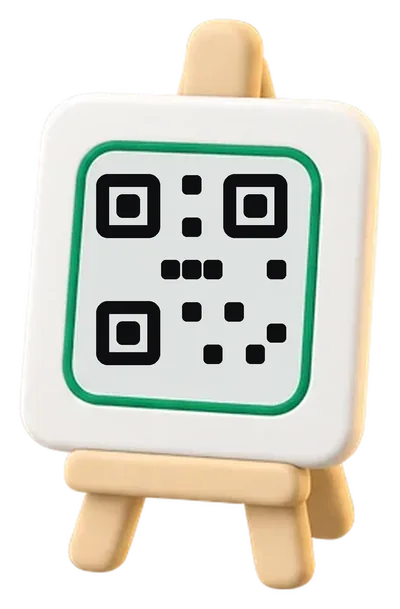
QR code You scan it

SM-DP+ Carrier server

eUICC chip Has its own EID
Profiles on this phone
Your phone Every line in one list
The chip sits inside your phone
An eUICC is the SIM chip built into the phone, with its own ID number, the EID.(1) A carrier may ask for it when you set up a new line. iPhone shows it in Settings > General > About, and Pixel in Settings > About phone > SIM status.(2)(3)
Your carrier makes a profile
The carrier creates a profile, the digital version of your plan. Each profile has an ICCID, which iPhone lists on the same screen as the EID.(1)(2)
The phone downloads it
You scan a QR code, or your carrier sends the plan through its app or eSIM Carrier Activation.(4) The phone fetches the profile from the SM-DP+ server, under the GSMA's remote SIM provisioning standard.(1) If your carrier supports it, an iPhone can also move a carrier eSIM from your old iPhone with eSIM Quick Transfer.(4) Our eSIMs cannot move this way: each one stays on the phone you install it on.
You choose the data line
You turn the new line on, then pick which line carries mobile data. On a trip, that is the travel line. An iPhone can store eight or more eSIMs but uses one data line at a time.(4)(5)



Eight eSIM terms in plain words
- eSIM (embedded SIM)
- A SIM built into the phone that takes plans as downloads, not cards.(1) Apple calls it a digital SIM.(5) People also say virtual SIM, and US rules define a SIM as a physical or virtual card.(13)
- eUICC (embedded UICC)
- The chip that holds eSIM profiles. Android's docs use it as another name for eSIM.(1)
- EID (Embedded Identity Document)
- The ID number a phone needs to use an eSIM. Your carrier may ask for it when you set up a new line.(3)
- Profile (your plan, as a file)
- One mobile plan stored on the chip. A phone can keep several and turn each on or off.(4)
- ICCID (Integrated Circuit Card ID)
- A number each profile carries.(1) iPhone lists it in Settings > General > About, with the EID.(2)
- SM-DP+ (Subscription Manager Data Preparation)
- The carrier's server that prepares, stores and sends profiles to phones.(1) Your phone downloads the profile from it, and that download needs Wi-Fi or another connection.
- GSMA (mobile industry body)
- The industry group behind the remote SIM provisioning rules that eSIMs follow.(1)
- QR code (activation code)
- The square code a carrier sends you. Scanning it starts the profile download.(4)
What adding a travel line looks like in iPhone Settings
The three Settings screens you pass through, step by step.
1. The new line shows under SIMs, still turned off.
Mobile Service
SIMs
2. On the line's own page, Turn On This Line switches it on.
HelloRoam
3. Under Cellular Data, shown here as Mobile Data, pick the new line. Calls stay on Primary.(7)
Mobile Data
How to add an eSIM on iPhone and Android
Follow the steps for your phone, or the full guides further down this page.
iPhone
On a Samsung Galaxy, open Settings > Connections > SIM manager > Add eSIM > Scan QR code, then restart the phone.(9)
If you add one of our eSIMs before your trip, leave its line off until you land, then turn it on.
A travel eSIM is a prepaid data plan for the places you visit
A travel eSIM is a prepaid plan for the country or region you visit. You install it before you fly and keep it beside your home line. On iPhone, your home number keeps working for iMessage and FaceTime.(7)
Installing one of our eSIMs uses no plan days: they start when it first connects to a supported network in your destination. On iOS 26 and later, an iPhone may ask if a new eSIM is for travel, then offer Turn On Travel eSIM when you land.(7) For a trip through several countries, one of our regional eSIMs covers every destination in its plan, and our global plan covers 127 destinations. To pick a size, check how much data a trip takes.
Our plans carry data only and add no new number. They support hotspot on phones that allow it, so a laptop can share the data. Staying a month or more? See eSIM plans for long stays. If you usually pay your carrier for travel days, see how a travel eSIM compares with roaming.
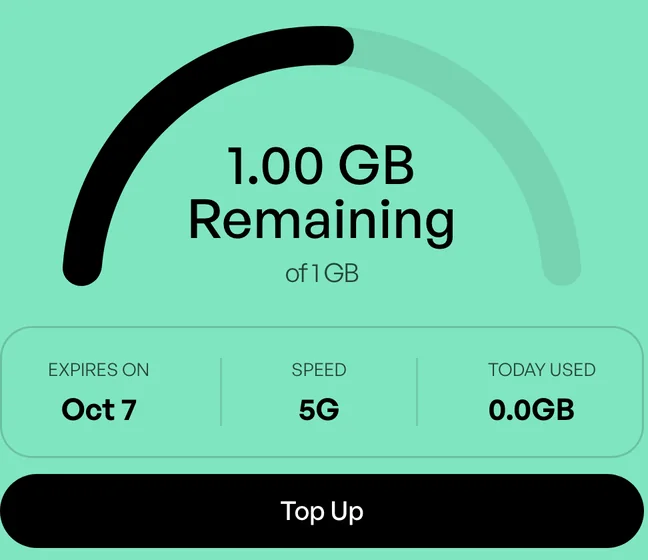
Before your trip
- Buy the plan before you fly
- Install it at home over Wi-Fi
- Turn it on when you land
- Keep your home line for calls and texts, and check what your carrier charges abroad
Plans ready to install for trips like these:




An eSIM replaces the physical SIM card, not the mobile plan
An eSIM and a SIM card carry the same mobile plan. Only the way the plan gets into the phone changes.(5)
| What changes | eSIM | Physical SIM |
|---|---|---|
| Getting it on your phone | A profile you download by QR code or carrier app(4) | A physical card you put in the phone's SIM tray(5)(7) |
| Changing plans | Switch lines in Settings, with no card to swap(5) | Take one card out and put another in |
| Spare plans | Several profiles stored on one phone(4) | Spare cards wait outside the phone until you swap one in |
For the full comparison, see eSIM and physical SIM side by side.
- Mini SIM (2FF) 25 × 15 mm
- Micro SIM (3FF) 15 × 12 mm
- Nano SIM (4FF) 12.3 × 8.8 mm
- Soldered SIM chip (MFF2) 6 × 5 mm
eSIM advantages and disadvantages


Why would I want an eSIM?
An eSIM lets you switch plans without a store visit, so there is no SIM card to pick up when you land. You can also keep your home line on while you travel and store several plans on one phone.
-
Switch plans without a shop visit
You add a plan by download, so there is no card to collect or swap.(4)

What are the disadvantages of an eSIM?
An eSIM has real downsides to check before you rely on one. You cannot pop an eSIM out like a card, so a new or broken phone depends on the carrier or seller, and not every phone can use one.
-
Your phone needs eSIM and no carrier lock
Not every phone has an eSIM chip, so dial *#06#: if an EID number shows, the phone can use eSIM.(14) To use another company's eSIM abroad, your phone needs to be free of a carrier lock.(7) On iPhone, Settings > General > About shows No SIM Restrictions next to Carrier Lock when there is no lock.(7) If you see a lock, ask your carrier to unlock the phone before you fly.(5)
-
Our eSIMs stay on one phone
A carrier eSIM can move to a new phone with a transfer step, if your carrier supports it.(4) An eSIM from us cannot move once you install it, even with the phone's own transfer tool. If it has not connected in your destination yet, email help@helloroam.com and we can issue a new one. After that, it stays on the first phone. See what to do when you change phones.
-
You need Wi-Fi or a hotspot to install it
The phone downloads the eSIM over Wi-Fi or a hotspot, so add it at home before you fly.(7)
-
A data-only eSIM has no phone number
Our plans carry data only, so they add no number. Call and text over apps like WhatsApp or FaceTime, and keep your home line on for texts and codes sent by SMS.
-
No card to move if your phone breaks
A SIM card can go into a spare phone, but an eSIM chip is built in, so it cannot leave a broken one.(20) For a carrier line, ask your carrier for a new eSIM.(4)(11) If our eSIM has not connected in your destination yet, email help@helloroam.com, even if the old phone is gone, and we can issue a new one. Once it has connected there, it cannot move, and we do not issue a new one for a new phone.
eSIM works on the iPhone XS, Galaxy S20, Pixel 3a and later, with a few exceptions
Each maker lists which of its models take an eSIM. Where you bought the phone can change the answer.
eSIM works from these models on
- Apple
- iPhone XS and the XS Max, XR and every later iPhone.(4)
- Pixel 3a and later. Every Pixel 4 and later works with eSIM, and so does a Pixel 3a unless it was bought with Verizon service or in Japan.(15) Depending on the phone and carrier, the eSIM works beside a SIM card or a second eSIM.(6) A Pixel 3 works unless it was bought with a US or Canadian carrier other than Sprint or Google Fi, or bought in Australia, Taiwan or Japan.(15) A Pixel 2 works only if it was bought with Google Fi service.(15)
- Samsung
- Galaxy S20 and later S models, except the S20 FE and S21 FE.(9) Foldables from the Z Fold2 and Z Flip 5G have eSIM too.(9) So do some Galaxy A phones sold in the US, such as the A16 5G, A26 5G and A36 5G.(9) Support depends on the country where you bought the phone,(9) so check your exact model before you buy a travel plan.


Bought in mainland China: eSIM on some recent iPhones only
Apple lists eSIM in mainland China only for the iPhone 18 Pro, 18 Pro Max, Duo, 17e and Air models sold there.(17) Other iPhones cannot install an eSIM from a mainland China carrier.(17) An iPhone bought elsewhere can still use a travel eSIM from a worldwide provider on a trip there.(7)
Bought in the US: some phones are eSIM-only
US models of the iPhone 14 and every later iPhone use eSIM only, with no SIM tray.(8)(18) US Pixel 10 and Pixel 11 phones use eSIM only too, except the Pixel 10a and the Pro Fold models.(10) An eSIM-only phone cannot take a SIM card bought abroad, so any local or travel plan you buy for a trip must be an eSIM.
Other devices with eSIM
eSIM is not only for phones. Cellular models of the Galaxy Tab S9 and later have eSIM, but Wi-Fi-only tablets do not.(9) Apple lists eSIM on many Wi-Fi + Cellular iPads, such as the iPad (7th generation) and later.(22) Some laptops and smartwatches can use eSIM too.(12) A cellular Apple Watch must use the same carrier as your iPhone and cannot use a prepaid account today, so put a travel eSIM on your iPhone, not your watch.(19) For more models, see our eSIM compatible devices list.
Not sure about your model? Check it in the HelloRoam eSIM Phone Checker.
Check if your phone supports eSIMAT&T, Verizon and other US carriers offer eSIM on home phone lines
Apple lists AT&T, Verizon, Cricket, Mint Mobile, Visible and other US carriers for eSIM on iPhone, as of .(16) To move your own number to an eSIM, our eSIM vs SIM guide shows how US carriers make the switch. A travel eSIM needs no switch, because it goes beside your home line.

Six eSIM setup problems each have a quick fix
These six problems can come up while you set up an eSIM. Each card shows the screen to check and the fix to try.

- Screen
Enter Details Manually
Fix 1 of 6
QR code won't scan
Is the code on the phone you are setting up? A camera cannot scan its own screen. On iPhone, tap Install eSIM Now in our app, or on iOS 17.4 or later, tap and hold the code in your email, then tap Add eSIM.(4) Otherwise, open the code on another screen, clean the lens, or tap Enter Details Manually.(4)
Full guide: eSIM install guide
- Clip
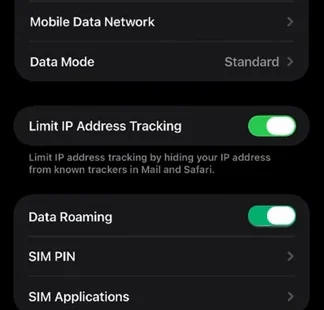
Fix 2 of 6
No data service after activation
Restart your phone first. Then confirm the new line is set for cellular data and that Data Roaming is turned on for that line, not your home line.
Full guide: Data will not load abroad
- Clip
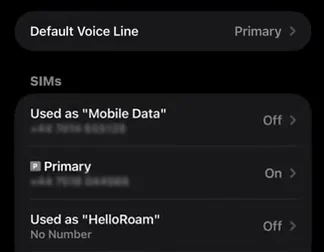
Fix 3 of 6
eSIM not showing in settings
Check your list of mobile lines first. If you find the new line switched off, tap it and turn the line on.
Full guide: The install will not finish
- Screenshot
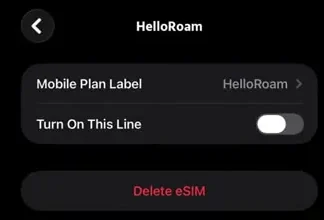
Fix 4 of 6
Cannot remove an old eSIM profile
Delete only a plan that has ended, because a deleted eSIM does not come back by itself.(11) On iPhone, open Settings, then Cellular, tap the old plan, then Delete eSIM or Delete Plan.(11)
Full guide: When it is safe to remove your eSIM
- Clip
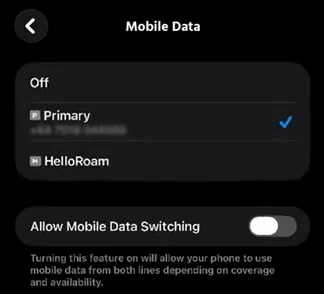
Fix 5 of 6
Two eSIMs causing conflicts
Even with several eSIMs installed, iPhone uses one line for mobile data at a time.(5) On iPhone, go to Settings, then Cellular, then Cellular Data, and pick the travel line.(7) Then turn off Allow Cellular Data Switching, so the phone does not use your home line's data and its roaming fees.(5)(7) On Pixel, only one SIM can be the default for data.(6)
Full guide: Turn on data roaming
- Screen
Enter Details Manually
Fix 6 of 6
Activation code rejected
Check that you typed the code exactly as shown in your email, then try again on stable Wi-Fi.
If the phone says the code is no longer valid, the eSIM may already be on your phone. Check your list of lines first, and never delete it to try again. QR code says no longer valid
Short answers to common eSIM questions

What does eSIM stand for?
eSIM stands for embedded SIM. Android's own docs describe it as an embedded SIM, also called an eUICC, that lets you download a carrier profile.(1) The chip is built into the phone, so there is no physical card to insert.
Does an eSIM give you a phone number?
Only if the plan on it includes one. Many carrier plans come with a local number for calls and texts.(7) A data-only eSIM, like each of our plans, adds no number. Keep your home line on beside it, and people can still call and text your own number.(7) Your carrier may charge roaming for that line, so check its rates.(7)
Is an eSIM the same as a virtual SIM?
Mostly, yes. Apple calls an eSIM a digital SIM, and US rules define a SIM as a physical or virtual card.(5)(13) The eSIM itself is a real chip built into your phone, the eUICC, that stores plans as downloads.(1) If a seller offers a virtual SIM, check that it means an eSIM plan your phone can install.
Does an eSIM need Wi-Fi after it is installed?
No. You need Wi-Fi or another connection only to download the eSIM, so do that at home before you fly. In some countries, Apple says iPhones that use eSIM only can activate without Wi-Fi.(7) Once the profile is on your phone, the eSIM connects to the mobile network on its own, the same way a SIM card does.
Do you pay a monthly fee for an eSIM?
Not for the eSIM itself. An eSIM is a way to hold a plan, not a plan.(5) You pay for the plan on it, as you would with a SIM card. A prepaid travel eSIM covers a set number of days, so it sends no monthly bill. Ask your carrier if it charges anything to move a line to eSIM. To compare prices, see what a travel eSIM costs.
Will deleting an eSIM delete everything?
No. Deleting an eSIM erases only the eSIM you select, so your other lines stay on the phone.(6)(11) The deleted plan does not come back by itself: to use that line again, you need a new eSIM from its carrier.(11) To cancel the carrier plan itself, contact the carrier.(11) Delete one of our eSIMs only after its plan ends, because once it has connected, its code cannot install it again.
Setup guides and more reading on SIM cards
These guides walk through eSIM setup on iPhone and Android, screen by screen.

Transcript of the eSIM explainer video
The spoken words of our explainer video, as recorded, 512 words, grouped by chapter. Each eSIM fact in it has its source in the list below. The AT&T Prepaid guide backs the *#06# check, and the G+D release backs the line about the SIM card an eSIM replaces.(23) Skip the transcript
What is an eSIM?
What is an eSIM? An eSIM is a SIM chip built into your phone. You download your mobile plan onto it as a digital profile, so there is no plastic card to insert. The e stands for embedded. This video is from HelloRoam, the travel eSIM brand for 185-plus destinations.
How does an eSIM work?
How does an eSIM work? Your phone downloads your plan from a server and saves it on a built-in chip, called an eUICC. The plan arrives as a profile: your mobile line in digital form. That server is called the SM-DP+. It prepares, stores and delivers profiles. You start the download when you scan a QR code or open an app. It all follows one global standard, led by a group called the GSMA.
Why would I want an eSIM?
Why would I want an eSIM? An eSIM lets you add a mobile plan with no plastic card. You download it, so you don't need to get, carry or swap SIM cards, or wait for one in the mail. Many phones can hold more than one eSIM, and you switch lines in Settings. Your home number can stay on while a second line gives you data on a trip. And no one can pull an eSIM out of a lost or stolen phone.
Do eSIMs give you a phone number?
Do eSIMs give you a phone number? Only if the plan on the eSIM includes one. Many plans from phone carriers come with a number for calls and texts. A data-only eSIM gives you mobile data, but no new number. Your home SIM can stay on beside the eSIM, so your own number still works. On iPhone, even if you use only a travel eSIM for data, FaceTime and iMessage keep working on your home line.
How do I know if my phone supports eSIM?
How do I know if my phone supports eSIM? Dial star, pound, zero, six, pound. If an EID number shows up, your phone can use eSIM. EID stands for Embedded Identity Document. On iPhone, the EID is also in Settings, General, About. To use another company's eSIM, your phone must be unlocked. If it is unlocked, that same About screen shows No SIM Restrictions next to Carrier Lock.
How do I get an eSIM on my phone?
How do I get an eSIM on my phone? Your carrier or eSIM provider gives you a QR code, or lets you add it in their app. Connect to Wi-Fi first, because the eSIM downloads over the internet. On iPhone, scan the QR code with the Camera app, then tap Cellular Plan Detected. On a Google Pixel, open Settings, then Network and internet, SIMs, Add SIM. Then follow the steps on your screen.
What is the downside of eSIM?
What is the downside of eSIM? The main downside is that your phone and your carrier must both support it. To use another company's eSIM, your phone must also be unlocked. And you usually need Wi-Fi or a hotspot to download it the first time. Moving an eSIM to a new phone takes a transfer step, not a quick card swap. Your carrier has to support that step, so check with them before you switch phones. The full HelloRoam guide and every source are linked in the description.
Sources for how eSIMs work
We cite phone makers, a standards body, Android's own docs, carriers, US federal rules and a SIM card maker, never other travel eSIM sellers.

All 23 sources read on .
- 1
Android Open Source Project: Implement eSIM
- 2
Apple Support: Find the serial number, EID, or IMEI on your iPhone, iPad, or iPod touch
- 3
Google Pixel Help: Find your IMEI and other Pixel phone ID numbers
- 4
Apple Support: Set up eSIM on iPhone
- 5
Apple Support: Using Dual SIM with an eSIM
- 6
Google Pixel Help: How to use dual SIMs on your Google Pixel phone
- 7
Apple Support: Use eSIM while traveling internationally with your iPhone
- 8
Apple Support: iPhone 14 Tech Specs
- 9
Samsung US: SIM cards for your Galaxy phone or tablet
- 10
Google Pixel Help: Pixel phone hardware tech specs
- 11
Apple Support: How to erase an eSIM on your iPhone or iPad
- 12
AT&T: eSIM Activation Guide
- 13
eCFR: 47 CFR 64.2010, safeguards for customer information (paragraph h, SIM changes)
- 14
- 15
Google Pixel Help: Get a SIM or eSIM & add it to your Pixel phone
- 16
Apple Support: Find wireless carriers and worldwide service providers that offer eSIM service on iPhone
- 17
Apple Support: Using eSIM with your iPhone in China mainland
- 18
- 19
Apple Support: Set up cellular on Apple Watch
- 20
ETSI TS 102 221: Smart Cards; UICC-Terminal interface; Physical and logical characteristics
- 21
ETSI TS 102 671: Smart Cards; Machine to Machine UICC; Physical and logical characteristics
- 22
Apple Support: Set up eSIM on iPad
- 23
Giesecke+Devrient (G+D), SIM card maker: G+D reaches the 100 million mark in Consumer eSIM downloads