eSIM guide · Costs abroad
eSIM vs International Plan: Roaming Costs and When Each Wins
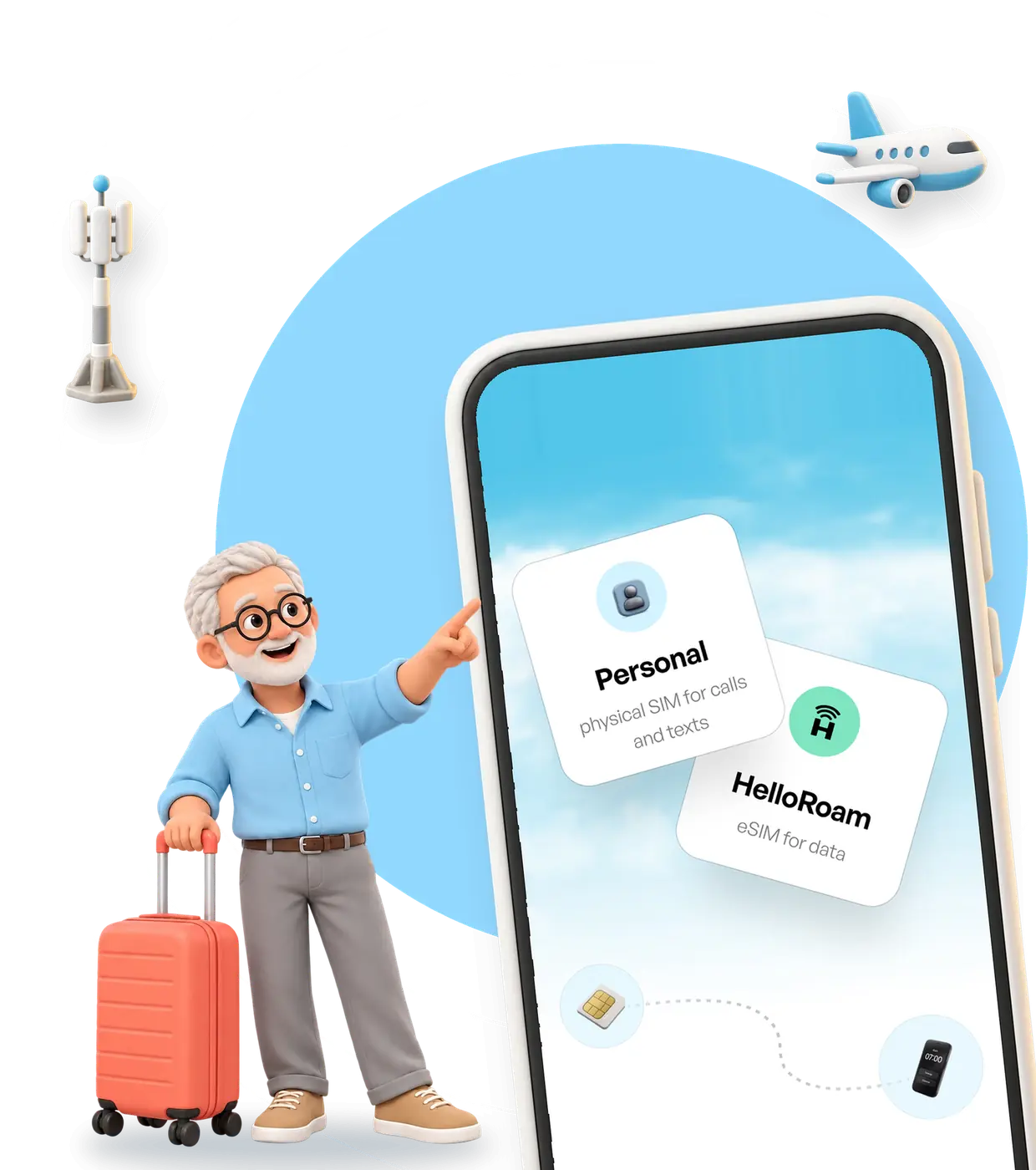
An international plan lets your US line roam abroad for a daily or monthly fee.(1)(2)(3) A travel eSIM is a separate prepaid data plan for your trip. It costs less than a day pass on most trips, unless your plan already includes the country. HelloRoam sells plans for 185+ destinations, and you install the eSIM before you fly.
Video explainer
eSIM vs Roaming: What Is the Difference When You Travel?
The video explains how roaming and a travel eSIM differ, and when each one fits a trip. It then covers whether you still need roaming with an eSIM and when to turn off data roaming on your home line. It ends with texts when data roaming is off, airplane mode and charges on Wi-Fi. An AI voice narrates the video.
Roaming key facts Each carrier and phone fact links to its source
- With no pass or plan, roaming bills
- Per MB plus each minute and each text(3)
- Canada and Mexico roaming
- Included on Verizon Simplicity and Unlimited plans and some other US plans(2)(4)
- Your US number with a travel eSIM
- Stays on the home line for calls and texts(5)
- HelloRoam covers
- 185+ destinations, 212+ networks
A travel eSIM and carrier roaming differ on price, setup and your number
Carrier roaming bills your home plan abroad, most often by the day.(1)(2) A travel eSIM is a prepaid data plan you pay for once. You add the eSIM beside your home line, so your US number stays on.(5)

| What changes | Travel eSIM | Carrier day pass |
|---|---|---|
| How you pay | One prepaid price for set data and days, paid once when you buy it | A daily fee for each day you use the phone in an included country(1)(2) |
| When charges start | Once, when you buy the plan | The first time you call, text or use data abroad. Each charge covers 24 hours(1)(2) |
| Your US number | Stays on your home line for calls and texts while the eSIM carries data(5) | Works as at home, and calls, texts and data all start the day's charge(2) |
| Setup | Install over Wi-Fi before you fly.(7) The plan's days start when it first connects in your destination | Add the pass to your plan. It starts on its own when you use the phone abroad(2) |
| Countries covered | Plans for 185+ destinations: one country, or one regional plan across borders | Destinations on your carrier's list. Other places bill at pay-as-you-go rates(1)(2)(4) |


Is an eSIM cheaper than international roaming?
For AT&T and Verizon customers, a travel eSIM usually costs less from the first day, unless your plan already includes the country. A day pass bills each day you use the phone abroad, so the cost grows with the trip.(1)(2) A prepaid eSIM costs the same on day one and day ten. The FCC, the US regulator, lists an unlocked phone with a local SIM card or eSIM as one way to use your phone abroad.(14)
Roaming wins on price mainly when your plan already includes the country, such as Verizon plans in Canada and Mexico, or a plan that includes data abroad.(2)(4) A day pass can also be the simpler pick for a short stay when you need calls and texts on your US number.
Carrier day pass
A fee for each 24 hours you use the phone abroad
- Carrier day pass: Charges in 7 days
- 7
Travel eSIM
One price, paid when you buy it
- Travel eSIM: Charges in 7 days
- 1
Carriers charge for roaming by the day, the month or the megabyte
US carriers sell daily passes and monthly plans, and bill pay-as-you-go rates for each minute, text and MB when no pass or plan covers you.(1)(2)(3) Some carriers add taxes on top of their prices.(2)(4)

- Daily pass
- Per day used
- A charge for each 24 hours you use the phone abroad. AT&T International Day Pass and Verizon TravelPass work this way.(1)(2)
- Pay as you go
- Per minute, text or MB
- Rates for each call, text and amount of data when no pass or plan covers you. Verizon uses them where TravelPass does not reach.(2)(3)
- Monthly plan
- Per month
- A set fee for a month abroad. Verizon calls its International Monthly Plan ideal for trips of 9 days or longer, for one month or renewing each month.(3)
Before you compare costs, work out how much data you will use with the HelloRoam Travel Data Calculator.
8 roaming terms in plain words
You will see these on carrier pages and official roaming rules.
- Partner network (the local network)
- A network abroad that carries your calls and data under a deal with your home carrier.(4)(14)
- Home line (your US number)
- The line your carrier gave you. Abroad it can roam for calls, texts and data. Your phone may label it Primary or Personal.(2)(5)(7)
- Data line (the line on data)
- The line your phone uses for mobile data. Only one line carries data at a time.(5)(6)
- Dual SIM (two lines, one phone)
- A phone with two lines on at once. One line carries data while the other keeps calls and texts.(5)(6)
- Data roaming (the roaming switch)
- The setting that lets a line use mobile data on networks abroad. Keep it on for a travel eSIM and off for your home line where the phone has a switch for each line.(8)
- Included destination (on your carrier's list)
- A country where your carrier's day pass works. Use the phone elsewhere and pay-as-you-go rates apply.(1)(2)
Each major US carrier sells international roaming plans at its own prices
AT&T sells the International Day Pass, and Verizon sells TravelPass and a monthly plan.(1)(2)(3) Some plans already include data abroad, with passes for more on top of it.(4) Each row links the carrier's own page, where we read the price.

| Carrier | Roaming option | Price | How it bills | Details |
|---|---|---|---|---|
| AT&T | International Day Pass | $12 a day | A 24-hour pass starts the first time you use data, text, or make or answer a call in an included destination. Each extra line used the same day adds a smaller daily fee.(1) | Official roaming page |
| Verizon | TravelPass | $12 a day | A 24-hour session starts when you use the phone in a TravelPass country. You pay only on days you use it. Each session gives 5GB high-speed data, then data slows to 3G.(2) | Official roaming page |
| Verizon | International Monthly Plan | $100 a month | One month abroad, or a plan that renews each month. It gives 20GB high-speed data, then 3G, plus unlimited texts and 250 minutes.(3) | Official roaming page |
| T-Mobile | 1 Day Pass | $10 for 1 day | Adds 2GB of high-speed data for 1 day and unlimited calls to a qualifying plan.(4) | |
| T-Mobile | 10 Day Pass | $50 for 10 days | Gives 15GB of high-speed data over 10 days and unlimited calls, to use any way you like.(4) | |
| T-Mobile | 30 Day Pass | $75 for 30 days | Gives 30GB of high-speed data over 30 days and unlimited calls, at one price for the pass.(4) |
AT&T's International Day Pass costs $12 a day
Each extra line used the same day adds $6. Keep your AT&T line off data, and the pass bills only on days you call, answer or text on it.(1) A week of daily use means seven charges, while a travel eSIM for the same week is one price, paid once.
Verizon TravelPass costs $12 a day, with a monthly plan for longer trips
In Mexico and Canada, TravelPass costs $6 a day, and Simplicity and Unlimited plans include both countries.(2) Verizon calls its International Monthly Plan ideal for trips of 9 days or longer.(3) A travel eSIM covers your data at one price for set days, and a call or text on your Verizon line can still start a TravelPass day.(2)
T-Mobile includes some data abroad, and its passes start at $10
Experience More, Go5G Plus and Magenta MAX plans include 5GB of high-speed data abroad, and Experience Beyond and Go5G Next plans include 15GB, then data slows to 256 Kbps.(4) Outside Canada and Mexico, Essentials plans include texts only, so data needs a pass.(4) On Essentials, or once the included data runs low, a travel eSIM adds data without a pass.
Two sample trips show what roaming costs next to a travel eSIM
We priced light use, the Casual traveler profile in our data calculator, on two trips. Each carrier row uses the option its own rules make cheaper for that trip, and the last row shows our plan that covers it.
7 days in Japan
Our row is the smallest plan that holds this light use for the whole trip, with 20% added for busy days.
| Option | Cost of the trip |
|---|---|
| AT&T International Day Pass: 7 days at $12 a day | $84 |
| Verizon TravelPass: 7 days at $12 a day | $84 |
| T-Mobile 10 Day Pass | $50 |
| HelloRoam Japan plan: 5GB, 30 days | $9.49 |
14 days in Europe
Across several countries, one regional plan for Europe holds the same light use with the same margin.
| Option | Cost of the trip |
|---|---|
| AT&T International Day Pass: 14 days in one bill period, billed as 10 daily fees of $12 | $120 |
| Verizon International Monthly Plan | $100 |
| T-Mobile 30 Day Pass | $75 |
| HelloRoam Europe plan: 10GB, 30 days | $26.99 |
A carrier pass also covers calls and texts on your US number, and our plans carry data only. If your plan already includes high-speed data abroad, it can cover a light trip at no extra cost.
Roaming rules follow where your phone plan is from
A US plan bills on your US carrier's terms in every country, even inside the EU.(1)(12) The EU's Roam Like at Home rule covers plans from EU and EEA countries, so it does not lower a US plan's bill.(12)

| Plan from | What the rule says |
|---|---|
| United States |
|
Rules change. Check the official page or your carrier before you travel.
Is your phone plan from the UK, Ireland, Canada or Australia? Read roaming from the UK, roaming from Ireland, roaming from Canada or roaming from Australia.
Four steps move your trip data off carrier roaming
Four steps move your data to a travel eSIM: pick a plan, install it at home, make it your data line and keep your home line off data.

Pick a plan for where you are going
Choose a plan for one country, or a regional plan if you cross borders.
Install it at home over Wi-Fi
Add the eSIM before you fly, over Wi-Fi at home.(7) Installing it uses no plan days, because the plan's days start when it first connects in your destination.
Make the travel eSIM your data line
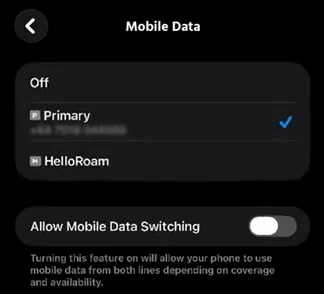
When you land, turn on the travel line and its data roaming. On iPhone, open Settings > Cellular > Cellular Data, pick the travel line, then turn off Allow Cellular Data Switching.(5) With iOS 26, a Turn On Travel eSIM prompt may appear: tap it, then keep both lines if you want calls and texts on your US number.(7) On Android, follow our data roaming steps.
Keep your home line off data
Leave the home line on for calls and texts, but not as your data line, and turn off its data roaming where it has its own switch, as on iPhone.(8) Background data, such as app updates, can start a day pass on that line.(2) Calls and texts on it still bill at your carrier's rates.(1)(2) Back home, iOS 26 can turn your home line back on by itself, or you can turn it on in Settings > Cellular.(7)



Plans for your trip:



Your home line can stay on while a travel eSIM carries data
With two lines on, the travel eSIM carries your data and your US number keeps working for calls and texts.
An iPhone XS, XS Max, XR or later, or a Pixel 3a or later, can run two lines at once if the carrier supports it.(5)(6) Google names one exception: a Pixel 3a bought with Verizon service or in Japan cannot use an eSIM.(6)(16) If your home line is already an eSIM, keeping both on needs an iPhone 13 or later, or a Pixel 7 or later.(5)(6) You pick one line for mobile data, and the other keeps your number for calls and texts.(5)(6) First search your model in our eSIM Phone Checker, which lists the phones that can use an eSIM. The phone must also be unlocked: on iPhone, Settings > General > About shows No SIM Restrictions next to Carrier Lock when it is.(7) On Android, the same page shows how to check.
Calls and texts on your home line still count as roaming. AT&T and Verizon start a day's charge when you call, answer or text abroad.(1)(2) For international calls, use a calling app such as WhatsApp or FaceTime over the travel eSIM's data.(7)
Our eSIMs carry data only, so your home SIM keeps your number. Make sure the home line is not your data line, or its data can start roaming charges.(2)(8)

Lines on this phone
Carrier roaming is the better choice on some trips

Should I use roaming or eSIM?
Use roaming when your plan already includes the country or you need your US number for calls, and a travel eSIM for data everywhere else. Apple's iPhone travel guide offers the same two choices: roam with your existing carrier, or buy a travel eSIM.(7)

Choose carrier roaming if
Your carrier's plan is the simpler pick in three cases.
-
Your US plan already includes the country
Qualifying T-Mobile plans include calls, texts and data in Canada and Mexico at no extra charge.(4) Some of these plans also include 5GB or 15GB of high-speed data in many other countries, then data at up to 256 Kbps.(4) Verizon Simplicity and Unlimited plans include Canada and Mexico too, and Unlimited Ultimate includes data, talk and text abroad.(2)(3) Check your plan before you buy anything.
-
Your phone cannot take a travel eSIM
A locked phone needs roaming, because a SIM card or eSIM from another carrier needs an unlocked phone.(7)(14) A phone without eSIM needs roaming or a SIM card. See eSIM or a physical SIM card.

Choose a travel eSIM if
A travel eSIM is the better pick in three cases.
-
A route across borders
A regional plan is one eSIM for every country it covers, so you do not buy again at each border.
-
A fixed trip budget
You pay once, when you buy it, and the plan never renews.
We sell travel eSIMs. That is why this page also lists the trips where roaming wins. Read how we handle that conflict.
Roaming charges and travel eSIMs: common questions

Does airplane mode stop roaming charges?
Yes. Airplane mode turns off the phone's cellular radio, so no network abroad can bill you while it is on.(9) You can still turn Wi-Fi back on and use apps over it.(9) To use a travel eSIM, turn airplane mode off when you land, because the eSIM needs the cellular radio. Then pick the travel line for data before you open any app.
Will I be charged for roaming if I use Wi-Fi?
Data you use on Wi-Fi adds no data roaming charges, because it does not count as mobile data.(14) Some phones still use mobile data when Wi-Fi is weak, which can start a day pass on your home line.(2)(8) Wi-Fi Calling can still cost money. Verizon bills Wi-Fi calls to other countries at international long distance rates.(15) Check your own carrier's Wi-Fi Calling terms before you call from abroad.
Can I still get roaming charges with a travel eSIM?
Yes, through your home line. If it can still carry data, background data such as app updates can start a day pass or a TravelPass session.(2)(8) Calls and texts on it bill under your carrier's roaming terms, and some carriers even bill a call you do not answer while your phone is on.(1)(2)(4) Onboard satellite networks on ships and planes bill on their own terms too.(1)(11)(13)
Do I need international roaming if I have an eSIM?
Not for data, because the travel eSIM carries your data abroad.(7) Keep data roaming on for the travel eSIM's line, or it may carry no data, and off for your home line where it has its own switch.(8) Keep a carrier pass only if you will call or text on your US number. Verizon says background data can start a TravelPass session once data roaming is on.(2)
How does AT&T's International Day Pass compare with a travel eSIM?
AT&T's International Day Pass takes your AT&T plan abroad for a daily fee, charged on each day you use the phone in an included destination.(1) It covers calls, texts and data on your AT&T line. A travel eSIM is a prepaid data plan, paid once for set data and days. On most trips the eSIM costs less for data, while the pass suits a short stay full of calls.
More guides for using your phone abroad
These guides cover budget trips, cruises and long stays abroad.
Transcript of the eSIM vs roaming explainer video
The spoken words of our explainer video, as recorded, 542 words, grouped by chapter. Its facts come from sources 1, 2, 5 to 9 and 11 to 14 below. The Pixel and Galaxy steps come from our data roaming help guide. Skip the transcript
eSIM vs roaming: what is the difference?
What is the difference between an eSIM and roaming? Roaming uses your home phone plan on a network abroad, and your home carrier bills you for it. A travel eSIM, like one from HelloRoam, is a separate data plan just for your trip. You pay for it up front, so its data stays off your home bill.
Should I use roaming or eSIM?
Should I use roaming or an eSIM? Use roaming when your home plan already includes the country you are visiting. Use a travel eSIM when it does not. To check, look up the country on your carrier's roaming page or app before you go. Roam Like at Home in the EU covers plans from EU and EEA countries, so it does not lower a US plan's bill. For a travel eSIM, your phone must support eSIM and must not be locked to your carrier.
Do I need international roaming if I have an eSIM?
Do I need international roaming if I have an eSIM? Not for data, if it is a travel eSIM. Set it as your data line in your phone's settings, and your home line does not need to roam for data. If your home plan is on an eSIM, it roams just like a physical SIM would. Either way, your home line can stay on for calls and texts on your number, and those can still cost roaming fees.
Should I turn off roaming if I have an eSIM?
Should I turn off roaming if I have an eSIM? Yes, on your home line, where it has its own switch, as on iPhone. Apple says turning data roaming off helps you avoid roaming charges. Turn data roaming on for the travel eSIM, or it may carry no data. On iPhone, open Settings, then Cellular. Tap your home line, then Cellular Data Options, and turn off Data Roaming. On a Pixel, open Settings, Network and internet, SIMs, tap your home line and turn off Roaming. A Galaxy has one Data roaming switch for the whole phone, so leave it on and set Mobile data to the travel eSIM.
Can you still text if you turn off data roaming?
Can you still text if you turn off data roaming? Yes. The data roaming switch only controls mobile data, so texts and calls on your home number still come through. Calls, and the texts you send, can still cost roaming fees. Some carriers charge for roaming by the day, and one answered call or one sent text can start a full day's fee. Read your carrier's roaming terms before you go.
Does turning on airplane mode stop roaming charges?
Does turning on airplane mode stop roaming charges? Yes, while it is on. Airplane mode turns off cellular and Wi-Fi, so your phone cannot roam. Apple says it can help lower roaming charges. It also turns off your travel eSIM, but you can still turn Wi-Fi on in airplane mode. On ships and planes, phones can connect to satellite networks that usually charge high fees. The EU advises airplane mode on board.
Will I be charged for roaming if I use Wi-Fi?
Will I be charged for roaming if I use Wi-Fi? Not for data you use on Wi-Fi. Wi-Fi does not use your mobile data, so it adds no data roaming charges. One catch: some phones also use mobile data when Wi-Fi is weak or busy. So keep the travel eSIM as your data line, not your home line, even on Wi-Fi. Read the full guide, with every source, at helloroam dot com.
Sources for roaming rules and carrier plans
We cite carrier pages, Apple and Google support pages and official US, EU and UK pages, never other travel eSIM sellers.

All 16 sources read on .
- 1
- 2
Verizon: International Plans: TravelPass
- 3
- 4
T-Mobile: International Plans, Traveling Abroad without Roaming Fees
- 5
Apple Support: Using Dual SIM with an eSIM Page updated
- 6
Google Pixel Help: How to use dual SIMs on your Google Pixel phone
- 7
Apple Support: Use eSIM while traveling internationally with your iPhone Page updated
- 8
Apple Support: Use cellular data on your iPhone or iPad Page updated
- 9
Apple Support: Use Airplane Mode on your iPhone, iPad, Apple Watch, and Apple Vision Pro Page updated
- 10
Apple Support: Set up eSIM on iPhone Page updated
- 11
European Commission: Roaming, connected anywhere in the EU at no extra charge Page updated
- 12
Your Europe: Roaming, what you pay to use your smartphone in another EU country
- 13
Ofcom: Using your mobile abroad Page updated
- 14
FCC: International Roaming: Mobile Phone Use Abroad Page updated
- 15
Verizon: TravelPass FAQs
- 16
Google Pixel Help: Get a SIM or eSIM & add it to your Pixel phone