eSIM vs Physical SIM: What Canadian Travellers Need to Know

Comparing eSIM vs physical SIM comes down to three things: how fast it sets up, what it costs, and how secure it is while you travel. An eSIM is a chip built into your phone that activates via a QR code scan. A physical SIM is a removable nano card you slot in by hand. The difference between eSIM and SIM card is that one is embedded in hardware and one is removable plastic. Here is a straightforward side-by-side guide built for Canadian travellers heading to the US, Mexico, Europe, and beyond.

Last updated:
Person at a Canadian airport departure gate reviewing eSIM vs physical SIM card options on their smartphone before an international flight
10GB

eSIM versus physical SIM: an eSIM downloads a carrier profile to your phone by QR code, while a physical SIM card ships to your address. SIM cards are small chips that connect your phone to a mobile network. HelloRoam prepaid eSIM plans start at CA$1.44 across 185+ countries, with no SIM swap and no shipping. eSIM USA plans connect you to major US networks for one prepaid price.

185+ Countries
212+ Networks
Instant Activation

Why Canadians Choose eSIM Over a Physical SIM Card

Instant Activation

Scan a QR code from home and arrive already connected. No delivery, no SIM ejector tool, no carrier counter to queue at.

Lower Cost

Plans start at CA$1.44 with no shipping fees. Physical SIMs at airport counters often cost CAD 15 to CAD 60 before data.

Easy Country Switching

Hold multiple eSIM profiles on one phone and switch between countries without ever opening the SIM tray.

Better Security

The eSIM chip is built into your phone, so no one can pull it out and put it in another phone the way they can with a SIM card. Your connection stays locked to your device.

Eco-Friendly

No plastic card, no packaging, no shipping. Every eSIM purchased keeps one more physical card out of the waste stream.

Dual SIM Support

Keep your Canadian carrier number active for calls and texts while the HelloRoam eSIM handles your travel data abroad.

Key Differences Between eSIM and Physical SIM

Activation Speed: eSIM vs SIM Card

A prepaid eSIM activates in under five minutes. Scan the QR code from your HelloRoam confirmation email before you leave home, and your data is ready the moment your plane lands. There is no waiting for a courier, no tracking down a carrier kiosk in an unfamiliar airport, and no fumbling with a SIM ejector pin in the arrivals hall. Physical SIM cards demand planning: order one in advance or hunt for a shop after you clear customs. For Canadians heading to New York, Cancun, London, or Tokyo, that convenience gap matters more than most people expect.

Cost Comparison: Prepaid eSIM vs Physical SIM

HelloRoam eSIM plans start at CA$1.44 with no shipping costs and no handling fees added at checkout. A physical SIM from an airport carrier shop can cost US$10 to US$50 before you add any data. With HelloRoam, you pay one prepaid price upfront and connect to a local network for the entire trip, with no roaming fees from your home carrier. On a two-week holiday, the upfront cost of a physical SIM plus a data add-on can easily outpace what a prepaid eSIM would have cost.

Canadian traveller at an international departure gate scanning a QR code to activate an eSIM instead of inserting a physical SIM card

Travel Convenience and Flexibility

Heading from Montreal to Mexico City, then on to Madrid? Store multiple eSIM profiles on one phone and flip between them in a few taps without opening the SIM tray. With physical SIM cards, each country means a separate nano SIM to carry, label, and keep track of while you travel. An eSIM-compatible phone holds your Rogers, Bell, or Telus carrier line active for calls and texts while a HelloRoam travel eSIM handles data on local 4G and 5G networks. No tools, no tiny cards to misplace in a jacket pocket, no stress at the gate.

Environmental Impact

Every physical SIM card starts as plastic, a blister pack, and a delivery shipment. Across millions of travellers each year, that adds up to a significant amount of waste. An eSIM is entirely digital from start to finish: no card, no packaging, and no carbon cost from shipping. If you travel regularly and want to shrink the footprint of each trip, choosing an e SIM over a physical SIM card is one of the most straightforward changes you can make, and it costs nothing extra to do it.

Get started with eSIM:Japan eSIM|USA eSIM|Germany eSIM

eSIM vs Physical SIM: Side-by-Side

A plain feature-by-feature look at how HelloRoam eSIM stacks up against a physical SIM for Canadian travellers

eSIM vs Physical SIM: Side-by-Side
Feature comparisonHelloRoam
Physical SIM
Instant ActivationFeature availableFeature not available
No Physical Card NeededFeature availableFeature not available
185+ CountriesFeature availableFeature not available
Multiple Profiles on One DeviceFeature availableFeature not available
No Shipping or Handling FeesFeature availableFeature not available
Eco-Friendly (Zero Plastic)Feature availableFeature not available
Dual SIM SupportFeature availableFeature available

Find Your eSIM Plan

Browse prepaid eSIM plans for your next destination

View All Destinations

Get connected in 4 easy steps

How to Get Your eSIM

  1. 1

    Choose your destination

  2. 2

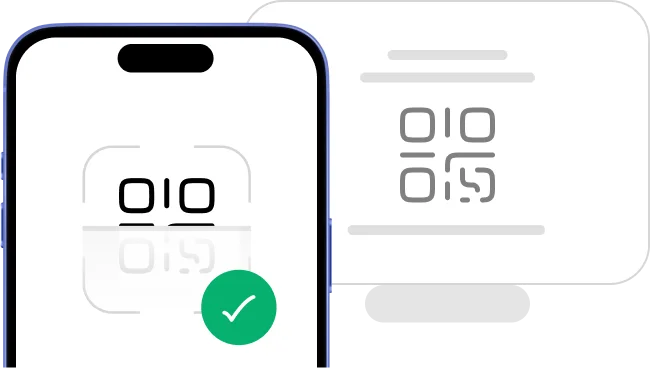
    Scan the QR code

    Scan QR code to install eSIM
  3. 3

    Install your eSIM

  4. 4

    Connect and go

    Download HelloRoam app and connect
    Get it on Google Play
    Download on the App Store

One-Touch Installation

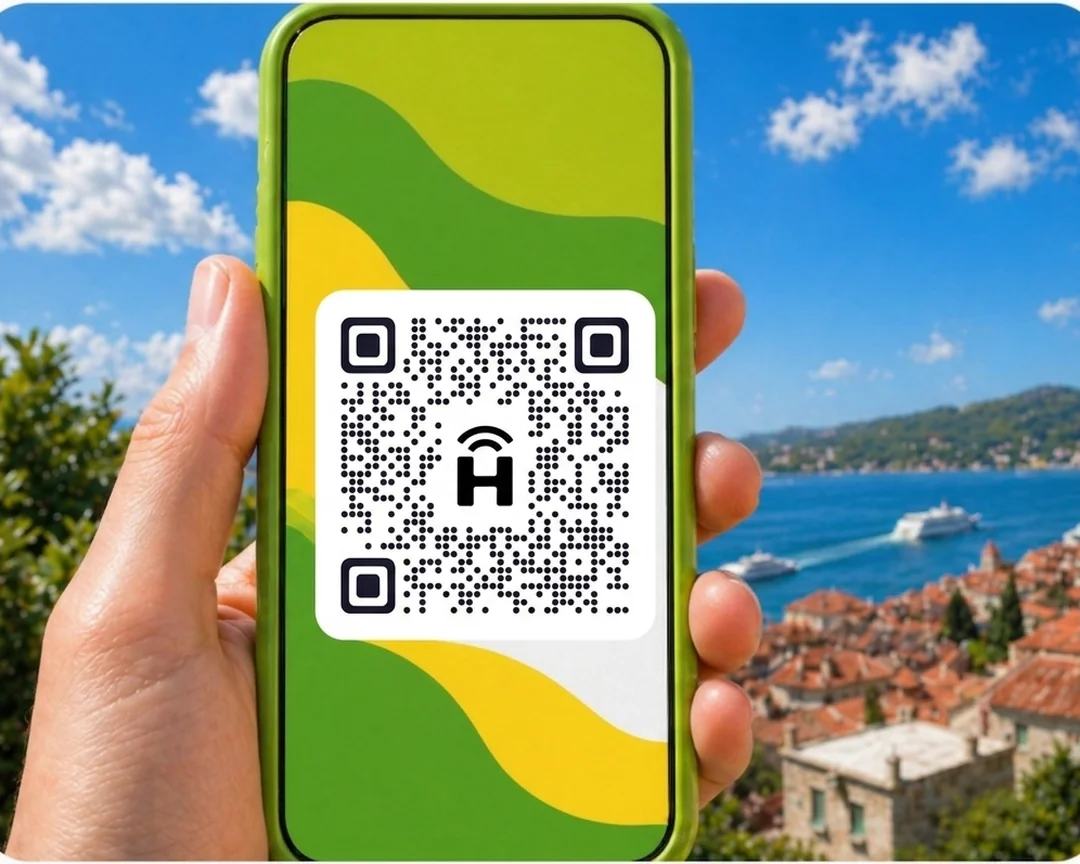
Install your eSIM before you leave home. Scan the QR code, confirm the install in your settings, and your plan is ready to go.

Phone showing eSIM QR code scanQR code example
status-bar
9:41
HelloRoam
24/7 Support
HelloRoam eSIM platform logo
HelloRoam
Hi! How can I help you today?
HelloRoam eSIM platform logo
I need help with my eSIM
How do I activate it?
Thanks for the help!
Smartphone displaying HelloRoam eSIM app - mobile data plans for travelers
Support headset icon
24/7 Live Support
Chat on WhatsApp

24/7 Support Chat

Have questions about eSIM vs SIM cards or how to set one up? Our support team is available around the clock. Reach us through live chat or WhatsApp anytime.

eSIM or Physical SIM Card: Which Option Suits You?

The right choice depends on your phone model and how you prefer to travel. An eSIM suits most modern phones well: no store visit required and no nano SIM card to swap at the airport. The embedded SIM stays inside your device: unlike a SIM card, no one can pull it out and move it to another phone. If your phone does not include eSIM hardware, a physical SIM card is still a reliable option.

Canadian traveller staying connected abroad on a local data network with their HelloRoam eSIM

Choose eSIM if you:

  • Plan to visit multiple countries on one trip
  • Want data ready before your flight departs
  • Need to keep your Canadian number reachable while away
  • Prefer a paperless, eco-friendly travel option

Choose a Physical SIM if you:

  • Have an older phone without built-in eSIM support
  • Need a dedicated local phone number at your destination
  • Would rather pick up a SIM card in person after landing

Reviews

Loved by travelers worldwide

Real reviews from Trustpilot and the App Store, quoted as written.

40k+ travellers have used HelloRoam

Cat

Trustpilot
On a trip to Europe, my hotel Wi-Fi was so slow and outside Wi-Fi was unreliable. I couldn’t take it anymore so I got helloroam for a few days. It was tricky to set up correctly because of the primary settings (with my original number). But I reached out to their customer service via WhatsApp. Super responsive and helpful, with specific and clear steps to troubleshoot. Appreciate having 4G roaming instead of being stuck with in and out Wi-Fi during my trip!!

Rated 5 out of 5 by this reviewer

A traveller smiles at the view while holding her phone by an airport window
Very good experience! The eSIM was easy to set up and worked great in London. It was much cheaper than it would have been to use my own operator there.

Ilona

Trustpilot

Rated 5 out of 5 by this reviewer

metulker

App Store
Hard to set up but help was good

Rated 5 out of 5 by this reviewer

Reuben

Trustpilot
Really happy with HelloRoam. Everything worked as expected, from messaging and Google Maps through to streaming without any issues. Easy to use, reliable and affordable. Would happily use them again when travelling.

Rated 5 out of 5 by this reviewer

Hikers with backpacks walk along the Great Wall of China

Angeline

Trustpilot
Reliable connection. Reasonable pricing.

Rated 4 out of 5 by this reviewer

Frequently Asked Questions

Can I switch from physical SIM to eSIM?

Switching from a physical SIM to an eSIM is a straightforward process with all three major Canadian carriers. Log into your Rogers, Bell, or Telus account through their app, find the eSIM or digital SIM option, and request a transfer. The carrier sends a QR code to your email or displays one in the app. Scan it on your phone, confirm the install, and your digital profile is active. Your physical SIM stops working once the eSIM takes over, so verify the switch is complete before you remove the old card.

Is eSIM better than a physical SIM card?

Is eSIM better than a physical SIM card? For most travellers with an eSIM-compatible phone, yes. That includes iPhone XS and newer, most Samsung Galaxy S20 and newer models, and Google Pixel 4 and newer. It installs over the air with a QR code scan, with no card to swap, no store visit and no delivery wait. The eSIM vs physical SIM comparison consistently favours eSIM on convenience, security, and cost. HelloRoam covers 185+ countries, including the US, Mexico, and Europe. HelloRoam plans start from CA$1.44; prices vary by destination. A physical SIM still makes sense for phones that lack eSIM hardware or for destinations where local carrier eSIM support is limited.

Is eSIM more secure than physical SIM?

An eSIM is more secure than a physical SIM card in one clear way: the chip is soldered inside your phone and cannot be popped out or swapped into another device. A physical SIM can be taken out of a lost or stolen phone and used in another one. SIM swap fraud is different: it happens at the carrier, when an attacker gets your number moved to a new SIM, so it can target either type. Your HelloRoam eSIM profile is locked to your device using GSMA encryption standards and stays on the phone you installed it on.

Should I get an eSIM or local SIM for Mexico or the USA?

An eSIM is the practical choice for most Canadians travelling to the US or Mexico. Local physical SIM cards in both countries can cost less per gigabyte, but buying one requires finding a carrier store, presenting ID, and waiting for activation. A HelloRoam prepaid eSIM activates from home before your flight, so you land in Fort Lauderdale or Cancun already connected. For a March Break trip or a quick cross-border weekend, eSIM convenience is hard to beat.

What are the advantages of eSIM over physical SIM?

eSIM advantages over a physical SIM card include QR code activation with no store visit, no plastic card to lose at any point during your trip, and the ability to hold multiple carrier profiles on a single device. The difference between eSIM and SIM is that physical sim vs esim comes down to hardware: eSIM is embedded, physical SIM is removable. HelloRoam eSIM connects you to 212+ networks across 185+ countries. Activate your travel plan from your couch before leaving for the airport and switch between countries without stepping inside a phone shop at any stop.

Is eSIM more private or secure than a physical SIM card?

An eSIM provides the same level of privacy as a physical SIM card. Both use identical protocols to connect to cell towers, and the same network-level data applies to each. The security edge eSIM holds is physical: no one can remove the chip from your phone or slip it into another device. HelloRoam eSIM profiles are device-locked and encrypted to the GSMA standard, so your connection stays tied to your phone throughout your trip.

Can I have two eSIMs on one phone?

Most modern smartphones can store more than one eSIM profile. iPhone XS and newer models with a SIM tray run one physical SIM and one eSIM at the same time. The iPhone 13 and later can run two eSIMs at the same time with no physical SIM needed. Google Pixel 7 and later can also run two eSIMs if your carrier allows it. HelloRoam lets you load a travel data eSIM alongside your Bell, Rogers, or Telus line so your Canadian number stays reachable while you're away.

Can your eSIM be hacked?

An eSIM has one clear security edge over a physical SIM card: it is built into your phone, so no one can pull it out and put it into another phone the way they can with a SIM card. GSMA encryption covers every HelloRoam eSIM profile in all 185+ of our countries. A thief who takes your phone cannot pull out the eSIM and use it elsewhere. SIM swap fraud happens at your carrier, not on the phone, so it can affect either type of SIM.

Do eSIMs give you a phone number?

HelloRoam eSIM plans are data-only and do not assign a new phone number to your device. Your existing Canadian number stays active on your primary carrier line as usual. This two-line setup works well for travel: Rogers, Bell, or Telus handle your calls and texts while HelloRoam delivers data in 185+ countries. If you need a local number at your destination, a carrier eSIM from a local provider would be needed for that.

Do you keep your phone number with an eSIM?

Your phone number belongs to your carrier account, not to the SIM type. Moving from a physical SIM to an eSIM with Rogers, Bell, or Telus keeps your number exactly the same. Adding a HelloRoam travel eSIM does not touch your existing Canadian number at all. Your home line stays active for calls and texts while HelloRoam handles data in 185+ countries abroad.

Related eSIM Guides

App Store rating4.7/5

Get the app. Travel smarter.

Buy, activate, and track your eSIMs from anywhere, on any trip.

4.7
App Store rating
Scan to download the HelloRoam eSIM app for iOS and Android

Sources

  1. GSMA eSIM Specification (SGP.22)(Accessed April 2026)
  2. Samsung — How to Use eSIM(Accessed April 2026)