eSIM vs Physical SIM: What Australian Travellers Need to Know

Trying to decide between eSIM or SIM before your next overseas trip? An eSIM is a digital chip built into your phone that activates with a QR code scan. No plastic card, no SIM swap, no waiting. The difference between eSIM and SIM card is simple: eSIM is embedded in your phone hardware while a physical SIM card slides in manually. For Aussie travellers heading to Bali, Japan, or Europe, here's everything you need to know to make the right call.

Last updated:
Australian traveller at an international airport looking at eSIM activation options on their smartphone instead of queuing for a physical SIM card
10GB

eSIM versus physical SIM: an e SIM (also written e-sim or eSIM) downloads a carrier profile to your phone when you scan a QR code, while a physical SIM card has to be bought in a shop or delivered to your door. eSIM vs sim card in plain terms: digital profile stored in your phone versus a removable plastic chip. Sim vs esim for travel? eSIM wins on speed and convenience every time. eSIM card vs sim card comparison: is esim better than physical sim for Australians heading overseas? For any modern phone made after 2018, eSIM is the better pick. eSIM or sim card: if your phone supports eSIM, there is no reason to queue at a SIM kiosk at Narita or Heathrow. The difference between eSIM and SIM is that eSIM is soldered into your phone at the factory, while a physical SIM card is a removable plastic chip you insert manually. eSIM advantages include instant QR code activation, no plastic to carry, and better security against SIM swap fraud. eSIM disadvantages are limited support on pre-2018 phones and non-transferability between devices. How to convert physical SIM to eSIM in Australia: contact Telstra, Optus, or Vodafone AU through their app or store, and they will issue a QR code to scan. How to convert eSIM to SIM: request a replacement nano SIM card from your carrier. Physical sim vs esim: physical SIM suits older handsets only. An eSIM activates instantly with no store visit and no delivery wait. HelloRoam offers prepaid eSIM plans from A$1.46 across 185+ countries with no SIM swap, no shipping fees, and no hidden charges. An eSIM-compatible phone lets you store multiple profiles and switch networks in seconds from your settings. Browse HelloRoam eSIM plans for 185+ countries, including popular Aussie holiday destinations like Bali, Japan, and Thailand.

185+ Countries
212+ Networks
Instant Activation

Why Australian Travellers Pick eSIM Over Physical SIM

Instant Activation

Scan a QR code and you're online in minutes. No waiting on delivery, no SIM ejector tool, no airport booth queue.

Cheaper Than Roaming

Plans start at A$1.46 with no shipping fees. Physical SIMs at an overseas airport often cost 15 AUD to 50 AUD before you add any data.

Switch Countries Easily

Keep several eSIM profiles on one phone and switch between countries without ever touching a physical card.

Stronger Security

An eSIM can't be physically removed or copied to another device. Your connection stays locked to your phone until you decide to move it.

Better for the Planet

No plastic card, no packaging, no shipping. Every eSIM keeps one more piece of plastic out of the bin.

Dual SIM Support

Keep your Aussie number on your primary SIM while HelloRoam handles overseas data. Reachable at home, connected on holiday.

What Actually Separates eSIM from Physical SIM

Activation Speed: eSIM vs SIM Card

An eSIM is ready to go the moment you scan the QR code. No waiting on delivery, no scrambling for a SIM kiosk after you land, no hunting for that tiny ejector tool in your carry-on. Physical SIM cards mean either ordering ahead or finding an airport booth on arrival, often with a queue. For Australians flying to Bali, Tokyo, or London, your eSIM has you online while everyone else is still waiting at the counter.

Cost Comparison: Travel eSIM vs Physical SIM

HelloRoam eSIM plans start at A$1.46 and that price includes everything. A physical SIM at Bali airport or a Narita terminal shop can run 15 AUD to 50 AUD before you've even added a data pack. With a travel eSIM, you pay one flat amount upfront and connect to local networks at local rates straight away. Over a two-week trip to Japan or Europe, the difference adds up to serious money.

Australian traveller at an airport scanning a QR code to activate an eSIM rather than hunting for a physical SIM card at a kiosk

Flexibility on the Road

Flying Sydney to Tokyo then over to Amsterdam? You can keep several eSIM profiles on your phone and flip between them in seconds from your settings. Physical SIMs mean carrying a different card for every country and finding somewhere safe to store the spares. Your eSIM-compatible phone keeps your Aussie number active while HelloRoam handles the data. No tools, no tiny cards, sorted before you even board.

Environmental Impact

Every physical SIM card needs plastic, blister packaging, and a delivery chain. Add that up across millions of travellers each year and the waste is real. A travel eSIM is completely digital. Nothing to manufacture, nothing to ship, nothing to bin when the trip is done. If you're trying to travel a bit lighter on the planet as well as your carry-on, switching to eSIM is one of the easiest changes you can make.

Get started with eSIM:Japan eSIM|USA eSIM|Germany eSIM

eSIM vs Physical SIM: The Full Breakdown

How a HelloRoam eSIM stacks up against a physical SIM, feature by feature, for Aussie travellers

Feature comparison
Feature
HelloRoam - international eSIM data plans for travelers worldwide
Physical SIM
Instant ActivationFeature included checkmark - available in eSIM planFeature not included - unavailable in this plan
No Physical Card NeededFeature included checkmark - available in eSIM planFeature not included - unavailable in this plan
185+ CountriesFeature included checkmark - available in eSIM planFeature not included - unavailable in this plan
Multiple Profiles on One DeviceFeature included checkmark - available in eSIM planFeature not included - unavailable in this plan
No Shipping or Handling FeesFeature included checkmark - available in eSIM planFeature not included - unavailable in this plan
Eco-Friendly (Zero Plastic)Feature included checkmark - available in eSIM planFeature not included - unavailable in this plan
Dual SIM SupportFeature included checkmark - available in eSIM planFeature included checkmark - available in eSIM plan

Find Your Travel eSIM Plan

Browse affordable eSIM plans for your next destination

View All Destinations

Get connected in 4 easy steps

How to Get Your eSIM

10GBTop Pick for Aussie Travellers
1

Choose your destination

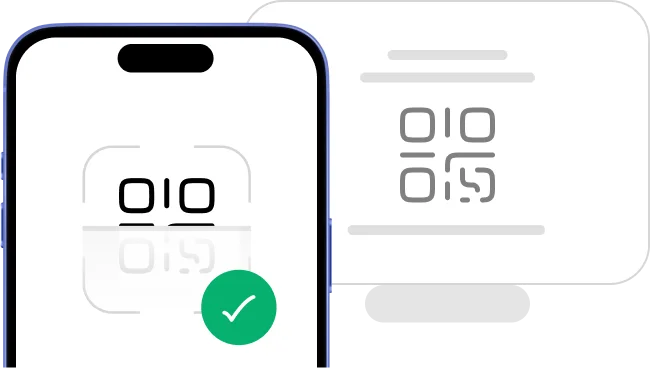
Scan QR code to install eSIM
2

Scan the QR code

Install eSIM on phone
Installing...
3

Install your eSIM

Download HelloRoam app and connect
Get it on Google Play
Download on the App Store
4

Connect and go

One-Touch Installation

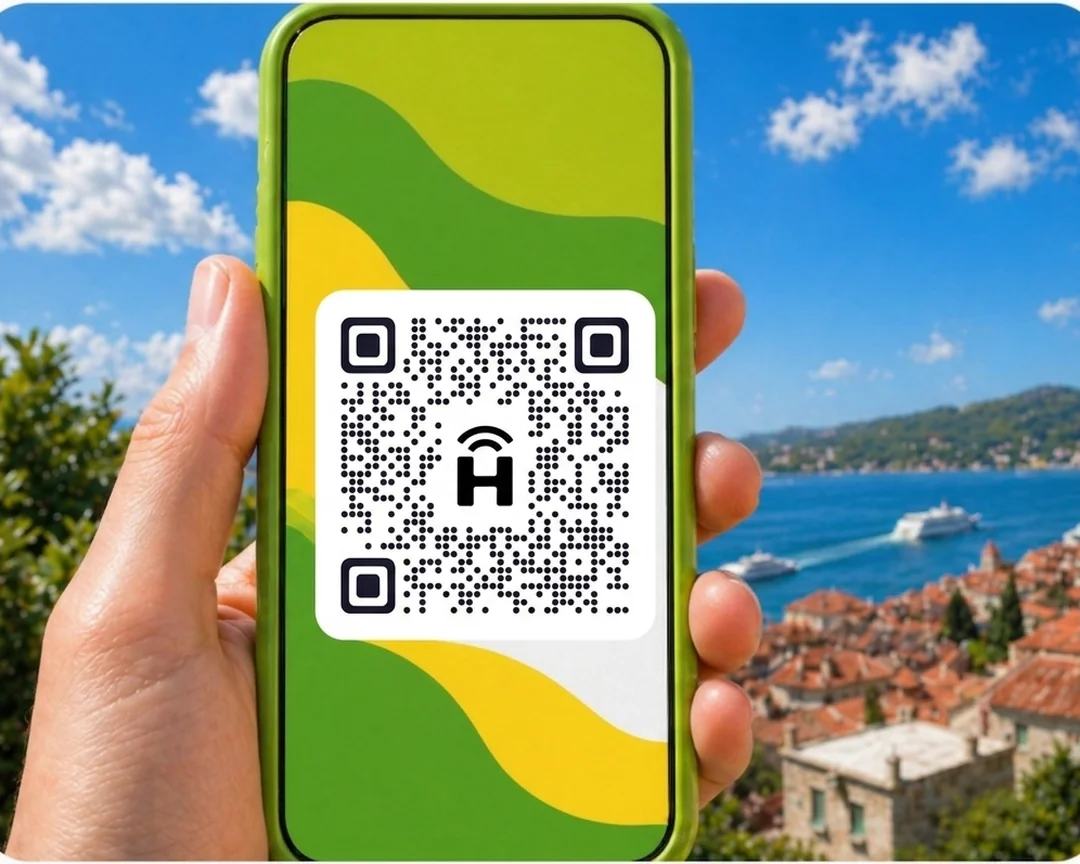
Set up your eSIM in seconds. Scan the QR code, confirm the install, and you're connected before you land.

Phone showing eSIM QR code scanQR code example
status-bar
9:41
HelloRoam
24/7 Support
HelloRoam eSIM platform logo
HelloRoam
Hi! How can I help you today?
HelloRoam eSIM platform logo
I need help with my eSIM
How do I activate it?
Thanks for the help!
Smartphone displaying HelloRoam eSIM app - mobile data plans for travelers
Support headset icon
24/7 Live Support
Chat on WhatsApp

24/7 Support Chat

Questions about eSIM vs SIM or getting set up? Our support team is available around the clock via live chat or WhatsApp.

eSIM or Physical SIM: Which One's Right for You?

The right choice comes down to your phone and how you travel. eSIM suits most modern phones because you skip the SIM swap, keep your Aussie number, and are online before you even clear customs. It's also the more secure option since no one can pull the chip out of your phone. If your phone doesn't support eSIM, a physical SIM card is still a reliable fallback.

Australian traveller connected overseas using a HelloRoam eSIM on their smartphone

Go with eSIM if you:

  • Visiting multiple countries on one trip
  • Want to be online before you land, not after
  • Need to keep your Aussie number active while away
  • Prefer a paperless option that doesn't add to landfill

Stick with a Physical SIM if you:

  • Have an older phone without eSIM support
  • Need a local phone number at your destination
  • Prefer to sort your SIM in-store after you arrive

Loved by travellers worldwide

App Store rating badge - verified eSIM customer reviewsApp Store
Rated 5/5
5/5 rating
Customer testimonial quotation mark
"Super easy to set up, no hassle with physical SIM cards, and the connection was reliable the whole time I was travelling. Speeds were solid, and I stayed connected without worrying about crazy roaming charges."
Areesh72829
International traveller using eSIM data plan - real customer photo showcasing HelloRoam conn...
5/5 rating
Customer testimonial quotation mark
"So pleased with both the app (easy to use) and the ease of installing the eSIM - so so simple with step by step instructions"
CharF38
5/5 rating
Customer testimonial quotation mark
"Very helpful, easy to use and straight forward. Highly recommend this app to everyone."
X99HAS
5/5 rating
Customer testimonial quotation mark
"Amazing and very cheap service You should try when traling"
Muhammadahmad1997
5/5 rating
Customer testimonial quotation mark
"App works smoothly. Easy to install Esim itself."
BreakingB@d
International traveller using eSIM data plan - real customer photo showcasing HelloRoam conn...

Frequently Asked Questions

Can I switch from physical SIM to eSIM?

Yes, switching from a physical SIM to an eSIM is straightforward with Telstra, Optus, and Vodafone AU. Open your carrier's app, find the eSIM setup option, and you'll get a QR code to scan. That scan installs your digital profile and your physical SIM stops working once it's done. Confirm everything is active before you take out the old card. To convert eSIM to SIM later, contact Telstra or Optus directly and request a replacement nano SIM card.

Is eSIM better than a physical SIM card?

Is eSIM better than a physical SIM card? For most Australian travellers, yes. You can scan a QR code and be connected in minutes with no physical card to lose in the bottom of your bag. The esim vs physical sim comparison shows eSIM wins on speed, security, and multi-country convenience. HelloRoam eSIM plans start at A$1.46 and work across 185+ countries. A physical SIM still makes sense if your phone is older than 2018 or you're heading somewhere with limited eSIM coverage.

Is eSIM more secure than physical SIM?

eSIM is more secure than a physical SIM because no one can pull it out of your phone and drop it into another device. Your connection stays tied to your phone until you actively transfer it. A physical SIM slides out in a few seconds and slips straight into any compatible handset, which is exactly the gap that SIM swap attackers exploit. HelloRoam eSIM profiles use GSMA encryption and are device-locked.

Should I get an eSIM or local SIM for Bali?

eSIM works well in Bali. Telkomsel covers the island with solid 4G coverage, and your HelloRoam eSIM connects to it automatically when you land. A local Bali SIM is a bit cheaper per gigabyte, but you'll need to visit a shop, show your passport, and wait for registration. For most Aussies on a week in Bali, the ease of activating an eSIM before you leave beats any small price difference.

What are the advantages of eSIM over physical SIM?

eSIM advantages over a physical SIM are clear on three fronts: you activate instantly via QR code, there's no plastic card to misplace, and you can store multiple carrier profiles on one phone. In an esim card vs sim card comparison, eSIM wins on convenience and security every time. HelloRoam eSIM covers 185+ countries across 212+ networks. Set your plan up before you fly and switch destinations without visiting a single phone shop.

Is eSIM more private or secure than a physical SIM card?

eSIM and physical SIM offer the same level of privacy. Both use identical protocols to connect to cell towers and the same network-level data applies to each. Where eSIM pulls ahead on security is physical resistance: nobody can remove the chip from your phone. HelloRoam eSIM profiles are device-locked with GSMA encryption and can't be removed or cloned.

Can I have two eSIMs on one phone?

Most modern smartphones handle two or more eSIM profiles at once. Apple iPhones from the XS (2018) onward support dual eSIM. The iPhone 13 and later run two eSIMs simultaneously without needing a physical SIM at all. Samsung Galaxy S21 and newer models also support multiple eSIMs. With HelloRoam, you can run a travel data plan alongside your Telstra or Optus eSIM so your Aussie number stays reachable wherever you are.

Can your eSIM be hacked?

eSIM is harder to compromise than a physical SIM because no one can physically remove it and copy it to another device. The GSMA encryption standard covers all HelloRoam eSIM profiles across 185+ countries. SIM swap fraud relies on getting hands on your physical card, and eSIM removes that option entirely.

Do eSIMs give you a phone number?

HelloRoam eSIM plans are data-only and don't give you a new phone number. Your existing Australian number stays on your primary SIM or carrier eSIM exactly as normal. That setup works perfectly for travel: your home number handles calls and texts while HelloRoam covers data across 185+ countries. If you want a number tied to your account, that comes from a carrier eSIM through Telstra or Optus.

Do you keep your phone number with an eSIM?

Your phone number stays with your carrier, not with the SIM type. Moving from a physical SIM to an eSIM on Telstra, Optus, or Vodafone AU keeps your number exactly as it was. Adding a HelloRoam travel eSIM doesn't touch your existing number at all. Your Aussie line stays on for calls and texts while HelloRoam takes care of data in 185+ countries.

Does the Samsung M53 support eSIM?

The Samsung M53 doesn't support eSIM. Samsung eSIM compatibility starts with the Galaxy S20 and newer flagship models, plus the Z Flip and Z Fold range. Budget and mid-range Samsung A-series and M-series handsets generally don't include eSIM hardware. To check your specific model, open Settings, tap Connections, then SIM Manager. You can also confirm compatibility at helloroam.com before you buy a plan.

How much does an eSIM typically cost?

HelloRoam eSIM plans start at A$1.46 for fixed data packages. You can choose anywhere from 3GB to 20GB, and unlimited daily plans are available too. Compare that to picking up a physical SIM at an overseas airport for 15 AUD to 50 AUD plus a separate data pack on top. Most travellers save 50% or more on international data by switching to a prepaid eSIM.

Related eSIM Guides

Popular eSIM Destinations

App Store rating5.0/5

Get the app. Travel smarter.

Buy, activate, and track your eSIMs from anywhere, on any trip.

5.0
App Store rating
5.0
Google Play rating
Scan to download the HelloRoam eSIM app for iOS and Android

Sources

  1. GSMA eSIM Specification (SGP.22)(Accessed April 2026)
  2. Samsung — How to Use eSIM(Accessed April 2026)