eSIM vs Physical SIM Card: Which Is Better for Travellers?

eSIM vs physical SIM comes down to setup speed, cost, and security. An eSIM is a digital SIM chip built into your phone that activates via QR code scan. A physical SIM is a removable card you slot in manually. The difference between eSIM and SIM card is clear: eSIM is embedded in hardware while a physical SIM slides in and out. Here is a full side-by-side so you can pick the right option before your next trip overseas.

Last updated:
Person at Auckland Airport comparing eSIM and physical SIM card options on their smartphone before an overseas holiday
10GB

eSIM versus physical SIM: an e SIM downloads a carrier profile via QR code, while a physical SIM card ships to your address or requires a shop visit. The difference between eSIM and SIM card for NZ travellers is that eSIM activates via QR code in minutes while a physical SIM must be inserted manually. Is eSIM better than physical SIM? For most phones made after 2018, yes. eSIM card vs SIM card: eSIM wins on instant activation, better security, and multi-country switching. Physical SIM vs eSIM: physical SIM still suits pre-2018 phones and Spark or 2degrees locked handsets. eSIM advantages include no plastic card, instant QR code activation, and better security against SIM swap fraud. eSIM disadvantages include no support on older phones and non-transferability between devices. How to convert physical SIM to eSIM in New Zealand: contact Spark, 2degrees, or One NZ, request a QR code, and scan it in Settings. How to convert eSIM to SIM: contact your carrier and request a replacement nano SIM card. HelloRoam prepaid e-sim plans start from NZ$1.77 across 185+ countries with no SIM swap and no shipping. Travellers keep their Spark, 2degrees, or One NZ number active for calls while the eSIM handles data abroad. Sim vs esim for travel from New Zealand: eSIM or sim card, the answer for modern phones is always eSIM because it activates before you board.

185+ Countries
212+ Networks
Instant Activation

Why Travellers Choose eSIM Over Physical SIM

Instant Activation

Scan a QR code and connect in minutes. No delivery wait, no SIM ejector tool, no store queue to stand in.

Lower Cost

Plans start at NZ$1.77 with no shipping fees. Physical SIMs often cost NZD 15 to NZD 60 before you add a data plan.

Easy Country Switching

Store multiple eSIM profiles on one phone and switch between countries without ever swapping cards.

Better Security

An eSIM cannot be physically removed or cloned. Your connection stays locked to your device until you choose to transfer it.

Eco-Friendly

Zero plastic waste, no packaging, and no shipping footprint. Every eSIM keeps one more plastic card out of landfill.

Dual SIM Support

Keep your NZ number on your physical SIM while the eSIM handles travel data. Stay reachable at home and connected abroad.

Key Differences Between eSIM and Physical SIM

Activation Speed: eSIM vs SIM Card

An eSIM activates in minutes with a QR code scan. No delivery wait, no hunting for a phone shop after landing, no SIM ejector tool to dig out of your bag. Physical SIM cards require you to order in advance or find a carrier kiosk at your destination. For travellers flying to Australia, the UK, or Bali, a prepaid eSIM puts you online while everyone else is still standing in the arrivals queue.

Cost Comparison: Prepaid eSIM vs Physical SIM

HelloRoam eSIM plans start at NZ$1.77 with no shipping or handling fees. A physical SIM card from an airport carrier or travel shop can cost NZD 15 to NZD 60 before you add a data plan. With an eSIM, you pay one flat price upfront and connect to local networks at local rates. Over a two-week trip, that price difference adds up noticeably.

Traveller at Auckland Airport holding a phone showing eSIM activation steps instead of inserting a physical SIM card

Travel Convenience and Flexibility

Flying from Auckland to Tokyo, then on to Bangkok? Store multiple eSIM profiles on one phone and switch between them in seconds from your settings. Physical SIMs mean carrying a fresh card for each country plus finding somewhere safe to put the ones you are not using. An eSIM compatible phone keeps your NZ number active while a HelloRoam travel eSIM handles data. No tools, no tiny cards, no stress at the check-in desk.

Environmental Impact

Each physical SIM card requires plastic, packaging, and shipping. Multiply that across millions of travellers and the waste is substantial. An eSIM is entirely digital. No plastic card, no blister pack, and no shipping carbon footprint. For travellers who want to reduce their environmental impact, switching from a physical SIM to an eSIM is one of the simplest changes you can make.

Get started with eSIM:Japan eSIM|USA eSIM|Germany eSIM

eSIM vs Physical SIM: Side-by-Side

How HelloRoam eSIM compares to a physical SIM card, feature by feature

eSIM vs Physical SIM: Side-by-Side
FeatureHelloRoam
Physical SIM
Instant ActivationFeature availableFeature not available
No Physical Card NeededFeature availableFeature not available
185+ CountriesFeature availableFeature not available
Multiple Profiles on One DeviceFeature availableFeature not available
No Shipping or Handling FeesFeature availableFeature not available
Eco-Friendly (Zero Plastic)Feature availableFeature not available
Dual SIM SupportFeature availableFeature available

Find Your eSIM Plan

Browse affordable eSIM plans for your next overseas destination

View All Destinations

Get connected in 4 easy steps

How to Get Your eSIM

  1. 1

    Choose your destination

  2. 2

    Scan the QR code

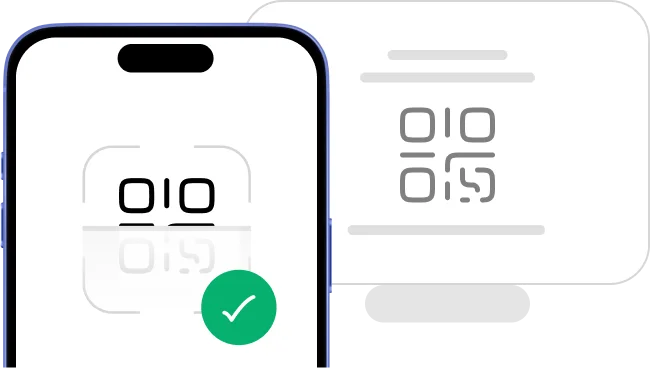
    Scan QR code to install eSIM
  3. 3

    Install your eSIM

  4. 4

    Connect and go

    Download HelloRoam app and connect
    Get it on Google Play
    Download on the App Store

One-Touch Installation

Install your eSIM in seconds with a QR code scan. Scan the code, confirm the install, and you are connected.

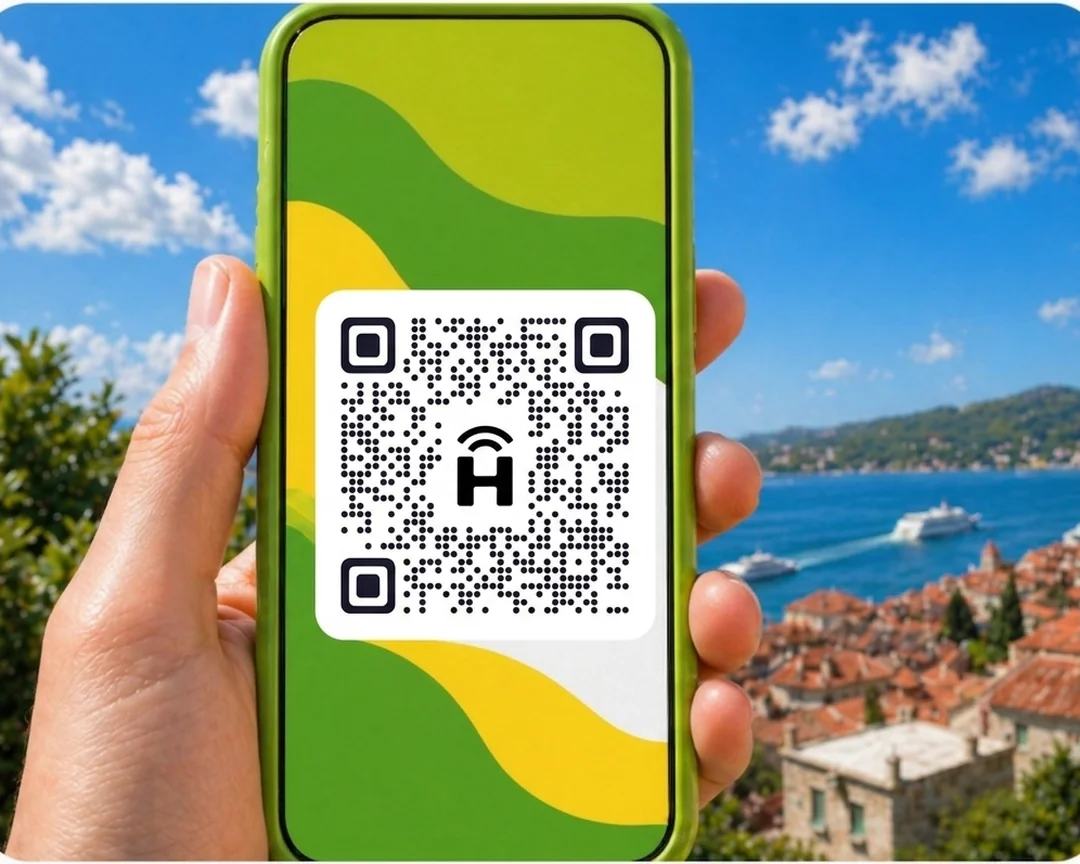
Phone showing eSIM QR code scanQR code example
status-bar
9:41
HelloRoam
24/7 Support
HelloRoam eSIM platform logo
HelloRoam
Hi! How can I help you today?
HelloRoam eSIM platform logo
I need help with my eSIM
How do I activate it?
Thanks for the help!
Smartphone displaying HelloRoam eSIM app - mobile data plans for travelers
Support headset icon
24/7 Live Support
Chat on WhatsApp

24/7 Support Chat

Got questions about eSIM vs SIM cards or setup? Our support team is here around the clock. Reach us via live chat, WhatsApp, or help@helloroam.com anytime.

eSIM or SIM Card: Which Should You Choose?

The right option depends on your phone and how you travel. eSIM works better for most modern phones because you never need a store visit or a SIM card swap. It also carries stronger security: the chip cannot be removed from your device, which protects against SIM swap fraud. If your phone has no eSIM support, a physical SIM card is still a solid backup.

Traveller staying connected overseas with their HelloRoam eSIM plan on a modern smartphone

Choose eSIM if you:

  • Travel to multiple countries on a single trip
  • Want instant setup with no delivery wait
  • Need to keep your NZ number active while abroad
  • Prefer a paperless, eco-friendly option

Choose a Physical SIM if you:

  • Have an older phone without eSIM support
  • Need a dedicated local phone number for your destination
  • Prefer to buy a SIM in-store after you land

Reviews

Loved by travelers worldwide

Real reviews from Trustpilot and the App Store, quoted as written.

40k+ travellers have used HelloRoam

Cat

Trustpilot
On a trip to Europe, my hotel Wi-Fi was so slow and outside Wi-Fi was unreliable. I couldn’t take it anymore so I got helloroam for a few days. It was tricky to set up correctly because of the primary settings (with my original number). But I reached out to their customer service via WhatsApp. Super responsive and helpful, with specific and clear steps to troubleshoot. Appreciate having 4G roaming instead of being stuck with in and out Wi-Fi during my trip!!

Rated 5 out of 5 by this reviewer

A traveller smiles at the view while holding her phone by an airport window
Very good experience! The eSIM was easy to set up and worked great in London. It was much cheaper than it would have been to use my own operator there.

Ilona

Trustpilot

Rated 5 out of 5 by this reviewer

metulker

App Store
Hard to set up but help was good

Rated 5 out of 5 by this reviewer

Reuben

Trustpilot
Really happy with HelloRoam. Everything worked as expected, from messaging and Google Maps through to streaming without any issues. Easy to use, reliable and affordable. Would happily use them again when travelling.

Rated 5 out of 5 by this reviewer

Hikers with backpacks walk along the Great Wall of China

Angeline

Trustpilot
Reliable connection. Reasonable pricing.

Rated 4 out of 5 by this reviewer

Frequently Asked Questions

Can I switch from a physical SIM to eSIM in New Zealand?

Switching from a physical SIM to eSIM is straightforward with major New Zealand carriers. Contact Spark or 2degrees through their app or customer service and request an eSIM transfer. You will receive a QR code to scan, which installs your digital profile. Your physical SIM stops working once the eSIM activates, so confirm the transfer is complete before removing your old card.

Is eSIM better than a physical SIM card for New Zealand travellers?

Is eSIM better than a physical SIM card? Yes, for most travellers. It activates in minutes through a QR code scan with no delivery wait and no SIM card to lose. The esim vs physical sim comparison consistently favours eSIM on speed, cost, and security. HelloRoam eSIM plans start from NZ$1.77 and cover 185+ countries. Physical SIMs still make sense for phones made before 2018 or destinations with limited eSIM carrier support.

Is eSIM more secure than a physical SIM card?

eSIM is more secure than a physical SIM because no one can remove it from your device or clone it by swapping it into another phone. Your connection stays locked to your device until you intentionally transfer it. A physical SIM slides out in under five seconds and fits into any compatible phone, which is exactly what SIM swap attackers rely on. The GSMA confirms eSIM meets the same encryption standards as physical SIM on every network.

Should I get an eSIM or a local SIM for travel to Australia or Thailand from New Zealand?

eSIM works well for popular travel destinations like Australia and Thailand. Major carriers in both countries support eSIM. A local physical SIM may cost less per GB, but it requires an in-person purchase and sometimes a wait for activation. A HelloRoam eSIM activates before you land and skips all of that. For most trips, the convenience of eSIM is worth it.

What are the advantages of eSIM over a physical SIM card for Kiwi travellers?

eSIM advantages over a physical SIM include instant activation via QR code, no plastic card to carry or lose, and the ability to store multiple carrier profiles on one device. In an esim card vs sim card comparison, eSIM wins on convenience, security, and multi-country flexibility. HelloRoam eSIM connects to 212+ networks across 185+ countries. Travellers heading to Australia, Fiji, Thailand, or the UK can activate a plan before their flight and switch between countries without setting foot in a phone shop.

Is eSIM more private or secure than a physical SIM card?

eSIM is as private as a physical SIM card. Both connect to cell towers using identical protocols and the same network-level location data applies to each. The main security advantage of eSIM is physical theft resistance: no one can pull the chip out of your phone. HelloRoam eSIM profiles are device-locked with GSMA encryption and cannot be removed or cloned.

Can I have two eSIMs on one phone as a New Zealand traveller?

Most modern smartphones support two or more eSIM profiles at once. iPhones from the XS (2018) onward support dual eSIM. The iPhone 13 and later can run two eSIMs simultaneously without a physical SIM. Samsung Galaxy S21 and newer also support multiple eSIMs. HelloRoam lets you add a travel data plan alongside your Spark or 2degrees carrier eSIM so your NZ number stays reachable while you travel.

Can an eSIM be hacked while I am travelling?

An eSIM is harder to compromise than a physical SIM because no one can remove it and clone it into another device. The GSMA encryption standard protects all HelloRoam eSIM profiles across 185+ countries. SIM swap attacks that rely on physically handling a SIM face far higher barriers with an eSIM, giving travellers stronger security on every trip.

Does a HelloRoam eSIM give you a phone number?

HelloRoam eSIM plans provide data-only connectivity and do not assign a new phone number. Your existing NZ number stays active on your primary Spark or 2degrees SIM or carrier eSIM. This setup works well for travellers: your home number handles calls and texts while HelloRoam covers data across 185+ countries. Carrier eSIMs from Spark or 2degrees do come with a phone number tied to your account.

Do you keep your NZ phone number when you switch to eSIM?

Your phone number stays with your carrier, not your SIM type. Switching from a physical SIM to an eSIM with the same carrier, whether that is Spark, 2degrees, or One NZ, keeps your number exactly as it was. Adding a HelloRoam travel eSIM does not affect your existing number at all. Your NZ line stays active for calls while HelloRoam handles your data abroad.

Related eSIM Guides

Popular eSIM Destinations

App Store rating4.7/5

Get the app. Travel smarter.

Buy, activate, and track your eSIMs from anywhere, on any trip.

4.7
App Store rating
5.0
Google Play rating
Scan to download the HelloRoam eSIM app for iOS and Android

Sources

  1. GSMA eSIM Specification (SGP.22)(Accessed April 2026)
  2. Samsung — How to Use eSIM(Accessed April 2026)