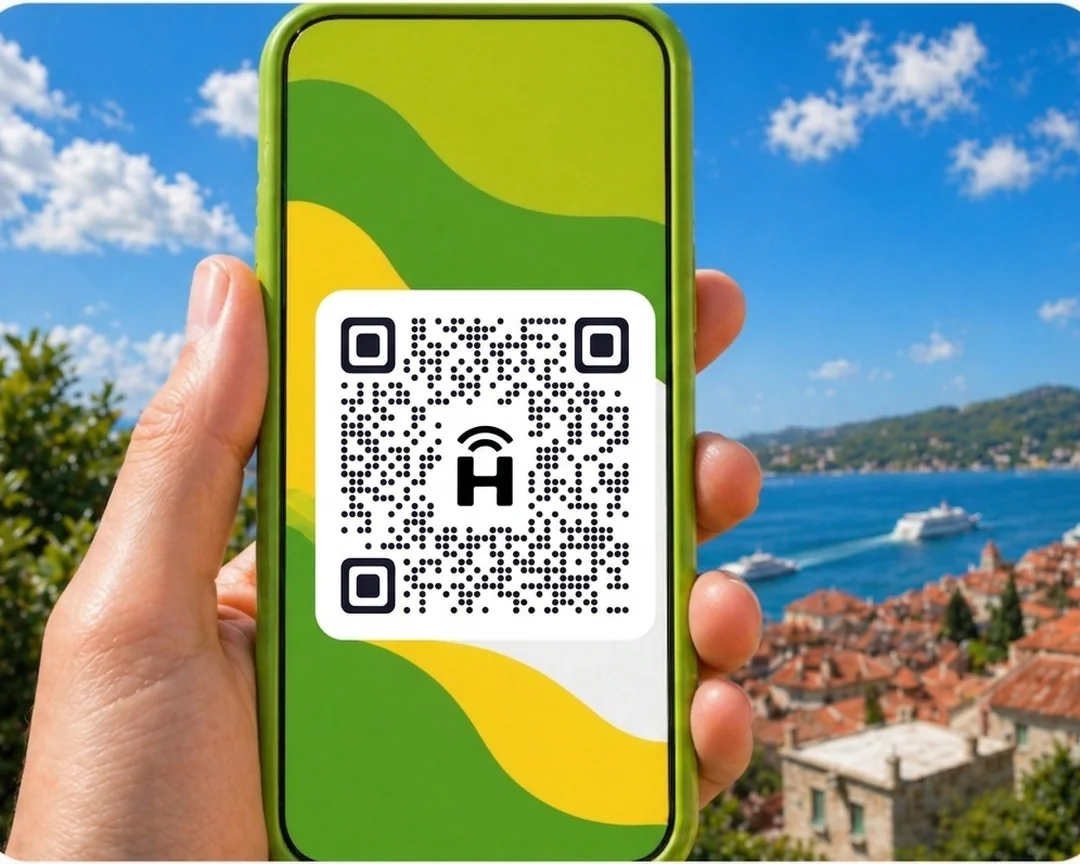




HelloRoam sells eSIM data plans for Tokyo from NZ$5.85. It partners with 212+ mobile networks worldwide. Your eSIM connects to local 5G networks the moment you land. Scan a QR code and you're set up in under two minutes, with no SIM swap. Your Spark, One NZ or 2degrees number stays active while the eSIM handles data. Unactivated eSIMs qualify for a refund, and live support runs 24/7.
- network coverage
 212+
- network type
 5G
- to activate
 2 minutes
Last updated
eSIM Tokyo data plans from HelloRoam
Sorted for less: eSIM plans for Tokyo start from NZ$5.85, with 5G mobile data on local partner networks. Speeds depend on the local network. Works on any carrier-unlocked, eSIM-compatible phone. Pay in NZD. Narita and Haneda airport SIM vending machines have queues during cherry blossom and Golden Week peaks. A Tokyo e SIM from HelloRoam starts at NZ$5.85 on KDDI/au, SoftBank, NTT docomo or Rakuten Mobile 5G networks covering Shinjuku, Shibuya, Akihabara, Asakusa, and both NRT and HND.
Tokyo eSIM with 5G coverage
HelloRoam eSIM for Tokyo: instant 4G and 5G data for Kiwi travellers on local networks. Set up your eSIM before your flight.
- Plans start at NZ$5.85 with 5G speeds
- Coverage from KDDI/au, SoftBank, NTT docomo or Rakuten Mobile
- Instant activation in under 2 minutes
- 180-day refund on any unused eSIM, even if it's already installed
- Tokyo coverage across major cities
- Network
- 5G
- Plans From
- NZ$5.85
- Activation
- Under 2 min
- Refund
- 180 days if unactivated
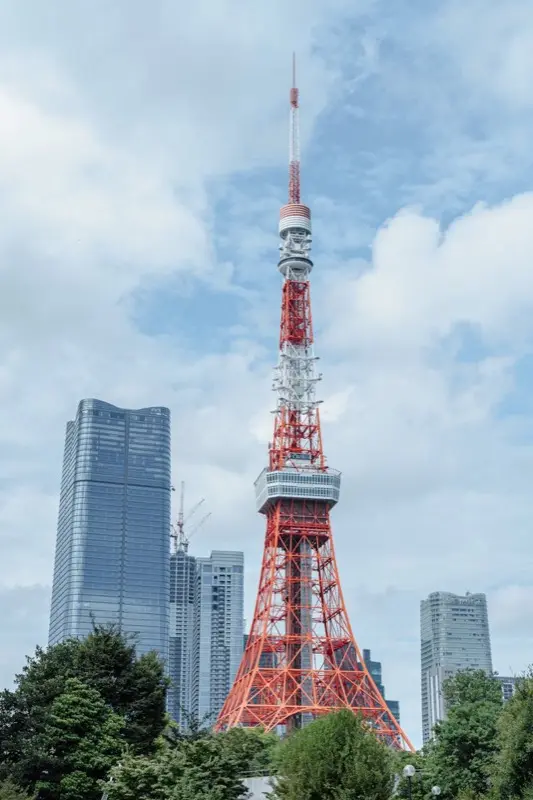
How to Set Up an eSIM in Tokyo
Follow these steps to get started with an eSIM on your iPhone or Android.
Set up an eSIM on your iPhone with the HelloRoam app
Set up an eSIM on your Android with the HelloRoam app
- 1
Choose your plan and checkout online
Pick a mobile data plan for your destination and pay securely in NZD.
 2
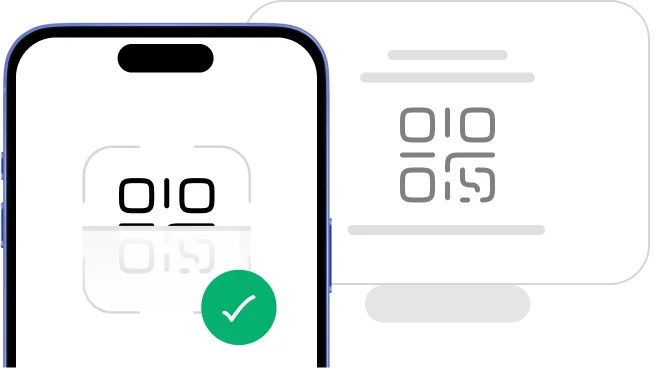
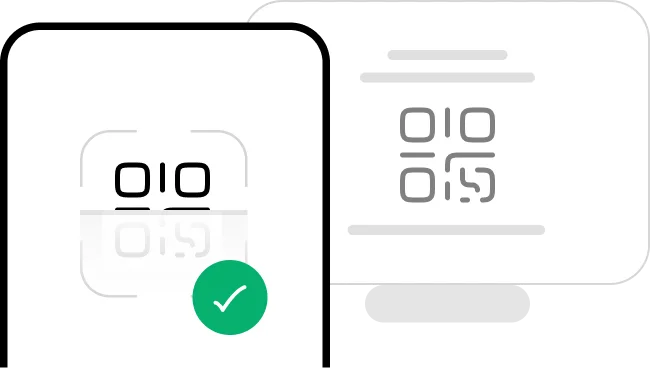
Scan the QR code
Scan the QR code to install your eSIM straight away.
- 3
Activate in minutes: ready when you land
Your eSIM activates when you arrive at your destination. No SIM swap, no queues, no airport kiosk.
 4
Manage it all from our mobile app
Track usage, top up data, and manage your eSIMs in one spot.




Plans changed? No dramas. You're covered.
Travel plans change, and that's okay. With HelloRoam, any eSIM you haven't used qualifies for a full refund within 180 days of purchase, even if it's already installed. No dramas.
Learn more about our refund policyHelloRoam Tokyo eSIM vs a travel SIM card or Spark, One NZ and 2degrees roaming
Comparing an eSIM with a travel SIM card, or with Spark, 2degrees, or One NZ roaming, for Tokyo? Carrier roaming adds daily fees. Skip the airport SIM shop and get a prepaid eSIM for Tokyo from NZ$5.85, with local network speeds and a refund on unactivated eSIMs within 180 days.
Why Kiwi Travellers Pick HelloRoam for Their Tokyo Trip

24/7 live support
Need help from Tokyo at midnight or London at 2am? HelloRoam support is on 24/7. Message us by live chat, WhatsApp, or email at help@helloroam.com. Mobile data problems don't wait for business hours, and neither do we.

Best eSIM for Tokyo
Get data at 5G speeds the moment you land in Tokyo. Skip roaming fees from Spark, One NZ, and 2degrees. HelloRoam connects you to local carrier networks in minutes, whether you're on holiday or working. You're online before you clear customs.

Dual SIM: keep your NZ number
Keep your Spark, One NZ, or 2degrees number active for calls and texts. HelloRoam runs on a second eSIM line on any dual SIM phone and handles all your data in Tokyo. Family and friends ring your NZ number as normal, while your data runs on a local network for one prepaid HelloRoam price.

212+ networks worldwide
HelloRoam eSIMs connect to 212+ carrier networks across 185+ countries. Your phone joins a local partner 5G network automatically when you land, with no manual carrier selection needed. Speeds depend on the local network.

Data alerts before you run out
HelloRoam emails you as your data runs low on a fixed plan, so you can top up or buy a new plan in time. Where your plan allows it, top up from the app without reinstalling your eSIM or visiting a store. Adding a fresh prepaid data package takes under a minute from your account dashboard.

Local 5G speeds in Tokyo
Connect to local 5G networks in Tokyo. Your phone joins a HelloRoam partner network for maps, streaming and video calls while you travel. Speeds depend on the local network and your location.

Regional plans for multi-country trips
Heading to Japan, Thailand, or the UK after Tokyo? HelloRoam regional eSIM plans cover many countries in Asia, Europe, the Americas, and more on one QR code. No SIM swapping between stops. One prepaid regional plan can cover several stops in its region, so you spend less time worrying about connectivity and more time exploring.

Hotspot tethering in Tokyo included
Share your eSIM data with a laptop or tablet via hotspot. No extra fees, no fiddly setup. Works on all eSIM compatible phones including iPhone and Samsung Galaxy. Useful for keeping a travel partner connected or getting a work laptop online when hotel Wi-Fi isn't up to scratch.
Best eSIM Prices for Tokyo
Compare eSIM plans for Tokyo and save versus Spark, One NZ, and 2degrees international roaming.
| Number of days | Price |
|---|---|
| 1 day | NZ$5.85 |
| 3 days | NZ$16.68 |
| 7 days | NZ$36.04 |
| 15 days | NZ$70.22 |
| 22 days | NZ$95.27 |
| 30 days | NZ$119.37 |
HelloRoam vs Other eSIM Providers for Tokyo
See how HelloRoam compares with Airalo, Holafly, Nomad, Saily and Ubigi for Tokyo. The table covers a 180-day refund on unactivated eSIMs, data overage charges and instant QR code delivery.
| Feature comparison | HelloRoam | Airalo | Holafly | Nomad | Saily | Ubigi |
|---|---|---|---|---|---|---|
| 180-day refund (unactivated eSIMs) |  Feature available |  Feature not available |  Feature available | Feature not available | Feature not available | Feature not available |
| No data overage charges | Feature available | Feature available | Feature available | Feature available | Feature available | Feature available |
| Instant QR code delivery | Feature available | Feature available | Feature available | Feature available | Feature available | Feature available |
What Is an eSIM and How Does It Work in Tokyo?
An eSIM is a digital SIM card built into your mobile. No plastic chip, no SIM tray to fiddle with. Scan a QR code to install it on any eSIM compatible phone and you're connected in under 2 minutes. It works as a prepaid mobile data plan for Tokyo travel with no airport SIM counter queue, no replacement SIM, and no carrier contract. Follow the step-by-step setup guide and you'll be sorted well before your flight from Auckland, Wellington, or Christchurch. guide


Mobile Coverage in Tokyo
Tokyo has near-total 4G and 5G coverage across all major districts including Shinjuku, Shibuya, Harajuku, Akihabara, Asakusa, Roppongi, Ginza, Ueno, and Odaiba. NTT Docomo, SoftBank, and au (KDDI) all have strong coverage.
The Tokyo Metro and Toei subway systems have 4G in tunnels and at all stations. Dead zones in Tokyo are rare and limited to very deep basement levels.
- HelloRoam connects to KDDI/au 5G, SoftBank 5G, NTT docomo 5G or Rakuten Mobile 5G in Tokyo
eSIM Travel Tips for Tokyo
Set Up a Suica IC Card on Your Phone
The Suica digital card on iPhone and select Android phones lets you load transit credit and pay at convenience stores. Setting it up needs a live data connection. Your HelloRoam eSIM makes this easy to do before your first metro journey. Reload credit anywhere using the app.
Download Transit Apps Before Your First Journey
Google Maps and Japan-specific apps like Navitime work with your HelloRoam eSIM. Download the Tokyo Metro app before your first train trip. Cherry blossom season in late March and early April brings massive crowds to Shinjuku Gyoen and Ueno Park. Network speeds can slow at peak viewing spots.
Save Trail Maps Before Hiking Near Mt. Fuji
The bus and Fujikyu Railway route to the Fuji Five Lakes area has 4G along most of the way. The Mt. Fuji climbing trails above 2,500 metres have limited signal. Download your trail maps before the climb starts.
Know the Emergency Numbers
Japan's police number is 110. Fire and ambulance is 119. For English-speaking help, the Japan Helpline is 0570-000-911. Save these before visiting large event venues, hiking Mt. Takao, or riding trains late at night.
Activate Before You Fly
Install your HelloRoam eSIM at home on Wi-Fi before your flight. Your eSIM connects to a local network at Narita or Haneda Airport the moment you land. No SIM kiosk queue needed.
Best Time to Visit Tokyo
New Zealand travellers planning a trip to Tokyo should consider March–May (cherry blossom) and October–November as the most rewarding time to visit. Temperatures around 1°C to 35°C make exploring comfortable. August is the busiest month with highest fares from New Zealand. December–February is quieter. Cherry blossom season (late March) is a local highlight. Avoid July–August (heat and humidity) if possible. Your HelloRoam eSIM keeps you online all year.
Airport and Transit Connectivity
Tokyo has two main airports. Narita International Airport (NRT) is 60 kilometers from the city centre and connects via the Narita Express (N'EX) to Shinjuku in 80 minutes, or the Limousine Bus to various hotels.
Haneda Airport (HND) is 20 kilometers away and connects via the Keikyu Line to Shinagawa in 20 minutes, or the Tokyo Monorail to Hamamatsucho. Both airports have 4G and 5G throughout their terminals.
IC Suica and Pasmo cards for metro travel can be bought at airport kiosks or set up as digital cards with a live data connection. The Tokyo Metro, Toei Metro, and JR lines all have coverage and the Metro navigation app works smoothly on mobile data.
Kiwi travellers should activate their eSIM before boarding so they have data from the moment they land.
Top Attractions in Tokyo

Sensoji Temple
Sensoji is Tokyo's oldest Buddhist temple in Asakusa, founded in 645 AD. Use HelloRoam eSIM to stay connected.

Visit at dawn to see the temple grounds before the crowds arrive.

Shibuya Crossing
Shibuya Crossing is the world's busiest pedestrian intersection in Tokyo. Use HelloRoam eSIM to stay connected.
Watch from the Starbucks second floor for the best aerial view.
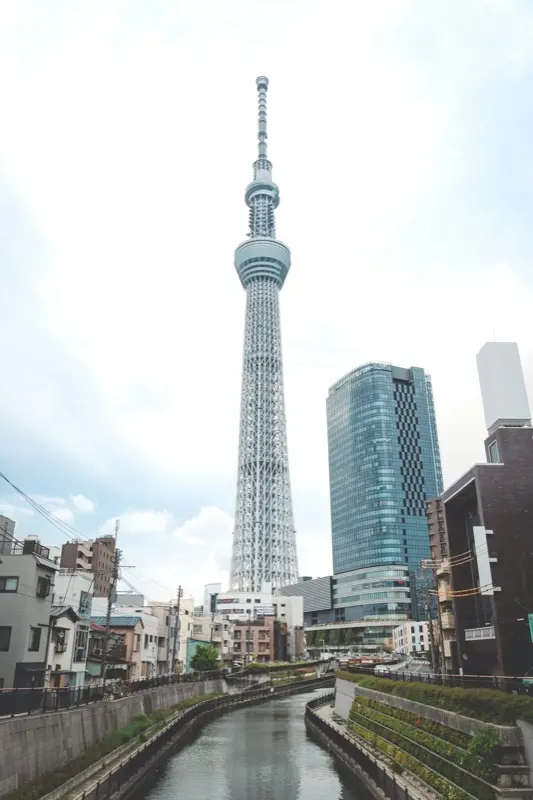
Tokyo Skytree
Tokyo Skytree is Japan's tallest tower at 634 meters, with two observation decks. Use HelloRoam eSIM to stay connected.
Book the Tembo Galleria ticket for the higher 450-meter deck.
Showing slide 1 of 3
Reviews
What Kiwi Travellers Say
Real reviews from Trustpilot and the App Store, quoted as written.
50,000+ travellers have joined HelloRoam
Cat
On a trip to Europe, my hotel Wi-Fi was so slow and outside Wi-Fi was unreliable. I couldn’t take it anymore so I got helloroam for a few days. It was tricky to set up correctly because of the primary settings (with my original number). But I reached out to their customer service via WhatsApp. Super responsive and helpful, with specific and clear steps to troubleshoot. Appreciate having 4G roaming instead of being stuck with in and out Wi-Fi during my trip!!
Rated 5 out of 5 by this reviewer

Very good experience! The eSIM was easy to set up and worked great in London. It was much cheaper than it would have been to use my own operator there.
Ilona
Rated 5 out of 5 by this reviewer
metulker
Hard to set up but help was good
Rated 5 out of 5 by this reviewer
Reuben
Really happy with HelloRoam. Everything worked as expected, from messaging and Google Maps through to streaming without any issues. Easy to use, reliable and affordable. Would happily use them again when travelling.
Rated 5 out of 5 by this reviewer

Angeline
Reliable connection. Reasonable pricing.
Rated 4 out of 5 by this reviewer
Last updated
Tokyo eSIM Questions
Does a Tokyo eSIM cover Akihabara, Asakusa, and the full metro area?
Tokyo e SIM plans cover Shinjuku, Shibuya, Akihabara, Asakusa, and both NRT and HND on KDDI/au, SoftBank, NTT docomo or Rakuten Mobile 5G networks from NZ$5.85. HelloRoam delivers the e-sim QR to your inbox before your flight from Auckland. Scan at home and land at Narita already sorted.
What is the best e-sim for Tokyo for Kiwis doing a Japan OE?
Kiwis doing a Japan OE get a Tokyo e-sim from HelloRoam from NZ$5.85 on KDDI/au, SoftBank, NTT docomo or Rakuten Mobile 5G networks. Activate by QR code in Auckland before boarding and skip every Narita SIM vending machine. No physical SIM swap, no Kiwi carrier roaming fees.
What is the best eSIM for Tokyo from New Zealand?
HelloRoam is a simple eSIM option for Tokyo when you're travelling from New Zealand. Plans start from NZ$5.85 across 212+ carrier networks in 185+ countries. Buy online, scan the QR code at home on Wi-Fi, and connect the moment you land. You skip the daily roaming fees Spark, 2degrees, and One NZ charge. You get local 5G speeds, a refund on unactivated eSIMs within 180 days, and 24/7 live chat support.
How much does an eSIM cost for Tokyo?
eSIM plans for Tokyo start from NZ$5.85. That's a one-off price, unlike the daily roaming charges from Spark or 2degrees. Fixed data plan sizes vary by country, and this page lists every size on sale. Unlimited daily plans, where offered, charge by the day and suit longer stays, OE trips, and remote work. All plans include local 5G data with no overage charges and no carrier contract.
Which networks does eSIM work on in Tokyo?
HelloRoam connects to local partner networks in Tokyo, and your phone joins one automatically when you arrive. Speeds depend on the local network. Coverage spans major cities, airports, highways, and popular tourist areas. Flying out of Auckland (AKL), Wellington (WLG), Christchurch (CHC) or Queenstown (ZQN)? Your data is ready the moment you land.
How do I get an eSIM for Tokyo before my trip?
Buy your Tokyo eSIM on helloroam.com or the HelloRoam app before you fly from AKL, WLG, CHC, or ZQN. Scan the QR code in your phone Settings to install at home on Wi-Fi. Your eSIM activates automatically when you land in Tokyo. The whole process takes under two minutes. No airport kiosk, no SIM swap.
Does iPhone work with a Tokyo eSIM?
iPhone XS and newer models support eSIM for Tokyo, except models sold in mainland China (and some sold in Hong Kong and Macao), which use two nano-SIMs. Open Settings, tap Mobile Data, then Add eSIM, and scan the HelloRoam QR code. Your Spark, One NZ, or 2degrees number stays active on the physical SIM line while HelloRoam handles data in Tokyo.
Does eSIM work in Tokyo?
HelloRoam eSIM works in Tokyo on 4G and 5G networks. Coverage is excellent across all major districts, the metro system, and tourist areas. Activate your eSIM before flying so data is ready the moment you land. Your HelloRoam eSIM connects to a local network with 5G across Tokyo's main tourist and city areas. Plans start from NZ$5.85. Activate by scanning a QR code before departure. No physical SIM card or airport queue needed.
Is there 5G in Tokyo?
5G is widespread across central Tokyo, including Shinjuku, Shibuya, Ginza, Akihabara, Roppongi, and the Tokyo Station area. NTT Docomo, SoftBank, and au all have 5G in the urban core. Tokyo has some of the best 5G coverage of any city in the world.
Does eSIM work at Narita Airport?
HelloRoam eSIM connects at Narita International Airport (NRT) in all terminals as soon as you land. You can check train options, download the Suica app, and navigate to the N'EX platform without needing airport Wi-Fi. The airport has full 5G coverage across all terminals. Activate your data in Settings when you land and HelloRoam connects automatically to local network. No queue, no SIM counter: you are online within seconds of landing.
Does eSIM work at Haneda Airport?
HelloRoam eSIM connects at Haneda Airport (HND) in all terminals including the international Terminal 3. Haneda is closer to the city and has fast 4G and 5G throughout. The Keikyu Line and Tokyo Monorail both have 4G on their routes.
What network does HelloRoam use in Japan?
HelloRoam's Japan plans run on KDDI/au, SoftBank, NTT docomo or Rakuten Mobile, depending on the plan. Your phone connects to the strongest network your plan supports. Your HelloRoam eSIM connects to a local network with 5G across Tokyo's main tourist and city areas. Plans start from NZ$5.85. Activate by scanning a QR code before departure. No physical SIM card or airport queue needed.
Does eSIM work on the Tokyo Metro?
The Tokyo Metro and Toei subway systems have 4G coverage at all stations and in tunnels. Japan's subway tunnel coverage is among the best in the world. You can use transit apps and navigation throughout your entire underground journey. Major stations have 4G coverage for navigation and messaging. In deep tunnel sections between stations the signal may drop briefly. Download offline maps before entering the metro as a backup so you have navigation even without a connection.
Does eSIM work on the JR Yamanote Line?
The JR Yamanote Loop Line has 4G at all 30 stations and throughout the above-ground sections. This is the most useful line for tourists, connecting Tokyo Station, Shinjuku, Shibuya, Harajuku, Ueno, and Akihabara. Your HelloRoam eSIM connects to a local network with 5G across Tokyo's main tourist and city areas. Plans start from NZ$5.85. Activate by scanning a QR code before departure. No physical SIM card or airport queue needed.
Is there coverage at Shibuya Crossing?
Shibuya Crossing has excellent 4G and 5G coverage. The signal is strong enough for live streaming and large photo uploads. The surrounding Shibuya shopping area and Scramble Square also have full coverage. Your HelloRoam eSIM connects to a local network with 5G across Tokyo's main tourist and city areas. Plans start from NZ$5.85. Activate by scanning a QR code before departure. No physical SIM card or airport queue needed.