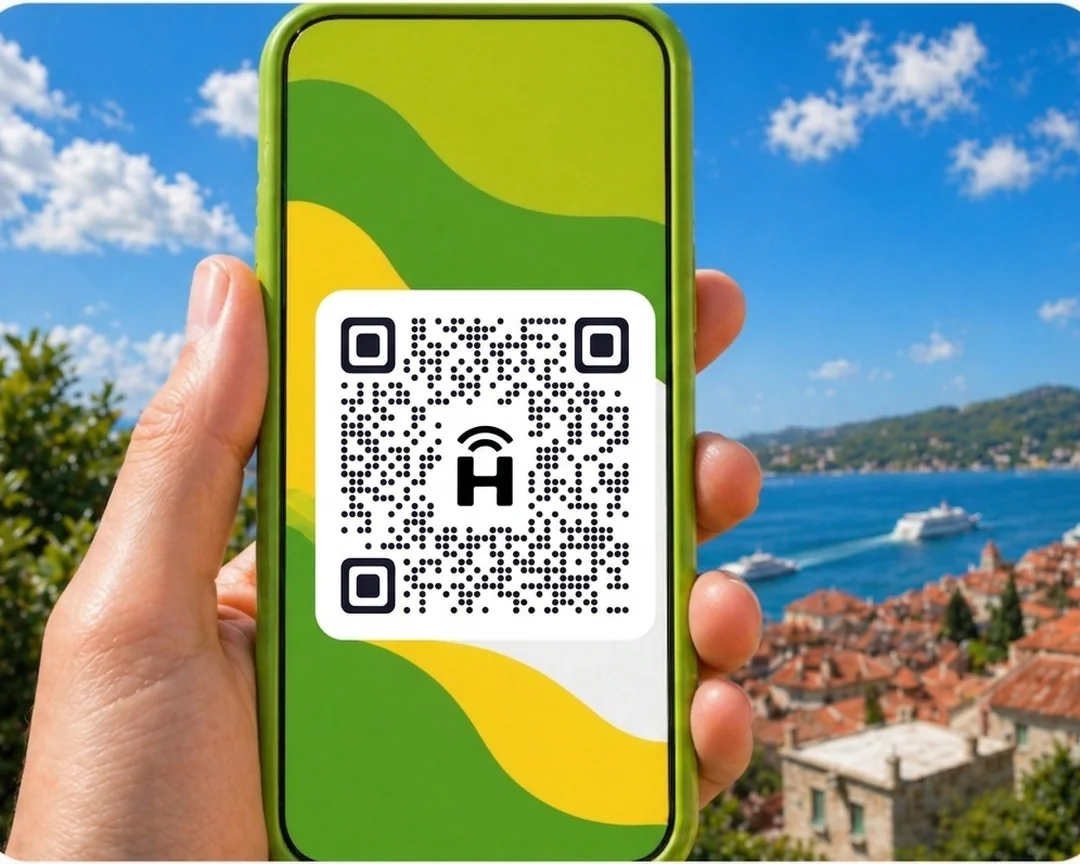




HelloRoam offers prepaid eSIM data plans for Seoul from CA$4.88 and covers 185+ countries worldwide. Your eSIM connects to local 5G networks the moment you land, ready to go. Set it up in under two minutes with a QR code before you fly. Keep your Bell, Rogers, or Telus number active on your primary SIM while your eSIM handles data.
- carrier networks
 212+
- network type
 5G
- to activate
 under 2 minutes
Last updated
eSIM in Seoul coverage and data plans for Canadians
Great-value eSIM for Seoul, starting from CA$4.88. 5G data on local partner networks in Seoul. Works on any carrier-unlocked, eSIM-compatible phone. Canadians visiting Seoul can skip airport SIM kiosks entirely. HelloRoam offers an eSIMs Seoul plan starting at CA$4.88 on SKTelecom and LG Uplus 5G networks covering all 25 boroughs, Incheon Airport, and day-trip destinations like the DMZ and Suwon. Activate by QR at home before your flight and land ready to navigate. No physical card, no contract, and no roaming fees from your Canadian carrier.
Seoul eSIM with 5G coverage
Seoul is South Korea's capital and a top Asian destination for Canadians drawn to K-pop, Korean food, and modern culture. HelloRoam Seoul eSIM plans run on SK Telecom and LG U+. Buy before flying and arrive at Incheon Airport already connected. Plans start at CA$4.88.
- Plans start at CA$4.88 with 5G speeds
- Coverage from SKTelecom and 1+ other operators
- Instant activation in under 2 minutes
- 180-day refund on any unused eSIM, even if it's installed
- Seoul coverage across major cities
- Network
- 5G
- Plans From
- CA$4.88
- Activation
- Under 2 min
- Refund
- 180 days if unactivated

How to Set Up an eSIM in Seoul
Follow these steps to set up your eSIM on iPhone or Android. Works for any eSIM for international travel, no replacement SIM, no store visit.
Set up an eSIM on your iPhone with HelloRoam
Set up an eSIM on your Android with HelloRoam
- 1
Choose your plan and check out
Pick a data plan for your destination and complete checkout in the HelloRoam app or on the website.
 2
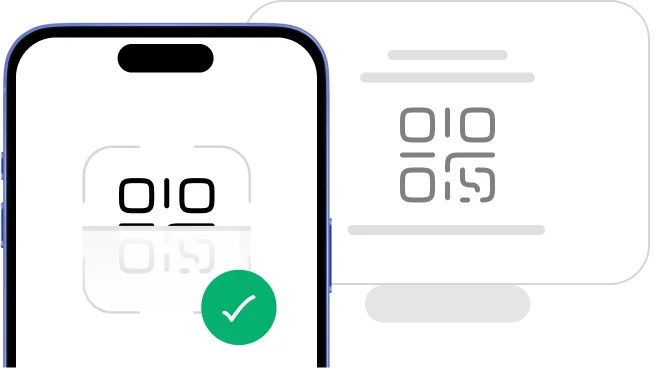
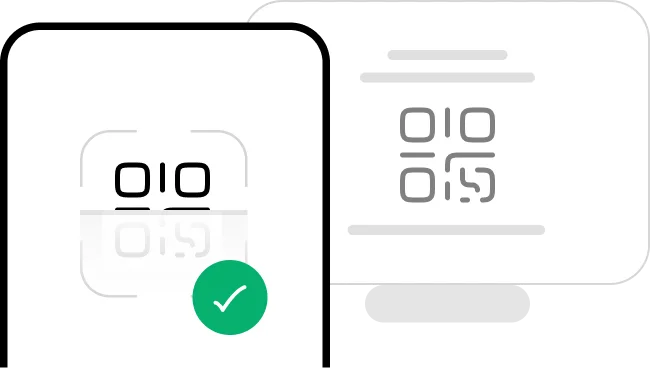
Scan the QR code
Scan the QR code from your confirmation email to install your eSIM right away.
- 3
Ready to use on arrival
Your eSIM installs in minutes and activates the moment you land at your destination.
 4
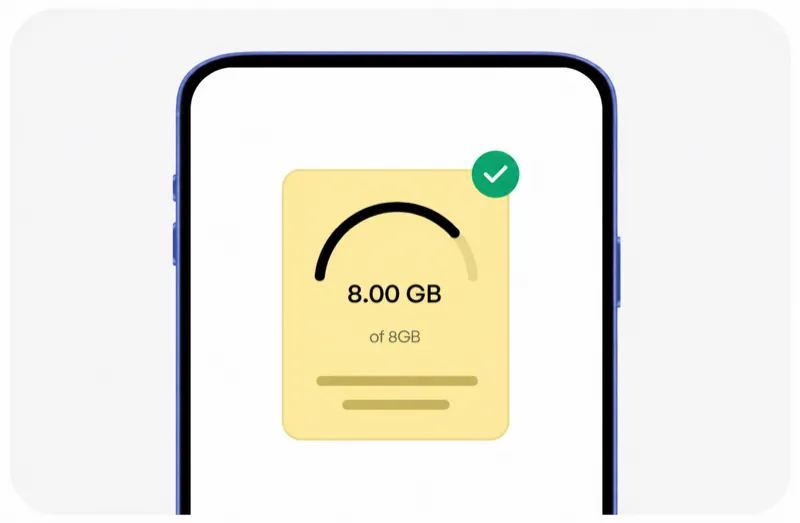
Manage from the app
View usage, top up data, and manage all your eSIMs from the HelloRoam app.




Plans changed? No worries, we've got you covered.
Plans change, and that's okay. With HelloRoam, any eSIM that hasn't been used qualifies for a full refund within 180 days of purchase, even if it's installed. No hassle.
Learn more about our refund policyHelloRoam Seoul eSIM vs a travel SIM card or Bell, Rogers and Telus roaming
Comparing an eSIM vs a travel SIM card for Seoul? The eSIM skips the airport SIM shop. Rogers Roam Like Home, Bell Roam Better, and Telus Easy Roam add a fee for every day you roam. HelloRoam sells a prepaid eSIM for Seoul from CA$4.88, with a 180-day refund on unactivated eSIMs.
Why Canadian Travellers Choose an e SIM for Seoul

24/7 live chat support
Need help at 2 AM in Tokyo or midnight in Cancun? HelloRoam support is available 24/7. Message us by live chat, WhatsApp, or email at help@helloroam.com. Mobile data problems don't wait for business hours, and neither do we.

Best Travel eSIM for Seoul
Get data at 5G speeds the moment you land in Seoul. Skip roaming fees from Bell, Rogers, and Telus. HelloRoam connects you to local carrier networks in minutes, whether you're on holiday or working. Your connection starts before you clear customs.

Keep your Bell, Rogers, or Telus number
Keep your Bell, Rogers, or Telus number active for calls and texts. HelloRoam runs as a second eSIM line on any dual SIM compatible phone, so you never miss a call from home while travelling. Your cellular coverage for internet abroad runs on a separate line, so both SIMs work at the same time.

212+ carrier networks worldwide, connected in Seoul
HelloRoam eSIMs connect to 212+ carrier networks across 185+ countries. Your phone joins a local partner 5G network automatically, with no manual carrier selection needed. Speeds depend on the local network.

Data alerts before you run out
HelloRoam emails you as your data runs low on a fixed plan, so you can top up or buy a new plan in time. If your plan supports top-ups, add data from the app before it expires, with no need to reinstall your eSIM or visit a store. Adding a new prepaid data package takes under a minute from your account dashboard.

Local 5G speeds
Your Seoul eSIM connects to local 5G networks. Your phone joins a local HelloRoam partner network for navigation, streaming, and video calls. Speeds depend on the local network and your location. Local data makes a real difference when you're finding your way around a new city or video calling family back home.

Regional and global eSIM plans
Travelling to multiple countries? HelloRoam regional eSIM plans cover many countries in Europe, the Caribbean, Asia, and more in one purchase. Fixed data plans in every destination, and unlimited plans in most. One account, no SIM swaps. A single international data plan with cross-border wireless connectivity saves you the hassle of buying a new prepaid data package at every border.

Free hotspot and data sharing in Seoul
Share your Seoul eSIM data with a laptop or tablet using your cell phone's built-in hotspot. No extra fees, no setup needed. Works on all eSIM compatible phones. Turning your phone into a mobile Wi-Fi hub means everyone on your trip gets internet abroad from the same prepaid data package.
Best eSIM Prices for Seoul
HelloRoam, the best eSIM Seoul. Compare plans and save versus Rogers, Bell, and Telus roaming.
| Number of days | Price |
|---|---|
| 1 day | CA$4.88 |
| 3 days | CA$13.91 |
| 7 days | CA$30.05 |
| 15 days | CA$58.54 |
| 22 days | CA$79.42 |
| 30 days | CA$99.52 |
HelloRoam vs Rogers, Bell, Telus, and Other eSIM Providers for Seoul
See how HelloRoam compares with Airalo, Holafly, Nomad, Saily, and Ubigi for your trip. The table covers a 180-day refund on unactivated eSIMs, data overage charges, and instant QR code delivery.
| Feature comparison | HelloRoam | Airalo | Holafly | Nomad | Saily | Ubigi |
|---|---|---|---|---|---|---|
| 180-day refund (unactivated eSIMs) |  Feature available |  Feature not available |  Feature available | Feature not available | Feature not available | Feature not available |
| No data overage charges | Feature available | Feature available | Feature available | Feature available | Feature available | Feature available |
| Instant QR code delivery | Feature available | Feature available | Feature available | Feature available | Feature available | Feature available |
What Is an eSIM? How eSIM Works in Seoul
An eSIM is a digital SIM built directly into your cell phone. There is no plastic chip and no SIM tray to deal with. Scan a QR code to activate your eSIM in under 2 minutes on any eSIM compatible iPhone or Android. It works as a prepaid data plan for Seoul travel with no airport SIM shop, no replacement SIM card, and no carrier contract. Canadians travelling from Pearson or Vancouver International can set everything up before their flight and arrive connected. Follow the step-by-step setup guide to get started. setup guide
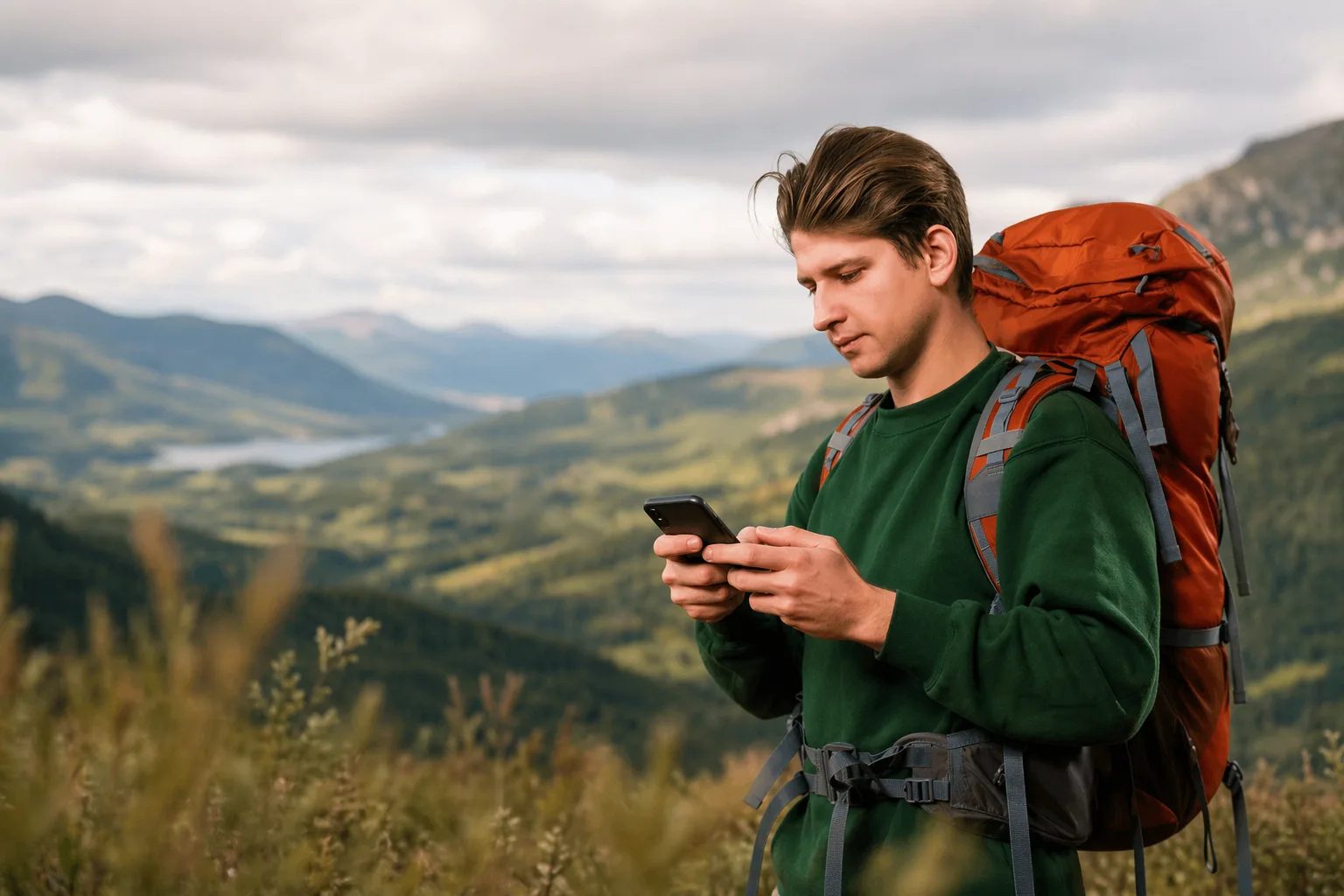

Seoul eSIM Connectivity Guide for Canadians
SK Telecom and LG U+ both deploy 5G across Seoul including Gangnam, Hongdae, Myeongdong, Bukchon Hanok Village, Itaewon, and Incheon International Airport. The Seoul Metro has 5G and 4G at all stations and throughout most tunnels.
- HelloRoam connects to SKTelecom 5G and LG Uplus 5G in Seoul
- 5G on SK Telecom and LG U+ across Seoul and Incheon International Airport
- Plans from CA$4.88 with QR activation before your flight
eSIM Travel Tips for Seoul
Activate your eSIM before you travel
Install your HelloRoam eSIM at home on Wi-Fi. When you land at ICN, data connects immediately.
Download offline maps before flying
Save an offline Google Maps area for Seoul before your flight.
Check travel.gc.ca for entry requirements
Visit the Canadian government travel advisory site for the latest entry requirements for South Korea.
Set up your travel apps at home
Download airline apps, accommodation apps, and local transit apps before flying.
Save your QR code offline
Save your HelloRoam eSIM QR code to your Photos app before flying.
Best Time for Canadians to Visit Seoul
April to June offers cherry blossom season (late March to April) and comfortable temperatures (12C to 22C). September and October bring autumn foliage and crisp weather. July to August is hot (28C to 33C) and monsoon season. December to February is cold (-5C to 5C) with good deals on hotels.

Airport and Transit Connectivity
Incheon International Airport (ICN) is located on Yeongjong Island, about 50 kilometers from central Seoul. The airport has 5G throughout all concourses and passenger areas. The AREX All-Stop Express train connects ICN to Seoul Station in 53 minutes.
The AREX Direct Express goes to Seoul Station in 43 minutes without stops. Both trains have 4G and 5G coverage throughout. Gimpo Airport (GMP) for domestic and Japan/China routes is closer to the city and connects via the Seoul Metro Line 5 and Line 9.
The Seoul Metro system covers every major tourist area and has coverage in tunnels. T-money or Cashbee IC cards for metro and bus are available at airport kiosks. Canadian travellers should activate their HelloRoam eSIM before arrival so they can navigate from the airport immediately.
Top Attractions in Seoul

N Seoul Tower Namsan Seoul Tower
N Seoul Tower Namsan Seoul Tower rises above Seoul, South Korea offering wide views of the area. Stay connected with HelloRoam eSIM.

Go on a clear day for the widest views from the observation platform.
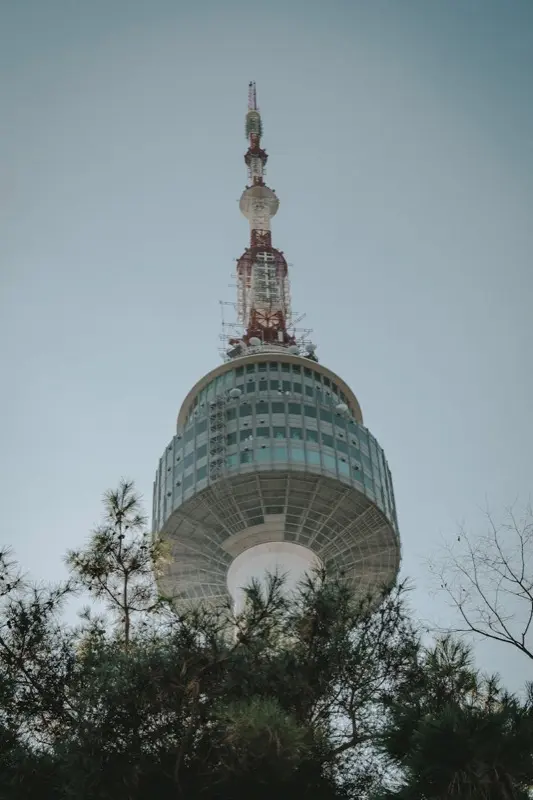
N Seoul Tower Namsan Tower
N Seoul Tower on Namsan Mountain has observation decks with 360-degree city views. Use HelloRoam eSIM to stay connected.
Take the cable car up and walk down through the park for the best route.

Namsan Seoul Tower N Seoul Tower
Namsan Seoul Tower N Seoul Tower rises above Seoul, South Korea offering wide views of the area. Stay connected with HelloRoam eSIM.
Visit at sunset for the best views as the sky changes color around you.
Showing slide 1 of 3
Reviews
What Our Customers Say
Real reviews from Trustpilot and the App Store, quoted as written.
40k+ travellers have used HelloRoam
Cat
On a trip to Europe, my hotel Wi-Fi was so slow and outside Wi-Fi was unreliable. I couldn’t take it anymore so I got helloroam for a few days. It was tricky to set up correctly because of the primary settings (with my original number). But I reached out to their customer service via WhatsApp. Super responsive and helpful, with specific and clear steps to troubleshoot. Appreciate having 4G roaming instead of being stuck with in and out Wi-Fi during my trip!!
Rated 5 out of 5 by this reviewer

Very good experience! The eSIM was easy to set up and worked great in London. It was much cheaper than it would have been to use my own operator there.
Ilona
Rated 5 out of 5 by this reviewer
metulker
Hard to set up but help was good
Rated 5 out of 5 by this reviewer
Reuben
Really happy with HelloRoam. Everything worked as expected, from messaging and Google Maps through to streaming without any issues. Easy to use, reliable and affordable. Would happily use them again when travelling.
Rated 5 out of 5 by this reviewer

Angeline
Reliable connection. Reasonable pricing.
Rated 4 out of 5 by this reviewer
Last updated
Seoul eSIM Questions Answered
How much does an eSIM Seoul plan cost for Canadians visiting South Korea?
An e SIM Seoul plan from HelloRoam starts at CA$4.88 on SKTelecom and LG Uplus 5G networks covering Seoul. HelloRoam delivers the QR to your inbox so you activate before boarding from Canada. No contract and no credit check required on any plan.
What is the best e-sim Seoul?
An e-sim Seoul from HelloRoam covers all major areas in Seoul on SKTelecom and LG Uplus 5G networks from CA$4.88. HelloRoam activates by QR before your trip with no physical card needed. Fully prepaid with a 180-day refund guarantee on unactivated eSIMs.
What is the best eSIM for Seoul for Canadians?
HelloRoam is the best eSIM for Seoul for travellers departing from Toronto Pearson YYZ, Vancouver YVR, Montreal YUL, Calgary YYC, or Ottawa YOW, with plans from CA$4.88 on 212+ carrier networks across 185+ countries. You connect to local 5G partner networks, and speeds depend on the local network. You also get a refund within 180 days on eSIMs you never activate, and 24/7 live chat support in your own language. Bell Roam Better costs CAD 13 a day in the US and CAD 16 a day elsewhere, plus taxes. Rogers Roam Like Home costs CAD 16 a day in the US and CAD 18 a day elsewhere, plus taxes. HelloRoam costs far less for most trips. For travellers who want real savings on mobile data, it is the practical choice over a carrier roaming plan.
How much does a Seoul eSIM cost compared to Bell or Rogers roaming?
HelloRoam eSIM plans for Seoul start from CA$4.88 as a one-time prepaid purchase. Bell Roam Better costs CAD 13 a day in the US and CAD 16 a day internationally. Rogers Roam Like Home costs CAD 16 a day in the US and CAD 18 a day elsewhere. Telus Easy Roam costs CAD 16 a day in the US and CAD 18 a day internationally. All three add taxes on top. Ten days on Bell Roam Better in the US adds CAD 130, plus taxes, to your monthly bill. HelloRoam fixed plans have no daily billing cycle and no overage fees. When you compare a prepaid data package from HelloRoam against a daily carrier roaming plan, the savings on a two-week trip are significant.
Which networks does HelloRoam eSIM connect to in Seoul?
HelloRoam eSIM in Seoul connects to local 5G partner networks. Your phone picks a partner network automatically when you arrive. Coverage depends on the local network: major cities, airports, and highways usually have service, while rural or remote areas may have limited coverage. HelloRoam partners with 212+ carrier networks globally. You use a local network without paying Bell, Rogers, or Telus daily roaming rates, and speeds depend on that network. That gives you mobile data for maps, messaging, and streaming throughout your trip.
How do I set up a HelloRoam eSIM before leaving a Canadian airport?
Setting up your HelloRoam eSIM before departure takes three steps. First, choose your plan at helloroam.com or in the app and complete checkout. Second, scan the QR code from your confirmation email in Settings under Add eSIM or Add Cellular Plan. Third, your eSIM installs in under 2 minutes. Buy and install at home or at Toronto Pearson YYZ, Vancouver YVR, Montreal YUL, Calgary YYC, or Ottawa YOW using the free airport Wi-Fi before your flight boards.
Does my iPhone work with a Seoul eSIM if I am on Bell, Rogers, or Telus?
iPhone XS and all newer models work with HelloRoam eSIM in Seoul as long as your device is carrier-unlocked. iPhones purchased directly from Apple are unlocked by default. To confirm, check Settings under General, then About, then Carrier Lock. Once confirmed, scan the QR code in Settings under Cellular, then Add eSIM, and your Canadian number stays active on dual SIM while HelloRoam handles travel data.
Which networks does the HelloRoam Seoul eSIM use?
HelloRoam Seoul plans run on SK Telecom and LG U+. 5G coverage spans Seoul and Incheon International Airport. SK Telecom and KT (Korea Telecom) are among the strongest 5G providers in the area, covering tourist attractions, airports, and city centers. Coverage and speed depend on the local network where you are.
Does the eSIM work at Incheon International Airport?
Yes. Incheon International Airport (ICN) has full 5G coverage. Enable Data Roaming after landing and your HelloRoam eSIM connects immediately. The airport has full 5G coverage across all terminals. Activate your data in Settings when you land and HelloRoam connects automatically to SK Telecom or LG U+. No queue, no SIM counter: you are online within seconds of landing.
How much does Canadian carrier roaming cost in Seoul?
Bell, Rogers, and Telus all charge a daily fee to roam in South Korea. An eSIM plan covers the full stay for far less. Plans start from CA$4.88 depending on data size and duration. Compared with roaming charges from home carriers, a HelloRoam plan costs significantly less for a typical trip to Seoul. There are no hidden fees or surprise charges on your home bill.
Does the eSIM cover all of South Korea?
Yes. A HelloRoam South Korea eSIM works across the whole country on SK Telecom and partner networks. HelloRoam eSIM for Seoul connects to SK Telecom or LG U+ with 5G coverage across major tourist and urban areas. Plans start from CA$4.88. Activate by scanning a QR code before departure. No physical SIM card or airport queue needed.
How do I activate my Seoul eSIM?
Scan the QR code from your HelloRoam email in Settings then Mobile Data at home. After landing at ICN, enable Data Roaming. Your data starts automatically. The setup takes about five minutes. Buy your plan at helloroam.com, scan the QR code under Settings, then Mobile Data, then Add eSIM. Do this before you leave home using Wi-Fi. When you land in Seoul, enable mobile data and the plan activates immediately on SK Telecom or LG U+.
How much data do I need for a week in Seoul?
Maps, messaging, social media, and streaming use about 2 to 5 GB per week. Video calls and heavier streaming push to 6 to 10 GB. For a week of typical travel (Google Maps navigation, WhatsApp messages, and social media) you need 3 to 5 GB. If you stream video or make video calls daily, choose a 8 to 10 GB plan. The HelloRoam app shows how much data you've used, but the figure can be up to 3 hours behind.
Does the Seoul eSIM include calls?
HelloRoam plans are data-only. Use WhatsApp or FaceTime for calls. Emergency calls work on any local network. HelloRoam eSIM plans are data-only. Use WhatsApp, FaceTime, or Viber for calls over your data connection. Keep your home SIM active for voice calls if needed. Emergency calls work on any network even without an active data plan.
Does HelloRoam Seoul eSIM support tethering?
Yes. Personal hotspot is included. Share your connection with a laptop from a café or hotel room. HelloRoam eSIM for Seoul connects to SK Telecom or LG U+ with 5G coverage across major tourist and urban areas. Plans start from CA$4.88. Activate by scanning a QR code before departure. No physical SIM card or airport queue needed.