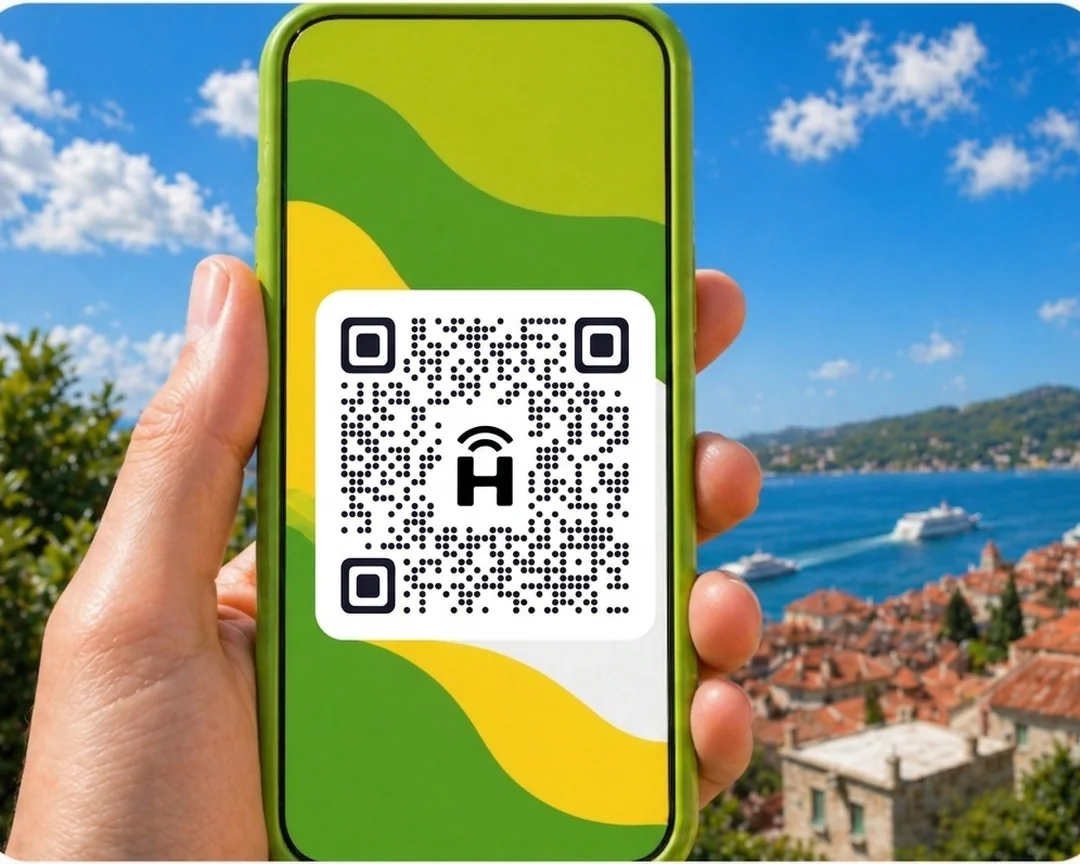




HelloRoam offers prepaid eSIM data plans for Seoul from S$4.48. Your eSIM connects to local 5G networks the moment you land, no roaming fees. Activate by QR code in under two minutes, fuss-free. Keep your Singtel, StarHub or M1 number active on dual SIM while your eSIM handles data. HelloRoam covers 185+ countries and destinations.
- networks
 212+
- network type
 5G
- activation
 under 2 minutes
Updated
Seoul eSIM prepaid data active from Incheon Airport to Gangnam and Hongdae
Affordable eSIM for Seoul, starting from S$4.48. Local 5G data on local partner networks in Seoul, with speeds that depend on the local network. Works on any carrier-unlocked, eSIM-compatible phone. Incheon is 68 km from Gangnam and you want data on the AREX train before you reach Hongdae or Myeongdong. A HelloRoam eSIMs Seoul starts at S$4.48 on SKTelecom and LG Uplus 5G networks across every major district and the Seoul Metro. Scan the QR code before your Changi departure. HelloRoam backs every order with a 180-day refund guarantee on unactivated eSIMs.
Seoul eSIM with 5G coverage
HelloRoam offers eSIM plans for Seoul, South Korea. Connect on the SK Telecom and LG U+ 4G/5G networks from the moment you land. Singapore travellers activate before departure from Changi Airport and arrive in Seoul already connected. Plans start from S$4.48.
- Plans start at S$4.48 with 5G speeds
- Coverage from SKTelecom and 1+ other operators
- Instant activation in under 2 minutes
- 180-day refund on any unused eSIM, even one already installed
- Seoul coverage across major cities
- Network
- 5G
- Plans From
- S$4.48
- Activation
- Under 2 min
- Refund
- 180 days if unactivated

How to Set Up an eSIM in Seoul
Follow these steps to set up your eSIM on iPhone or Android handphone. Works for any eSIM for international travel from Singapore. No replacement SIM, no store visit.
Set up an eSIM on your iPhone with the HelloRoam app
Set up an eSIM on your Android handphone with the HelloRoam app
- 1
Choose your plan and checkout online
Select a data plan for your destination and complete checkout.
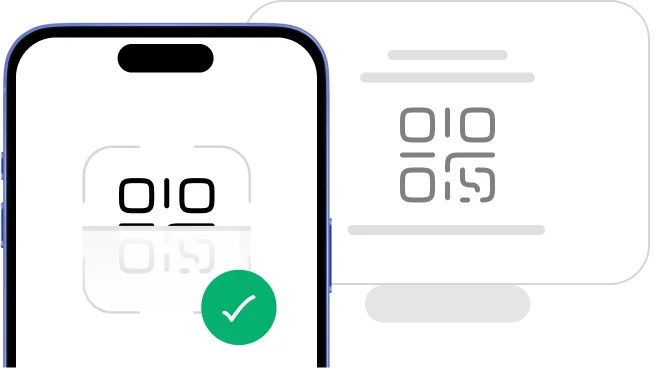
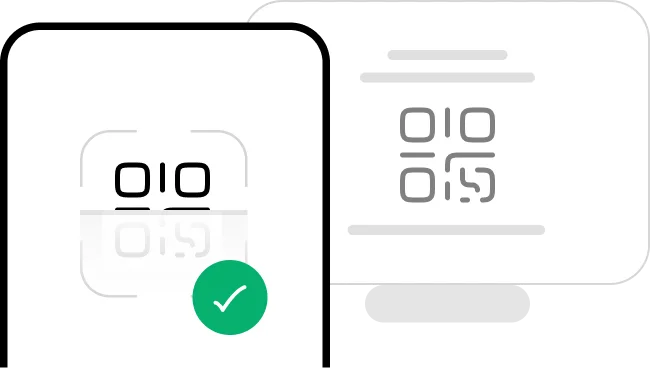 2
Scan the QR code
Scan the QR code to install your eSIM straight away.
- 3
Activate in minutes: ready on arrival
Your eSIM installs instantly and activates when you land.
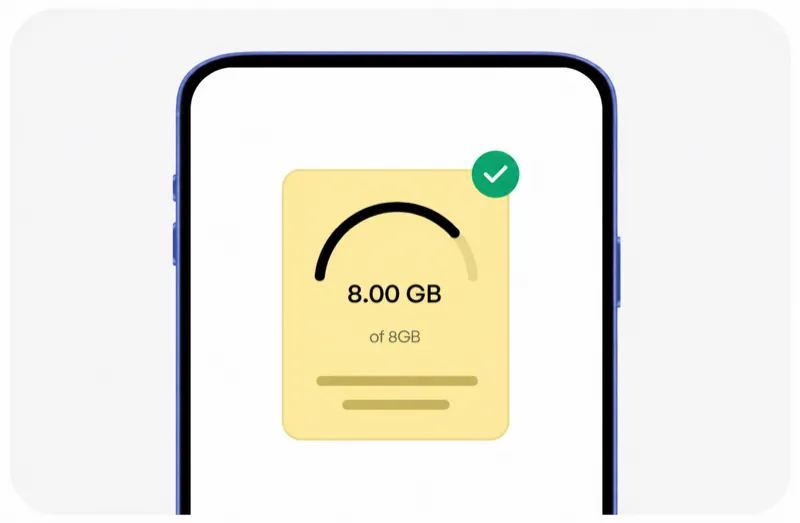 4
Manage it all from our app
Track usage, top up data, and manage all your eSIMs in one place.




Trip changed? No worries, we've got you covered!
Plans can change anytime, and that's fine. With HelloRoam, you can request a full refund on any eSIM that has not been used within 180 days of purchase, even one already installed.
Learn more about our refund policyHelloRoam Seoul eSIM vs a travel SIM card or Singtel, StarHub and M1 roaming
Comparing an eSIM vs a travel SIM card for Seoul? The eSIM skips the airport SIM shop, and you do not need a roaming add-on from Singtel, StarHub or M1. HelloRoam sells a prepaid eSIM for Seoul from S$4.48, with a 180-day refund on unactivated eSIMs.
Why Singaporean Travellers Choose an e SIM for Seoul

24/7 live chat support
Need help at 2 am in Tokyo or midnight in Seoul? HelloRoam support is available 24/7. Message us by live chat, WhatsApp or email at help@helloroam.com. Mobile data problems do not wait for business hours, and neither do we.

Best eSIM for Seoul: skip Singtel roaming charges
Get data at 5G speeds the moment you land in Seoul. Skip roaming fees from Singtel, StarHub and M1. HelloRoam connects you to local carrier networks in minutes, whether you are travelling or working. Your connection starts before you clear customs.

Keep your Singtel, StarHub, or M1 number
Keep your Singtel, StarHub, or M1 number active for calls and texts. HelloRoam handles your data through a second eSIM line on any dual SIM compatible handphone. Family and colleagues reach you on the same Singapore number while your travel data runs on a separate prepaid eSIM plan.

212+ carrier networks including Seoul
HelloRoam connects to 212+ carrier networks across 185+ countries. Fixed data plans are available in every destination, and unlimited plans in most. Your handphone joins a partner 5G network automatically, with no manual carrier selection needed. Speeds depend on the local network, whether you are in a major city, at a highway rest stop or in a rural area.

Data alerts before you run out
HelloRoam emails you as your data runs low on a fixed plan, so you can top up or buy a new plan in time. If your plan supports top-ups, add data from the app before it expires, without reinstalling your eSIM or visiting a store. Adding a fresh prepaid data package takes under a minute from your account dashboard.

Local 5G speeds
Your Seoul eSIM connects to local 5G networks. Your phone joins an available HelloRoam partner network for navigation, streaming and video calls. Speeds depend on the local network and your location, and there is no queue for a SIM card at the airport.

Regional and global eSIM plans
Travelling to multiple destinations? HelloRoam regional eSIM plans cover many countries across Asia, Europe, the Americas and more in one purchase. Short holiday or long-term stay: choose fixed data or unlimited data plans. One account, no SIM swaps. A single regional plan replaces the hassle of sourcing a new local SIM card at every border crossing.

Hotspot and data sharing at no extra cost in Seoul
Share your Seoul eSIM data with a laptop or tablet using your handphone's built-in hotspot. No extra fees, no setup required. Works on all eSIM compatible devices. This is particularly useful for business travellers who need a consistent mobile broadband connection for their work laptop while abroad.
Seoul eSIM Prices in 2026
Compare HelloRoam eSIM plans for Seoul. Plans start from S$4.48 with local 5G access. No Singtel or StarHub roaming surcharges.
| Number of days | Price (AUD) |
|---|---|
| 1 day | S$4.48 |
| 3 days | S$12.78 |
| 7 days | S$27.62 |
| 15 days | S$53.80 |
| 22 days | S$73.00 |
| 30 days | S$91.47 |
HelloRoam vs Other eSIM Providers for Seoul
See how HelloRoam compares with Airalo, Holafly, Nomad, Saily and Ubigi for Seoul. The table covers a 180-day refund on unactivated eSIMs, data overage charges and instant QR code delivery.
| Feature comparison | HelloRoam | Airalo | Holafly | Nomad | Saily | Ubigi |
|---|---|---|---|---|---|---|
| 180-day refund (unactivated eSIMs) |  Feature available |  Feature not available |  Feature available | Feature not available | Feature not available | Feature not available |
| No data overage charges | Feature available | Feature available | Feature available | Feature available | Feature available | Feature available |
| Instant QR code delivery | Feature available | Feature available | Feature available | Feature available | Feature available | Feature available |
e SIM Explained: Setting Up eSIM for Seoul
An eSIM card is a digital SIM built directly into your handphone. There is no physical chip and no SIM tray to deal with. Scan a QR code to activate your e SIM in under 2 minutes on any eSIM compatible iPhone or Android. An eSIM for Seoul works as a prepaid data plan with no airport SIM counter, no replacement SIM card, and no carrier contract. Follow the step-by-step setup guide to get connected before your flight from Changi. guide


Mobile coverage guide for Seoul
Seoul has 4G/5G coverage across its main districts, hotels, and tourist areas. SK Telecom and LG U+ are the two networks your HelloRoam eSIM uses in the city. Seoul is one of the most popular destinations for young Singaporean travellers. Singapore Airlines and Korean Air fly direct SIN-ICN.
Your HelloRoam eSIM connects on SK Telecom when you enable data at Incheon International Airport. Activate at home in Singapore before your flight from Changi for a smooth arrival.
- HelloRoam connects to SKTelecom 5G and LG Uplus 5G in Seoul
- 4G/5G coverage across Seoul and main tourist areas
- Connect on SK Telecom from Incheon International Airport
- Plans from S$4.48, activate via QR code before your Changi departure
eSIM Travel Tips for Seoul
Activate your eSIM before you leave Changi
Buy your HelloRoam eSIM for Seoul before your flight. Scan the QR code at home on Wi-Fi, enable data on arrival, and you are connected in Seoul without searching for a local SIM card at the airport.
Keep your Singapore number active on dual SIM
On a dual SIM device, keep your Singtel, StarHub, or M1 SIM active for calls and texts from Singapore. Set HelloRoam as your data line for Seoul. Family and colleagues in Singapore reach you on your regular number without international charges.
Download offline maps before your flight
Download Google Maps or Maps.me offline for Seoul before you travel. This saves data on detailed map downloads and keeps you covered in areas with weaker signal during your first hours in Seoul.
Download Kakao Maps for Seoul transit
Kakao Maps is the preferred navigation app in Seoul and covers the Seoul Metro in detail. Download it before landing at Incheon. Your HelloRoam eSIM connects on SK Telecom from the moment you clear immigration and take the AREX to Seoul Station.
T-money card for Seoul transit
The T-money card works on all Seoul Metro, Bus, and KTX trains. It is loaded via the T-money app with a live data connection. Set it up using your HelloRoam eSIM after arriving at Incheon Airport Terminal 1 or 2.
Mobile networks in Seoul: what Singapore visitors need to know
In Seoul, HelloRoam plans run on SKTelecom 5G and LG Uplus 5G. SK Telecom has the broadest 4G/5G network in Seoul. Your HelloRoam eSIM connects to a local partner network automatically. No manual network switching is needed.
- SKTelecom

- 5G
- LG Uplus
- 5G
HelloRoam eSIM vs Singtel, StarHub, or M1 roaming in Seoul
Your data options for a Seoul trip from Singapore.
| Category | HelloRoam eSIM Recommended | Local South Korea SIM card | Roaming with your carrier |
|---|---|---|---|
| Typical cost | From SGD 4.48 total | — | — |
| Details | Plans start at S$4.48 (S$ equivalent). Buy before your Changi departure, scan the QR code at home, and arrive in Seoul on local 4G/5G data. | Physical SIM cards are available at Incheon International Airport but require setup time and sometimes registration. An eSIM is ready before you leave home. | Using your Singapore mobile plan in South Korea can get expensive. Over a week, roaming charges can add a lot to your phone bill. HelloRoam plans start at S$4.48. |
Prices approximate as of . Actual savings vary.
Best time for Singapore travellers to visit Seoul
Seoul has four distinct seasons. Spring cherry blossom season from late March to mid-April is hugely popular with young Singaporean travellers. Autumn from October to November brings colourful foliage at Bukhansan and Changdeokgung Palace. Winter ski trips to Pyeongchang and Vivaldi Park are popular from December to February. Korean Air and Singapore Airlines fly SIN-ICN year-round.

Airport and Transit Connectivity
Incheon International Airport (ICN) is located on Yeongjong Island, about 50 kilometers from central Seoul. The airport has 5G throughout all concourses and passenger areas. The AREX All-Stop Express train connects ICN to Seoul Station in 53 minutes.
The AREX Direct Express goes to Seoul Station in 43 minutes without stops. Both trains have 4G and 5G coverage throughout. Gimpo Airport (GMP) for domestic and Japan/China routes is closer to the city and connects via the Seoul Metro Line 5 and Line 9.
The Seoul Metro system covers every major tourist area and has coverage in tunnels. T-money or Cashbee IC cards for metro and bus are available at airport kiosks. Singapore-based travellers should activate their eSIM before departure so data is ready on arrival.
Top Attractions in Seoul

N Seoul Tower Namsan Seoul Tower
N Seoul Tower Namsan Seoul Tower rises above Seoul, South Korea offering wide views of the area. Stay connected with HelloRoam eSIM.

Go on a clear day for the widest views from the observation platform.
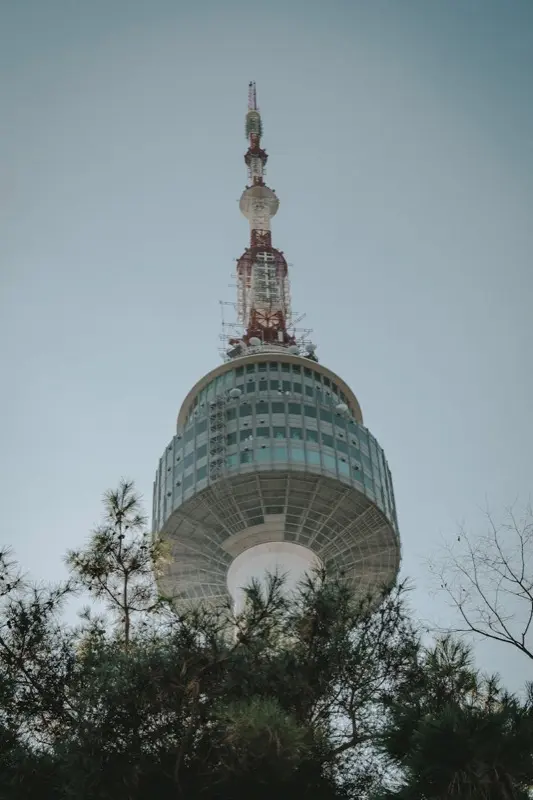
N Seoul Tower Namsan Tower
N Seoul Tower on Namsan Mountain has observation decks with 360-degree city views. Use HelloRoam eSIM to stay connected.
Take the cable car up and walk down through the park for the best route.

Namsan Seoul Tower N Seoul Tower
Namsan Seoul Tower N Seoul Tower rises above Seoul, South Korea offering wide views of the area. Stay connected with HelloRoam eSIM.
Visit at sunset for the best views as the sky changes color around you.
Showing slide 1 of 3
Reviews
Trusted by Singaporean Travellers
Real reviews from Trustpilot and the App Store, quoted as written.
50,000+ travellers have joined HelloRoam
Cat
On a trip to Europe, my hotel Wi-Fi was so slow and outside Wi-Fi was unreliable. I couldn’t take it anymore so I got helloroam for a few days. It was tricky to set up correctly because of the primary settings (with my original number). But I reached out to their customer service via WhatsApp. Super responsive and helpful, with specific and clear steps to troubleshoot. Appreciate having 4G roaming instead of being stuck with in and out Wi-Fi during my trip!!
Rated 5 out of 5 by this reviewer

Very good experience! The eSIM was easy to set up and worked great in London. It was much cheaper than it would have been to use my own operator there.
Ilona
Rated 5 out of 5 by this reviewer
metulker
Hard to set up but help was good
Rated 5 out of 5 by this reviewer
Reuben
Really happy with HelloRoam. Everything worked as expected, from messaging and Google Maps through to streaming without any issues. Easy to use, reliable and affordable. Would happily use them again when travelling.
Rated 5 out of 5 by this reviewer

Angeline
Reliable connection. Reasonable pricing.
Rated 4 out of 5 by this reviewer
Updated
FAQs About eSIM in Seoul
Which eSIM in Seoul plan suits Singapore travellers visiting Gangnam and Hongdae?
e SIM Seoul plans start at S$4.48 on SKTelecom and LG Uplus 5G networks. HelloRoam activates via QR code before your Singapore departure so data is live from the AREX train at Incheon International Airport. Coverage reaches Gangnam, Hongdae, Myeongdong, Itaewon, and Jamsil. No contract.
Do eSIMs Seoul plans cover the full metro network and outer districts?
e-sim Seoul from HelloRoam run on SKTelecom and LG Uplus 5G across every metro line and outer district from S$4.48. Set up takes two minutes before your Changi flight. No contract, no roaming fees, and no physical SIM card needed.
Which eSIM is best for Singaporeans travelling to Seoul?
For trips to Seoul, HelloRoam is a simple eSIM choice. Plans start from S$4.48 in SGD with access to local 5G networks across 212+ carrier networks. Activate via QR code in under 2 minutes before departing from Changi Airport. Your Singtel, StarHub, or M1 number stays active through dual SIM while HelloRoam handles data abroad. You get a refund on unactivated eSIMs within 180 days and 24/7 live chat support.
How much does a Seoul eSIM cost compared to Singtel and StarHub roaming?
A Seoul eSIM from HelloRoam costs from S$4.48 for the full plan. On most trips, that costs less than a roaming pass from Singtel or StarHub. HelloRoam connects to local networks in Seoul for one prepaid HelloRoam price, with no roaming fees from your home carrier and no carrier contract. All plans include local 5G access with no overage charges.
Which local mobile networks does an eSIM use in Seoul for Singapore travellers?
An eSIM for Seoul from HelloRoam connects to local 5G partner networks. Your handphone joins a partner network when you land. Coverage and speeds depend on the local network and your signal, just as they do with Singtel, StarHub, or M1 at home.
How do I set up a HelloRoam eSIM before departing Changi Airport?
Buy your Seoul eSIM before you leave Singapore in three steps. First, select your plan at helloroam.com and complete checkout in SGD. Second, open your handphone Settings, tap Add eSIM or Add Mobile Plan, and scan the QR code from your email. Third, your eSIM installs in under 2 minutes. Set it up the night before your flight from Changi and land connected.
Does my iPhone or Android handphone support a Seoul eSIM?
iPhone XS and all newer models support HelloRoam eSIM in Seoul. iPhone 13 and later models support dual eSIM, so your Singtel or StarHub line stays active for calls while HelloRoam handles travel data. For Android, most Samsung Galaxy S20 and newer models, Google Pixel 4 and newer, and many recent Android handphones support eSIM. Check your handphone Settings for an Add eSIM option to confirm compatibility.
What is the best eSIM for Seoul for Singapore travellers?
HelloRoam is a strong choice for Singapore travellers visiting Seoul. Plans connect on the SK Telecom and LG U+ 4G/5G networks and start from S$4.48. Buy before your Changi departure, scan the QR code at home, and arrive in Seoul already connected.
Does HelloRoam eSIM work in Seoul?
HelloRoam eSIM works in Seoul on SK Telecom and LG U+ 4G/5G networks. Set up your eSIM at home before your flight. Connect the moment you clear immigration at Incheon International Airport without queuing for a local SIM card. Plans start from S$4.48.
Which networks does HelloRoam use in South Korea?
HelloRoam connects on SK Telecom and LG U+ in South Korea. 4G/5G coverage is available across Seoul and the wider region. Your phone picks the strongest signal automatically. No manual network switching is needed. Buy your plan before your Changi departure and arrive connected.
Is HelloRoam cheaper than Singtel or StarHub roaming in Seoul?
HelloRoam eSIM for Seoul starts at S$4.48, paid once, while roaming charges from Singtel, StarHub and M1 add up fast over a trip. For a week-long trip, the savings are substantial. Buy before your Changi departure and skip the daily roaming bill entirely.
How do I activate a Seoul eSIM from Singapore?
Purchase your plan on helloroam.com, scan the QR code in your phone Settings under Mobile Data or SIM management, and enable data when you arrive in Seoul. The process takes about five minutes on Wi-Fi at home before your flight.
How much data do I need for a trip to Seoul?
A week in Seoul using Google Maps, WhatsApp, and social media typically uses 3 to 6 GB. Business travellers making video calls or streaming should choose a 10 GB plan for comfortable headroom. Singaporeans staying over 10 days often opt for the 20 GB tier.
Is there 4G/5G coverage in Seoul?
Seoul has 4G/5G coverage across its main districts, hotels, and tourist areas via SK Telecom. HelloRoam eSIM connects to a local partner network automatically, and speeds depend on that network. Buy before your flight from Changi. Connect from the moment you land at Incheon International Airport. No manual configuration required.
Does HelloRoam eSIM work at Incheon International Airport?
HelloRoam eSIM connects at Incheon International Airport (ICN) as soon as your phone registers on the South Korea network after landing. No airport Wi-Fi queue and no SIM kiosk needed. You are connected from arrivals. Activate at home in Singapore before your flight for the smoothest experience.