eSIM guide · Budget trips from Canada
No Free Plan: Prepaid eSIM Data for Travel
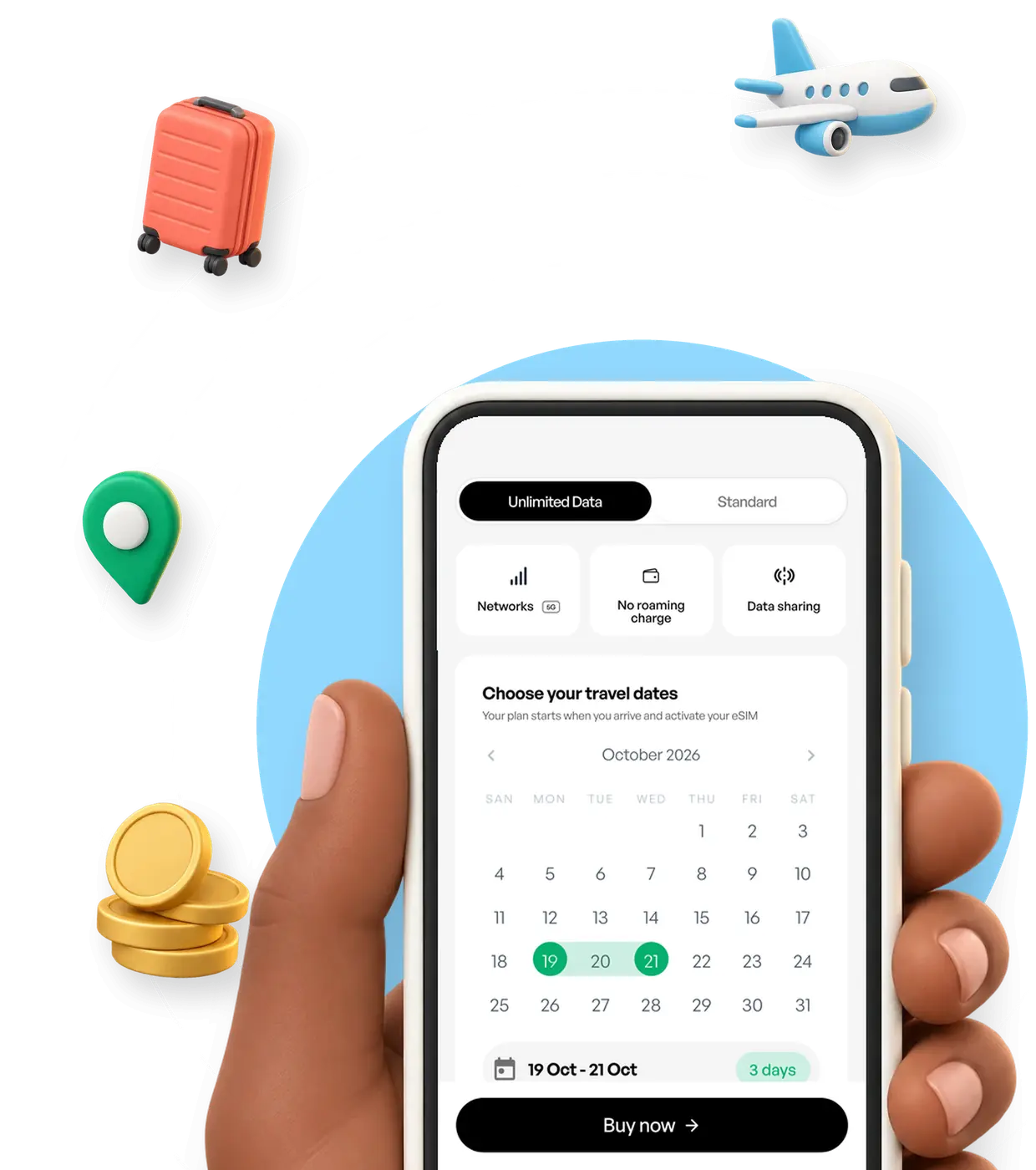
A cheap travel eSIM is a prepaid data plan sized to your trip and bought before you leave Canada. You pick the data and days, and one regional plan can cover each country it lists. It never renews, so no bill arrives after the trip. Choose a HelloRoam plan for any of 185+ destinations and install it at home.
Starting at CA$1.44 · 1GB for 7 days
Prepaid travel eSIM key facts From our plan list and 2 Canadian carriers; markers link to sources
- A travel eSIM is billed
- Once, at checkout. Nothing renews, and any top-up is a separate purchase you decide on
- Bell's daily roaming fee is charged
- Per day, on days you call, text or use data(1)
- Price per GB starts from
- CA$0.86, on 50GB for 30 days; no 30-day plan for a place in our table costs less per GB
- Our North America plan
- 1 eSIM, for the US and Mexico
- Monthly contract on a travel eSIM
- None, prepaid, and no bill after the trip
- HelloRoam's reach
- 185+ destinations worldwide, 212+ local networks
Data size, route and billing decide what a cheap travel eSIM costs
A travel data plan's cost comes down to three things: the data you buy, the borders you cross and whether it bills once or by the day.


First stop Plan connects

Border crossing No new plan

Next country Same eSIM works

This phone's lines
Your phone Every line in one list
Size the plan to the trip
For the same destination and days, a smaller plan costs less than a larger one, so buy for what you will use. First, see how much data your trip takes. If you run short abroad, add data in the app on a plan that takes top-ups, or buy a second plan.
Cover the US and Mexico with one regional plan
On a trip with several stops, one regional plan can replace a plan for each country. Our North America plan covers the US and Mexico on one eSIM. You buy once and install once, with nothing new to set up at the border.
Pay once and nothing renews
A prepaid plan has no monthly contract and no daily fee. Its full price shows before you pay. When its days or its data run out the plan stops, so no bill arrives after the trip.



Travel eSIM prices per GB for trips from Canada, by destination and region
Choose a plan just big enough for your trip. Then compare the price per GB of plans you'd use up, to see when a bigger plan costs only a little more. For each trip length, the table shows the plan that costs least for light use. A light week needs 3.9 GB: our calculator's estimate plus 20% for busy days, rounded up.

Three plan types
- Country plan
- Best for: one country. Coverage: Local networks in the country you pick. Features: Choose a plan size, and each one lists its days. Your Canadian number stays on your home line.
- Regional plan
- Best for: a route with borders. Coverage: All the countries the plan names, on a single eSIM. Features: North America covers the US and Mexico together.
- Global plan
- Best for: long routes across regions. Coverage: 127 destinations across several regions, each named on the plan. Features: A single purchase for a long route. It usually costs more per GB than a country plan, so choose it when your route crosses regions.
| United States plans | CA$4.01 1GB for 7 days | CA$13.99 5GB for 30 days | CA$22.94 10GB for 30 days | CA$48.16 20GB for 30 days | CA$1.48 50GB for 30 days |
|---|---|---|---|---|---|
| Mexico plans | CA$4.71 Unlimited data for 1 day | CA$18.84 5GB for 30 days | CA$34.37 10GB for 30 days | CA$51.74 20GB for 30 days | CA$2.59 20GB for 30 days |
| United Kingdom plans | CA$3.97 1GB for 7 days | CA$14.16 5GB for 30 days | CA$22.27 10GB for 30 days | CA$39.82 20GB for 30 days | CA$0.92 50GB for 30 days |
| France plans | CA$4.88 Unlimited data for 1 day | CA$13.26 5GB for 30 days | CA$19.55 10GB for 30 days | CA$29.34 20GB for 30 days | CA$0.86 50GB for 30 days |
| Italy plans | CA$3.90 Unlimited data for 1 day | CA$14.82 5GB for 30 days | CA$23.54 10GB for 30 days | CA$35.63 20GB for 30 days | CA$0.95 50GB for 30 days |
| Japan plans | CA$4.47 Unlimited data for 1 day | CA$13.26 5GB for 30 days | CA$22.35 10GB for 30 days | CA$31.43 20GB for 30 days | CA$0.86 50GB for 30 days |
| North America regional plan | CA$6.61 1GB for 7 days | CA$29.34 5GB for 30 days | CA$54.50 10GB for 30 days | CA$64.15 20GB for 30 days | CA$3.21 20GB for 30 days |
| Europe regional plan | CA$5.34 Unlimited data for 1 day | CA$23.75 5GB for 30 days | CA$37.72 10GB for 30 days | CA$60.09 20GB for 30 days | CA$3.00 20GB for 30 days |
| Global plan for 127 destinations | CA$19.12 1GB for 7 days | CA$74.47 5GB for 30 days | CA$133.84 10GB for 30 days | CA$13.38 10GB for 30 days |
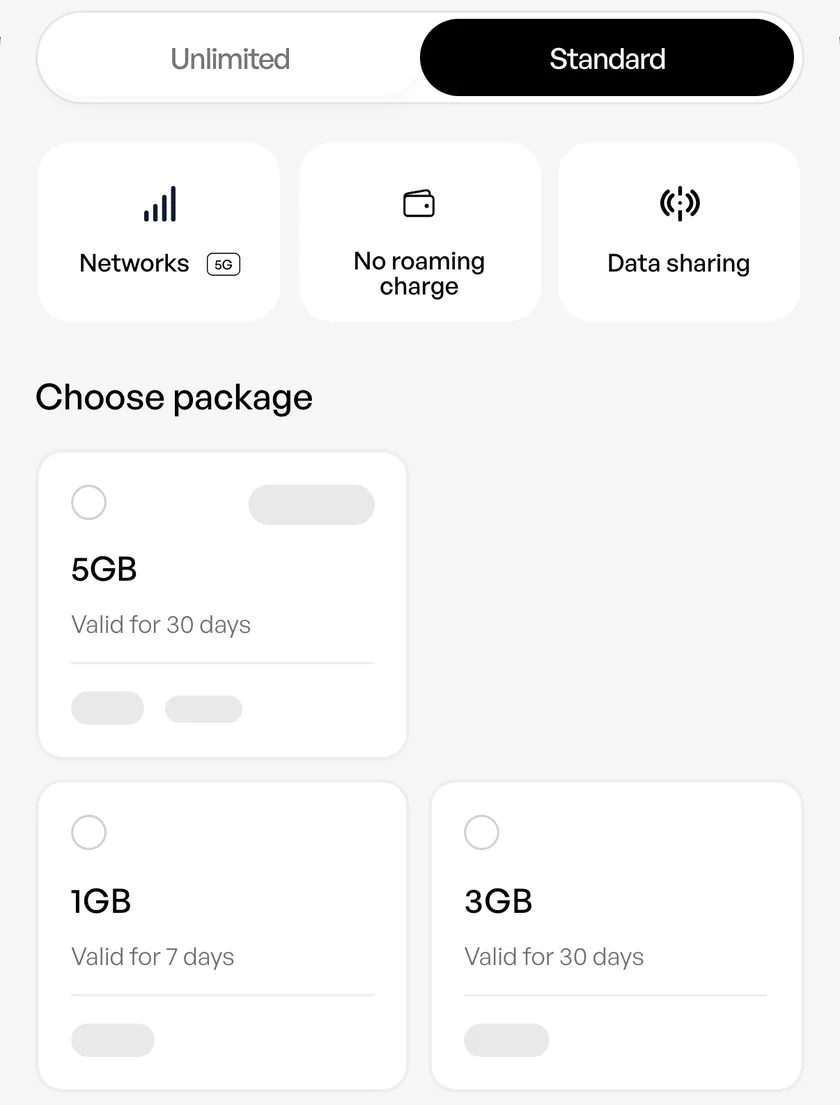
Each destination lists its plan sizes, days and prices once you open it.
Choose a destination8 plain-word terms for comparing travel data prices
- Data-only plan (data, no number)
- Mobile data only, with no phone number. Your Canadian number stays on your home SIM for calls and texts.
- Prepaid plan (pay up front)
- You pay in full up front. It stops when its days end or its data is used up.
- Regional plan (one plan, a list of countries)
- One plan for a list of countries, so a border on that list needs no new eSIM.
- Price per GB (cost of each gigabyte)
- The plan price divided by its gigabytes. It's a fair test only between plans you'd use up.
- Validity (days until it ends)
- How many days a plan runs. The days start when your phone first connects to a network at your destination, not when you buy, and the plan ends when they run out, even with data left.
- Top-up (extra data added in the app)
- Extra data you add in our app to the eSIM you already have, before it expires. If a plan can't take more, buy another plan.
- Daily roaming fee (carrier add-on)
- A charge your carrier adds to your home plan on a day you use your phone abroad. Bell bills Roam Better this way.(1)
- Unlimited plan (paid by the day)
- A plan priced by how many days you need, not by the gigabyte. Fair-use terms apply.
A daily roaming fee is charged on each day of use, and a prepaid eSIM is paid once
Bell charges its Roam Better fee on days you call, text or use data in a destination it covers.(1) A prepaid eSIM is paid for once, at checkout, and then it stops.

Daily roaming fee Charged on each day you use it
Before you fly, no fee Day 1, a fee each day Day 2, a fee each day Day 3, a fee each day Day 4, a fee each day Day 5, a fee each day
Prepaid travel eSIM One price, paid before you leave
Before you fly, paid once Day 1, no fee Day 2, no fee Day 3, no fee Day 4, no fee Day 5, no feeWhile you roam, one quick look at a map sends and receives data, and that is enough to bring Bell's fee for that day.(1) Over a long trip, those charged days add up.(1)
Rogers sells Roam Like Home Travel Passes for a set number of days, and each pass draws on your own plan's data, talk and text.(3) If your plan already includes your destination, check what it covers before you buy anything.(4)
To keep data off your home line on iPhone, pick the travel eSIM under Cellular Data and leave Allow Cellular Data Switching off.(5)
For how each carrier bills, with the setup steps side by side, compare roaming charges with a travel eSIM.
Cellular Data
| Carrier | Roaming product | How it bills | Checked |
|---|---|---|---|
| Rogers | Roam Like Home Travel Pass | An add-on for a set number of days. It uses the data, talk and text in your own plan and has no separate usage bucket.(3) | |
| Bell | Roam Better | A daily fee on days you call, text or use data in a Roam Better destination. Background data counts.(1) |
We name each add-on and leave out its rate. Rates change, so check the carrier's page for today's price.
A local SIM, an airport kiosk or pocket Wi-Fi can suit some trips better
A local SIM, an airport kiosk, pocket Wi-Fi or free Wi-Fi may suit your trip better. Compare what each one costs for your days and data, and what each asks of you. For the basics first, see how a travel eSIM works.

-
A local carrier's plan
A local plan comes from one country's carrier, as a SIM card or, with many carriers, an eSIM.(4) A SIM card is one you pick up, carry and swap in yourself. The carrier may ask to see ID, such as your passport.(4) For a long stay in one country, compare its cost for your data and days with a travel eSIM's. Then see how an eSIM and a SIM card differ.
-
Airport SIM kiosk
You can buy a plan in person at an airport kiosk after you land.(4) It's a local carrier's plan for that one country. Compare its price for your data and days with a plan you buy before you leave and set up at home.
-
Pocket Wi-Fi rental
Pocket Wi-Fi is a small router you rent, and it shares a single data plan with several phones over Wi-Fi. Someone has to carry it, charge it and hand it back when the rental ends, so it suits a group that stays together.
-
Free Wi-Fi only
Free Wi-Fi at a hotel or a café adds nothing to your bill. It ends when you leave the building, so it cannot help with maps or a ride booking on the street. Keep a small data plan for those.



Travel eSIM against pocket Wi-Fi rental, point by point
| What changes | Travel eSIM | Pocket Wi-Fi rental |
|---|---|---|
| Where you get it | Online before you leave, with nothing to pick up | From a rental company, and it goes back after the trip |
| Countries it covers | A single country, or all the countries a regional plan names | Whichever countries the rental plan includes |
| What you carry | Nothing extra, because the plan sits inside your phone | One more device to charge and keep with you |
| Sharing your plan | Your phone's hotspot can share the plan with a travel partner's phone or a laptop. Our plans support hotspot sharing on phones that allow it. | Shares one data plan with several devices over Wi-Fi |
| Who it suits | Solo travellers, two people sharing one plan by hotspot, and routes across several countries | A group that stays in the same place |

Each plan shows its full price first and stops when it runs out
You see a plan's full price before you pay. The plan ends when its days or its data run out and nothing renews, so no bill arrives after the trip. HelloRoam has no free trial, no free eSIM and no free data.

If another provider offers a free eSIM or free data, check how much data it includes and what you pay after the offer ends.
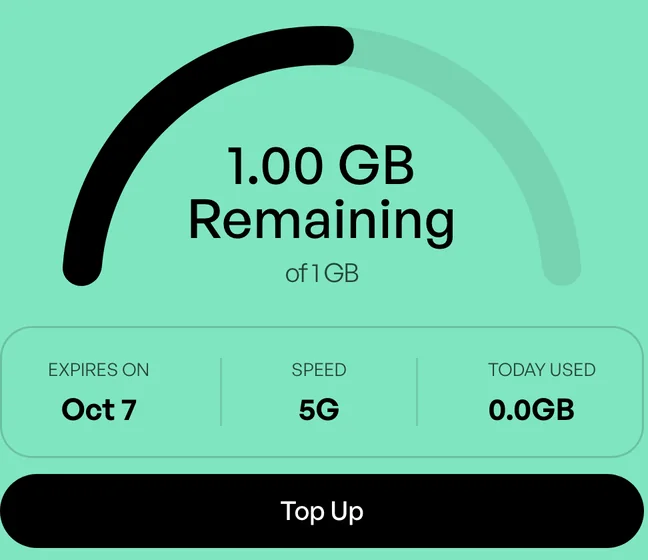
Buy a small plan first and add more data in the app if you need it. Where a plan cannot take a top-up, you buy another plan.
Sign in before you buy, and each order earns credit back on what you pay, to use on a later plan. You start at 5%, rising to 10% as your total spend grows. Credit is ready 14 days after the order, and unused credit expires after 12 months without account activity.
If a trip falls through, an unused eSIM can be refunded within 180 days of purchase, even after you've installed it. Our refund policy sets out the terms.
A few phone settings stretch a small data plan
To save money on mobile data while travelling, buy a plan that fits, then stop your apps from using data in the background.

Download offline maps while you are on Wi-Fi
In Google Maps, save an area to use offline on Wi-Fi before you go, though offline maps are not available in some countries or regions.(6) Offline maps give no transit, cycling or walking directions, so keep some data for those.(6)
Switch on Low Data Mode or Data Saver
On iPhone, go to Settings > Cellular, tap the line you use abroad and switch on Low Data Mode.(7) On Android phones such as Pixel, Data Saver lets most apps get background data only on Wi-Fi.(8)
Leave video, backups and large uploads for Wi-Fi
By our data usage calculator's rates, an hour of HD video takes about 1.4 GB and an hour of maps about 10 MB. Save video, photo backups and big uploads for your hotel Wi-Fi.
Hold app updates until you are on Wi-Fi
In the Google Play app, set auto-update to Update over Wi-Fi only, so app updates wait for Wi-Fi.(9) On iPhone, Low Data Mode turns off automatic updates in the App Store.(7)



Before you buy
- Make sure your phone takes an eSIM and is unlocked
- Size your data to the trip
- Choose a regional plan for a route with borders
- Install on Wi-Fi before you leave
First, check that your phone supports eSIM and is unlocked: our eSIM phone guide covers both on iPhone and Android. On iPhone, Settings > General > About shows No SIM Restrictions next to Carrier Lock when the phone is unlocked.(4) Then set up the eSIM before you leave, so it's ready when you land.
Prepaid and cheap travel eSIM questions, with plain answers

Is it possible to get a free eSIM for travel outside Canada?
HelloRoam does not offer a free eSIM, a free trial or free data. Each plan is prepaid, and you see its price before you check out. Before you count on another provider's free offer for a trip from Canada, check how much data it gives, where it works and what the next plan costs.
What is the cheapest eSIM in Canada for travel abroad?
Of the places in our price table, the cheapest plan costs CA$3.90: unlimited data in Italy for 1 day. For your trip from Canada, the cheapest eSIM is the smallest plan that lasts your days and holds your data. Compare price per GB only between plans you'd use up, and check if one North America plan beats two country plans.
How much does a travel eSIM cost from Canada?
A light week in United States costs CA$13.99 on our plans, for 5GB that lasts 30 days. What you pay depends on where you go, how much data you need and for how many days. Our price table shows a light trip of each length in each place. Unlimited plans are priced by the day. Fair-use terms apply.
When does buying a local SIM beat a travel eSIM on price?
Compare what each costs for the same days and data. A plan from a carrier in that country can suit a long stay there, and many come with a local number. You may need ID, such as a passport, to buy one.(4) A travel eSIM suits a short trip or a route with borders, bought online before you leave.
More guides for travelling on a budget

Carrier and phone-maker pages behind this guide
We cite Rogers and Bell, and Apple's and Google's own help pages, never other travel eSIM sellers.

We read sources 1 to 5 on , sources 6, 8 and 9 on , source 7 on .
- 1
- 2
Apple Support: Set up eSIM on iPhone
- 3
- 4
Apple Support: Use eSIM while traveling internationally with your iPhone
- 5
Apple Support: Using Dual SIM with an eSIM
- 6
Google Maps Help: Download areas & navigate offline in Google Maps
- 7
Apple Support: Use Low Data Mode on your iPhone and iPad
- 8
Pixel Phone Help: Use less mobile data with Data Saver
- 9
Google Play Help: How to update apps on Android