eSIM guide · Remote work
eSIM for Digital Nomads: Staying Online for Months Abroad
An eSIM for digital nomads gives you mobile data in every country its plan covers, with no SIM shop at each border. Install it before you go, top up in the app when data runs low if your plan takes top-ups, and choose a regional or global plan for routes across borders. Check each stop against HelloRoam's 185+ destinations.
Our plans start at £0.77 · 1GB over 7 days
Key eSIM facts for digital nomads From our plans, help guides and the sources below
- When data runs low on a long stay
- Top up in the app, adds data to the same eSIM, with no new QR code, where the plan allows
- When a plan's days start counting
- First connection, in your destination, not at purchase or install
- eSIMs needed for a multi-country route
- Just one, when a regional plan lists every country on it
- How many lines an iPhone can run data on together
- 1, so pick the travel eSIM for your data.(1)
- Support hours while you're abroad
- 24/7, WhatsApp and email
- One eSIM across several regions
- 127, destinations on one global plan of ours
- HelloRoam covers
- 185+ destinations, 212+ networks
What to check before you choose a long-term eSIM
A digital nomad works online while living in different countries. Your phone then needs data that keeps going between stays and across borders. 6 checks tell you whether an eSIM is up to it.

What should digital nomads look for in an eSIM?
The right eSIM for a digital nomad covers every stop on your route, takes top-ups on the same eSIM and lets you use a hotspot. It should also sell regional and global plans, set out its fair-use terms and offer support at any hour. HelloRoam sells plans for 185+ destinations, and our global plan alone reaches 127 destinations. Every plan allows hotspot use, and support answers 24/7.
- 1
Your whole route has cover
Open the country page for each stop and check it has a plan. A plan works only in the countries it names, so a gap on your route means no data there.
- 2
The same eSIM takes top-ups
A top-up adds data to the eSIM you already have, so you skip a new install and a new QR code each time data runs low. Some plans can't take one, so check the plan page before a long stay.
- 3
A regional plan covers your crossings
A regional plan keeps one eSIM working across the borders of every country it lists. That suits a route through several neighbouring countries.
- 4
Laptop on the phone's data
On iPhone, Personal Hotspot shares the phone's mobile data as a Wi-Fi network your laptop can join.(2) Some networks limit or charge extra for tethering, so check the plan terms before you rely on it for work.(3) All our plans allow it.
- 5
Unlimited plans spell out their terms
On an unlimited plan, look for the line saying fair-use terms apply. A fair-use policy limits heavy use, so read it before a stay of several months.
- 6
Help is there at any hour
You might land at midnight with no data, so check that support answers around the clock, not only in office hours.
Your phone must also support eSIM and be unlocked, meaning it isn't tied to one network.(1) On iPhone, open Settings, then General, then About: No SIM Restrictions next to Network Provider Lock means it's unlocked.(4) Check eSIM support on your phone before you pick a plan.
A 20 GB month of data costs from £11.01 across 4 nomad bases
These are what 30, 60 and 90 days of data cost on our plans in each base and on our global plan. Each cell counts the plans you buy, because you buy the next one before the last ends. Keep each new eSIM's line off until the plan before it ends, so no days overlap.

| Where you're based | Plans you buy | 30 days | 60 days | 90 days |
|---|---|---|---|---|
| Lisbon, Portugal | 20GB over 30 days | £11.01 bought once | £22.01 bought 2 times | £33.02 bought 3 times |
| Lisbon, Portugal | Unlimited data over 30 days | £47.16 bought once | £94.32 bought 2 times | £141.48 bought 3 times |
| Bali, Indonesia | 20GB over 30 days | £23.48 bought once | £46.97 bought 2 times | £70.45 bought 3 times |
| Bali, Indonesia | Unlimited data over 30 days | £53.10 bought once | £106.19 bought 2 times | £159.29 bought 3 times |
| Chiang Mai, Thailand | 20GB over 30 days | £11.92 bought once | £23.85 bought 2 times | £35.77 bought 3 times |
| Chiang Mai, Thailand | Unlimited data over 30 days | £56.44 bought once | £112.87 bought 2 times | £169.31 bought 3 times |
| Mexico City, Mexico | 20GB over 30 days | £27.61 bought once | £55.21 bought 2 times | £82.82 bought 3 times |
| Mexico City, Mexico | Unlimited data over 30 days | £51.27 bought once | £102.54 bought 2 times | £153.81 bought 3 times |
| Global plan, 127 destinations in all | 1GB over 365 days | £19.60 bought once | £19.60 bought once | £19.60 bought once |
Our 1GB global plan runs for 365 days. It suits a backup line for travel days, not a month of work.
Months abroad mean buying your next plan before the last one ends
Our country plans run for 7 or 30 days, and unlimited plans for up to 30 days a purchase. The days start when the eSIM first connects in your destination, not when you install it. To stay longer, buy your next plan before the end date.

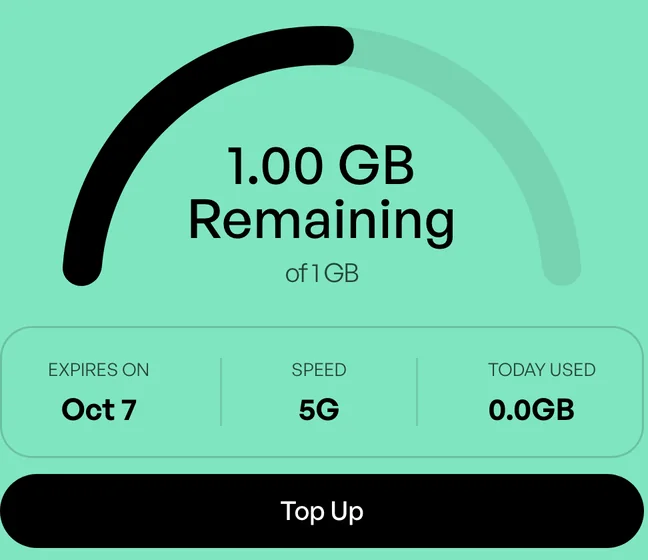
In our app, Top up adds data to the eSIM you already have, with no new QR code. You'll see it on the eSIM's card when the plan takes more data.
Follow the top-up steps for the app before the end date, as an expired eSIM can't take a top-up. For more days, buy your next plan before that date: it arrives as a second eSIM with its own QR code. Install it over Wi-Fi and keep its line off, because its days start only when it first connects. When the first plan ends, turn on the new line and its Data Roaming, then pick it for data.
Plan the first few weeks, not the whole year, then buy your next plan once you know how much you use. Fair-use terms apply to unlimited plans, so read them before a month of daily video calls.
| Question | Country data plan | Unlimited plan | Regional plan |
|---|---|---|---|
| Made for | Settled work from one base | Heavy use over a set number of days | Routes that cross borders |
| Running low | Top up data in the app, same eSIM | Buy the next plan before this one ends | Buy a new plan if its card shows no Top up |
| At a border | Works only in its country, so add a plan for the next | Works only in the places the plan lists | Keeps working in each listed country on one eSIM |
| One thing to check | Some plans can't take more data | Fair-use terms apply | Check the country list before you buy |
Keeping remote work online on mobile data
Use Wi-Fi where you can and keep the eSIM as your backup. When the Wi-Fi drops, your phone's data and hotspot keep calls and files moving.


Local network 3G to 5G, varies by place

On this phone
Your phone Brings data in, shares it out

Your laptop Connects to the hotspot
| Task | Apps you might use | Run it on |
|---|---|---|
| Video calls | Zoom, Microsoft Teams, Google Meet | Wi-Fi where you can |
| App and phone updates | App Store, Google Play | Wi-Fi |
| Web browsing | Chrome, Safari | Mobile data is fine |
| Maps and directions | Google Maps, Apple Maps | Mobile data is fine |
| Messages and email | WhatsApp, Gmail, Outlook | Mobile data is fine |
| Cloud file uploads | Google Drive, iCloud, Dropbox | Wi-Fi for large files |
| Laptop on your hotspot | Any laptop app | Mobile data, with updates paused |
Sharing data with your laptop
Your phone's hotspot shares its eSIM data with your laptop, a tablet or a friend's phone, which join it like any Wi-Fi network.(2)(3) All our plans allow hotspot use, and every device draws on the same plan. Pause laptop updates and cloud sync first. Our explainer covers using a travel eSIM as a hotspot.
Video calls and big uploads
Video calls run on whichever local network your plan uses, from 3G to 5G, and speeds vary by place and network. Ofcom's advice for using your phone abroad is to avoid data-heavy tasks such as uploading photos and opening large attachments when you're not on Wi-Fi.(5) Keep big uploads and updates for Wi-Fi, and estimate your call data before you pick a plan.
Your UK number and bank codes
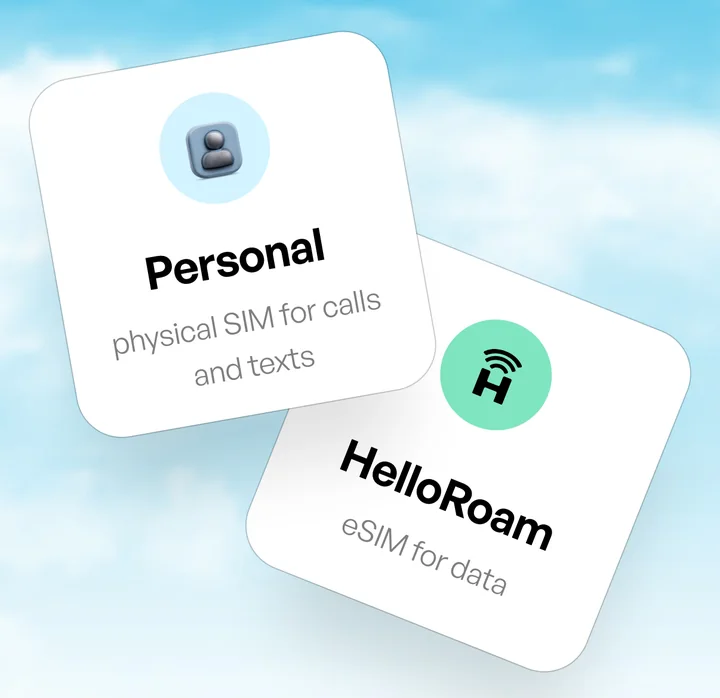
Your UK SIM keeps your number for calls, texts and bank codes, while the travel eSIM carries your data. Our plans carry data only, with no phone number of their own. FaceTime and iMessage keep working on your home line over the eSIM's data, Apple says.(4)
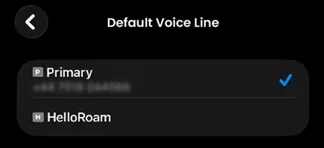
On iPhone, make your UK number the default and keep that line on, so SMS codes reach you.(1) Choose the travel eSIM for mobile data only, then turn off Allow Mobile Data Switching and the UK line's Data Roaming.(1)(6) O2 Travel charges for a day when you make a call, send a message or use data on that line, but not for calls or texts you receive.(7) See how calls and texts work with a travel eSIM.
Crossing borders on one eSIM with a regional plan
A single-country plan works only in that country. A regional plan keeps one eSIM working across the borders of every country it lists, so a weekend over the border stays on the same eSIM when both countries are on the plan.

Our Europe plan covers 33 destinations, Portugal and Spain among them, and our Asia plan covers 19, including Thailand, Vietnam and Indonesia. The Southeast Asia plan covers only Malaysia, Singapore and Thailand, so check its list before Bali or Vietnam. Mexico is on our North America plan, and Colombia and Costa Rica are on our South America plan. Before you buy, check every stop on your route against the plan's country list, and add a country plan for any stop it misses.
Each country's own authorities set and enforce its entry rules, including any digital nomad visa. Read GOV.UK's foreign travel advice before you go: it covers entry requirements, and you can sign up for email updates on each country's page.(8)
A single global plan covers 127 destinations
Moving between regions? Our global plan keeps one eSIM going in every destination it lists, Georgia included, which no regional plan covers. For a month in one base, check a country plan's price first.
Country plans for remote-work bases








What your UK phone plan allows on a long stay abroad
Since the UK left the EU, roaming in EU and EEA countries at no extra charge is no longer guaranteed.(9) UK networks must publish their roaming charges, and over months abroad their terms can add charges or limits.(5) Some plans already include roaming, so check yours first.(10)
- Vodafone
- Zone B daily fee · £2.75 per day charges for each day you use the phone in a Zone B destination your plan does not include.(10)
- Three
- Go Roam in Europe daily charge · £2.75 per day Go Roam is for UK residents on short visits, such as holidays or business trips.(11)
- O2
- Travel Bolt On · £7 per day charges for each day you use the phone outside O2's Europe Zone, midnight to midnight local time.(7)
Vodafone may add charges if you roam for more than 62 days, or use more abroad than in the UK, over four months. It texts you 14 days before charging anything extra.(10)
For each option set against a travel eSIM, see our eSIM and roaming guide.
When a local SIM makes more sense for a long stay
Months in one country can make a local network's plan worth it, especially if you need a local number.(4) Ofcom's tips for saving money abroad include buying a SIM card for the country you visit.(5)
Many local plans come with a local phone number, and some local networks sell them as eSIMs.(4) If you buy in a shop after you land, take your passport, as local rules may require ID.(4) A longer-term account can also ask for proof of residency or a local bank account.(4)
A travel eSIM still covers your first days after landing and any legs of your route that cross borders. An iPhone with a SIM tray can run a local SIM and an eSIM side by side.(4) For costs, see our budget travel data guide.
Buying eSIMs for a remote team, one per person
A manager can buy an eSIM for each colleague, and each traveller installs it on their own phone.

Place one order per traveller
Stay signed in when you buy. Each QR code and its setup steps arrive at your account email, so forward each one to the colleague who will use it.
Install each eSIM on its own phone
Each eSIM works on one device only and can't be moved once it's installed.
Top up from your own account
If a colleague runs low, open My eSIM in your own app and tap Top up on their eSIM, as long as the plan takes top-ups.


Buying for a bigger group? Businesses and groups can contact us to buy plans for several people, with support open 24/7.
Ask us about a group orderIf someone switches phone, support can only issue a new eSIM while theirs hasn't yet connected to a supported network in the destination. See what happens when you change phones.
Questions from digital nomads about eSIMs

What happens when I travel on to a country my eSIM doesn't cover?
Your data stops at that border, because an eSIM works only in the countries its plan lists. Before you cross, add a plan for the new country. A regional plan covers every country on its list, and our global plan covers 127 destinations on one eSIM. Check the list before you buy, and again before a side trip.
How do long stays abroad work with a travel eSIM?
Buy a plan for your first month, then buy the next one before it ends. The next plan is a new eSIM, so install it early and keep its line off until the first plan ends. If data runs low, tap Top up in the app before the end date, if the plan takes top-ups.
Will a travel eSIM keep me online for work abroad?
It can, if you treat it as the backup to Wi-Fi. A travel eSIM runs on local mobile networks, and speeds depend on the place and the network. Keep big uploads and long calls for Wi-Fi, and switch to the eSIM when the Wi-Fi drops. Each destination page lists the networks its plan uses, so check yours before you go.
Can a business buy eSIMs for staff travelling abroad?
Yes. Stay signed in, place one order for each traveller and forward each QR code to the person who will use it, as each eSIM works on one phone only. To add data later, tap Top up on that eSIM in your own app, if the plan takes top-ups. For a bigger group, contact our team.
Compare your options before you buy an eSIM

Pages we read to check this guide
We cite Apple's and Google's help pages, GOV.UK, Ofcom and the roaming pages of Vodafone, Three and O2.

All 12 sources were verified on .
- 1
Apple Support (UK): Using Dual SIM with an eSIM
- 2
Apple Support (UK): Connect to the Personal Hotspot of an iPhone or iPad
- 3
Android Help (UK): Share a mobile connection by hotspot or tethering on Android
- 4
Apple Support (UK): Use eSIM while travelling internationally with your iPhone
- 5
Ofcom: Using your mobile abroad
- 6
Apple Support (UK): Use mobile data on your iPhone or iPad
- 7
O2 Help: O2 Travel
- 8
GOV.UK: Foreign travel advice
- 9
- 10
Vodafone UK: Global Roaming
- 11
Three: Go Roam
- 12
Apple Support (UK): Set up eSIM on iPhone