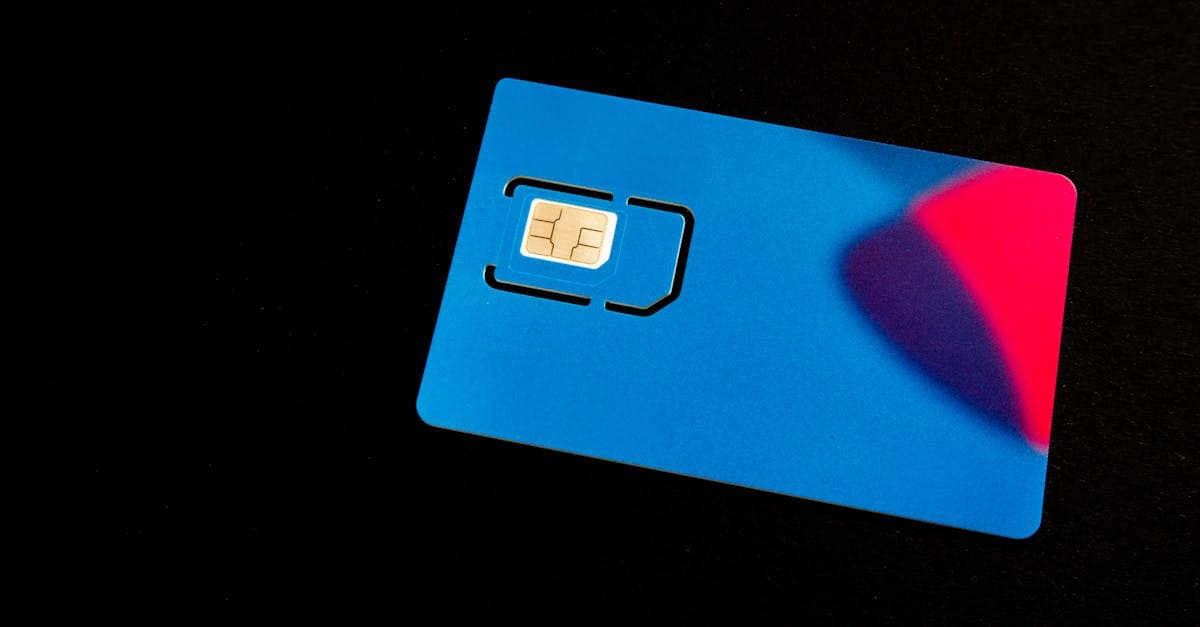
Check your phone before you shop. Apple's US spec pages say iPhone Air, iPhone Duo, iPhone 18 Pro, iPhone 18 Pro Max and every iPhone 14, 15, 16 and 17 model don't work with physical SIM cards. Google says the same for US Pixel 10, Pixel 10 Pro and Pixel 10 Pro XL phones. Its spec page lists only eSIM for the US Pixel 11, Pixel 11 Pro and Pixel 11 Pro XL too. On those phones, an eSIM is the only kind that works.
Physical SIM Cards and eSIMs Do the Same Job in Different Ways
Both kinds give your phone a plan on networks at your destination. The difference is how the plan gets onto your phone, and what happens to your US number while you're away.
A physical SIM card is a small card that goes in the phone's SIM tray. If your US line is on a SIM card in that same tray, swapping in the travel card takes your US number off the phone until you put it back.
An eSIM is a plan you download, usually by scanning a QR code. It runs next to your US line: Apple lists adding a local data plan when you travel as one use of Dual SIM. With both lines on, Apple says the travel eSIM handles data while your primary line keeps working.
Want more on plan types and running out of data mid-trip? Our travel eSIM guide for US travelers covers both.
| What matters | Physical SIM card | eSIM |
|---|---|---|
| How you get it | Mailed to you, or bought in a shop | Online, by QR code or the seller's app |
| Works in a phone with no SIM tray | No | Yes |
| Your US line on a SIM card | Comes out while the travel card is in (one-tray phones) | Stays on next to it |
| What the phone needs | A SIM tray and a carrier unlock | eSIM support and a carrier unlock |
The format doesn't decide your signal. That comes from the networks a plan connects to at your destination, so check those before you buy. For a closer look at the trade-offs, read our eSIM vs physical SIM guide.
Your Phone Decides Which Kind You Can Use
Two checks settle it: does your phone support eSIM, and has your carrier unlocked it?
Apple lists eSIM support on the iPhone XS, iPhone XS Max, iPhone XR and later. Google says every Pixel 4 and later works with eSIM, with limits on some Pixel 3 and 3a phones. Samsung's US support page names the Galaxy S20 series through the S26 series among its dual SIM phones that use eSIM. Using another model? Look it up on our list of eSIM-compatible phones.
Your phone also has to be unlocked to use another company's SIM or eSIM. On an iPhone, open Settings, tap General, then About. Apple says an unlocked iPhone shows "No SIM Restrictions" next to Carrier Lock.
Each carrier sets its own unlock rules. For postpaid phones, AT&T's conditions include being paid off in full and bought more than 60 days ago, and AT&T Prepaid phones need 12 months of paid service. Verizon says postpaid phones unlock automatically once bought at full retail price or once the financing balance is paid in full. Still paying off your phone? Ask your carrier before you buy a travel plan.
Where to Buy an International SIM Card in the US
You can buy either kind before you leave home.
An eSIM arrives digitally. Apple says carriers provide the activation steps "like with a QR code or carrier app," and that worldwide service providers offer prepaid data plans in over 190 countries and regions. Buy it, then install it at home over Wi-Fi.
A physical travel SIM is sold online and mailed to you, so order it early enough to arrive before your flight. Store pages can be confusing. In October 2026, Best Buy's "International Sim Cards" page listed US prepaid products such as an AT&T Prepaid SIM kit and a Mint Mobile plan, so a card on a page with that name isn't always made for travel.
You can also buy a plan from a carrier in the country you're visiting. Apple says you can do that on the carrier's website or app before you go, or at an airport kiosk or carrier store after you land. Many of these plans come with a local phone number. Depending on local rules, you might need to show your passport to buy one.
Carrier Day Passes Are the Price to Beat
Your US SIM can work abroad too, through your carrier's roaming pass. Here's what AT&T and Verizon list on their own pages in October 2026:
- AT&T International Day Pass: $12 a day on land in over 210 destinations, plus $6 for each extra line used the same day. On an AT&T unlimited plan, it includes unlimited talk, text and high-speed data. A 24-hour pass starts the first time you use data, send a text, or make or accept a call abroad. AT&T's terms cap the charge at 10 daily fees per line in a monthly bill cycle, and no daily fee applies in Mexico or Canada if your plan already includes them.
- Verizon TravelPass: $12 per line per day plus taxes and fees, or $6 a day in Mexico and Canada, in 210+ countries and destinations. Verizon says its Unlimited plans already include calls, texts and data in Mexico and Canada at no extra cost. You're only charged on days you make or receive a call, send texts or use data abroad. After 5GB of high-speed data, data keeps going at 3G speeds for the rest of the TravelPass session.
At $12 a day, one line costs $120 for 10 days abroad if you use it daily, before any taxes and fees. Two weeks comes to $168 on Verizon, while AT&T's cap keeps one line at $120 if the trip falls inside one bill cycle. To compare, find out how much data you'll use with our travel data calculator, then check what a plan that size costs for your dates. Confirm the rate on your carrier's page before you go, since passes and prices change.
T-Mobile customers should read our guide to T-Mobile international roaming before buying a separate plan.
A pass can still be the simple pick for a short hop. One or two days costs $12 to $24 for one line, with nothing to install, and calls stay on your US number.
The Right Plan Depends on How Many Countries You Visit
- One country: a single-country plan covers it. If you're staying a while and want a local number, a local SIM bought there is the other option.
- Several countries: a regional plan puts a group of countries on one eSIM, so you don't buy again at every border.
- Several regions or a long trip: a global data plan saves buying a new regional plan each time you change continents.
Whichever you pick, check that every country on your route is on the plan's list before you pay.
Heading to Japan, Thailand and Vietnam in one trip? Our Asia data plans put all three on one eSIM, along with South Korea and Singapore. Doing Paris, Rome and Barcelona instead? Our Europe data plans cover France, Italy and Spain the same way.
Install at Home, Then Switch Lines When You Land
Set up an eSIM at home, before you fly. Apple says your iPhone must be connected to Wi-Fi or a hotspot to add one.
- iPhone: open the Camera app, scan the QR code and tap the Cellular Plan Detected notice. Tap Continue, then Add Cellular Plan. On iOS 17.4 or later, you can also tap and hold a QR code in an email and tap Add eSIM.
- Google Pixel: open Settings, tap Network & internet, then SIMs, Add SIM and Set up an eSIM, and follow the steps on screen.
- Samsung Galaxy: open Settings, tap Connections, then SIM manager and Add eSIM. Tap Scan QR code, scan your code, then restart the phone.
- Physical SIM card: pack a SIM tool, swap the card in when you land and follow the seller's setup notes. Keep your US SIM somewhere safe for the trip home.
Stuck on a step? Our eSIM install guide walks through iPhone, Samsung and Pixel.
When you land, pick the travel line for data. On iOS 26 or later, your iPhone may show a Turn On Travel eSIM notice. Tap it and choose Travel eSIM and Current eSIM to keep both lines on. Otherwise, go to Settings, then Cellular, then Cellular Data. With a HelloRoam eSIM, also turn on Data Roaming for that line, because turning it on for your US line doesn't switch it on for the eSIM. Its plan days start when it first connects to a network at your destination, so installing early doesn't use them up.
Leaving your US line on lets calls and texts reach your US number, and Apple says the capabilities on your primary line keep working. Apple also warns you might still pay roaming fees on your home line. If that line has an AT&T or Verizon pass, using data, sending a text, or making or answering a call abroad starts a paid day. You may have one without adding it. AT&T adds its pass to a line with no international feature once you use it abroad, and texts you a way to opt out. Verizon adds TravelPass to its Unlimited Plus and Unlimited Welcome plans. Keep data roaming off on your US line if it has its own switch, as on iPhone and Pixel. Many Samsung Galaxy phones have one switch for the whole phone, so leave it on there and turn off automatic data switching. Either way, a call or a text you send on your US line can still start a paid day.
Back home, an iPhone on iOS 26 or later can turn the travel eSIM off and your home SIM back on for you, depending on your country or region. If it doesn't, Apple says to make sure Turn On This Line is on for your primary line.
Questions travelers ask
What SIM card is best for international travel?
It depends on your phone and your route. If your phone supports eSIM, a travel eSIM is the easiest pick: you install it at home and keep your US number on the same phone. A physical travel SIM suits an unlocked phone with a SIM tray. For a day or two, your carrier's day pass is simple, and for a long stay in one country, a local carrier's plan often comes with a local number.
Is there an international SIM card with unlimited data?
Some international plans are sold as unlimited, so read what that means in the terms. Verizon's TravelPass, for example, gives 5GB of high-speed data, then unlimited data at 3G speeds for the rest of the session. Look for the high-speed allowance and the speed after it before you buy.
Sources
- AT&T International Day Passatt.com
- TravelPass: International Travel Planverizon.com
- Use eSIM while traveling internationally with your iPhoneapple.com
- Using Dual SIM with an eSIMapple.com
- Set up eSIM on iPhoneapple.com
- Find wireless carriers and worldwide service providers that offer eSIM service on iPhoneapple.com
- iPhone 14: Technical Specificationsapple.com
- iPhone 15: Technical Specificationsapple.com
- iPhone 16: Technical Specificationsapple.com
- iPhone 17: Tech Specsapple.com
- iPhone 18 Pro: Tech Specsapple.com
- Get a SIM or eSIM and add it to your Pixel phonegoogle.com
- Set up a new eSIM on Pixelgoogle.com
- SIM cards for your Galaxy phone or tabletsamsung.com
- Unlock your AT&T deviceatt.com
- Device Unlocking Policyverizon.com
- International Sim Cardsbestbuy.com
- Terms & Conditions - AT&T International Day Passatt.com
- iPhone 14 Pro - Technical Specificationsapple.com
- iPhone 15 Pro - Tech Specsapple.com
- iPhone 16 Plus - Tech Specsapple.com
- iPhone 16 Pro - Tech Specsapple.com
- iPhone 16e - Tech Specsapple.com
- iPhone 17 Pro - Tech Specsapple.com
- iPhone Air - Technical Specificationsapple.com
- iPhone 17e - Technical Specificationsapple.com
- iPhone Duo - Technical Specificationsapple.com
- Pixel phone hardware tech specsgoogle.com
Written by
HelloRoam Team
The HelloRoam Team writes our guides on trip planning, visas and eSIMs. For every new or updated guide, we check each fact at its source. Sources include government, park and weather service pages. We note the date we read each one. A second review then checks every fact against its source before the guide goes live. If we cannot confirm a fact, we leave it out. We link those sources inside the guide, so you can check them.