
T-Mobile International Roaming: Plans, Costs, and When to Use a Travel eSIM
Quick Answer: T-Mobile International Roaming at a Glance

That 2G default matters more than the plan descriptions imply.
At those speeds, navigation apps stall, boarding passes are sluggish to load, and anything demanding more than a basic text becomes unreliable. The coverage is real; the usability is bare-bones.
For LTE access outside North America, T-Mobile offers the International Day Pass t-mobile.com:
- ~$5/day: roughly 512 MB of LTE, then throttled to 2G
- ~$10/day: 5 GB of LTE before throttling to 2G
- ~$35/week: a seven-day high-speed allocation
Charges apply only on days you actually use data, not every calendar day of your trip.
Go5G Plus and Go5G Next subscribers receive 5 GB of high-speed international data per month as part of the plan, before falling back to 2G t-mobile.com. For occasional travelers, that's a workable starting point.
The fine print changes that calculation fast.
Will T-Mobile Charge Me for International Roaming?
Postpaid Magenta and Go5G customers don't pay extra for basic international data or texts in Simple Global destinations. Texts are free. Throttled data is included. In that narrow, technical sense, T-Mobile doesn't charge extra just for crossing a border. The actual cost question is more layered than that framing suggests.
Included and usable are two very different things.
At 128 to 256 Kbps, you'll watch a phone show full bars while map tiles fail to render and apps time out. That disconnect is predictable: the signal is there, the throughput isn't. The data icon shows active. Nothing loads.
Voice calls are where actual charges appear. Outside Mexico and Canada, T-Mobile bills outbound calls per minute on most postpaid plans t-mobile.com. Voicemail retrieval also carries a fee in many countries, a nuance that tends to surface as an unwelcome line item on the first post-trip bill.
Prepaid T-Mobile plans don't include Simple Global at all t-mobile.com. T-Mobile's marketing materials lead heavily with postpaid benefits, and the distinction isn't always obvious until a customer is already traveling.
Go5G Plus and Go5G Next subscribers do get a meaningful head start: that monthly high-speed international allowance covers shorter trips reasonably well. Burn through it early and the same throttle applies.
AT&T's International Day Pass runs ~$12 per day for full LTE access. Verizon's TravelPass is ~$10 per day with a daily LTE cap before throttling. T-Mobile's tiered passes are priced lower, but the throttle structure requires a careful read of what actually counts as a usable day.
So what does throttled actually feel like on the ground?
How do I know if my T-Mobile plan has international roaming?

The fastest check: open the T-Mobile app, navigate to Account > Plan details, and look for Simple Global under international features. Listed there means your plan has access. Absent means it doesn't qualify for the benefit.
Three methods to verify before departure:
- T-Mobile app: Account > Plan details > International features shows Simple Global for eligible postpaid plans.
- My.T-Mobile.com: The account portal gives a more complete view of plan benefits and available add-ons.
- Dial 611: A representative can confirm eligibility in minutes, especially useful for older grandfathered rate plans where the app may not accurately reflect your full benefits.
Prepaid plans and many legacy rate plans don't include Simple Global. An upgrade or separate international add-on may be required before travel.
Go5G Next subscribers should verify that the monthly high-speed international benefit is active on their specific line. It doesn't always surface prominently in the default account view.
On longer trips, day pass charges stack up fast. For travelers whose plans don't qualify for Simple Global, or who want consistent LTE without per-day billing, a travel eSIM sidesteps that daily charge cycle entirely. Browse All eSIM Plans at HelloRoam to see destination-specific options activated via QR code before you board.
Once you know your plan, the speed reality hits harder.
T-Mobile International Roaming Speeds: The 2G Reality Abroad

The throttled ceiling built into T-Mobile's Simple Global benefit sits far below what modern apps need. At 2G speeds, Google Maps can't load tiles reliably, navigation apps stall mid-route, and streaming video gives up before the first buffer clears. Messaging apps work fine, because raw text requires almost nothing from a connection. Everything else is the problem.
Here's the concrete gap. Local SIM cards and travel eSIMs in most major markets deliver 20 to 50 Mbps LTE. The speed difference between T-Mobile's throttled roaming and a local plan isn't marginal; it's roughly 100 times or more. That's not a minor inconvenience. That's the difference between a usable phone and an expensive notification center.
The loading bar crawls. Map tiles render in blocky patches, then time out entirely. Try to pull up a ride-share app in Osaka or navigate a transit system in Amsterdam, and the free roaming benefit starts to feel like the wrong kind of free. The city keeps moving; your phone doesn't quite follow. That said, T-Mobile's throttled roaming still beats no connection: if your eSIM fails to activate at the airport or you're between local SIM options, that 2G fallback keeps messages going when nothing else will.
Coverage reliability adds another layer of friction. T-Mobile's international roaming runs through local carrier networks in each country, and those networks vary considerably in quality. Adequate signal in a major city center doesn't guarantee anything 20 miles outside it.
The practical reality: iMessage and WhatsApp text threads get through. Navigation, live transit schedules, ride-share apps, and real-time translation tools are a gamble on that connection.
Knowing the limit, here is how to unlock the upgrade.
How to Activate T-Mobile International Roaming Before You Leave

Activating T-Mobile international roaming takes roughly five minutes and runs entirely through the app or T-Mobile website. Confirm Simple Global eligibility first, purchase a pass if needed, then toggle Data Roaming on your device. The one step most travelers miss: checking per-minute calling rates for their destination and setting up voicemail-to-text before departure.
The full setup, in order t-mobile.com:
- Verify eligibility. In the T-Mobile app, go to Account > Plan details and confirm Simple Global is listed under international features on your line.
- Add a pass. Navigate to Roaming or International options and select an International Day Pass or International Week Pass for your destination.
- Enable Data Roaming. On iPhone: Settings > Cellular > turn on Data Roaming. On Android: Settings > Connections > Mobile Networks > Data Roaming (buried deeper in the menu than the name suggests, worth finding before you're at the gate). This toggle is required for the pass to function.
- Check calling rates. Look up the per-minute rate for your destination country before you land. Free data doesn't make voice calls free in most markets outside North America.
- Turn on voicemail-to-text. Retrieving voicemail abroad triggers the same per-minute rate as a live call. Activating this through the T-Mobile app before departure eliminates that charge entirely.
- Consider Block Roaming. If you plan to rely on WiFi throughout the trip, this toggle prevents any accidental cellular charges.
- Watch for confirmation. T-Mobile sends an activation text to your number, typically within minutes of purchasing.
Don't wait until the airport. Airport WiFi at JFK or O'Hare works fine for the purchase, but boarding announcements and a slow connection are a bad combination.
Now compare those steps to what the pass actually costs.
T-Mobile International Roaming Costs: Day Pass and Week Pass Pricing

T-Mobile's day pass pricing comes in two tiers: ~$5/day for roughly 512 MB of LTE and ~$10/day for 5 GB of LTE, both throttled to 2G afterward t-mobile.com. Both produce the same pattern: costs that compound quickly on trips beyond a few days. The table below compares that structure against AT&T's International Day Pass.
| Option | Cost | High-Speed Data | Daily Reset? |
|---|---|---|---|
| T-Mobile Day Pass (heavy tier) | ~$10/day | 5 GB LTE, then throttled to 2G | Yes |
| AT&T International Day Pass | ~$12/day | Domestic plan LTE speed | Yes |
The AT&T figure in the table deserves a note. Their day pass includes no lower-speed fallback; once the daily cap runs out, the connection effectively stops. T-Mobile's structure at least maintains throttled 2G speeds as a backup, which matters if you need basic messaging after heavy data use.
One genuine nuance in T-Mobile's favor: the day pass only bills on days you actually use cellular data. A full day on hotel WiFi won't trigger the charge. Over a two-week trip with reliable venue access, the real-world cost can drop below the maximum total.
The weekly pass, at ~$35 for seven days, is a smarter structure than per-day billing for any trip near or past 7 days. Two passes cover a 14-day itinerary, a more defensible structure than daily billing, though travel eSIM options remain considerably cheaper for most destinations.
The daily reset remains a real constraint regardless of tier. Each day's allowance doesn't carry over; unused capacity disappears at midnight. A travel eSIM with a fixed total pool works differently: a light day effectively banks data for a heavier one.
A settings question trips up most travelers at this point.
Do I Need to Turn On Roaming on T-Mobile International?
Yes. The Data Roaming toggle must be switched on before your phone connects to any foreign network t-mobile.com. Without it, no data passes through, even with a paid pass already active on your account. Two separate controls govern this: the T-Mobile account add-on handles billing, and the device toggle grants network permission. Both must be active.
Here's where to find the toggle:
- iOS: Settings > Cellular > Cellular Data Options > Data Roaming
- Android: Settings > Connections > Mobile Networks > Data Roaming
Two steps. Miss either one, and you're offline.
The toggle being on doesn't activate a paid pass. Enable it without adding a pass, and T-Mobile defaults you to the free throttled connection. That's adequate for a quick directions check or a brief status message, but not much beyond that. To reach LTE speeds, you need the toggle on AND a pass active on your T-Mobile account.
Leaving the toggle off entirely has its own logic. It locks out all foreign network data, so no background app can trigger an accidental charge. The phone still functions for calls and texts via Wi-Fi calling, which keeps you reachable in hotel lobbies and airport terminals without any cellular data running. For anyone using a separate eSIM for data, keeping the T-Mobile data toggle off prevents any unintended overlap between the two connections.
A measured approach: turn the toggle on when you land and you're ready to use your pass. Disable it when you shift to Wi-Fi or a travel eSIM. That keeps charges predictable and your data sources clearly separated.
For trips beyond a few days, a different setup wins on cost.
When to Skip T-Mobile International Roaming and Use a Travel eSIM
Four days is roughly the inflection point. Below that threshold, a day pass can be cost-competitive, especially for light users with reliable hotel Wi-Fi. Beyond it, carrier day passes stack faster than most travelers expect. Travel eSIMs typically cost considerably less than carrier day passes for equivalent high-speed data on trips that stretch past three to four days.
Short trips are the genuine exception. Under three days, the daily pass charge is predictable, setup follows the steps already outlined, and there's no additional app or account to manage. That calculus doesn't hold past day four.
The cost gap widens significantly on longer trips. A two-week stay at ~$10 per day (the heavier daily pass tier) produces a total that any travel eSIM undercuts considerably. For destinations in Europe or Asia, the speed advantage compounds that argument: local eSIM plans run well above the throttled roaming floor, which matters if navigation, translation apps, or video calls are on the itinerary.
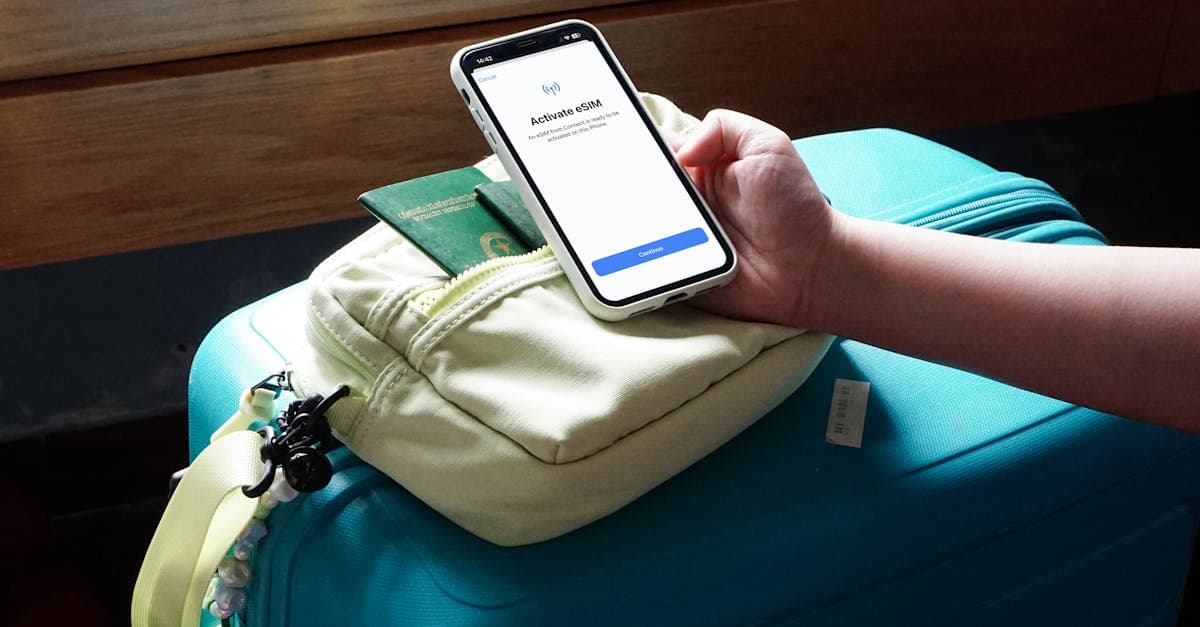
The dual-SIM setup resolves the number concern most travelers raise. iPhones (XS and later) and most current Android flagships support a physical SIM and an eSIM running simultaneously. T-Mobile stays active for calls and texts, so your US number still receives banking alerts and two-factor codes. The eSIM carries all data at full speed.
Scan the QR code, confirm the plan, and the eSIM is live before boarding. The free 2G T-Mobile connection remains as a fallback for emergencies. HelloRoam covers a broad range of international destinations with no physical SIM swap required, making it a considered option from any departure gate. Browse All eSIM Plans
Reviewed by HelloRoam's editorial team. Last updated: 26 April 2026.
Questions travelers ask
Will T-Mobile charge me for international roaming?
Postpaid Magenta and Go5G customers are not charged extra for basic texts or throttled data in Simple Global destinations, but included and usable are two different things. Voice calls outside Mexico and Canada are billed per minute on most postpaid plans, and voicemail retrieval in many countries also carries a per-minute fee. Prepaid T-Mobile plans do not include Simple Global at all and will incur separate charges for any international use.
Do I need to turn on roaming on T-Mobile international?
Yes, the Data Roaming toggle must be switched on before your phone can connect to any foreign network, even if you have a paid pass already active on your account. On iPhone, find it at Settings > Cellular > Cellular Data Options > Data Roaming; on Android, go to Settings > Connections > Mobile Networks > Data Roaming. Both the account add-on and the device toggle must be active for the pass to work.
How do I know if my T-Mobile has international roaming?
Open the T-Mobile app, go to Account > Plan details, and look for Simple Global listed under international features. You can also log in to My.T-Mobile.com for a full view of plan benefits, or dial 611 to have a representative confirm eligibility. Prepaid plans and many legacy rate plans do not include Simple Global, so an upgrade or separate international add-on may be required.
Sources
- International roaming servicest-mobile.com
- International Plans | Traveling Abroad without Roaming Feest-mobile.com
- Add Unlimited Calling & International Datat-mobile.com
- International roaming checklistt-mobile.com
- International Roaming Plans for Japant-mobile.com

Written by
David Chen
David Chen is a travel writer at HelloRoam who covers mobile connectivity and travel tech for international visitors. He compares data plan pricing for short trips and extended stays, and tests eSIM activation at major international airports. David also covers hotspot options for business travelers so readers can skip the SIM card counter and get online fast.