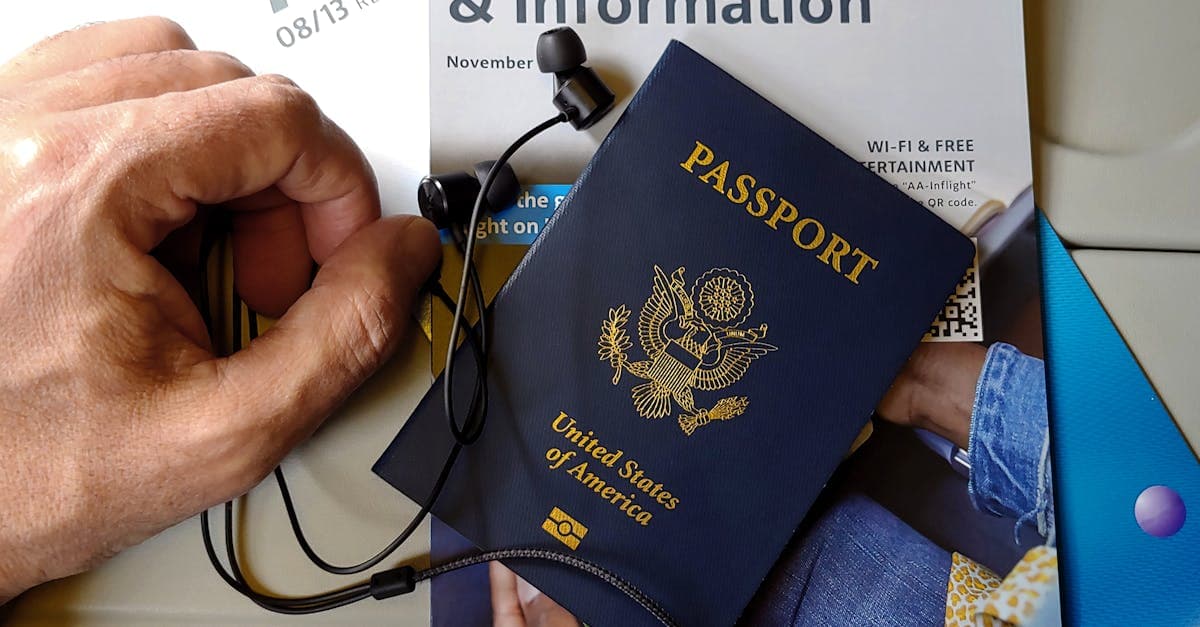
Got an unlocked phone that takes an eSIM? You can add a HelloRoam Spain eSIM next to your US line before you fly, and its plan days only start once it connects to a network in Spain.
A quick check at home shows if your phone will work in Spain
Run these checks before the flight, while it's still easy to call your carrier if something needs fixing.
 Get your Spain eSIM before you flyInstall it at home, then turn on data roaming for it when you land. From $2.80.See Spain plans
| Check | How to verify it | Where to look |
|---|---|---|
| Spain's main 4G bands | Find LTE Bands 1, 3, 7, 8, 20 and 28 in your model's band list. You don't need all six. | The maker's spec page for your exact model |
| Unlocked (only for a Spanish SIM or a travel eSIM) | iPhone: Settings, General, About. "No SIM Restrictions" next to Carrier Lock means it's unlocked. Android: ask your carrier. | Your phone's settings, or your US carrier |
| A plan that covers Spain | Roaming: confirm your plan covers Spain and note what it charges. Travel eSIM: your phone must support eSIM. | Your carrier's app or travel page, or the eSIM plan's network list |
Spain's main 4G bands appear on spec sheets by number
Spain's Ministry for Digital Transformation and the Civil Service publishes a summary chart of Spain's radio spectrum, updated in 2025. The chart shows the main assignments, not every one. It marks six frequency bands for 4G: 700, 800, 900, 1800, 2100 and 2600 MHz. The 3.5 GHz band and a millimeter-wave band are marked for 5G only.
Spec sheets such as Apple's list 4G and 5G by band number, not megahertz. The numbers come from the 3GPP standard for LTE phones, and the table matches the two.
| Spain's band | Number on a spec sheet | Labeled on Spain's chart |
|---|---|---|
| 700 MHz | LTE Band 28 (5G: n28) | 4G and 5G |
| 800 MHz | LTE Band 20 | 4G |
| 900 MHz | LTE Band 8 | 2G, 3G, 4G and 5G |
| 1800 MHz | LTE Band 3 | 2G, 3G and 4G |
| 2100 MHz | LTE Band 1 | 2G, 3G, 4G and 5G |
| 2600 MHz | LTE Band 7 | 4G and 5G |
| 3.5 GHz (3400 to 3800 MHz) | 5G band n78 | 5G |
The 5G numbers n28 and n78 come from the 3GPP standard for 5G phones. Apple's US spec page for the iPhone 17 (model A3258) lists all six LTE bands, plus 5G bands n28 and n78.
For any other phone, open the maker's spec page for your exact model and compare its LTE list with the middle column. A phone doesn't need all six. The more of them it lists, the more of Spain's 4G it can use.
Your phone must be unlocked for a Spanish SIM or a travel eSIM
A carrier lock stops a phone from being activated on another carrier. Roaming on your own US plan doesn't need an unlock. A Spanish SIM or a travel eSIM is another carrier, and Apple's guide to eSIM while traveling says an iPhone can't be locked to a carrier to use one.

To check an iPhone, open Settings, tap General, then About. "No SIM Restrictions" next to Carrier Lock means it's unlocked. For Samsung phones released after September 1, 2025, AT&T's unlock page gives this path: Settings, Connections, More connection settings, then Network lock status. On other Android phones, ask your carrier.
Here's what AT&T and Verizon say on their unlock pages, as of November 2026:
- AT&T: a phone can be unlocked once it was bought more than 60 days ago, is paid off in full and isn't reported lost or stolen, and the bill isn't past due. Eligible Apple, Samsung and Google phones should then unlock by themselves. A prepaid AT&T phone needs 12 months of paid service.
- Verizon: phones bought from Verizon are locked, and they unlock automatically when bought at full retail price or once the financing is paid off. Prepaid phones unlock after 365 days of paid and active service.
Other carriers set their own rules. If your phone is still locked when you leave, roaming on your US plan is how it works in Spain.
Recent US iPhones need an eSIM, not a Spanish SIM card
Apple's US tech specs for the iPhone 14 and iPhone 15 say those models use eSIM and aren't compatible with physical SIM cards. The iPhone 16 and iPhone 17 pages say the same. A SIM card from a shop in Spain won't fit these phones, so a Spanish line has to be an eSIM.
Apple says an iPhone XS, XS Max, XR or later can use an eSIM, and supported models keep two eSIMs active at once: one for your home number and one for the place you're visiting. On Android, eSIM support depends on the exact model, so check yours against our list of eSIM compatible phones before you buy a plan.
Roaming on your US plan works in Spain, at a cost that varies by plan
Apple's travel eSIM guide says to check before you go whether your carrier includes roaming on your plan at no extra fee. Your carrier might also sell a travel pass you buy ahead of time.
Verizon and AT&T sell day passes. Verizon's TravelPass country list shows Spain at $12 a day, and AT&T's International Day Pass is also $12 a day, as of November 2026. Each 24-hour TravelPass session includes 5 GB of high-speed data, then data at 3G speeds for the rest of the session. AT&T charges at most 10 daily fees per line in each monthly bill cycle. Check that TravelPass is on your line before you go, and turn on data roaming when you land.
Verizon's TravelPass FAQs say a session starts when you make or answer a call, send a text or use data. Once data roaming is on, background data such as an app refreshing can start one too. If you use two numbers abroad, each line is charged under its own international plan.
Some US plans include international roaming with no daily fee: Verizon says its Unlimited Ultimate plan includes international data, talk and text. Other carriers price Spain differently, so check yours in its app before you go. For a single day in Spain, such as a stopover in Madrid, one roaming day can be simpler than setting up a new line. We sell travel eSIMs, so read our conflict-of-interest policy for how we handle advice like this.
A travel eSIM gives you Spanish data while your US number stays on
An unlocked phone that takes an eSIM can carry a travel eSIM for data and keep your US number on for calls and texts. Set it up in this order:
- Install the travel eSIM at home. Apple's setup steps need a Wi-Fi network or hotspot.
- When you land in Spain, turn on the travel line. Our eSIMs also need data roaming turned on for that line.
- Pick it for data. On iPhone, open Settings, tap Cellular, then Cellular Data, and choose the travel line.
- Leave Allow Cellular Data Switching off. Apple's Dual SIM guide says one number uses cellular data at a time, and that setting lets the phone use data from both plans.

With iOS 26 or later, your iPhone may ask on arrival whether to use the Travel eSIM Only or the Travel eSIM and Current eSIM. With both lines on, the travel eSIM carries your data, and Apple notes the home line might still run up roaming fees. On Verizon with TravelPass, for example, answering a call on your US number in Spain starts a session.
As of November 1, 2026, all seven of HelloRoam's Spain plans connect through Orange and Movistar. They give mobile data only: our terms rule out voice calls, texts and emergency calls, so keep a line that can make calls switched on. In an emergency, dial 112: the European Commission says the EU-wide number is free to call from fixed and mobile phones anywhere in the EU.
Going on to Portugal, France or Italy? HelloRoam's unlimited eSIM plans for Europe cover Spain and those countries, so one eSIM works across the borders, and they're priced by the day. Fair-use terms apply.
Spain's sockets take round-pin plugs at 230 volts
Spain's tourism site says sockets use the round-pin system and the supply runs at 50 Hz, and it tells visitors to check that their devices work on the local voltage. Spain's low-voltage electrical regulation, Royal Decree 842/2002, sets the standard household supply at 230 volts.

Look at the input line printed on your phone charger. If its range covers 230 volts and 50 Hz, a round-pin plug adapter is all it needs.
Questions travelers ask
Why doesn't my phone work in Spain?
Start with the line you want to use. Check that it's turned on, that data roaming is on for that line, and that it's picked for cellular data. A locked phone rejects a Spanish SIM or a travel eSIM, and roaming only works if your plan covers Spain.
How do I prepare my iPhone for international travel?
For a travel eSIM, open Settings, General, About and check for "No SIM Restrictions" next to Carrier Lock, then install the eSIM on Wi-Fi before you leave. In Spain, turn that line on, turn on its data roaming and pick it under Settings, Cellular, Cellular Data. To roam instead, confirm your carrier's price for Spain.
Can I use my phone in a foreign country?
Yes, if it supports that country's 4G bands. You can roam on your US plan at your carrier's roaming price, add a travel eSIM if the phone is unlocked and takes eSIM, or use a local SIM card if the phone is unlocked and has a SIM tray.
Sources
- Cuadro Nacional de Atribución de Frecuencias, poster updated 2025 (Ministerio para la Transformación Digital y de la Función Pública)digital.gob.es
- ETSI TS 136 101 V19.6.0: LTE UE radio transmission and reception (3GPP TS 36.101)www.etsi.org
- ETSI TS 138 101-1 V19.7.0: 5G NR UE radio transmission and reception, Part 1 (3GPP TS 38.101-1)www.etsi.org
- iPhone 17 Tech Specs (Apple, US)www.apple.com
- Use eSIM while traveling internationally with your iPhone (Apple Support)support.apple.com
- Using Dual SIM with an eSIM (Apple Support)support.apple.com
- iPhone 14 Tech Specs (Apple Support)support.apple.com
- iPhone 15 Tech Specs (Apple Support)support.apple.com
- iPhone 16 Tech Specs (Apple Support)support.apple.com
- Learn how to unlock AT&T phones or devices (AT&T)www.att.com
- Device Unlocking Policies (Verizon)www.verizon.com
- TravelPass countries and destinations (Verizon)www.verizon.com
- Verizon TravelPass FAQs (Verizon)www.verizon.com
- Connections: how to get mobile cover and internet access (Spain.info, Turespaña)www.spain.info
- 112: the EU's emergency phone number (European Commission)digital-strategy.ec.europa.eu
- Real Decreto 842/2002, Reglamento electrotécnico para baja tensión, article 4 (BOE)www.boe.es
- International travel plans and TravelPass (Verizon)www.verizon.com
- AT&T International Day Pass (AT&T)www.att.com
- International Day Pass terms and conditions (AT&T)www.att.com
Written by
HelloRoam Team
The HelloRoam Team writes our guides on trip planning, visas and eSIMs. For every new or updated guide, we check each fact at its source. Sources include government, park and weather service pages. We note the date we read each one. A second review then checks every fact against its source before the guide goes live. If we cannot confirm a fact, we leave it out. We link those sources inside the guide, so you can check them.