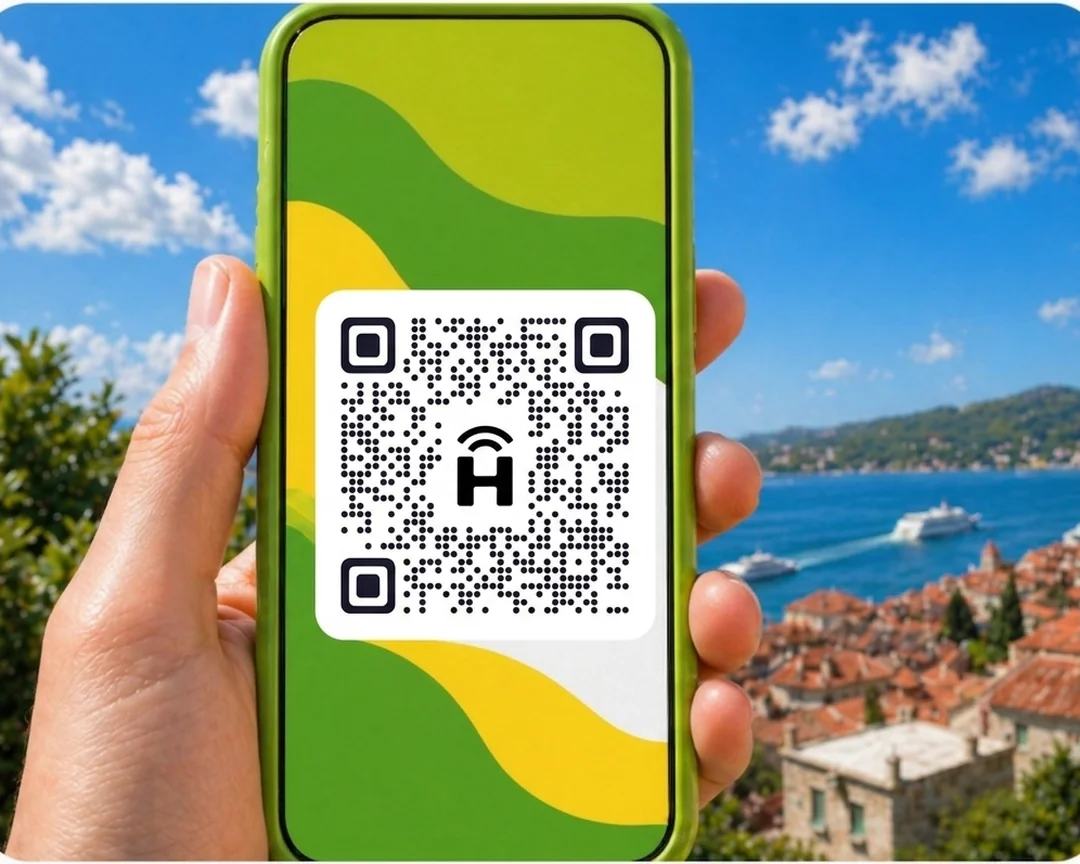




HelloRoam sells eSIM data plans for Costa Rica from NZ$12.00. It partners with 212+ mobile networks worldwide. Your eSIM connects to local 4G networks the moment you land. Scan a QR code and you're set up in under two minutes, with no SIM swap. Your Spark, One NZ or 2degrees number stays active while the eSIM handles data. Unactivated eSIMs qualify for a refund, and live support runs 24/7.
- network coverage
 212+
212+- network type
 4G
4G- to activate
 2 minutes
Last updated
Costa Rica eSIM data plans from HelloRoam
Sorted for less: eSIM plans for Costa Rica start from NZ$12.00, with 4G mobile data on local partner networks. Speeds depend on the local network. Works on any carrier-unlocked, eSIM-compatible phone. Pay in NZD. Juan Santamaría airport kiosks charge tourist rates that Kiwis on a Central America adventure can beat by ordering at home. A Costa Rica eSIM from HelloRoam starts at NZ$12.00 on Claro 4G networks. Covers San José, Manuel Antonio, and Monteverde.
Costa Rica eSIM with 4G coverage
HelloRoam offers eSIM plans for Costa Rica starting from NZ$12.00. Connect on 4G networks including Claro. NZ travellers can activate before leaving Auckland and arrive in San Jose connected.
- Plans start at NZ$12.00 with 4G speeds
- Coverage from Claro
- Instant activation in under 2 minutes
- 180-day refund on unactivated eSIMs
- Costa Rica coverage across major cities
- Network
- 4G
- Plans From
- NZ$12.00
- Activation
- Under 2 min
- Refund
- 180 days if unactivated

How to Set Up an eSIM in Costa Rica
Follow these steps to get started with an eSIM on your iPhone or Android.
Set up an eSIM on your iPhone with the HelloRoam app
Set up an eSIM on your Android with the HelloRoam app
- 1
Choose your plan and checkout online
Pick a mobile data plan for your destination and pay securely in NZD.
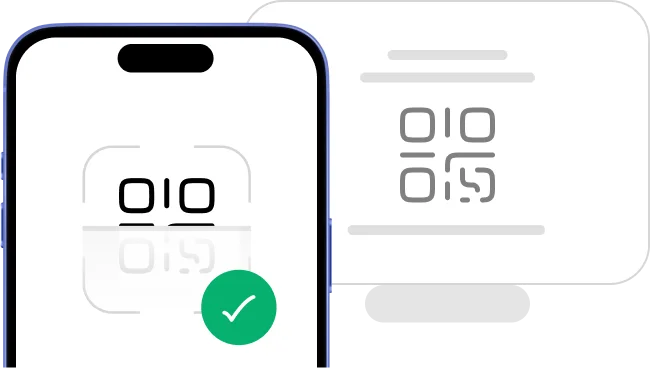
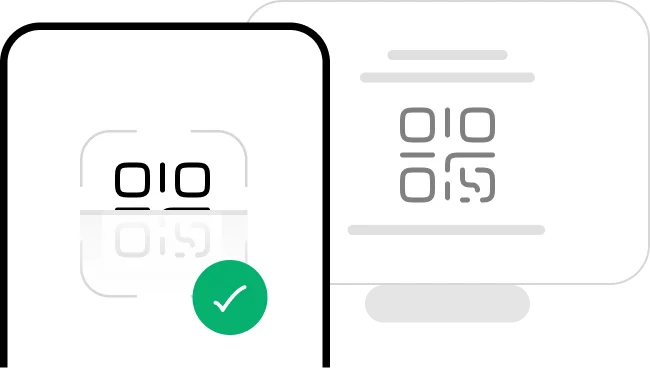 2
2Scan the QR code
Scan the QR code to install your eSIM straight away.
- 3
Activate in minutes: ready when you land
Your eSIM activates when you arrive at your destination. No SIM swap, no queues, no airport kiosk.
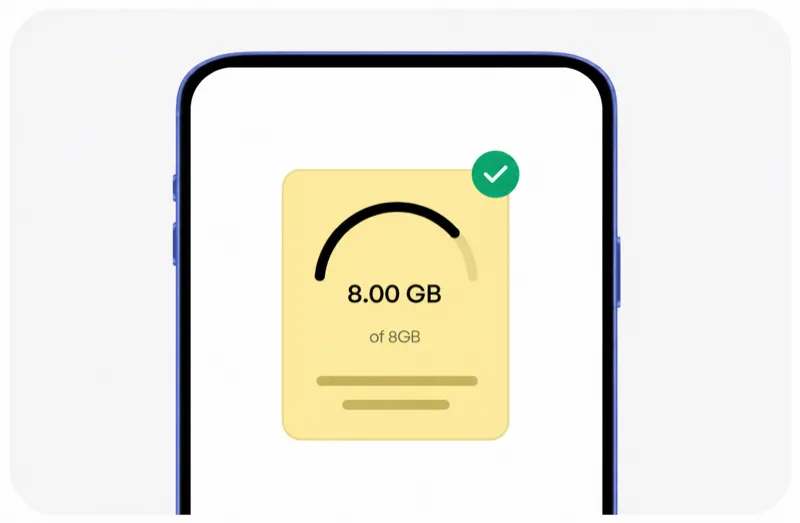 4
4Manage it all from our mobile app
Track usage, top up data, and manage your eSIMs in one spot.




Plans changed? No dramas. You're covered.
Travel plans change, and that's okay. With HelloRoam, unactivated and unscanned eSIMs qualify for a full refund within 180 days of purchase. No dramas.
Learn more about our refund policyHelloRoam Costa Rica eSIM vs a travel SIM card or Spark, One NZ and 2degrees roaming
Comparing an eSIM with a travel SIM card, or with Spark, 2degrees, or One NZ roaming, for Costa Rica? Carrier roaming adds daily fees. Skip the airport SIM shop and get a prepaid eSIM for Costa Rica from NZ$12.00, with local network speeds and a refund on unactivated eSIMs within 180 days.
Why Kiwi Travellers Pick HelloRoam for Their Costa Rica Trip

24/7 live support
Need help from Tokyo at midnight or London at 2am? HelloRoam support is on 24/7. Message us by live chat, WhatsApp, or email at help@helloroam.com. Mobile data problems don't wait for business hours, and neither do we.

Best eSIM for Costa Rica
Get data at 4G speeds the moment you land in Costa Rica. Skip roaming fees from Spark, One NZ, and 2degrees. HelloRoam connects you to local carrier networks in minutes, whether you're on holiday or working. You're online before you clear customs.

Dual SIM: keep your NZ number
Keep your Spark, One NZ, or 2degrees number active for calls and texts. HelloRoam runs on a second eSIM line on any dual SIM phone and handles all your data in Costa Rica. Family and friends ring your NZ number as normal, while your data runs on a local network for one prepaid HelloRoam price.

212+ networks worldwide
HelloRoam eSIMs connect to 212+ carrier networks across 185+ countries. Your phone joins a local partner 4G network automatically when you land, with no manual carrier selection needed. Speeds depend on the local network.

Data alerts before you run out
HelloRoam emails you as your data runs low on a fixed plan, so you can top up or buy a new plan in time. Where your plan allows it, top up from the app without reinstalling your eSIM or visiting a store. Adding a fresh prepaid data package takes under a minute from your account dashboard.

Local 4G speeds in Costa Rica
Connect to local 4G networks in Costa Rica. Your phone joins a HelloRoam partner network for maps, streaming and video calls while you travel. Speeds depend on the local network and your location.

Regional plans for multi-country trips
Heading to Japan, Thailand, or the UK after Costa Rica? HelloRoam regional eSIM plans cover many countries in Asia, Europe, the Americas, and more on one QR code. No SIM swapping between stops. One prepaid regional plan can cover several stops in its region, so you spend less time worrying about connectivity and more time exploring.

Hotspot tethering in Costa Rica included
Share your eSIM data with a laptop or tablet via hotspot. No extra fees, no fiddly setup. Works on all eSIM compatible phones including iPhone and Samsung Galaxy. Useful for keeping a travel partner connected or getting a work laptop online when hotel Wi-Fi isn't up to scratch.
Best eSIM Prices for Costa Rica
Compare eSIM plans for Costa Rica and save versus Spark, One NZ, and 2degrees international roaming.
| Number of days | Price |
|---|---|
| 1 day | NZ$12.98 |
| 3 days | NZ$36.99 |
| 7 days | NZ$79.94 |
| 15 days | NZ$155.73 |
| 22 days | NZ$211.28 |
| 30 days | NZ$264.74 |
HelloRoam vs Other eSIM Providers for Costa Rica
See how HelloRoam compares with Airalo, Holafly, Nomad, Saily and Ubigi for Costa Rica. The table covers a 180-day refund on unactivated eSIMs, data overage charges and instant QR code delivery.
| Feature comparison | HelloRoam | Airalo | Holafly | Nomad | Saily | Ubigi |
|---|---|---|---|---|---|---|
| 180-day refund (unactivated eSIMs) |  Feature available Feature available |  Feature not available Feature not available |  Feature available Feature available | Feature not available | Feature not available | Feature not available |
| No data overage charges | Feature available | Feature available | Feature available | Feature available | Feature available | Feature available |
| Instant QR code delivery | Feature available | Feature available | Feature available | Feature available | Feature available | Feature available |
What Is an eSIM and How Does It Work in Costa Rica?
An eSIM is a digital SIM card built into your mobile. No plastic chip, no SIM tray to fiddle with. Scan a QR code to install it on any eSIM compatible phone and you're connected in under 2 minutes. It works as a prepaid mobile data plan for Costa Rica travel with no airport SIM counter queue, no replacement SIM, and no carrier contract. Follow the step-by-step setup guide and you'll be sorted well before your flight from Auckland, Wellington, or Christchurch. guide


Mobile connectivity guide for Costa Rica
Costa Rica has 4G mobile coverage in San Jose and major urban areas. Claro are the main networks. NZ travellers find Costa Rica coverage reliable in tourist areas and city centres.
A HelloRoam eSIM sorted before your Auckland departure means you arrive in San Jose already connected, without Spark or One NZ international roaming charges.
- HelloRoam connects to Claro 4G in Costa Rica
- 4G coverage in San Jose and main cities
- Connect on Claro
- Set it up in Auckland before you fly
eSIM Travel Tips for Costa Rica
Set up your eSIM before your trip
Buy your HelloRoam plan for Costa Rica at home, scan the QR code in your phone settings, and activate data when you land. No airport SIM card counters. No setup hassle after a long-haul flight to San Jose.
Your NZ number stays reachable on dual SIM
Keep your Spark or One NZ SIM active for calls and texts while using HelloRoam for data. Whānau and colleagues back in NZ can reach you on your regular number. Use HelloRoam as your default data line in Costa Rica.
Offline maps are a must for long-haul trips
NZ travellers often make the most of long-haul flights by planning side trips. Download offline maps of San Jose and the surrounding areas in Google Maps or Maps.me before your trip. Coverage in Costa Rica is generally good in cities but variable in remote areas.
Currency and card tips from NZ
NZ debit cards work at most ATMs and card terminals in San Jose. Notify your NZ bank of your travel dates. Carry some local currency for markets, taxis, and smaller shops. The HelloRoam eSIM keeps currency converters and banking apps running throughout your Costa Rica trip.
Time zone planning for NZ departures
New Zealand's long flight times mean planning ahead is important. Buy and install your HelloRoam eSIM at home before your overnight Air New Zealand or connecting flight. Arrive in San Jose already connected rather than scrambling for Wi-Fi on arrival.
Mobile networks in Costa Rica: what NZ visitors need to know
HelloRoam eSIM for Costa Rica connects on Claro. These are the leading 4G networks in Costa Rica with good coverage in San Jose and major tourist destinations. Your eSIM connects to a local partner network automatically, and speeds depend on that network.
- Claro

- 4G
HelloRoam eSIM vs NZ carrier roaming in Costa Rica
Your data options for a Costa Rica trip from New Zealand.
| Category | HelloRoam eSIM Recommended | Local Costa Rica SIM card | Telco roaming |
|---|---|---|---|
| Typical cost | From NZ$12.00 total | NZ$3.43–NZ$17.17 total | — |
| Details | Plans from NZ$12.00. Buy before your flight from Auckland, scan the QR code at home, and arrive in San Jose already on 4G local data. | Purchasable at San Jose airport after landing but requires setup time and paperwork. Unused data typically expires when you return to NZ. | Roaming with an NZ carrier outside Australia can mean paying a daily fee. Over a two-week trip to Costa Rica, roaming fees can add a fair bit to your phone bill. HelloRoam plans start at NZ$12.00. |
Prices approximate as of . Actual savings vary.
Best times for NZ travellers to visit Costa Rica
NZ travellers typically visit Costa Rica during the NZ autumn and winter months (April to August) when long-haul travel is most popular. The best weather in Costa Rica depends on the Central America climate cycle.

Reviewed by HelloRoam Editorial Team

Reviewed by HelloRoam Editorial Team
Top Destinations in Costa Rica

San José (Costa Rica)
HelloRoam makes it easy to stay online in San José with data plans that cover all of Costa Rica.

Claro 4G covers central San Jose. Activate your eSIM before landing at Juan Santamaria Airport in Alajuela.

Alajuela
Explore Alajuela without losing connection. HelloRoam offers fast data across Costa Rica.
Alajuela is where San Jose Airport sits. Claro 4G coverage is strong here from the moment you land.

Limon
Arrive in Limon ready to connect. HelloRoam covers all of Costa Rica with fast data.
Limon on the Caribbean coast has Claro 4G in the city. Coverage on jungle roads toward Cahuita is limited.
Showing slide 1 of 3
Reviews
What Kiwi Travellers Say
Real reviews from Trustpilot and the App Store, quoted as written.
40k+ travellers have used HelloRoam
Cat
On a trip to Europe, my hotel Wi-Fi was so slow and outside Wi-Fi was unreliable. I couldn’t take it anymore so I got helloroam for a few days. It was tricky to set up correctly because of the primary settings (with my original number). But I reached out to their customer service via WhatsApp. Super responsive and helpful, with specific and clear steps to troubleshoot. Appreciate having 4G roaming instead of being stuck with in and out Wi-Fi during my trip!!
Rated 5 out of 5 by this reviewer

Very good experience! The eSIM was easy to set up and worked great in London. It was much cheaper than it would have been to use my own operator there.
Ilona
Rated 5 out of 5 by this reviewer
metulker
Hard to set up but help was good
Rated 5 out of 5 by this reviewer
Reuben
Really happy with HelloRoam. Everything worked as expected, from messaging and Google Maps through to streaming without any issues. Easy to use, reliable and affordable. Would happily use them again when travelling.
Rated 5 out of 5 by this reviewer

Angeline
Reliable connection. Reasonable pricing.
Rated 4 out of 5 by this reviewer
Last updated
Costa Rica eSIM Questions
How much does a Costa Rica eSIM cost for New Zealand travellers?
A Costa Rica eSIM from HelloRoam starts at NZ$12.00 on Claro 4G networks. HelloRoam activates by QR code before you fly from Auckland. Coverage spans San José, Manuel Antonio, and Monteverde. No physical e-sim swap, no NZ roaming charges.
Which Costa Rica eSIM plan suits Kiwis on a Central America adventure?
Kiwis on a Central America adventure pick a Costa Rica eSIM from HelloRoam on Claro 4G networks. Plans start at NZ$12.00 with no contract. Activate by QR code at home before boarding in Auckland. No airport SIM kiosk, no NZ carrier roaming fees.
What is the best eSIM for Costa Rica from New Zealand?
HelloRoam is a simple eSIM option for Costa Rica when you're travelling from New Zealand. Plans start from NZ$12.00 across 212+ carrier networks in 185+ countries. Buy online, scan the QR code at home on Wi-Fi, and connect the moment you land. You skip the daily roaming fees Spark, 2degrees, and One NZ charge. You get local 4G speeds, a refund on unactivated eSIMs within 180 days, and 24/7 live chat support.
How much does an eSIM cost for Costa Rica?
eSIM plans for Costa Rica start from NZ$12.00. That's a one-off price, unlike the daily roaming charges from Spark or 2degrees. Fixed data plan sizes vary by country, and this page lists every size on sale. Unlimited daily plans, where offered, charge by the day and suit longer stays, OE trips, and remote work. All plans include local 4G data with no overage charges and no carrier contract.
Which networks does eSIM work on in Costa Rica?
HelloRoam connects to local partner networks in Costa Rica, and your phone joins one automatically when you arrive. Speeds depend on the local network. Coverage spans major cities, airports, highways, and popular tourist areas. Flying out of Auckland (AKL), Wellington (WLG), Christchurch (CHC) or Queenstown (ZQN)? Your data is ready the moment you land.
How do I get an eSIM for Costa Rica before my trip?
Buy your Costa Rica eSIM on helloroam.com or the HelloRoam app before you fly from AKL, WLG, CHC, or ZQN. Scan the QR code in your phone Settings to install at home on Wi-Fi. Your eSIM activates automatically when you land in Costa Rica. The whole process takes under two minutes. No airport kiosk, no SIM swap.
Does iPhone work with a Costa Rica eSIM?
iPhone XS and newer models support eSIM for Costa Rica, except models sold in mainland China (and some sold in Hong Kong and Macao), which use two nano-SIMs. Open Settings, tap Mobile Data, then Add eSIM, and scan the HelloRoam QR code. Your Spark, One NZ, or 2degrees number stays active on the physical SIM line while HelloRoam handles data in Costa Rica.
What is the best eSIM for Costa Rica for NZ travellers?
HelloRoam's eSIM for Costa Rica connects NZ travellers on Claro 4G. If you never activate the eSIM, you can get a refund within 180 days. Plans start at NZ$12.00, usually far less than roaming with your home carrier. Buy online, scan a QR code in Auckland, and land in San Jose already connected.
Does HelloRoam eSIM work in Costa Rica?
Yes, HelloRoam eSIM works in Costa Rica on Claro 4G networks. Activate at home in New Zealand before your flight and connect the moment you land at San Jose airport. Plans start from NZ$12.00 depending on data size and duration. Compared with roaming charges from home carriers, a HelloRoam plan costs significantly less for a typical trip to Costa Rica. There are no hidden fees or surprise charges on your home bill.
Which networks does HelloRoam use in Costa Rica?
HelloRoam eSIM for Costa Rica connects on Claro 4G networks. Your eSIM connects to Claro while you travel in Costa Rica. Claro and Movistar Costa Rica are among the strongest 4G providers in the area, covering tourist attractions, airports, and city centers. Your eSIM connects to a local partner network automatically, and speeds depend on that network.
Is HelloRoam cheaper than NZ carrier roaming in Costa Rica?
Yes. NZ carriers usually charge a daily fee for international data, and it adds up fast on a trip. A HelloRoam eSIM for Costa Rica starts at NZ$12.00 and covers multiple days of data use. The price depends on the data size and how long the plan lasts. Compared with roaming charges from home carriers, a HelloRoam plan costs significantly less for a typical trip to Costa Rica. There are no hidden fees or surprise charges on your home bill.
How do I activate an eSIM for Costa Rica from New Zealand?
Buy your plan at helloroam.com, scan the QR code in your phone's eSIM settings, and enable data when you land in San Jose. Setup is about five minutes over Wi-Fi at home in NZ. The setup takes about five minutes. Buy your plan at helloroam.com, scan the QR code under Settings, then Mobile Data, then Add eSIM. Do this before you leave home using Wi-Fi. When you land in Costa Rica, enable mobile data and the plan activates immediately on Claro / Movistar Costa Rica.
How much data do I need for two weeks in Costa Rica?
Two weeks in Costa Rica using maps, messages, and social media typically uses 5 to 10 GB. NZ travellers on longer trips benefit from a 10 GB or 20 GB plan to avoid running out mid-trip. For a week of typical travel (Google Maps navigation, WhatsApp messages, and social media) you need 3 to 5 GB. If you stream video or make video calls daily, choose a 8 to 10 GB plan. The HelloRoam app shows how much data you've used, though the figure can be up to 3 hours behind.
How many days does the Costa Rica eSIM last?
HelloRoam eSIM plans for Costa Rica come in durations from 12 to 30 days depending on the data size you choose. Costa Rica has 4G coverage via Claro. A longer plan suits NZ travellers on extended OEs or big trips. Select your plan, scan the QR code at home, and connect from the moment you land.
Does Costa Rica have 4G coverage?
Yes, Costa Rica has 4G coverage through Claro. HelloRoam eSIM plans connect on the best available 4G signal across Costa Rica. Install your eSIM in New Zealand before you leave and connect on arrival. Plans start from NZ$12.00 depending on data size and duration. Compared with roaming charges from home carriers, a HelloRoam plan costs significantly less for a typical trip to Costa Rica. There are no hidden fees or surprise charges on your home bill.
What to Know Before You Buy
eSIM requires an unlocked, eSIM-compatible device. Check your phone settings before buying.
Travel eSIMs are data-only, so your Spark, One NZ, or 2degrees number keeps handling calls and texts as normal on your primary SIM.
Coverage quality varies by location within Costa Rica. Urban areas typically have strong 4G coverage, while rural or remote areas may have limited connectivity.
Install your eSIM before you head off. Activation requires an internet connection, which may not be available at your destination airport.
Transparency Notice
- Service Provider Name (SPN)
- That's HelloRoam you see up in your phone's status bar, not a mystery reseller name. The SPN is a standard field baked into every eSIM profile, and most travel eSIM resellers do not bother provisioning their own.
- Public Network Name (PNN)
- The PNN is the network name field in your eSIM profile, set out in 3GPP TS 31.102 (EF_PNN). Your phone can read it to show the name of the network you're connected to.
- Access Point Name (APN)
- Your HelloRoam eSIM sets its own Access Point Name automatically when it installs, so your mobile connects to a local partner network without you touching a single setting.
What you see is our standard retail pricing across 185+ countries, nothing marked up for the page you landed on. The recommended plan is picked by data size and price. You can get a refund on unactivated eSIMs within 180 days.
Future Syncs Limited 124 City Road, London, EC1V 2NX, UK +44 203 916 6249 help@helloroam.com Reg. No. 15950168