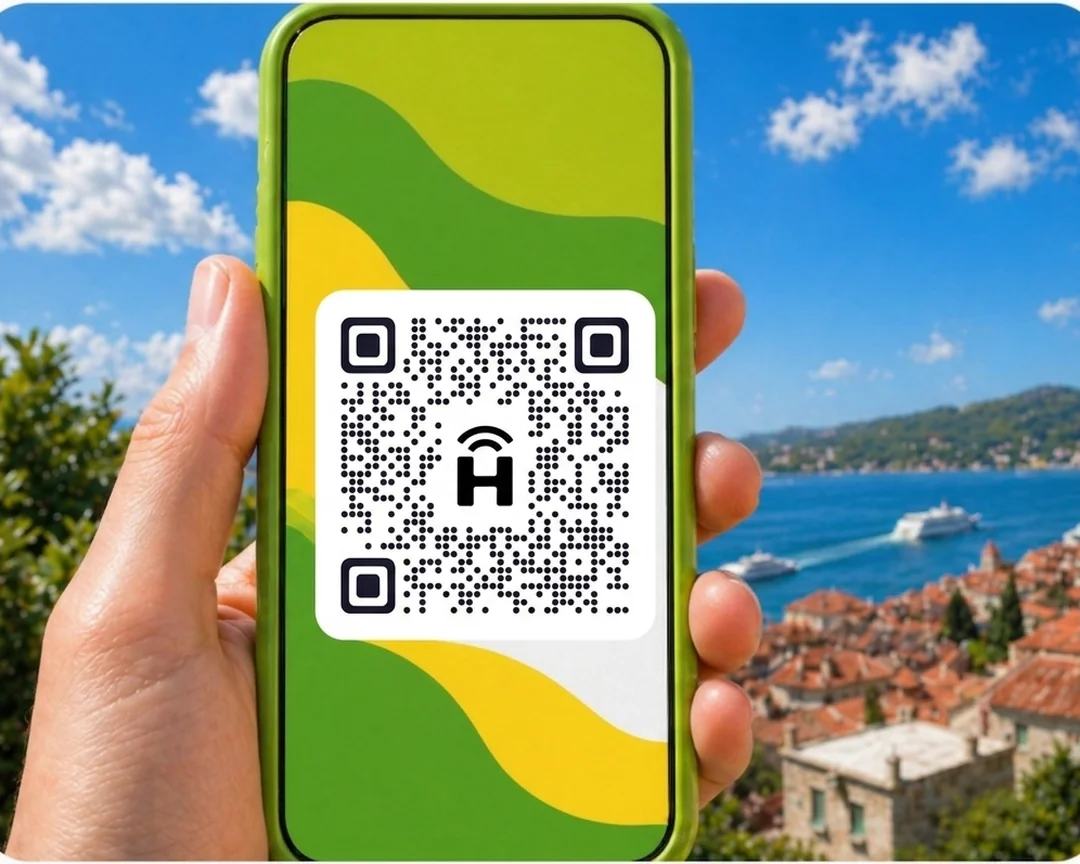

HelloRoam sells eSIM data plans for Washington DC from NZ$4.93. It partners with 212+ mobile networks worldwide. Your eSIM connects to local 5G networks the moment you land. Scan a QR code and you're set up in under two minutes, with no SIM swap. Your Spark, One NZ or 2degrees number stays active while the eSIM handles data. Unactivated eSIMs qualify for a refund, and live support runs 24/7.
- network coverage
 212+
212+- network type
 5G
5G- to activate
 2 minutes
Last updated
eSIM Washington DC data plans from HelloRoam
Sorted for less: eSIM plans for Washington DC start from NZ$4.93, with 5G mobile data on local partner networks. Speeds depend on the local network. Works on any carrier-unlocked, eSIM-compatible phone. Pay in NZD. Dulles and Reagan National airport SIM kiosks have tourist-rate data and Kiwis visiting the Smithsonian museums need connectivity across the whole metro area. A Washington DC e SIM from HelloRoam starts at NZ$4.93 on Verizon and AT&T 5G networks covering Capitol Hill, the National Mall, Georgetown, and Dupont Circle.
Washington DC eSIM with 5G coverage
HelloRoam eSIM for Washington DC: instant 5G and 4G data for Kiwi travellers at the US capital. Activate before your long-haul flight.
- Plans start at NZ$4.93 with 5G speeds
- Coverage from Verizon and 1+ other operators
- Instant activation in under 2 minutes
- 180-day refund on unactivated eSIMs
- Washington DC coverage across major cities
- Network
- 5G
- Plans From
- NZ$4.93
- Activation
- Under 2 min
- Refund
- 180 days if unactivated

How to Set Up an eSIM in Washington DC
Follow these steps to get started with an eSIM on your iPhone or Android.
Set up an eSIM on your iPhone with the HelloRoam app
Set up an eSIM on your Android with the HelloRoam app
- 1
Choose your plan and checkout online
Pick a mobile data plan for your destination and pay securely in NZD.
 2
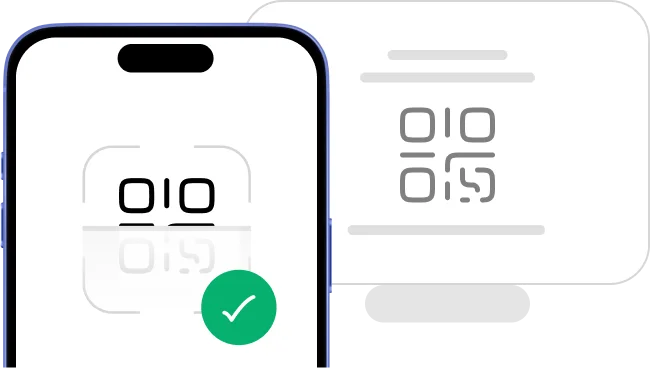
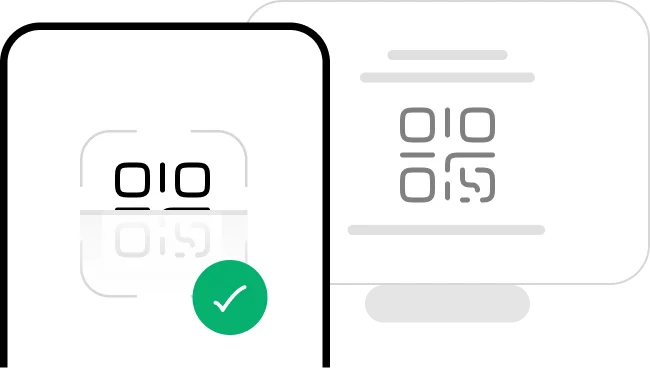
2Scan the QR code
Scan the QR code to install your eSIM straight away.
- 3
Activate in minutes: ready when you land
Your eSIM activates when you arrive at your destination. No SIM swap, no queues, no airport kiosk.
 4
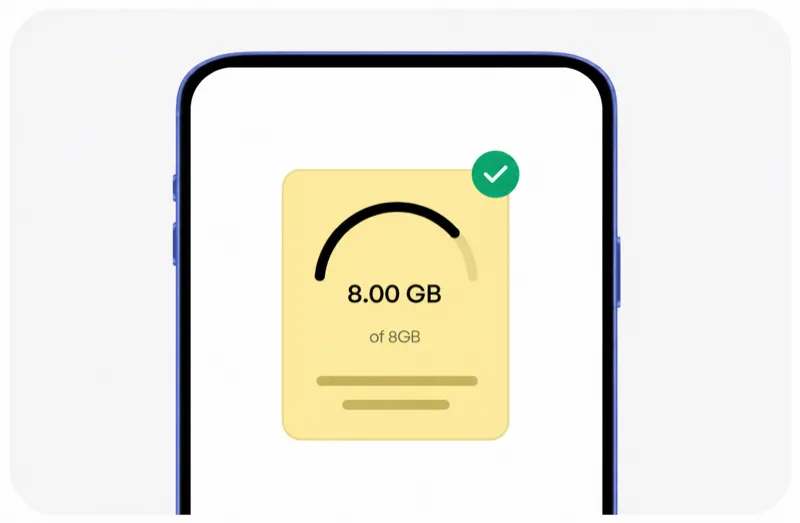
4Manage it all from our mobile app
Track usage, top up data, and manage your eSIMs in one spot.




Plans changed? No dramas. You're covered.
Travel plans change, and that's okay. With HelloRoam, unactivated and unscanned eSIMs qualify for a full refund within 180 days of purchase. No dramas.
Learn more about our refund policyHelloRoam Washington DC eSIM vs a travel SIM card or Spark, One NZ and 2degrees roaming
Comparing an eSIM with a travel SIM card, or with Spark, 2degrees, or One NZ roaming, for Washington DC? Carrier roaming adds daily fees. Skip the airport SIM shop and get a prepaid eSIM for Washington DC from NZ$4.93, with local network speeds and a refund on unactivated eSIMs within 180 days.
Why Kiwi Travellers Pick HelloRoam for Their Washington DC Trip

24/7 live support
Need help from Tokyo at midnight or London at 2am? HelloRoam support is on 24/7. Message us by live chat, WhatsApp, or email at help@helloroam.com. Mobile data problems don't wait for business hours, and neither do we.

Best eSIM for Washington DC
Get data at 5G speeds the moment you land in Washington DC. Skip roaming fees from Spark, One NZ, and 2degrees. HelloRoam connects you to local carrier networks in minutes, whether you're on holiday or working. You're online before you clear customs.

Dual SIM: keep your NZ number
Keep your Spark, One NZ, or 2degrees number active for calls and texts. HelloRoam runs on a second eSIM line on any dual SIM phone and handles all your data in Washington DC. Family and friends ring your NZ number as normal, while your data runs on a local network for one prepaid HelloRoam price.

212+ networks worldwide
HelloRoam eSIMs connect to 212+ carrier networks across 185+ countries. Your phone joins a local partner 5G network automatically when you land, with no manual carrier selection needed. Speeds depend on the local network.

Data alerts before you run out
HelloRoam emails you as your data runs low on a fixed plan, so you can top up or buy a new plan in time. Where your plan allows it, top up from the app without reinstalling your eSIM or visiting a store. Adding a fresh prepaid data package takes under a minute from your account dashboard.

Local 5G speeds in Washington DC
Connect to local 5G networks in Washington DC. Your phone joins a HelloRoam partner network for maps, streaming and video calls while you travel. Speeds depend on the local network and your location.

Regional plans for multi-country trips
Heading to Japan, Thailand, or the UK after Washington DC? HelloRoam regional eSIM plans cover many countries in Asia, Europe, the Americas, and more on one QR code. No SIM swapping between stops. One prepaid regional plan can cover several stops in its region, so you spend less time worrying about connectivity and more time exploring.

Hotspot tethering in Washington DC included
Share your eSIM data with a laptop or tablet via hotspot. No extra fees, no fiddly setup. Works on all eSIM compatible phones including iPhone and Samsung Galaxy. Useful for keeping a travel partner connected or getting a work laptop online when hotel Wi-Fi isn't up to scratch.
Best eSIM Prices for Washington DC
Compare eSIM plans for Washington DC and save versus Spark, One NZ, and 2degrees international roaming.
| Number of days | Price |
|---|---|
| 1 day | NZ$5.99 |
| 3 days | NZ$17.08 |
| 7 days | NZ$36.91 |
| 15 days | NZ$71.89 |
| 22 days | NZ$97.54 |
| 30 days | NZ$122.22 |
HelloRoam vs Other eSIM Providers for Washington DC
See how HelloRoam compares with Airalo, Holafly, Nomad, Saily and Ubigi for Washington DC. The table covers a 180-day refund on unactivated eSIMs, data overage charges and instant QR code delivery.
| Feature comparison | HelloRoam | Airalo | Holafly | Nomad | Saily | Ubigi |
|---|---|---|---|---|---|---|
| 180-day refund (unactivated eSIMs) |  Feature available Feature available |  Feature not available Feature not available |  Feature available Feature available | Feature not available | Feature not available | Feature not available |
| No data overage charges | Feature available | Feature available | Feature available | Feature available | Feature available | Feature available |
| Instant QR code delivery | Feature available | Feature available | Feature available | Feature available | Feature available | Feature available |
What Is an eSIM and How Does It Work in Washington DC?
An eSIM is a digital SIM card built into your mobile. No plastic chip, no SIM tray to fiddle with. Scan a QR code to install it on any eSIM compatible phone and you're connected in under 2 minutes. It works as a prepaid mobile data plan for Washington DC travel with no airport SIM counter queue, no replacement SIM, and no carrier contract. Follow the step-by-step setup guide and you'll be sorted well before your flight from Auckland, Wellington, or Christchurch. guide


Mobile Coverage in Washington DC
Washington DC has strong 5G and 4G coverage across the National Mall, Capitol Hill, Georgetown, Dupont Circle, Adams Morgan, and the DC Metro system. T-Mobile, AT&T, and Verizon all operate networks.
Reagan National (DCA), Dulles International (IAD), and BWI airports all have strong mobile coverage. The DC Metro has 4G at most underground stations and in many tunnel sections. Some federal buildings and secure government facilities block indoor signals entirely.
- HelloRoam connects to Verizon 5G, AT&T 5G in Washington DC
eSIM Travel Tips for Washington DC
Three Airports Serve Washington DC
DC is served by Reagan National (DCA), Dulles International (IAD), and Baltimore-Washington International (BWI). Your HelloRoam US eSIM connects at all three airports on landing. Reagan National is the closest to central DC and has a Metro link directly into the city.
National Mall Has Open-Sky Signal
The National Mall from the Lincoln Memorial to the Capitol has strong outdoor 5G throughout. Use maps, audio guides, and social apps across the full Mall without any gaps. The monuments, Smithsonian museums, and the Washington Monument are all covered outdoors.
Government Buildings Block Indoor Signal
Many federal buildings in DC, including some Smithsonian museums and the Capitol complex grounds, have signal blocking inside. Plan for outdoor data use around these buildings. Most outdoor plazas directly in front of federal sites have strong signal.
DC Metro Has Platform Coverage
The Washington Metro has 4G at most underground stations and in many tunnel sections. You can use Google Maps and messaging while waiting on platforms. Download the DC Metro SmarTrip app before your trip. Keep your HelloRoam eSIM active for real-time arrival alerts.
Know the Emergency Number in the US
The US emergency number is 911. Save it before visiting crowded monuments, attending protests or public events on the Mall, or exploring unfamiliar neighbourhoods. Your phone can call 911 on any available network. Your HelloRoam eSIM is for data only.
Best Time to Visit Washington DC
New Zealand travellers planning a trip to Washington DC should consider March–May and September–October as the most rewarding time to visit. Temperatures around -5°C to 36°C make exploring comfortable. July is the busiest month with highest fares from New Zealand. December–February is quieter. Cherry Blossom Festival (March–April) is a local highlight. Avoid July–August (extreme heat) if possible. Your HelloRoam eSIM keeps you online all year.

Top Attractions in Washington DC
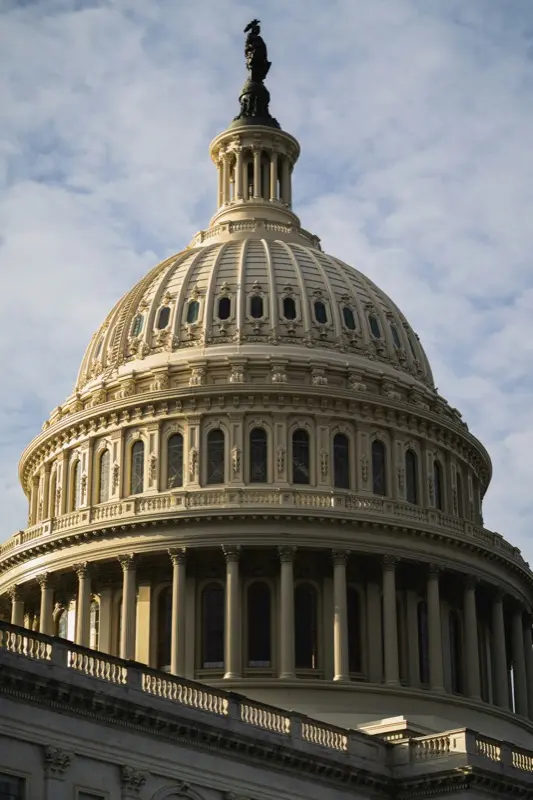
Capitol Building
The US Capitol Building in Washington DC has an 88-meter iron dome and houses Congress. Use HelloRoam eSIM to stay connected.

Book a free guided tour online; walk-up spots fill up by mid-morning.

Lincoln Memorial
The Lincoln Memorial on the National Mall has a 5.8-meter seated Abraham Lincoln statue. Use HelloRoam eSIM to stay connected.
Visit at night when the memorial is lit and reflects in the pool.
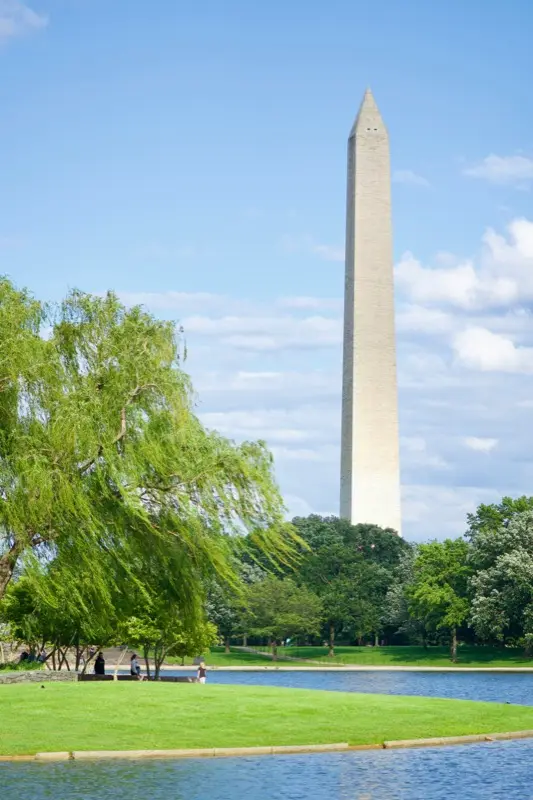
National Mall
The National Mall in Washington DC stretches from the Capitol to the Lincoln Memorial. Use HelloRoam eSIM to stay connected.
Rent a bike to cover the full 3 km mall and see all the monuments.
Showing slide 1 of 3
Reviews
What Kiwi Travellers Say
Real reviews from Trustpilot and the App Store, quoted as written.
40k+ travellers have used HelloRoam
Cat
On a trip to Europe, my hotel Wi-Fi was so slow and outside Wi-Fi was unreliable. I couldn’t take it anymore so I got helloroam for a few days. It was tricky to set up correctly because of the primary settings (with my original number). But I reached out to their customer service via WhatsApp. Super responsive and helpful, with specific and clear steps to troubleshoot. Appreciate having 4G roaming instead of being stuck with in and out Wi-Fi during my trip!!
Rated 5 out of 5 by this reviewer

Very good experience! The eSIM was easy to set up and worked great in London. It was much cheaper than it would have been to use my own operator there.
Ilona
Rated 5 out of 5 by this reviewer
metulker
Hard to set up but help was good
Rated 5 out of 5 by this reviewer
Reuben
Really happy with HelloRoam. Everything worked as expected, from messaging and Google Maps through to streaming without any issues. Easy to use, reliable and affordable. Would happily use them again when travelling.
Rated 5 out of 5 by this reviewer

Angeline
Reliable connection. Reasonable pricing.
Rated 4 out of 5 by this reviewer
Last updated
Washington DC eSIM Questions
Does a Washington DC eSIM cover Georgetown, Capitol Hill, and the full metro?
Washington DC eSIM plans run on Verizon and AT&T 5G networks covering Capitol Hill, the National Mall, Georgetown, and Dulles Airport from NZ$4.93. HelloRoam delivers the e-sim QR to your inbox before your flight from Auckland. No contract, no NZ roaming fees on arrival.
What is the best e-sim for Washington DC for Kiwis doing a US East Coast trip?
On a US East Coast trip? A Washington DC eSIM from HelloRoam starts at NZ$4.93 on Verizon and AT&T 5G networks. Activate it by QR code before boarding in Auckland and skip every Dulles or Reagan SIM kiosk.
What is the best eSIM for Washington DC from New Zealand?
HelloRoam is a simple eSIM option for Washington DC when you're travelling from New Zealand. Plans start from NZ$4.93 across 212+ carrier networks in 185+ countries. Buy online, scan the QR code at home on Wi-Fi, and connect the moment you land. You skip the daily roaming fees Spark, 2degrees, and One NZ charge. You get local 5G speeds, a refund on unactivated eSIMs within 180 days, and 24/7 live chat support.
How much does an eSIM cost for Washington DC?
eSIM plans for Washington DC start from NZ$4.93. That's a one-off price, unlike the daily roaming charges from Spark or 2degrees. Fixed data plan sizes vary by country, and this page lists every size on sale. Unlimited daily plans, where offered, charge by the day and suit longer stays, OE trips, and remote work. All plans include local 5G data with no overage charges and no carrier contract.
Which networks does eSIM work on in Washington DC?
HelloRoam connects to local partner networks in Washington DC, and your phone joins one automatically when you arrive. Speeds depend on the local network. Coverage spans major cities, airports, highways, and popular tourist areas. Flying out of Auckland (AKL), Wellington (WLG), Christchurch (CHC) or Queenstown (ZQN)? Your data is ready the moment you land.
How do I get an eSIM for Washington DC before my trip?
Buy your Washington DC eSIM on helloroam.com or the HelloRoam app before you fly from AKL, WLG, CHC, or ZQN. Scan the QR code in your phone Settings to install at home on Wi-Fi. Your eSIM activates automatically when you land in Washington DC. The whole process takes under two minutes. No airport kiosk, no SIM swap.
Does iPhone work with a Washington DC eSIM?
iPhone XS and newer models support eSIM for Washington DC, except models sold in mainland China (and some sold in Hong Kong and Macao), which use two nano-SIMs. Open Settings, tap Mobile Data, then Add eSIM, and scan the HelloRoam QR code. Your Spark, One NZ, or 2degrees number stays active on the physical SIM line while HelloRoam handles data in Washington DC.
Does eSIM work in Washington DC?
HelloRoam eSIM works in Washington DC on US 5G and 4G networks. Coverage is excellent across the National Mall, Capitol Hill, Georgetown, Dupont Circle, and the Metro system. Set up your eSIM before your flight. Your HelloRoam eSIM connects to a local network with 5G across Washington DC's main tourist and city areas. Plans start from NZ$4.93. Activate by scanning a QR code before departure. No physical SIM card or airport queue needed.
Which airport is closest to central Washington DC?
Reagan National Airport (DCA) is the closest to central DC and has a Metro link directly to the city. Dulles (IAD) and BWI are further out but all three have strong mobile coverage in their terminals. The airport has full 5G coverage across all terminals. Activate your data in Settings when you land and HelloRoam connects automatically to local network. No queue, no SIM counter: you are online within seconds of landing.
Does eSIM work at Reagan National Airport?
Reagan National Airport (DCA) has 4G and 5G in all terminals. Your HelloRoam eSIM connects on landing. The airport has full 5G coverage across all terminals. Activate your data in Settings when you land and HelloRoam connects automatically to local network. No queue, no SIM counter: you are online within seconds of landing.
Does the DC Metro have mobile coverage?
The Washington Metro has 4G at most underground stations and in many tunnel sections. Coverage is strongest at newer and above-ground stations. Download offline Metro maps before riding underground sections. Major stations have 4G coverage for navigation and messaging. In deep tunnel sections between stations the signal may drop briefly. Download offline maps before entering the metro as a backup so you have navigation even without a connection.
Is there 5G in Washington DC?
T-Mobile, AT&T, and Verizon all offer 5G in Washington DC. Downtown, Capitol Hill, and Georgetown have strong 5G. Residential areas may show 4G LTE in some spots. Your HelloRoam eSIM connects to a local network with 5G across Washington DC's main tourist and city areas. Plans start from NZ$4.93. Activate by scanning a QR code before departure. No physical SIM card or airport queue needed.
Does eSIM work on the National Mall?
The National Mall has strong outdoor 4G and 5G throughout. From the Lincoln Memorial to the Capitol, the full Mall route is covered for maps, cameras, and social apps. Your HelloRoam eSIM connects to a local network with 5G across Washington DC's main tourist and city areas. Plans start from NZ$4.93. Activate by scanning a QR code before departure. No physical SIM card or airport queue needed.
Is there signal at the Smithsonian museums?
The Smithsonian outdoor areas have strong signal. Indoor signal varies by museum building. Some older federal buildings reduce indoor signal. Download offline museum guides before entering. Outdoor areas and main tourist zones have strong 5G signal from local network. Large indoor venues or underground spaces may have slightly weaker coverage. HelloRoam eSIM connects to a local partner network automatically, and speeds depend on that network.
Can I use Uber in Washington DC?
Uber and Lyft both operate in DC and need a live data connection. Your HelloRoam eSIM keeps both apps running from arrivals at any DC airport. Your HelloRoam eSIM connects to a local network with 5G across Washington DC's main tourist and city areas. Plans start from NZ$4.93. Activate by scanning a QR code before departure. No physical SIM card or airport queue needed.