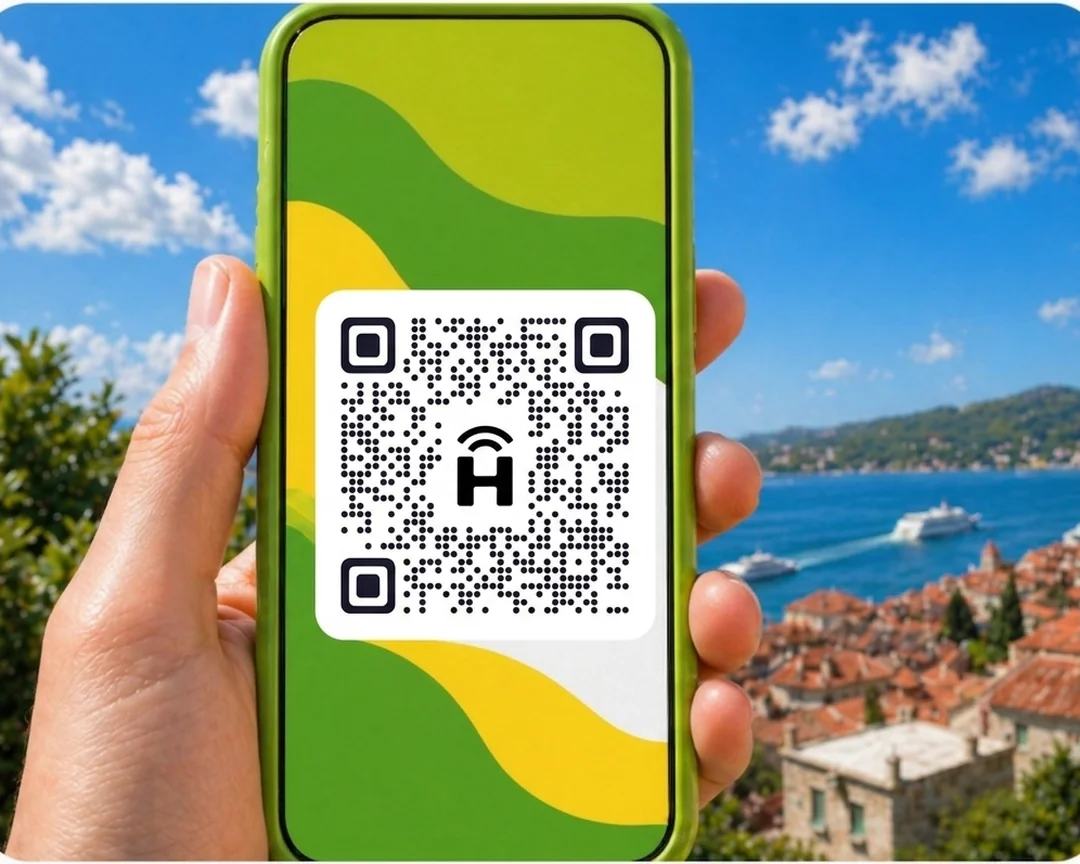




HelloRoam sells eSIM data plans for Mumbai from NZ$8.14. It partners with 212+ mobile networks worldwide. Your eSIM connects to local 5G networks the moment you land. Scan a QR code and you're set up in under two minutes, with no SIM swap. Your Spark, One NZ or 2degrees number stays active while the eSIM handles data. Unactivated eSIMs qualify for a refund, and live support runs 24/7.
- network coverage
 212+
212+- network type
 5G
5G- to activate
 2 minutes
Last updated
eSIM India data plans from HelloRoam
Sorted for less: eSIM plans for Mumbai start from NZ$8.14, with 5G mobile data on local partner networks. Speeds depend on the local network. Works on any carrier-unlocked, eSIM-compatible phone. Pay in NZD. Chhatrapati Shivaji International airport SIM counters have long queues and registration requirements that Kiwis arriving after a long-haul don't want. A Mumbai e SIM from HelloRoam starts at NZ$8.14 on AirTel 5G networks covering Bandra, Colaba, BKC, and BOM airport.
Mumbai eSIM with 5G coverage
HelloRoam eSIM for Mumbai: instant 4G and 5G data for Kiwi travellers in India. Activate before your long-haul flight.
- Plans start at NZ$8.14 with 5G speeds
- Coverage from AirTel
- Instant activation in under 2 minutes
- 180-day refund on unactivated eSIMs
- Mumbai coverage across major cities
- Network
- 5G
- Plans From
- NZ$8.14
- Activation
- Under 2 min
- Refund
- 180 days if unactivated
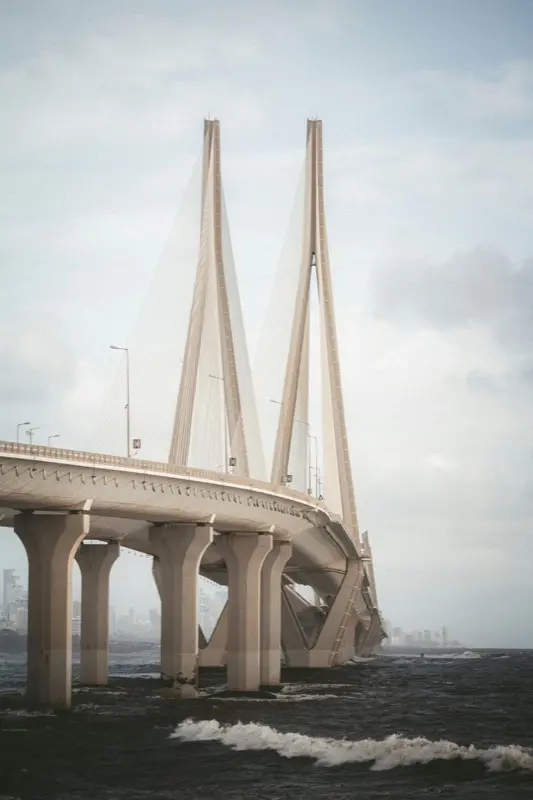
How to Set Up an eSIM in Mumbai
Follow these steps to get started with an eSIM on your iPhone or Android.
Set up an eSIM on your iPhone with the HelloRoam app
Set up an eSIM on your Android with the HelloRoam app
- 1
Choose your plan and checkout online
Pick a mobile data plan for your destination and pay securely in NZD.
 2
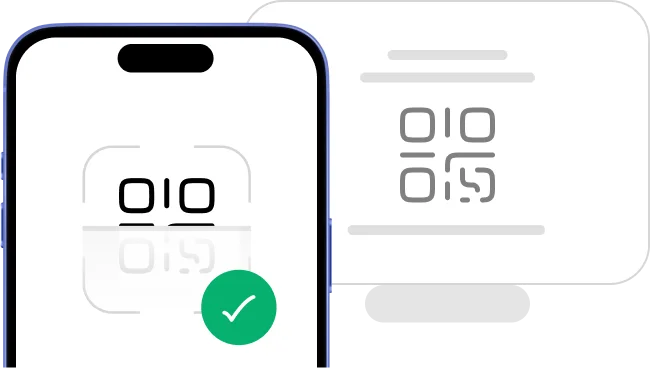
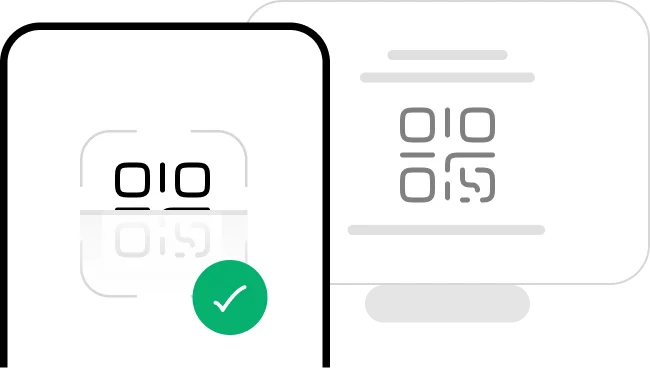
2Scan the QR code
Scan the QR code to install your eSIM straight away.
- 3
Activate in minutes: ready when you land
Your eSIM activates when you arrive at your destination. No SIM swap, no queues, no airport kiosk.
 4
4Manage it all from our mobile app
Track usage, top up data, and manage your eSIMs in one spot.




Plans changed? No dramas. You're covered.
Travel plans change, and that's okay. With HelloRoam, unactivated and unscanned eSIMs qualify for a full refund within 180 days of purchase. No dramas.
Learn more about our refund policyHelloRoam Mumbai eSIM vs a travel SIM card or Spark, One NZ and 2degrees roaming
Comparing an eSIM with a travel SIM card, or with Spark, 2degrees, or One NZ roaming, for Mumbai? Carrier roaming adds daily fees. Skip the airport SIM shop and get a prepaid eSIM for Mumbai from NZ$8.14, with local network speeds and a refund on unactivated eSIMs within 180 days.
Why Kiwi Travellers Pick HelloRoam for Their Mumbai Trip

24/7 live support
Need help from Tokyo at midnight or London at 2am? HelloRoam support is on 24/7. Message us by live chat, WhatsApp, or email at help@helloroam.com. Mobile data problems don't wait for business hours, and neither do we.

Best eSIM for Mumbai
Get data at 5G speeds the moment you land in Mumbai. Skip roaming fees from Spark, One NZ, and 2degrees. HelloRoam connects you to local carrier networks in minutes, whether you're on holiday or working. You're online before you clear customs.

Dual SIM: keep your NZ number
Keep your Spark, One NZ, or 2degrees number active for calls and texts. HelloRoam runs on a second eSIM line on any dual SIM phone and handles all your data in Mumbai. Family and friends ring your NZ number as normal, while your data runs on a local network for one prepaid HelloRoam price.

212+ networks worldwide
HelloRoam eSIMs connect to 212+ carrier networks across 185+ countries. Your phone joins a local partner 5G network automatically when you land, with no manual carrier selection needed. Speeds depend on the local network.

Data alerts before you run out
HelloRoam emails you as your data runs low on a fixed plan, so you can top up or buy a new plan in time. Where your plan allows it, top up from the app without reinstalling your eSIM or visiting a store. Adding a fresh prepaid data package takes under a minute from your account dashboard.

Local 5G speeds in Mumbai
Connect to local 5G networks in Mumbai. Your phone joins a HelloRoam partner network for maps, streaming and video calls while you travel. Speeds depend on the local network and your location.

Regional plans for multi-country trips
Heading to Japan, Thailand, or the UK after Mumbai? HelloRoam regional eSIM plans cover many countries in Asia, Europe, the Americas, and more on one QR code. No SIM swapping between stops. One prepaid regional plan can cover several stops in its region, so you spend less time worrying about connectivity and more time exploring.

Hotspot tethering in Mumbai included
Share your eSIM data with a laptop or tablet via hotspot. No extra fees, no fiddly setup. Works on all eSIM compatible phones including iPhone and Samsung Galaxy. Useful for keeping a travel partner connected or getting a work laptop online when hotel Wi-Fi isn't up to scratch.
Best eSIM Prices for Mumbai
Compare eSIM plans for Mumbai and save versus Spark, One NZ, and 2degrees international roaming.
| Number of days | Price |
|---|---|
| 1 day | NZ$14.78 |
| 3 days | NZ$42.13 |
| 7 days | NZ$91.05 |
| 15 days | NZ$177.36 |
| 22 days | NZ$240.62 |
| 30 days | NZ$301.51 |
HelloRoam vs Other eSIM Providers for Mumbai
See how HelloRoam compares with Airalo, Holafly, Nomad, Saily and Ubigi for Mumbai. The table covers a 180-day refund on unactivated eSIMs, data overage charges and instant QR code delivery.
| Feature comparison | HelloRoam | Airalo | Holafly | Nomad | Saily | Ubigi |
|---|---|---|---|---|---|---|
| 180-day refund (unactivated eSIMs) |  Feature available Feature available |  Feature not available Feature not available |  Feature available Feature available | Feature not available | Feature not available | Feature not available |
| No data overage charges | Feature available | Feature available | Feature available | Feature available | Feature available | Feature available |
| Instant QR code delivery | Feature available | Feature available | Feature available | Feature available | Feature available | Feature available |
What Is an eSIM and How Does It Work in Mumbai?
An eSIM is a digital SIM card built into your mobile. No plastic chip, no SIM tray to fiddle with. Scan a QR code to install it on any eSIM compatible phone and you're connected in under 2 minutes. It works as a prepaid mobile data plan for Mumbai travel with no airport SIM counter queue, no replacement SIM, and no carrier contract. Follow the step-by-step setup guide and you'll be sorted well before your flight from Auckland, Wellington, or Christchurch. guide

Mobile Coverage in Mumbai
Mumbai has strong 4G and growing 5G coverage across South Mumbai, Colaba, Marine Drive, Bandra, Juhu, and the commercial districts of Andheri and BKC. Jio, Airtel, and Vodafone Idea (Vi) all run networks. Chhatrapati Shivaji Maharaj International Airport (BOM) has 4G and 5G in both terminals.
Mumbai's suburban rail network (Local trains) and the Metro have 4G at stations. Signal can be variable in dense chawl residential areas.
- HelloRoam connects to AirTel 5G in Mumbai
eSIM Travel Tips for Mumbai
Install Ola and Uber Before Landing at BOM
Ola and Uber are the safest ways to get around Mumbai. Both need a live data connection. Your HelloRoam eSIM keeps both apps running from arrivals at BOM. Auto-rickshaws in the suburbs and black-and-yellow taxis are also metered but use apps for safety in unfamiliar areas.
Download Offline Maps for the Dharavi and Old City Areas
Dense urban areas including Dharavi and Bhendi Bazaar can have variable indoor signal. Download offline maps for South Mumbai and the northern suburbs before exploring.
Bandra West and Juhu Are Well Covered
Bandra West's Linking Road and Hill Road, Juhu Beach, and the surrounding suburbs have strong outdoor 4G. These are Mumbai's most tourist-friendly areas.
Take the Local Train But Check Crowds
Mumbai's suburban rail network is one of the world's busiest. The local trains have 4G at stations and along most of the Western, Central, and Harbour lines. Booking a first-class ticket reduces extreme crowding.
Know the Emergency Number in India
India's emergency number is 112. Police is 100 and ambulance is 108. Save these before street food tours, taking local trains, or visiting crowded areas. Your phone can call 112 on any available network. Your HelloRoam eSIM is for data only.
Best Time to Visit Mumbai
New Zealand travellers planning a trip to Mumbai should consider November–February as the most rewarding time to visit. Temperatures around 16°C to 38°C make exploring comfortable. December is the busiest month with highest fares from New Zealand. cooler November–February is quieter. Ganesh Chaturthi (August–September) is a local highlight. Avoid June–September (monsoon) if possible. Your HelloRoam eSIM keeps you online all year.
Airport and Transit Connectivity
Chhatrapati Shivaji Maharaj International Airport (BOM) has 4G and 5G coverage across both the domestic Terminal 1 and the international Terminal 2. Terminal 2 is a modern building with excellent indoor coverage. The Metro Line 1 extension connects parts of Andheri to the airport area.
Prepaid taxi and Uber/Ola booths operate from arrivals. Both Uber and Ola require a live data connection. The Western Railway from Churchgate and the Central Railway from CST (Chhatrapati Shivaji Maharaj Terminus) are the main suburban train systems.
Mumbai Metro lines 2A and 7 serve western suburbs with 4G at all elevated stations. Kiwi travellers should activate their eSIM before boarding so they have data from the moment they land.
Top Attractions in Mumbai

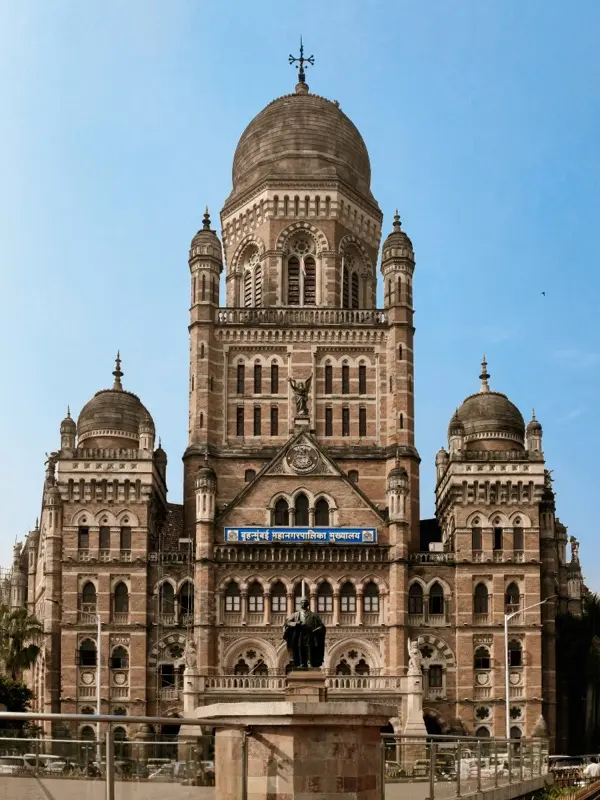
Brihanmumbai Municipal Corporation Bmc Building
The BMC Building in Mumbai is a Victorian Gothic structure inspired by European cathedrals. Use HelloRoam eSIM to stay connected.

View the exterior at night when the stone facade is beautifully lit.

Taj Mahal Palace Hotel Mumbai
The Taj Mahal Palace Hotel in Mumbai is a grand 1903 waterfront hotel facing the harbor. Use HelloRoam eSIM to stay connected.
Book high tea at the Sea Lounge for views of the Gateway of India.
Taj Mahal Palace Hotel Mumbai
The Taj Mahal Palace Hotel in Mumbai is a grand 1903 waterfront hotel facing the harbor. Use HelloRoam eSIM to stay connected.
Book high tea at the Sea Lounge for views of the Gateway of India.
Showing slide 1 of 3
Reviews
What Kiwi Travellers Say
Real reviews from Trustpilot and the App Store, quoted as written.
40k+ travellers have used HelloRoam
Cat
On a trip to Europe, my hotel Wi-Fi was so slow and outside Wi-Fi was unreliable. I couldn’t take it anymore so I got helloroam for a few days. It was tricky to set up correctly because of the primary settings (with my original number). But I reached out to their customer service via WhatsApp. Super responsive and helpful, with specific and clear steps to troubleshoot. Appreciate having 4G roaming instead of being stuck with in and out Wi-Fi during my trip!!
Rated 5 out of 5 by this reviewer

Very good experience! The eSIM was easy to set up and worked great in London. It was much cheaper than it would have been to use my own operator there.
Ilona
Rated 5 out of 5 by this reviewer
metulker
Hard to set up but help was good
Rated 5 out of 5 by this reviewer
Reuben
Really happy with HelloRoam. Everything worked as expected, from messaging and Google Maps through to streaming without any issues. Easy to use, reliable and affordable. Would happily use them again when travelling.
Rated 5 out of 5 by this reviewer

Angeline
Reliable connection. Reasonable pricing.
Rated 4 out of 5 by this reviewer
Last updated
Mumbai eSIM Questions
Does a Mumbai eSIM cover Bandra, BKC, and the full Mumbai metro area?
Mumbai e SIM plans run on AirTel 5G networks covering Bandra, Colaba, BKC, and Chhatrapati Shivaji International from NZ$8.14. HelloRoam delivers the e-sim QR to your inbox before your flight from Auckland. Scan at home and land at BOM already connected.
What is the best e-sim for Mumbai for Kiwis visiting India?
Kiwis visiting India get a Mumbai e-sim from HelloRoam from NZ$8.14 on AirTel 5G networks. Activate by QR code before boarding in Auckland and skip every CSI airport SIM counter. No physical SIM swap, no Kiwi carrier roaming fees.
What is the best eSIM for Mumbai from New Zealand?
HelloRoam is a simple eSIM option for Mumbai when you're travelling from New Zealand. Plans start from NZ$8.14 across 212+ carrier networks in 185+ countries. Buy online, scan the QR code at home on Wi-Fi, and connect the moment you land. You skip the daily roaming fees Spark, 2degrees, and One NZ charge. You get local 5G speeds, a refund on unactivated eSIMs within 180 days, and 24/7 live chat support.
How much does an eSIM cost for Mumbai?
eSIM plans for Mumbai start from NZ$8.14. That's a one-off price, unlike the daily roaming charges from Spark or 2degrees. Fixed data plan sizes vary by country, and this page lists every size on sale. Unlimited daily plans, where offered, charge by the day and suit longer stays, OE trips, and remote work. All plans include local 5G data with no overage charges and no carrier contract.
Which networks does eSIM work on in Mumbai?
HelloRoam connects to local partner networks in Mumbai, and your phone joins one automatically when you arrive. Speeds depend on the local network. Coverage spans major cities, airports, highways, and popular tourist areas. Flying out of Auckland (AKL), Wellington (WLG), Christchurch (CHC) or Queenstown (ZQN)? Your data is ready the moment you land.
How do I get an eSIM for Mumbai before my trip?
Buy your Mumbai eSIM on helloroam.com or the HelloRoam app before you fly from AKL, WLG, CHC, or ZQN. Scan the QR code in your phone Settings to install at home on Wi-Fi. Your eSIM activates automatically when you land in Mumbai. The whole process takes under two minutes. No airport kiosk, no SIM swap.
Does iPhone work with a Mumbai eSIM?
iPhone XS and newer models support eSIM for Mumbai, except models sold in mainland China (and some sold in Hong Kong and Macao), which use two nano-SIMs. Open Settings, tap Mobile Data, then Add eSIM, and scan the HelloRoam QR code. Your Spark, One NZ, or 2degrees number stays active on the physical SIM line while HelloRoam handles data in Mumbai.
Does eSIM work in Mumbai?
HelloRoam eSIM works in Mumbai on Indian 4G and 5G networks. Coverage is solid across South Mumbai, Bandra, BKC, and BOM Airport. Activate before your flight. In Mumbai, HelloRoam eSIM runs on local 5G networks, with coverage across the main tourist and city areas. Plans start from NZ$8.14. Activate by scanning a QR code before departure. No physical SIM card or airport queue needed.
Does eSIM work at Mumbai Airport?
Chhatrapati Shivaji Maharaj International Airport (BOM) has 4G and 5G in both terminals. Your HelloRoam eSIM connects on landing. The airport has full 5G coverage across all terminals. Activate your data in Settings when you land and HelloRoam connects automatically to local network. No queue, no SIM counter: you are online within seconds of landing.
Is there 5G in Mumbai?
5G is active in parts of Mumbai including BKC, Andheri, and parts of South Mumbai from Jio and Airtel. In Mumbai, HelloRoam eSIM runs on local 5G networks, with coverage across the main tourist and city areas. Plans start from NZ$8.14. Activate by scanning a QR code before departure. No physical SIM card or airport queue needed.
Does eSIM work at the Gateway of India?
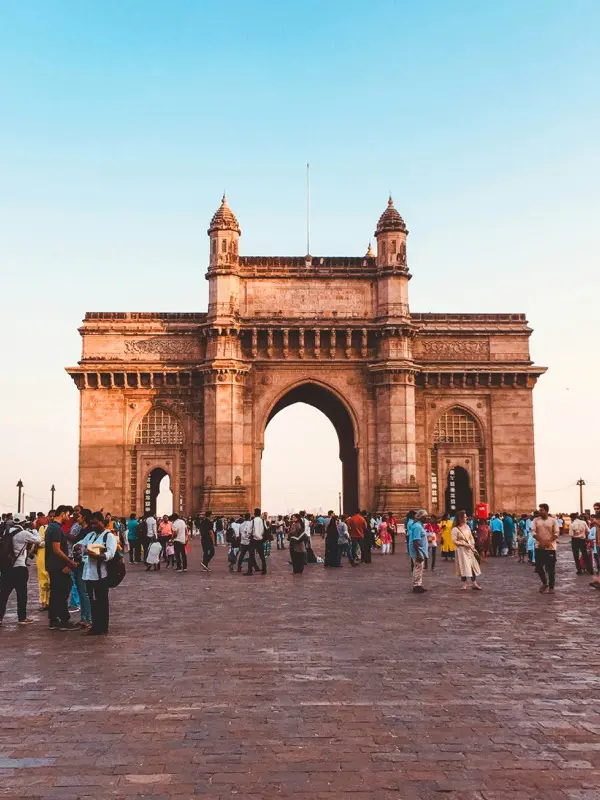
The Gateway of India and the Colaba waterfront have outdoor 4G. Colaba Causeway and the surrounding South Mumbai streets are well covered. In Mumbai, HelloRoam eSIM runs on local 5G networks, with coverage across the main tourist and city areas. Plans start from NZ$8.14. Activate by scanning a QR code before departure. No physical SIM card or airport queue needed.
Is there coverage at Marine Drive?
Marine Drive promenade and the surrounding areas have solid outdoor 4G. This is one of Mumbai's most scenic and well-covered areas. In Mumbai, HelloRoam eSIM runs on local 5G networks, with coverage across the main tourist and city areas. Plans start from NZ$8.14. Activate by scanning a QR code before departure. No physical SIM card or airport queue needed.
Does eSIM work in Bandra?
Bandra West's main streets, Linking Road, and the surrounding restaurant and cafe areas have strong outdoor 4G. In Mumbai, HelloRoam eSIM runs on local 5G networks, with coverage across the main tourist and city areas. Plans start from NZ$8.14. Activate by scanning a QR code before departure. No physical SIM card or airport queue needed.
Can I use Uber in Mumbai with a HelloRoam eSIM?
Uber and Ola both operate in Mumbai and need a live data connection. Your HelloRoam eSIM keeps both apps running from arrivals at BOM. In Mumbai, HelloRoam eSIM runs on local 5G networks, with coverage across the main tourist and city areas. Plans start from NZ$8.14. Activate by scanning a QR code before departure. No physical SIM card or airport queue needed.
How much data do I need for two weeks in Mumbai?
Two weeks in Mumbai typically uses 4GB to 8GB for maps, Ola/Uber, and social media. A 5GB to 7GB plan covers most Mumbai trips. For a week of typical travel (Google Maps navigation, WhatsApp messages, and social media) you need 3 to 5 GB. If you stream video or make video calls daily, choose a 8 to 10 GB plan. The HelloRoam app shows how much data you've used, though the figure can be up to 3 hours behind.