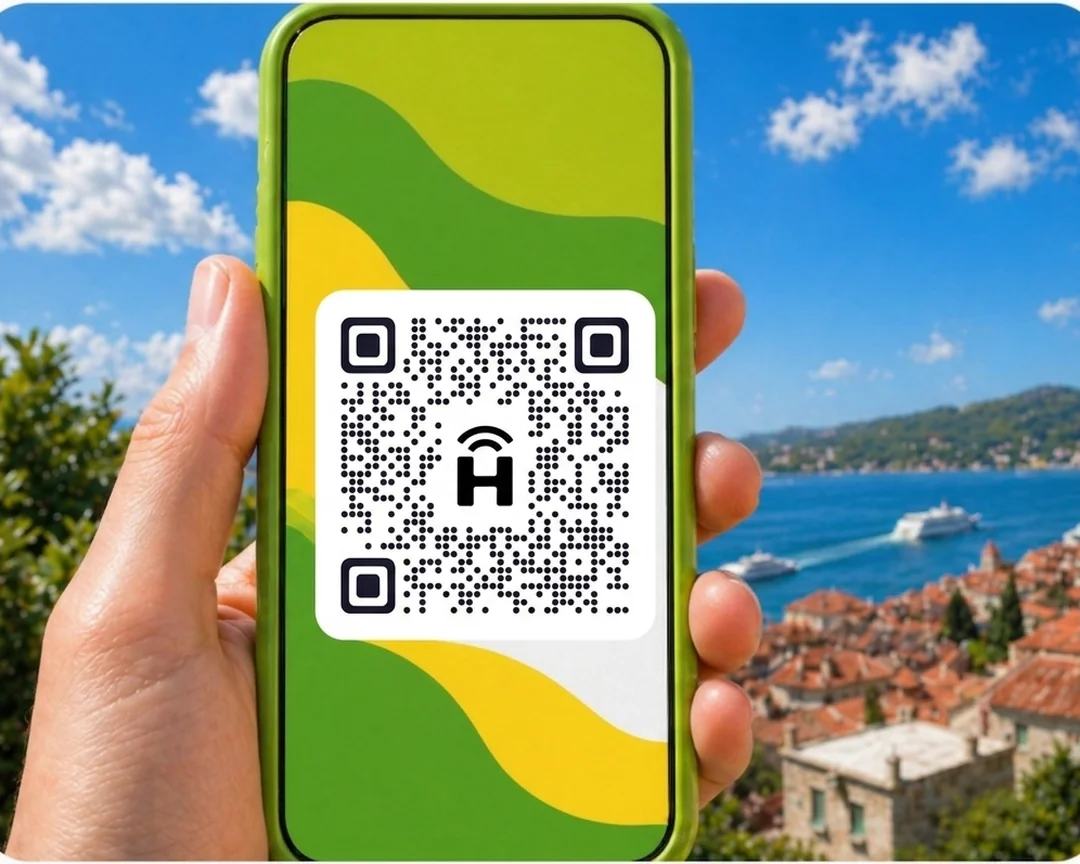




HelloRoam offers eSIM data plans for Kuala Lumpur, starting from A$4.95 a day. Your e SIM links up with local 4G/5G networks the moment you land, no roaming fees. Activate by QR code in under two minutes and keep your Telstra, Optus, or Vodafone number for calls. No lock-in contract: one e-sim covers 185+ countries through 212+ carrier networks.
- networks
 212+
212+- 5G support
 5G
5G- activation
 under 2 minutes
Updated
Kuala Lumpur eSIM Plans for Every Trip Length
Cheap eSIM for Kuala Lumpur, starting from A$4.95. Local 4G/5G data on trusted carrier networks in Kuala Lumpur. Works on all eSIM compatible phones. Travel data for Kuala Lumpur starts from A$4.95 on Maxis and CelcomDigi 5G networks. Choose from 1 GB to 20 GB plans to match your trip. All eSIM in Kuala Lumpur plans activate by QR code at home before you fly from Australia. No physical SIM needed, no lock-in contract, and your Australian number stays active.
Kuala Lumpur eSIM with fast 5G coverage
Kuala Lumpur is Malaysia's capital and a popular destination for Australians visiting Southeast Asia. Maxis, Celcom, and Digi provide 4G and 5G coverage across KLCC, Bukit Bintang, Bangsar, and the main transit corridors. HelloRoam Malaysia eSIM plans start at AUA$4.95 and connect at Kuala Lumpur International Airport (KLIA) on landing.
- Plans start at A$4.95 with 5G speeds
- Coverage from Maxis and 1+ other operators
- Instant activation in under 2 minutes
- 180-day money-back guarantee
- Kuala Lumpur coverage across major cities
- Network
- 5G
- Plans From
- A$4.95
- Activation
- Under 2 min
- Guarantee
- 180 days

How to Set Up an eSIM in Kuala Lumpur
Follow these steps to set up your eSIM card on iPhone or Android. Works for any e-sim for international travel, no replacement SIM, no store visit.
Set up an eSIM on your iPhone with the HelloRoam app
Set up an eSIM on your Android with the HelloRoam app
- 1
Choose your plan and checkout online
Select a data plan for your destination and complete checkout.
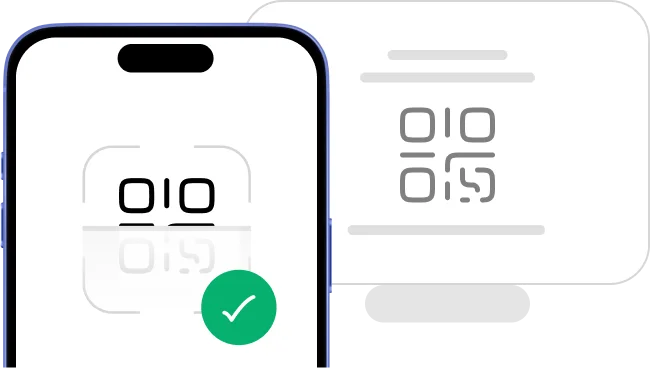
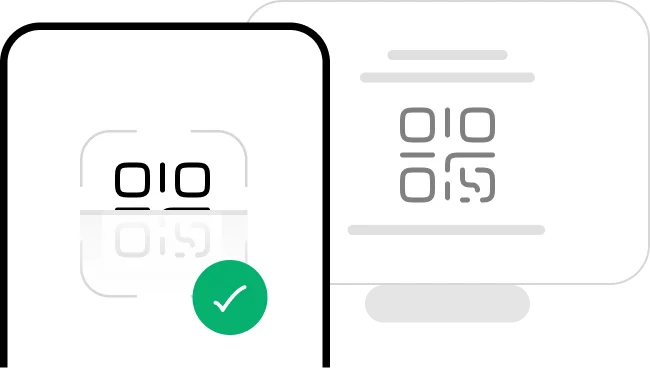 2
2Scan the QR code
Scan the QR code to install your eSIM straight away.
- 3
Activate in minutes: ready on arrival
Your eSIM installs instantly and activates when you land.
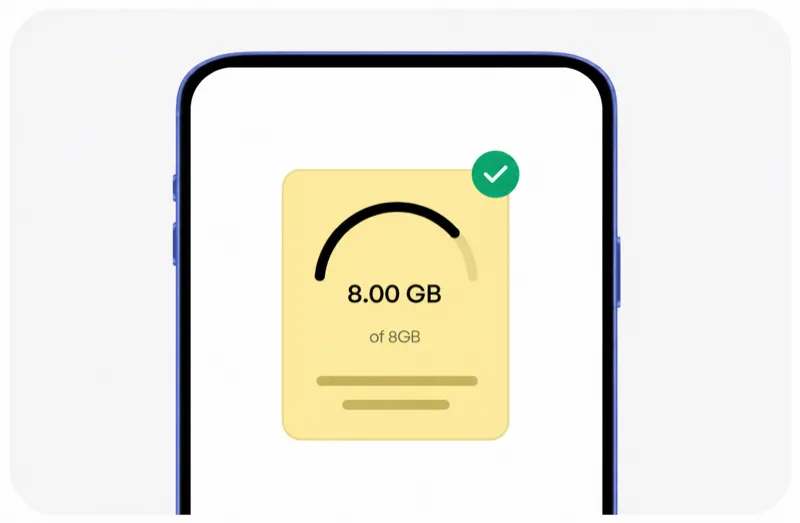 4
4Manage it all from our app
Track usage, top up data, and manage all your eSIMs in one place.




Trip changed? No worries, we've got you covered!
Plans can change anytime, and that's fine. With HelloRoam, you can request a refund on any unactivated eSIM within 180 days of purchase.
Learn more about our refund policyHelloRoam Kuala Lumpur eSIM vs Telstra, Optus and Vodafone AU roaming
When comparing eSIM vs a travel SIM card for Kuala Lumpur, HelloRoam wins on price. It beats Telstra International Day Pass (A$10/day), Optus Travel Pass (A$5/day), and Vodafone AU daily roaming fees. The cheapest eSIM plan starts from A$4.95, with no activation fee and a refund on unactivated eSIMs within 180 days.
| Feature comparison | HelloRoam | Telstra / Optus roaming add-on | Limited data eSIM |
|---|---|---|---|
| Refund on unactivated eSIMs |  Feature available Feature available |  Feature not available Feature not available | Feature not available |
| 24/7 live chat support | Feature available |  Feature available Feature available | Feature available |
| $0 activation fees | Feature available | Feature not available | Feature available |
| Free hotspot and data sharing | Feature available | Feature not available | Feature not available |
| No data overage charges | Feature available | Feature not available | Feature not available |
| Instant QR code delivery | Feature available | Feature not available | Feature available |
| Premium Kuala Lumpur carrier networks | Feature available | Feature not available | Feature not available |
Why Aussie Travellers Pick an e-sim for Kuala Lumpur

24/7 Round-the-clock chat support
Need a hand at 2am before a Bali flight? HelloRoam support is available 24/7. Message us and a real person responds in under 2 minutes. Whether you're troubleshooting mobile data mid-trip or need a top-up on your prepaid data package, help arrives fast.

The best eSIM for Kuala Lumpur travel
Connect to local 4G/5G networks the moment you land in Kuala Lumpur, at a fraction of what Telstra, Optus, or Vodafone AU charge for international roaming. Plans start from A$4.95 with no lock-in contract and no activation fees. It's the most affordable way to get internet abroad without a Telstra Day Pass eating into your travel budget.

Keep your Telstra, Optus, or Vodafone AU number
Keep your Telstra, Optus, or Vodafone AU number active for calls and texts. HelloRoam handles your data through a second eSIM line on any dual SIM compatible phone. Your wireless connectivity for data runs separately, so friends and family back home can still reach your usual number.

212+ partner networks worldwide
HelloRoam connects to 212+ carrier networks across 185+ countries. Fixed data and unlimited data plans available. Your phone switches to the strongest available 4G/5G signal automatically. With cellular coverage this broad, you get reliable internet abroad whether you're in a city centre or off the beaten track.

Usage alerts before you run out
HelloRoam alerts you at 80% usage so you're never caught short mid-trip. Top up instantly from the app without reinstalling your eSIM. Adding more mobile data takes under a minute, so your prepaid data package keeps up with your trip rather than the other way round.

Fast local network speeds
Connect on trusted local 4G/5G networks in Kuala Lumpur. HelloRoam picks the strongest signal for calls, navigation, and streaming. Local network speeds mean you get the same fast mobile data as residents use every day.

Global and regional plans
Planning a multi-country trip? HelloRoam regional eSIMs cover Asia Pacific, Europe, and 185+ destinations in one purchase. eSIMs for Europe span 34+ countries. Japan, Bali, Thailand, and NZ all sorted. One prepaid data package covers your whole itinerary, with no SIM card to swap at each border.

Hotspot and data sharing in Kuala Lumpur
Share your Kuala Lumpur eSIM data with a laptop or tablet using your phone's hotspot. No extra fees, no setup. Works on all eSIM compatible phones. Your wireless connectivity extends to every device in the group, so the whole crew stays online from a single prepaid data package.
Best eSIM for Kuala Lumpur: Prices and Plans
HelloRoam, the best eSIM Kuala Lumpur. Compare plans and save versus Telstra, Optus, and Vodafone roaming.
| Number of days | Price (AUD) |
|---|---|
| 1 day | A$4.95 |
| 3 days | A$14.12 |
| 7 days | A$30.52 |
| 15 days | A$59.45 |
| 22 days | A$80.66 |
| 30 days | A$101.08 |
HelloRoam vs Other eSIM Providers for Kuala Lumpur
For Kuala Lumpur, HelloRoam offers a refund on unactivated eSIMs within 180 days, A$0 activation fees, and 24/7 live chat support. See how HelloRoam compares to Airalo, Holafly, Saily, and other eSIM providers on the features that matter most.
| Feature comparison | HelloRoam | Airalo | Holafly | Nomad | Saily | Ubigi |
|---|---|---|---|---|---|---|
| Refund on unactivated eSIMs | Feature available | Feature not available | Feature not available | Feature not available | Feature not available | Feature not available |
| 24/7 live chat support | Feature available | Feature available | Feature available | Feature not available | Feature available | Feature available |
| A$0 activation fees | Feature available | Feature not available | Feature available | Feature not available | Feature not available | Feature not available |
| Free hotspot and data sharing | Feature available | Feature not available | Feature not available | Feature not available | Feature not available | Feature not available |
| No data overage charges | Feature available | Feature not available | Feature available | Feature not available | Feature not available | Feature not available |
| Instant QR code delivery | Feature available | Feature available | Feature available | Feature available | Feature available | Feature available |
| Premium Kuala Lumpur carrier networks | Feature available | Feature not available | Feature not available | Feature not available | Feature not available | Feature not available |
| Own branded carrier identity (SPN) | Feature available | Feature not available | Feature not available | Feature not available | Feature not available | Feature available |
What Is an eSIM Card? How e SIM Works for Kuala Lumpur Travel
An eSIM card is a digital SIM built directly into your phone. No plastic chip and no SIM tray to deal with. Scan a QR code to activate your e SIM in under two minutes on any eSIM compatible iPhone or Android. It works as a prepaid mobile data plan for Kuala Lumpur travel with no airport SIM shop queue, no replacement SIM card, and no carrier contract. Follow the step-by-step setup guide to get connected before your flight from Sydney Airport (SYD), Melbourne Airport (MEL), or Brisbane Airport (BNE). guide

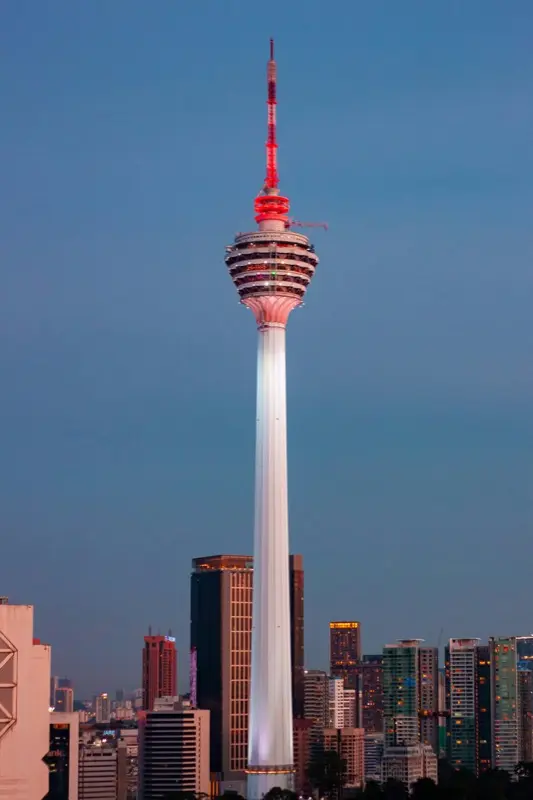
Mobile coverage guide for Kuala Lumpur
Kuala Lumpur has excellent Maxis 4G and 5G coverage across the city centre and main tourist areas. KLCC and the Petronas Towers area, Bukit Bintang, KL Sentral, Bangsar, Brickfields, and Chow Kit all have strong signal.
The KLIA Ekspres from KLIA Airport to KL Sentral has 4G throughout the 28-minute journey. The KL Monorail, LRT, and MRT have 4G at most stations with coverage in many tunnel sections. Batu Caves has outdoor 4G at the main staircase.
The Cameron Highlands has 4G in main towns but weaker signal on plantation trails. Your HelloRoam eSIM connects to Maxis the moment you land at KLIA.
- HelloRoam connects to Maxis 5G, CelcomDigi 5G in Kuala Lumpur
- 4G and 5G across KLCC, Bukit Bintang, Bangsar, KL Sentral, and the main transit corridors
- Kuala Lumpur International Airport (KLIA) and KLIA2 covered throughout on arrival
- Plans from AUA$4.95 with instant QR activation before your flight from Australia
eSIM Travel Tips for Kuala Lumpur
Kuala Lumpur is a popular Southeast Asia hub for Australians
Kuala Lumpur is a popular holiday destination and transit hub for Australians visiting Southeast Asia. Malaysia Airlines, AirAsia, and Qantas operate services from Sydney, Melbourne, Brisbane, and Perth. KL is often combined with Penang, Langkawi, the Perhentian Islands, or Singapore. Activate your HelloRoam Malaysia eSIM at home before departure.
The KLIA Ekspres is the fastest way into the city
The KLIA Ekspres train connects KLIA Airport to KL Sentral station in 28 minutes with 4G coverage throughout the journey. It runs every 15 to 20 minutes and is far faster than a taxi in traffic. From KL Sentral, the KL Monorail, LRT, and MRT connect to all major neighbourhoods. Download the MyRapid transit app before you arrive.
Grab is the go-to transport app in KL
Grab is the dominant ride-hailing app in Malaysia and needs a live data connection. Your HelloRoam eSIM keeps Grab running at all times in KL. Grab covers rides, food delivery, and package services. Install the app and add your payment method before your flight.
Batu Caves needs offline map backup
Batu Caves Hindu temple complex, about 13 kilometres north of KL, has outdoor 4G at the main staircase and temple areas. The interior of the main limestone cave temple has reduced signal. Download your transport directions and the Batu Caves location before leaving KL city centre.
The Malaysia eSIM covers Penang and Langkawi
A HelloRoam Malaysia eSIM covers all of Malaysia. If your trip combines KL with Penang, Langkawi, Johor Bahru, or East Malaysia including Sabah and Sarawak on Borneo, the same plan works throughout the country on Maxis's network.
Mobile networks in Kuala Lumpur: Maxis, Celcom, and Digi
Kuala Lumpur is served by Maxis, Celcom, Digi, and U Mobile on 4G and 5G networks. Maxis is one of Malaysia's largest operators with strong 4G and 5G coverage in KL's city centre and across Peninsular Malaysia. 5G is live in the KLCC, KL Sentral, and Bukit Bintang corridors. Your HelloRoam eSIM connects to Maxis for the broadest Kuala Lumpur coverage.
- Maxis

- 5G
- CelcomDigi

- 5G
HelloRoam eSIM vs Telstra and Optus roaming in Kuala Lumpur
Cost comparison for Australians visiting Kuala Lumpur.
| Category | HelloRoam eSIM Recommended | Malaysian SIM card | Telstra, Optus, or Vodafone AU roaming |
|---|---|---|---|
| Typical cost | From A$4.95 total | A$7.10–A$35.49 total | A$7.10–A$21.29/day |
| Details | Plans start at AUA$4.95 for Malaysia. Activate at home and arrive at KLIA already connected. One plan covers KL, Penang, Langkawi, and all of Malaysia. | Maxis or Celcom tourist SIMs at KLIA Airport cost RM30 to RM80 and require passport registration. An eSIM activates instantly from Australia without any in-Malaysia registration. | Telstra International Day Pass costs AU$10 per day in Malaysia. A ten-day KL and Malaysia trip adds AU$100 in roaming charges. A HelloRoam Malaysia eSIM is far better value for any stay longer than two or three days. |
Prices approximate as of . Actual savings vary.
Best time to visit Kuala Lumpur from Australia
Kuala Lumpur is hot and humid year-round at 28 to 35 degrees. The driest months from May to July and again from November to December offer the most comfortable conditions for outdoor sightseeing. The main monsoon seasons bring heavier rain from October to December on the west coast and from November to March on the east coast. KL has rain throughout the year but it typically comes in short afternoon downpours rather than all-day rain. The Thaipusam festival at Batu Caves in January or February is a spectacular cultural event. The Chinese New Year period creates a festive atmosphere in KL's Chinatown.
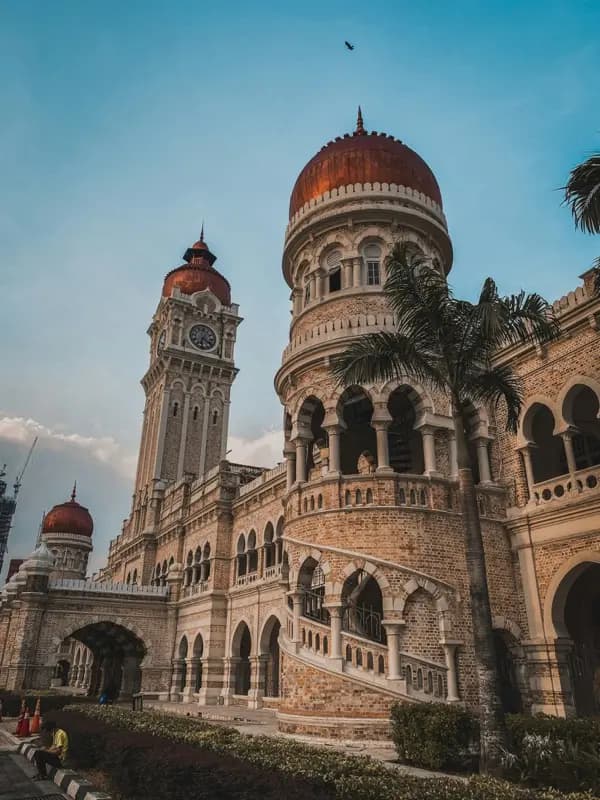
Airport and Transit Connectivity
Kuala Lumpur International Airport (KLIA) and the adjacent KLIA2 budget terminal are about 55 kilometers from the city centre. Both terminals have 4G and 5G throughout. The KLIA Ekspres train from KLIA to KL Sentral takes 28 minutes and has 4G coverage throughout the journey.
KLIA2 uses the KLIA Transit regional service with more stops. From KL Sentral, the KL Monorail, LRT, and MRT connect to all major neighborhoods. Grab, the dominant ride-hailing app in Southeast Asia, operates throughout KL and needs live data.
The MyRapid transit app for real-time KL public transport schedules also needs a data connection. Kuala Lumpur is the regional hub and the same HelloRoam Malaysia plan covers Penang, Langkawi, and the Genting Highlands.
Aussie travellers should have their HelloRoam eSIM activated before landing so they can use maps straight away.
Top Attractions in Kuala Lumpur

Petronas Twin Towers Kuala Lumpur
Petronas Twin Towers in KL stand 452 meters tall, connected by a skybridge at level 41. Use HelloRoam eSIM to stay connected.

Book skybridge tickets online at least a week ahead; they sell out fast.

Menara Kuala Lumpur Kl Tower Aerial View
KL Tower is a 421-meter telecommunications tower with a glass-floor sky deck in KL. Use HelloRoam eSIM to stay connected.
Try the Sky Box with its glass floor extending over the edge of the tower.
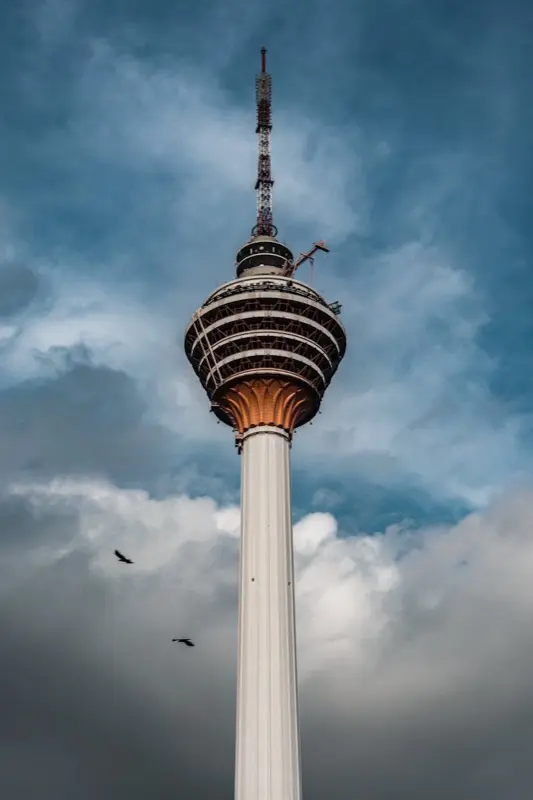
Menara Kuala Lumpur Kl Tower
The KL Tower in Kuala Lumpur has an observation deck and revolving restaurant at 276 meters. Use HelloRoam eSIM to stay connected.
Book the Sky Deck for outdoor views above the enclosed observation area.
Showing slide 1 of 3
Reviews
What Our Customers Say
Real reviews from Trustpilot and the App Store, quoted as written.
40k+ travellers have used HelloRoam
Cat
On a trip to Europe, my hotel Wi-Fi was so slow and outside Wi-Fi was unreliable. I couldn’t take it anymore so I got helloroam for a few days. It was tricky to set up correctly because of the primary settings (with my original number). But I reached out to their customer service via WhatsApp. Super responsive and helpful, with specific and clear steps to troubleshoot. Appreciate having 4G roaming instead of being stuck with in and out Wi-Fi during my trip!!
Rated 5 out of 5 by this reviewer

Very good experience! The eSIM was easy to set up and worked great in London. It was much cheaper than it would have been to use my own operator there.
Ilona
Rated 5 out of 5 by this reviewer
metulker
Hard to set up but help was good
Rated 5 out of 5 by this reviewer
Reuben
Really happy with HelloRoam. Everything worked as expected, from messaging and Google Maps through to streaming without any issues. Easy to use, reliable and affordable. Would happily use them again when travelling.
Rated 5 out of 5 by this reviewer

Angeline
Reliable connection. Reasonable pricing.
Rated 4 out of 5 by this reviewer
Updated
FAQs About eSIM in Kuala Lumpur
What does an eSIM for Kuala Lumpur cost for Australians visiting Malaysia?
HelloRoam offers eSIM Kuala Lumpur plans starting from A$4.95 on Maxis and CelcomDigi 5G networks. Activate by scanning a QR code before you leave Australia. Data is live when you land. No physical SIM card required and no roaming charges from Telstra or Optus.
Does a Kuala Lumpur e-sim plan cover travel across wider Malaysia including Penang and Langkawi?
An e SIM Kuala Lumpur plan on HelloRoam runs on Maxis and CelcomDigi 5G networks from A$4.95. Scan the QR code at home and arrive connected. Plans cover multiple data sizes from 1 GB to 20 GB. No contract required and a 180-day refund guarantee on unactivated eSIMs covers every order.
Does a HelloRoam Kuala Lumpur eSIM work on the KLIA Ekspres train and LRT network?
A HelloRoam eSIM Kuala Lumpur plan runs on Maxis and CelcomDigi 5G networks across the city and on major transit lines from A$4.95. The KLIA Ekspres tunnel has limited signal in spots, but connectivity resumes throughout the journey into KL Sentral. Plans have no contract and a 180-day refund guarantee on unactivated eSIMs.
Do many Australians use KL as a stopover, and does a short HelloRoam plan suit a layover?
Kuala Lumpur is a popular long-haul stopover for Australians heading to Europe or the UK. HelloRoam eSIM Kuala Lumpur plans start from A$4.95 on Maxis and CelcomDigi 5G networks. A 1 GB plan suits a day stopover to Petronas Towers and Batu Caves. Longer Peninsular Malaysia trips need 5 GB or more.
What is the best eSIM for Kuala Lumpur for Australians?
HelloRoam Malaysia eSIM is a good choice for Australians visiting Kuala Lumpur. Plans connect on Maxis 4G and 5G from AUA$4.95. One plan covers KL, Penang, Langkawi, and all of Malaysia. Activate at home before your flight. HelloRoam eSIM for Kuala Lumpur connects to Maxis / Celcom with 4G/5G coverage across major tourist and urban areas. Plans start from A$4.95. Activate by scanning a QR code before departure. No physical SIM card or airport queue needed.
Does eSIM work at KLIA Airport?
Kuala Lumpur International Airport (KLIA) and KLIA2 have 4G and 5G coverage throughout both terminals. Your HelloRoam eSIM connects to Maxis when you enable data after landing. You can check the KLIA Ekspres train schedule and book a Grab from the arrivals hall.
Is there 5G in Kuala Lumpur?
5G is live in central KL including the KLCC Petronas Towers area, Bukit Bintang, and KL Sentral. Outer suburbs are primarily on 4G. HelloRoam eSIM for Kuala Lumpur connects to Maxis / Celcom with 4G/5G coverage across major tourist and urban areas. Plans start from A$4.95. Activate by scanning a QR code before departure. No physical SIM card or airport queue needed.
Does eSIM work at the Petronas Twin Towers?
The KLCC area surrounding the Petronas Twin Towers has excellent outdoor 4G and 5G coverage. The Suria KLCC mall has strong indoor coverage. Book Skybridge and observation deck tickets using your HelloRoam eSIM. HelloRoam eSIM for Kuala Lumpur connects to Maxis / Celcom with 4G/5G coverage across major tourist and urban areas. Plans start from A$4.95. Activate by scanning a QR code before departure. No physical SIM card or airport queue needed.
Can I use Grab in Kuala Lumpur?
Grab is the dominant ride-hailing and food delivery app in Malaysia. It needs a live data connection. Your HelloRoam eSIM keeps Grab running at all times in KL from the moment you land at KLIA. HelloRoam eSIM for Kuala Lumpur connects to Maxis / Celcom with 4G/5G coverage across major tourist and urban areas. Plans start from A$4.95. Activate by scanning a QR code before departure. No physical SIM card or airport queue needed.
Does eSIM work on the KLIA Ekspres?
The KLIA Ekspres train from KLIA to KL Sentral has 4G coverage throughout the 28-minute journey. You can use maps, messaging, and transit apps as soon as you board. HelloRoam eSIM for Kuala Lumpur connects to Maxis / Celcom with 4G/5G coverage across major tourist and urban areas. Plans start from A$4.95. Activate by scanning a QR code before departure. No physical SIM card or airport queue needed.
Does eSIM work in Bukit Bintang?
Bukit Bintang is KL's main shopping district with strong outdoor 4G and 5G coverage. Pavilion KL, KLCC, Starhill Gallery, and Berjaya Times Square all have solid indoor and outdoor signal. HelloRoam eSIM for Kuala Lumpur connects to Maxis / Celcom with 4G/5G coverage across major tourist and urban areas. Plans start from A$4.95. Activate by scanning a QR code before departure. No physical SIM card or airport queue needed.
Does eSIM work at Batu Caves?
Batu Caves has outdoor 4G at the main staircase and temple entrance area. The interior of the main cave temple has reduced signal due to the limestone cavern. Download your maps and transport directions before leaving the staircase area. HelloRoam eSIM for Kuala Lumpur connects to Maxis / Celcom with 4G/5G coverage across major tourist and urban areas. Plans start from A$4.95. Activate by scanning a QR code before departure. No physical SIM card or airport queue needed.
Does the Malaysia eSIM cover Penang and Langkawi?
Yes. A HelloRoam Malaysia eSIM covers all of Malaysia. Penang, Langkawi, Johor Bahru, and East Malaysia including Sabah and Sarawak are all covered on the same plan. HelloRoam eSIM for Kuala Lumpur connects to Maxis / Celcom with 4G/5G coverage across major tourist and urban areas. Plans start from A$4.95. Activate by scanning a QR code before departure. No physical SIM card or airport queue needed.
How much data do I need for a week in KL?
A week in Kuala Lumpur using Grab, maps, and social media typically uses 3 to 6 GB. A 5 GB plan suits most sightseeing visits. For a week of typical travel (Google Maps navigation, WhatsApp messages, and social media) you need 3 to 5 GB. If you stream video or make video calls daily, choose a 8 to 10 GB plan. The HelloRoam app shows your remaining data balance in real time.
Can I use hotspot tethering in KL with HelloRoam?
Yes, HelloRoam Malaysia eSIM plans support mobile hotspot. Share your 4G or 5G connection with a travel companion or connect a laptop from your KL hotel. You can share your 4G/5G connection with a travel companion, laptop, or tablet at no extra cost. Hotspot speeds are typically sufficient for email, navigation, and video calls. Enable it under Settings, Personal Hotspot on your device.