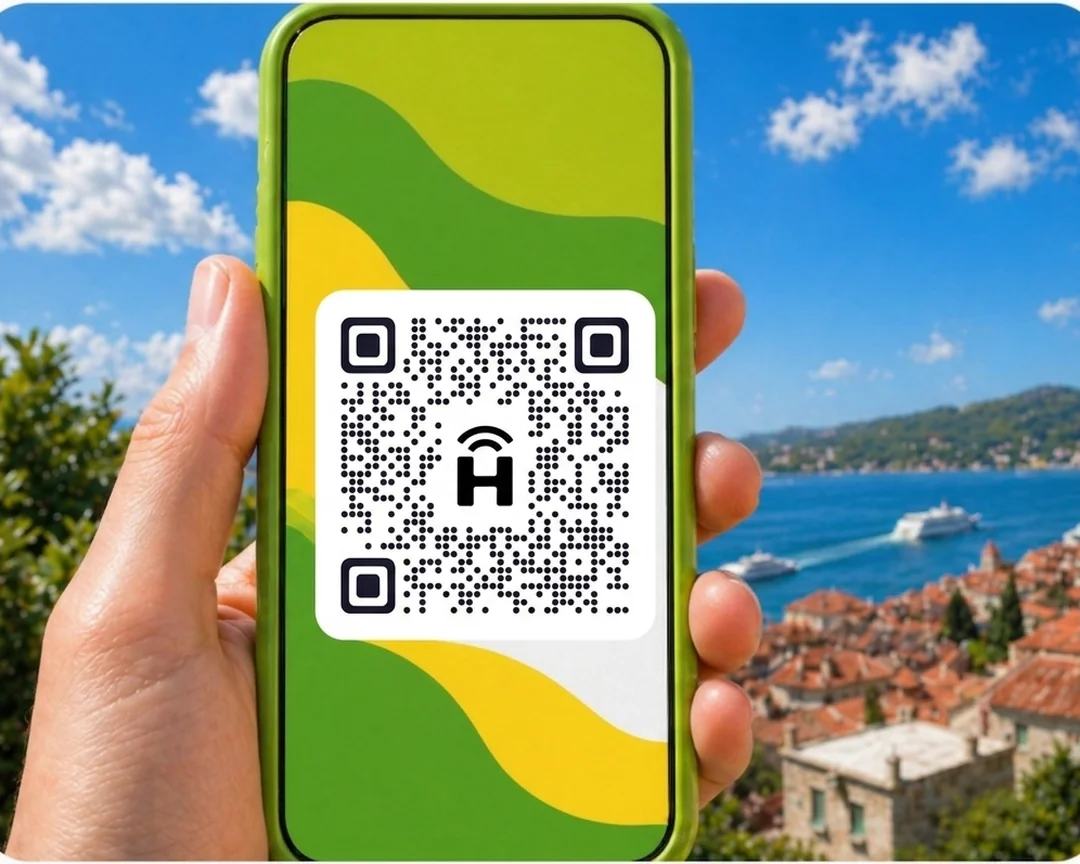




HelloRoam offers prepaid eSIM data plans for Melbourne from S$4.48. Your eSIM connects to local 5G networks the moment you land, no roaming fees. Activate by QR code in under two minutes, fuss-free. Keep your Singtel, StarHub or M1 number active on dual SIM while your eSIM handles data. HelloRoam covers 185+ countries and destinations.
- networks
 212+
212+- network type
 5G
5G- activation
 under 2 minutes
Updated
eSIM Melbourne QR activation for the CBD and St Kilda
Affordable eSIM for Melbourne, starting from S$4.48. Local 5G data on local partner networks in Melbourne, with speeds that depend on the local network. Works on any carrier-unlocked, eSIM-compatible phone. Fitzroy brunch spots, Federation Square events, and Phillip Island day trips all go easier with mobile data. A HelloRoam eSIM for Melbourne, an easy alternative to a tourist SIM card, runs on the local Optus 5G network from the CBD to St Kilda from S$4.48. Activate by QR before your Changi flight and land with data ready. Unactivated eSIMs are refundable. No physical SIM card needed.
Melbourne eSIM with 5G coverage
HelloRoam offers eSIM plans for Melbourne, Australia. Connect on Telstra, Optus, and Vodafone AU 4G/5G networks from the moment you land. Singapore travellers activate before departure from Changi Airport and arrive in Melbourne already connected. Plans start from S$4.48.
- Plans start at S$4.48 with 5G speeds
- Coverage from Optus
- Instant activation in under 2 minutes
- 180-day refund on unactivated eSIMs
- Melbourne coverage across major cities
- Network
- 5G
- Plans From
- S$4.48
- Activation
- Under 2 min
- Refund
- 180 days if unactivated

How to Set Up an eSIM in Melbourne
Follow these steps to set up your eSIM on iPhone or Android handphone. Works for any eSIM for international travel from Singapore. No replacement SIM, no store visit.
Set up an eSIM on your iPhone with the HelloRoam app
Set up an eSIM on your Android handphone with the HelloRoam app
- 1
Choose your plan and checkout online
Select a data plan for your destination and complete checkout.
 2
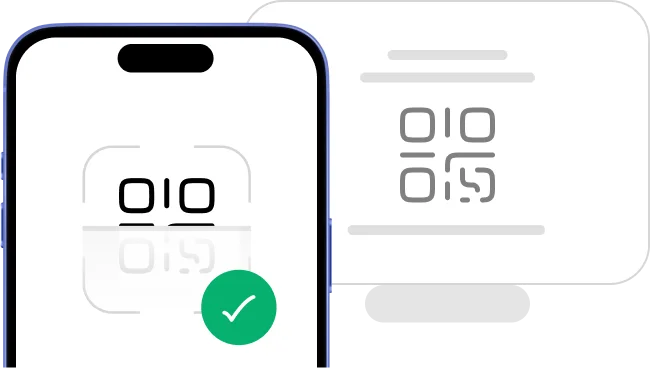
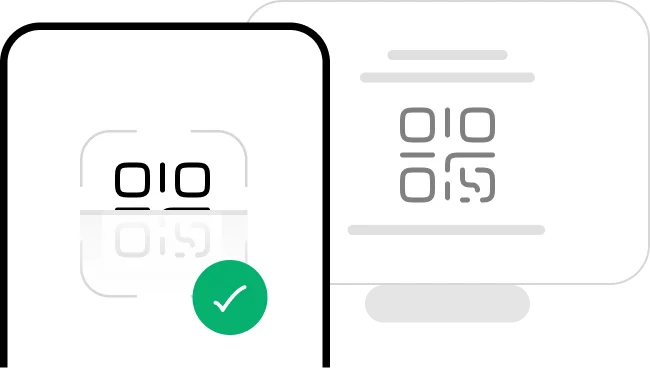
2Scan the QR code
Scan the QR code to install your eSIM straight away.
- 3
Activate in minutes: ready on arrival
Your eSIM installs instantly and activates when you land.
 4
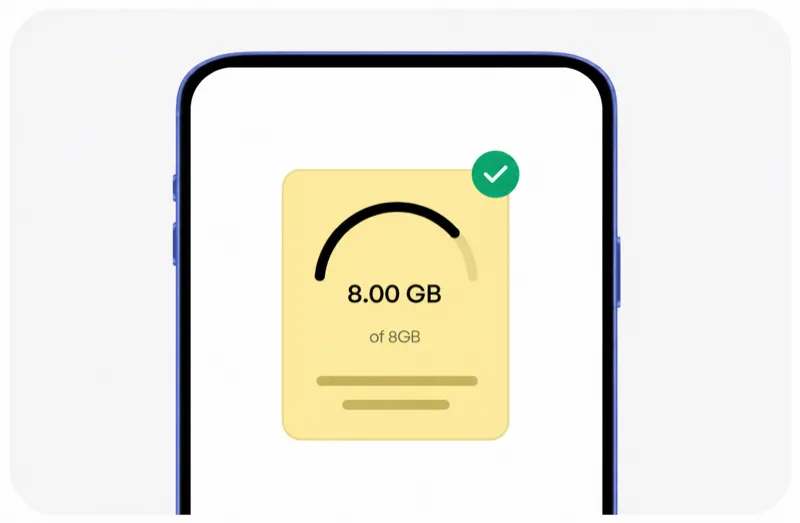
4Manage it all from our app
Track usage, top up data, and manage all your eSIMs in one place.




Trip changed? No worries, we've got you covered!
Plans can change anytime, and that's fine. With HelloRoam, you can request a refund on any unactivated eSIM within 180 days of purchase.
Learn more about our refund policyHelloRoam Melbourne eSIM vs a travel SIM card or Singtel, StarHub and M1 roaming
Comparing an eSIM vs a travel SIM card for Melbourne? The eSIM skips the airport SIM shop, and you do not need a roaming add-on from Singtel, StarHub or M1. HelloRoam sells a prepaid eSIM for Melbourne from S$4.48, with a 180-day refund on unactivated eSIMs.
HelloRoam eSIM versus a Melbourne SIM card: which suits Singapore visitors to Victoria?
An eSIM from HelloRoam removes the need to buy a prepaid SIM card Melbourne at Tullamarine Airport kiosks after your Changi flight. Activate via QR at home, land with data from S$4.48, and take the SkyBus directly to the CBD without any counter queue or activation delay.
Compared to a tourist sim card Melbourne from Tullamarine shops, HelloRoam confirms pricing in SGD before you fly from S$4.48. Your Singapore number stays active alongside your Melbourne data plan, and a 180-day refund guarantee backs unactivated eSIMs. No contract needed on any plan.
For Singapore travellers doing a self-drive from Melbourne to Phillip Island or the Great Ocean Road, a tourist sim card Melbourne purchased in the city may not be ready before you set off. HelloRoam activates before your Changi flight from S$4.48, so data is live from the moment you land at Tullamarine.
Why Singaporean Travellers Choose an e SIM for Melbourne

24/7 live chat support
Need help at 2 am in Tokyo or midnight in Seoul? HelloRoam support is available 24/7. Message us by live chat, WhatsApp or email at help@helloroam.com. Mobile data problems do not wait for business hours, and neither do we.

Best eSIM for Melbourne: skip Singtel roaming charges
Get data at 5G speeds the moment you land in Melbourne. Skip roaming fees from Singtel, StarHub and M1. HelloRoam connects you to local carrier networks in minutes, whether you are travelling or working. Your connection starts before you clear customs.

Keep your Singtel, StarHub, or M1 number
Keep your Singtel, StarHub, or M1 number active for calls and texts. HelloRoam handles your data through a second eSIM line on any dual SIM compatible handphone. Family and colleagues reach you on the same Singapore number while your travel data runs on a separate prepaid eSIM plan.

212+ carrier networks including Melbourne
HelloRoam connects to 212+ carrier networks across 185+ countries. Fixed data plans are available in every destination, and unlimited plans in most. Your handphone joins a partner 5G network automatically, with no manual carrier selection needed. Speeds depend on the local network, whether you are in a major city, at a highway rest stop or in a rural area.

Data alerts before you run out
HelloRoam emails you as your data runs low on a fixed plan, so you can top up or buy a new plan in time. If your plan supports top-ups, add data from the app before it expires, without reinstalling your eSIM or visiting a store. Adding a fresh prepaid data package takes under a minute from your account dashboard.

Local 5G speeds
Your Melbourne eSIM connects to local 5G networks. Your phone joins an available HelloRoam partner network for navigation, streaming and video calls. Speeds depend on the local network and your location, and there is no queue for a SIM card at the airport.

Regional and global eSIM plans
Travelling to multiple destinations? HelloRoam regional eSIM plans cover many countries across Asia, Europe, the Americas and more in one purchase. Short holiday or long-term stay: choose fixed data or unlimited data plans. One account, no SIM swaps. A single regional plan replaces the hassle of sourcing a new local SIM card at every border crossing.

Hotspot and data sharing at no extra cost in Melbourne
Share your Melbourne eSIM data with a laptop or tablet using your handphone's built-in hotspot. No extra fees, no setup required. Works on all eSIM compatible devices. This is particularly useful for business travellers who need a consistent mobile broadband connection for their work laptop while abroad.
Melbourne eSIM Prices in 2026
Compare HelloRoam eSIM plans for Melbourne. Plans start from S$4.48 with local 5G access. No Singtel or StarHub roaming surcharges.
| Number of days | Price (AUD) |
|---|---|
| 1 day | S$4.51 |
| 3 days | S$12.85 |
| 7 days | S$27.77 |
| 15 days | S$54.11 |
| 22 days | S$73.41 |
| 30 days | S$91.98 |
HelloRoam vs Other eSIM Providers for Melbourne
See how HelloRoam compares with Airalo, Holafly, Nomad, Saily and Ubigi for Melbourne. The table covers a 180-day refund on unactivated eSIMs, data overage charges and instant QR code delivery.
| Feature comparison | HelloRoam | Airalo | Holafly | Nomad | Saily | Ubigi |
|---|---|---|---|---|---|---|
| 180-day refund (unactivated eSIMs) |  Feature available Feature available |  Feature not available Feature not available |  Feature available Feature available | Feature not available | Feature not available | Feature not available |
| No data overage charges | Feature available | Feature available | Feature available | Feature available | Feature available | Feature available |
| Instant QR code delivery | Feature available | Feature available | Feature available | Feature available | Feature available | Feature available |
e SIM Explained: Setting Up eSIM for Melbourne
An eSIM card is a digital SIM built directly into your handphone. There is no physical chip and no SIM tray to deal with. Scan a QR code to activate your e SIM in under 2 minutes on any eSIM compatible iPhone or Android. An eSIM for Melbourne works as a prepaid data plan with no airport SIM counter, no replacement SIM card, and no carrier contract. Follow the step-by-step setup guide to get connected before your flight from Changi. guide


Mobile coverage guide for Melbourne
Melbourne has 4G/5G coverage across its main districts, hotels, and tourist areas. Telstra, Optus, and Vodafone AU provide reliable mobile data throughout the city. Melbourne is a top Australian destination for Singaporeans. Singapore Airlines flies direct SIN-MEL.
Your HelloRoam eSIM connects on Optus when you enable data at Melbourne Airport. Activate at home in Singapore before your flight from Changi for a smooth arrival.
- HelloRoam connects to Optus 5G in Melbourne
- 4G/5G coverage across Melbourne and main tourist areas
- Connect on Telstra from Melbourne Airport
- Plans from S$4.48, activate via QR code before your Changi departure
eSIM Travel Tips for Melbourne
Activate your eSIM before you leave Changi
Buy your HelloRoam eSIM for Melbourne before your flight. Scan the QR code at home on Wi-Fi, enable data on arrival, and you are connected in Melbourne without searching for a local SIM card at the airport.
Keep your Singapore number active on dual SIM
On a dual SIM device, keep your Singtel, StarHub, or M1 SIM active for calls and texts from Singapore. Set HelloRoam as your data line for Melbourne. Family and colleagues in Singapore reach you on your regular number without international charges.
Download offline maps before your flight
Download Google Maps or Maps.me offline for Melbourne before you travel. This saves data on detailed map downloads and keeps you covered in areas with weaker signal during your first hours in Melbourne.
Myki card for Melbourne trams and trains
The Myki card covers all Melbourne trams, trains, and buses. Load it at Melbourne Airport T2 (international) on arrival. Your HelloRoam eSIM keeps the PTV Journey Planner running from the moment you clear customs.
Great Ocean Road and regional Victoria need offline maps
Day trips to the Great Ocean Road and regional Victoria have patchy mobile coverage outside main towns. Download Google Maps offline before leaving Melbourne CBD. HelloRoam covers Telstra and Optus with the widest rural reach in Australia.
Mobile networks in Melbourne: what Singapore visitors need to know
Melbourne is served by Telstra, Optus, and Vodafone AU. Telstra has the broadest 4G/5G network in Melbourne. Your HelloRoam eSIM connects to a local partner network automatically. No manual network switching is needed.
- Optus

- 5G
HelloRoam eSIM vs Singtel, StarHub, or M1 roaming in Melbourne
Your data options for a Melbourne trip from Singapore.
| Category | HelloRoam eSIM Recommended | Local Australia SIM card | Roaming with your carrier |
|---|---|---|---|
| Typical cost | From SGD 4.48 total | — | — |
| Details | Plans start at S$4.48 (S$ equivalent). Buy before your Changi departure, scan the QR code at home, and arrive in Melbourne on local 4G/5G data. | Physical SIM cards are available at Melbourne Airport but require setup time and sometimes registration. An eSIM is ready before you leave home. | Using your Singapore mobile plan in Australia can get expensive. Over a week, roaming charges can add a lot to your phone bill. HelloRoam plans start at S$4.48. |
Prices approximate as of . Actual savings vary.
Best time for Singapore travellers to visit Melbourne
Melbourne is a year-round destination for Singaporeans. The Australian Open in January draws sports fans. The Formula 1 Australian Grand Prix in March is a highlight for motor-racing fans. September and October bring the Melbourne Spring Racing Carnival and Carnival football finals. Singapore Airlines flies SIN-MEL direct.

Top Attractions in Melbourne

Brighton Beach Huts
Brighton Beach in Melbourne is known for its 82 colorful Victorian bathing boxes. Use HelloRoam eSIM to stay connected.

Visit early morning for photos of the huts without other tourists.
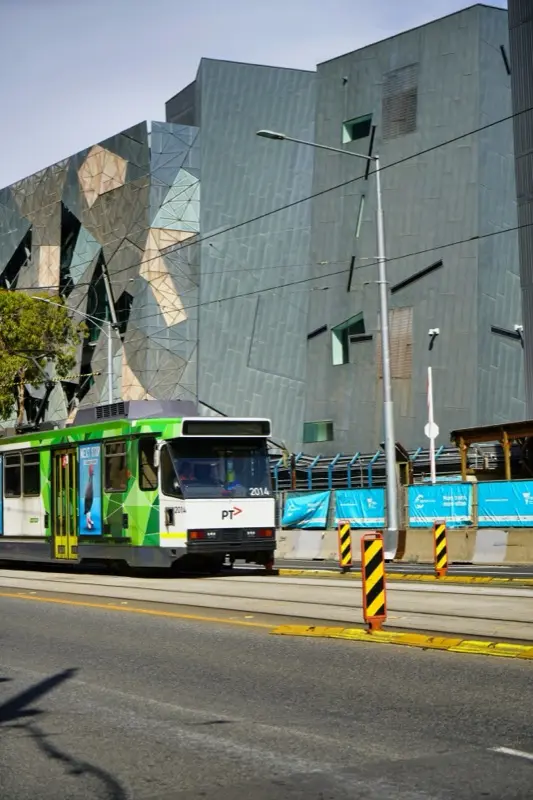
Federation Square
Federation Square in Melbourne, Australia is a public square surrounded by historic buildings. Use HelloRoam eSIM here.
Check for local events, festivals, or seasonal markets happening in the square.

Flinders Street Station
Flinders Street Station in Melbourne, Australia is a famous walkway lined with shops and local color. Use HelloRoam eSIM here.
Wear comfortable shoes since many historic streets have cobblestone or uneven paths.
Showing slide 1 of 3
Reviews
Trusted by Singaporean Travellers
Real reviews from Trustpilot and the App Store, quoted as written.
40k+ travellers have used HelloRoam
Cat
On a trip to Europe, my hotel Wi-Fi was so slow and outside Wi-Fi was unreliable. I couldn’t take it anymore so I got helloroam for a few days. It was tricky to set up correctly because of the primary settings (with my original number). But I reached out to their customer service via WhatsApp. Super responsive and helpful, with specific and clear steps to troubleshoot. Appreciate having 4G roaming instead of being stuck with in and out Wi-Fi during my trip!!
Rated 5 out of 5 by this reviewer

Very good experience! The eSIM was easy to set up and worked great in London. It was much cheaper than it would have been to use my own operator there.
Ilona
Rated 5 out of 5 by this reviewer
metulker
Hard to set up but help was good
Rated 5 out of 5 by this reviewer
Reuben
Really happy with HelloRoam. Everything worked as expected, from messaging and Google Maps through to streaming without any issues. Easy to use, reliable and affordable. Would happily use them again when travelling.
Rated 5 out of 5 by this reviewer

Angeline
Reliable connection. Reasonable pricing.
Rated 4 out of 5 by this reviewer
Updated
FAQs About eSIM in Melbourne
What does a tourist sim card Melbourne cost for Singapore travellers?
Tourist eSIM in Melbourne plans from HelloRoam cover Melbourne CBD, St Kilda, Fitzroy, and Melbourne Airport on the Optus 5G network. HelloRoam activates via QR code before your Singapore departure, so data is ready from landing in Victoria. Plans start at S$4.48 with no contract.
How does an eSIM in Melbourne work compared to a physical SIM from an airport store?
An eSIMs Melbourne from HelloRoam activates by QR before your Changi flight, so you skip Tullamarine Airport counters entirely. Plans run on Optus 5G across the city from S$4.48. Set up takes two minutes. No roaming charges on your Singapore number and no physical SIM card needed.
Which eSIM is best for Singaporeans travelling to Melbourne?
For trips to Melbourne, HelloRoam is a simple eSIM choice. Plans start from S$4.48 in SGD with access to local 5G networks across 212+ carrier networks. Activate via QR code in under 2 minutes before departing from Changi Airport. Your Singtel, StarHub, or M1 number stays active through dual SIM while HelloRoam handles data abroad. You get a refund on unactivated eSIMs within 180 days and 24/7 live chat support.
How much does a Melbourne eSIM cost compared to Singtel and StarHub roaming?
A Melbourne eSIM from HelloRoam costs from S$4.48 for the full plan. On most trips, that costs less than a roaming pass from Singtel or StarHub. HelloRoam connects to local networks in Melbourne for one prepaid HelloRoam price, with no roaming fees from your home carrier and no carrier contract. All plans include local 5G access with no overage charges.
Which local mobile networks does an eSIM use in Melbourne for Singapore travellers?
An eSIM for Melbourne from HelloRoam connects to local 5G partner networks. Your handphone joins a partner network when you land. Coverage and speeds depend on the local network and your signal, just as they do with Singtel, StarHub, or M1 at home.
How do I set up a HelloRoam eSIM before departing Changi Airport?
Buy your Melbourne eSIM before you leave Singapore in three steps. First, select your plan at helloroam.com and complete checkout in SGD. Second, open your handphone Settings, tap Add eSIM or Add Mobile Plan, and scan the QR code from your email. Third, your eSIM installs in under 2 minutes. Set it up the night before your flight from Changi and land connected.
Does my iPhone or Android handphone support a Melbourne eSIM?
iPhone XS and all newer models support HelloRoam eSIM in Melbourne. iPhone 13 and later models support dual eSIM, so your Singtel or StarHub line stays active for calls while HelloRoam handles travel data. For Android, most Samsung Galaxy S20 and newer models, Google Pixel 4 and newer, and many recent Android handphones support eSIM. Check your handphone Settings for an Add eSIM option to confirm compatibility.
What is the best eSIM for Melbourne for Singapore travellers?
HelloRoam is a strong choice for Singapore travellers visiting Melbourne. Plans connect on Telstra, Optus, and Vodafone AU 4G/5G networks from S$4.48 (S$ equivalent). Buy before your Changi departure, scan the QR code at home, and arrive in Melbourne already connected.
Does HelloRoam eSIM work in Melbourne?
HelloRoam eSIM works in Melbourne on the Optus 4G/5G network. Set up your eSIM at home before your flight. Connect the moment you clear immigration at Melbourne Airport without queuing for a local SIM card. Plans start from S$4.48.
Which networks does HelloRoam use in Australia?
HelloRoam connects to Optus in Australia. 4G/5G coverage is available across Melbourne and the wider region. Your phone picks the strongest signal automatically. No manual network switching is needed. Buy your plan before your Changi departure and arrive connected.
Is HelloRoam cheaper than Singtel or StarHub roaming in Melbourne?
HelloRoam eSIM for Melbourne starts at S$4.48, paid once, while roaming charges from Singtel, StarHub and M1 add up fast over a trip. For a week-long trip, the savings are substantial. Buy before your Changi departure and skip the daily roaming bill entirely.
How do I activate a Melbourne eSIM from Singapore?
Purchase your plan on helloroam.com, scan the QR code in your phone Settings under Mobile Data or SIM management, and enable data when you arrive in Melbourne. The process takes about five minutes on Wi-Fi at home before your flight.
How much data do I need for a trip to Melbourne?
A week in Melbourne using Google Maps, WhatsApp, and social media typically uses 3 to 6 GB. Business travellers making video calls or streaming should choose a 10 GB plan for comfortable headroom. Singaporeans staying over 10 days often opt for the 20 GB tier.
Is there 4G/5G coverage in Melbourne?
Melbourne has 4G/5G coverage across its main districts, hotels, and tourist areas via Telstra. HelloRoam eSIM connects to a local partner network automatically, and speeds depend on that network. Buy before your flight from Changi. Connect from the moment you land at Melbourne Airport. No manual configuration required.
Does HelloRoam eSIM work at Melbourne Airport?
HelloRoam eSIM connects at Melbourne Airport (MEL) as soon as your phone registers on the Australia network after landing. No airport Wi-Fi queue and no SIM kiosk needed. You are connected from arrivals. Activate at home in Singapore before your flight for the smoothest experience.