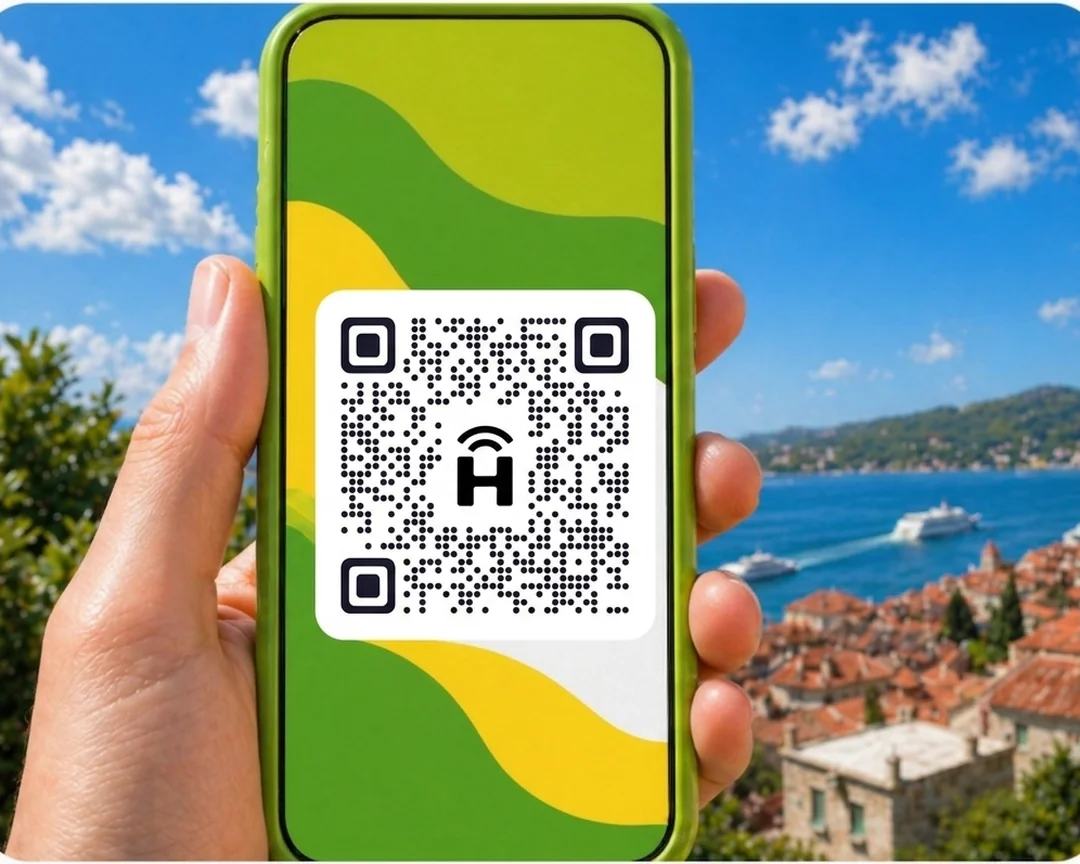




HelloRoam sells prepaid eSIM data plans for Fiji starting at $6.49. Your e SIM connects to local 4G networks the moment you land. Activate by QR code in under two minutes. Keep your AT&T, T-Mobile, or Verizon number on dual SIM while your e-sim handles data.
- networks
 212+
212+- network type
 4G
4G- activation
 under 2 minutes
Updated
Your eSIM Fiji Island Data Before You Fly
The cheapest eSIM for Fiji starts from $6.49. Local 4G data on local partner networks in Fiji. Works on any carrier-unlocked, eSIM-compatible phone. Resort Wi-Fi on Denarau Island drops during peak hours and leaves you without maps or ride bookings. HelloRoam offers an e SIM Fiji plan from $6.49 on Vodafone 4G networks across Suva, Nadi, and the Coral Coast. Activate by QR code on any eSIM-ready phone in minutes. No roaming charges and no contract on any plan.
Fiji eSIM with 4G coverage
HelloRoam offers eSIM plans for Fiji starting at $6.49. Get 4G coverage through Vodafone. Scan a QR code before your flight and arrive already online.
- Plans start at $6.49 with 4G speeds
- Coverage from Vodafone
- Instant activation in under 2 minutes
- 180-day refund on unactivated eSIMs
- Fiji coverage across major cities
- Network
- 4G
- Plans From
- $6.49
- Activation
- Under 2 min
- Refund
- 180 days if unactivated

How to Set Up an eSIM in Fiji
Follow these steps to set up your eSIM card on iPhone or Android. Works for any eSIM for international travel, no replacement sim, no store visit.
Set up an eSIM on your iPhone with the HelloRoam app
Set up an eSIM on your Android with the HelloRoam app
- 1
Choose your plan & checkout online
Select a data plan for your destination and complete checkout.
 2
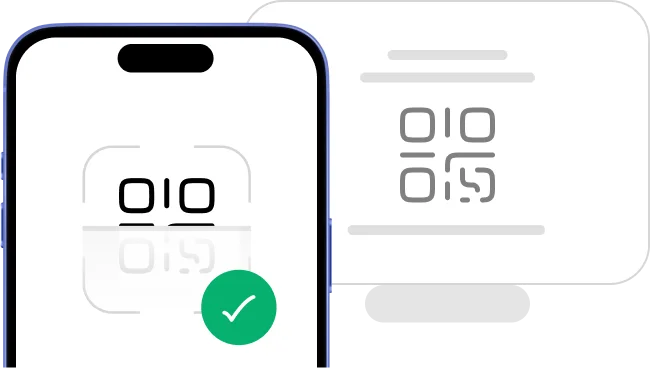
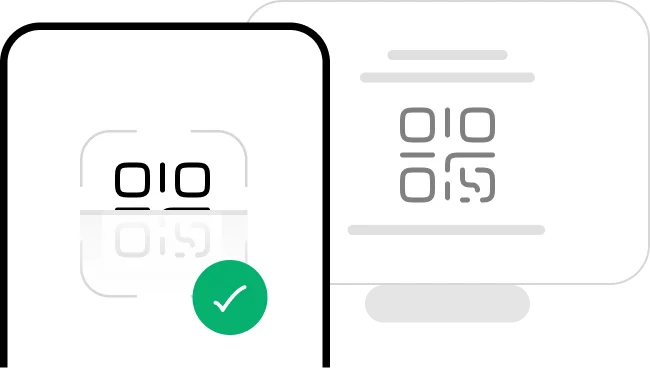
2Scan the QR code
Scan the QR code on Wi-Fi to install your eSIM. If it says not valid or already added, check your phone's list of lines first.
- 3
Activate in minutes: ready on arrival
Install your eSIM before you fly. Your plan's days start at the eSIM's first connection to a supported network in your destination. When you land, switch the line on, turn on data roaming for that line and pick it for mobile data.
 4
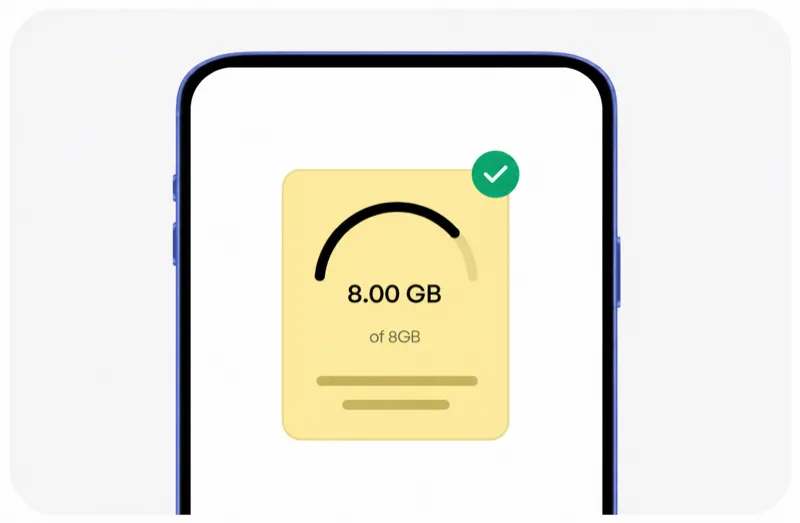
4Manage it all from our mobile app
Track usage, top up data in the app, and manage all your eSIMs in one place.




Trip changed? Don't worry, we've got you!
Plans can change anytime, and that's okay. With HelloRoam, unactivated and unscanned eSIMs qualify for a full refund within 180 days of purchase.
Learn more about our refund policyHelloRoam Fiji eSIM vs a travel SIM card or AT&T, T-Mobile and Verizon roaming
Comparing an eSIM vs a travel SIM card for Fiji? The eSIM skips the airport SIM shop. Verizon TravelPass and AT&T International Day Pass add a daily fee, and T-Mobile sells international add-ons. HelloRoam sells a prepaid eSIM for Fiji from $6.49, with a 180-day refund on unactivated eSIMs.
Why Travelers Choose an e SIM for Fiji

24/7 live chat support
Need help at 2 AM in Tokyo or midnight in Paris? HelloRoam support is available 24/7. Message us by live chat, WhatsApp, or email at help@helloroam.com. Mobile data problems don't wait for business hours, and neither do we.

Best Travel eSIM for Fiji
Get data at 4G speeds the moment you land in Fiji. Skip roaming fees from AT&T, T-Mobile, and Verizon. HelloRoam connects you to local carrier networks in minutes, whether you are traveling or working. Wireless connectivity starts before you clear customs.

Keep your AT&T, T-Mobile, or Verizon number
Keep your AT&T, T-Mobile, or Verizon number active for calls and texts. HelloRoam runs as a second eSIM line on any dual SIM compatible phone, so you never miss a call from home. Your cellular coverage for calls stays on your home carrier while HelloRoam handles data abroad.

212+ partner networks worldwide
HelloRoam eSIMs connect to 212+ carrier networks across 185+ countries. Your phone joins a partner 4G network automatically. Network access is instant, with no manual carrier selection needed.

Data alerts before you run out
HelloRoam emails you as your data runs low on a fixed plan, so you can top up or buy a new plan in time. Where your plan allows it, top up from the app without reinstalling your eSIM or visiting a store. Adding a fresh prepaid data package takes under a minute from your account dashboard.

Local 4G speeds
Your Fiji e-sim card connects to local 4G networks. Your phone joins a HelloRoam partner network for navigation, streaming, and video calls. Speeds depend on the local network and your location.

Regional and global eSIM plans
Heading to multiple countries? HelloRoam regional eSIM plans cover many countries in Europe, Asia, the Americas, and more in one purchase. Tourist eSIM or long-stay: choose fixed data or unlimited data plans. One account, no SIM swaps. Digital connectivity follows you across borders on a single prepaid plan.

Free hotspot and data sharing in Fiji
Share your Fiji eSIM data with a laptop or tablet using your phone's built-in hotspot. No extra fees, no setup required. Works on all eSIM compatible phones. One data plan covers your whole travel kit, making the most of every gigabyte you buy.
eSIM Prices for Fiji
The best eSIM for Fiji at every price point. Compare plans for every trip length.
| Number of days | Price |
|---|---|
| 1 day | $7.99 |
| 3 days | $22.77 |
| 7 days | $49.22 |
| 15 days | $95.88 |
| 22 days | $130.08 |
| 30 days | $163.00 |
Compare eSIM Providers for Fiji
See how HelloRoam compares with Airalo, Holafly, Nomad, Saily, and Ubigi for Fiji. The table covers a 180-day refund on unactivated eSIMs, data overage charges, and instant QR code delivery.
| Feature comparison | HelloRoam | Airalo | Holafly | Nomad | Saily | Ubigi |
|---|---|---|---|---|---|---|
| 180-day refund (unactivated eSIMs) |  Feature available Feature available |  Feature not available Feature not available |  Feature available Feature available | Feature not available | Feature not available | Feature not available |
| No data overage charges | Feature available | Feature available | Feature available | Feature available | Feature available | Feature available |
| Instant QR code delivery | Feature available | Feature available | Feature available | Feature available | Feature available | Feature available |
What Is an e SIM? How eSIM Works in Fiji
An eSIM card is a digital SIM built directly into your phone. There is no plastic chip and no SIM tray to deal with. Scan a QR code to activate your e SIM in under 2 minutes on any eSIM compatible iPhone or Android. An eSIM for Fiji works as a prepaid data plan with no airport SIM shop, no replacement SIM card, and no carrier contract. Follow the step-by-step setup guide to get connected before your flight. guide


Mobile Connectivity Guide for Fiji
Fiji has 4G coverage on the main island Viti Levu, particularly around Nadi, Suva, and popular resort areas, through Vodafone Fiji and Digicel Fiji. Outer islands and remote resorts may have limited or no mobile coverage.
A HelloRoam eSIM gets you online at Nadi International Airport right after landing. It connects to Vodafone Fiji, which covers Fiji's main tourist areas.
- HelloRoam connects to Vodafone 4G in Fiji
- 4G coverage in Nadi, Suva, and main resort areas
- Connect on the Vodafone network
- Activate with a QR code before you fly
eSIM Travel Tips for Fiji
Set up your eSIM before leaving home
Install your HelloRoam eSIM profile on home Wi-Fi before flying to Fiji. Enable mobile data at Nadi Airport and you are connected straight away. No SIM card searching in the arrivals hall.
Download offline maps for outer islands
If you are visiting the Yasawa Islands, Mamanuca Islands, or other outer island resorts, download offline maps before leaving Viti Levu. Many smaller islands have no mobile coverage at all.
Use resort Wi-Fi for heavy data use
Most Fijian resorts offer Wi-Fi for guests. Use it for video calls, streaming, and downloads. Save your eSIM data for boat rides, day trips, and times away from resort Wi-Fi.
Monitor your data balance
The HelloRoam app tracks how much data you've used, but the count can be up to 3 hours behind. On fixed-data plans, you also get an email when your data runs low. If you run low, top up directly in the app without reinstalling your eSIM profile.
Save Fiji's emergency number
Fiji's emergency number is 911 for all services. Save it before your trip. Emergency calls work on any available network even without an active data balance.
Mobile Networks in Fiji: What Travelers Should Know
Fiji's two main 4G providers are Vodafone Fiji and Digicel Fiji. Vodafone has the wider coverage footprint, centered on Viti Levu from Nadi to Suva. Digicel provides competing service in main urban areas. The Yasawa and Mamanuca island groups are largely outside cellular coverage. Your HelloRoam eSIM connects automatically to an available partner network, and speeds depend on local coverage.
- Vodafone

- 4G
HelloRoam eSIM vs Local SIM vs Carrier Roaming in Fiji
Here is a simple comparison of data options for your Fiji holiday.
| Category | HelloRoam eSIM Recommended | Local SIM card | Carrier roaming |
|---|---|---|---|
| Typical cost | From $6.49 total | $10.00–$25.00 total | — |
| Details | Plans start at $6.49. Buy online before your trip, scan a QR code at home, and land in Nadi already connected. No registration at an airport SIM counter. | Vodafone SIMs are available at Nadi Airport and in Suva. ID is required for registration. Setup takes time. Unused credit expires at the end of your trip. | Pacific island roaming on a home carrier plan can get expensive fast. A 10-day Fiji trip can add a big data roaming bill to your vacation budget. |
Prices approximate as of . Actual savings vary.
Best Time to Visit Fiji
Fiji's dry season runs from May to October with lower humidity and less rainfall. This is peak visitor season. The wet season (November to April) brings heavier rains and occasional cyclones, but also lower accommodation prices. Network coverage on Viti Levu is consistent year-round. Outer island connectivity depends entirely on resort infrastructure regardless of season.

Reviewed by HelloRoam Editorial Team

Reviewed by HelloRoam Editorial Team
Top Destinations in Fiji

Labasa
Explore Labasa without losing connection. HelloRoam offers fast data across Fiji.

Vodafone 4G covers Labasa town; signal weakens on Vanua Levu rural roads away from the coast.

Lautoka
Explore Lautoka without losing connection. HelloRoam offers fast data across Fiji.
Vodafone 4G covers Lautoka port and city; data is reliable near the ferry terminal for Yasawa Islands trips.

Nadi
HelloRoam provides reliable data coverage in Nadi, Fiji for travelers on the go.
Vodafone 4G covers Nadi International Airport and the resort corridor; connection is solid throughout your stay.

Suva
HelloRoam provides reliable data coverage in Suva, Fiji for travelers on the go.
Vodafone 4G covers Suva city well; the port area and CBD have the strongest signal on Fiji's main island.
Showing slide 1 of 4
Reviews
What Our Customers Say
Real reviews from Trustpilot and the App Store, quoted as written.
40k+ travelers have used HelloRoam
Cat
On a trip to Europe, my hotel Wi-Fi was so slow and outside Wi-Fi was unreliable. I couldn’t take it anymore so I got helloroam for a few days. It was tricky to set up correctly because of the primary settings (with my original number). But I reached out to their customer service via WhatsApp. Super responsive and helpful, with specific and clear steps to troubleshoot. Appreciate having 4G roaming instead of being stuck with in and out Wi-Fi during my trip!!
Rated 5 out of 5 by this reviewer

Very good experience! The eSIM was easy to set up and worked great in London. It was much cheaper than it would have been to use my own operator there.
Ilona
Rated 5 out of 5 by this reviewer
metulker
Hard to set up but help was good
Rated 5 out of 5 by this reviewer
Reuben
Really happy with HelloRoam. Everything worked as expected, from messaging and Google Maps through to streaming without any issues. Easy to use, reliable and affordable. Would happily use them again when travelling.
Rated 5 out of 5 by this reviewer

Angeline
Reliable connection. Reasonable pricing.
Rated 4 out of 5 by this reviewer
Updated
HelloRoam Fiji eSIM Questions Answered
Which plan gives reliable island coverage for Fiji visitors?
Fiji visitors connect across Nadi, Suva, and the Coral Coast on Vodafone 4G networks from $6.49 with an eSIM for Fiji plan. HelloRoam sends a QR code by email and activation takes two minutes on any device. Scan at home and get online in minutes.
What happens if my data runs out during an island trip?
Top up your eSIM in Fiji in the HelloRoam app, and the extra data goes onto the same eSIM on Vodafone 4G networks, with no new QR code. You can also buy a fresh plan from HelloRoam in two minutes and scan its QR code. No SIM swap, no store visit, and a 180-day refund on unactivated eSIMs. A Fiji SIM card from HelloRoam starts at $6.49 with no contract.
Does a Fiji eSIM plan work on island-hopping trips to the Mamanuca and Yasawa islands?
Coverage spans Nadi, Suva, the Coral Coast, Denarau, and main resort island routes on Vodafone 4G networks from $6.49 with one plan. HelloRoam activates by QR in two minutes at home before your flight to NAN. No extra plan for outer island trips and no contract on any order.
Are there multi-week Fiji data plans for honeymoon and long resort stays?
Yes. A honeymoon or resort stay of up to a month fits the 30-day fixed plan, and a short Mamanuca island hop fits the 7-day plan. Unlimited data is also sold by the day. Plans run on Vodafone 4G networks from $6.49 across the main islands. If plans change, you have 180 days to get a refund on an unactivated eSIM.
What is the best eSIM for Fiji?
HelloRoam is a practical eSIM for Fiji, offering 4G plans starting at $6.49 through Vodafone. Buy before your flight, scan the QR code, and land in Nadi already connected.
Does HelloRoam eSIM work in Fiji?
Yes, HelloRoam eSIM plans work in Fiji on the Vodafone network. Coverage is best on Viti Levu around Nadi, Suva, and the main resort corridor. Activate before your flight for instant data.
Which network does HelloRoam use in Fiji?
HelloRoam connects to Vodafone in Fiji. Vodafone provides 4G coverage on the main island of Viti Levu and select other covered areas.
How do I activate an eSIM for Fiji?
Buy your plan at helloroam.com, scan the QR code in your phone settings, and enable mobile data when you arrive in Fiji. Setup takes about five minutes and can be done before boarding.
How much does a Fiji eSIM cost?
HelloRoam eSIM plans for Fiji start at $6.49. Larger plans are available for longer trips or travelers visiting multiple islands and needing more data for navigation and communication.
Do the Yasawa Islands have mobile coverage?
The Yasawa Islands have very limited to no mobile coverage. Most resorts there rely on satellite internet rather than cellular networks. Download all maps and entertainment offline before taking the Yasawa Flyer from Port Denarau.
Is 5G available in Fiji?
No, Fiji currently operates on 4G as the primary network type. Vodafone provides 4G LTE coverage on Viti Levu and a few other main islands. 5G has not yet launched in Fiji.
Does HelloRoam eSIM include calls and texts in Fiji?
HelloRoam plans are data-only for Fiji. Use WhatsApp or FaceTime for calls and messages over your data connection. Emergency calls (911) work on any available network.
How much data do I need for two weeks in Fiji?
Two weeks in Fiji with messaging, social media, and maps uses about 2 to 4 GB on the main island. Outer island time uses very little data due to limited coverage, so your plan stretches further.
Can I use hotspot with my Fiji eSIM?
Yes, HelloRoam eSIM plans for Fiji support hotspot sharing. Share your 4G connection with a laptop or tablet while in Nadi, Suva, or main resort areas on Viti Levu.
Is a HelloRoam eSIM cheaper than roaming in Fiji?
Yes. Pacific island roaming on a home carrier plan can get expensive fast. A HelloRoam plan starts at $6.49 total, saving you significant money on any trip to Fiji.
What to Know Before You Buy
eSIM requires an unlocked, eSIM-compatible device. Check your phone settings before purchasing.
Most travel eSIM plans provide data only. Your existing phone number stays active for calls and texts on your primary SIM.
Coverage quality varies by location within Fiji. Urban areas typically have strong 4G coverage, while rural or remote areas may have limited connectivity.
Install your eSIM before departure. Activation requires an internet connection, which may not be available at your destination airport.
Transparency Notice
- Service Provider Name (SPN)
- HelloRoam appears as the carrier name on your phone's status bar through the SPN, a standardized field in the eSIM profile. Unlike most travel eSIM resellers, HelloRoam provisions its own Service Provider Name.
- Public Network Name (PNN)
- The PNN is the network-name field in the eSIM profile, defined in 3GPP TS 31.102 (EF_PNN). Your phone can read it to show the name of the network you are using.
- Access Point Name (APN)
- HelloRoam eSIMs auto-configure their Access Point Name during installation. Your device connects to a local partner network without manual settings.
Prices are our retail rates across 185+ countries. The recommended plan is picked by data size and price. Unactivated eSIMs qualify for a 180-day refund.
Future Syncs Limited 124 City Road, London, EC1V 2NX, UK +44 203 916 6249 help@helloroam.com Reg. No. 15950168