

Using your phone abroad: the quick answer
high (rental) | Pre-order or collect | No | Rental-dependent |
Each option suits a different trip profile.
Carrier bolt-ons are the easiest entry point. No new accounts, no QR codes, no prep before you pack. The daily rate accumulates and fair-use caps apply, but for a short solo break the charge is a workable call.
Local SIMs cost the least outright. You can pick one up at a market kiosk in Madrid or a convenience store in Bangkok for a fraction of what comparable data costs through a UK carrier. The conditions: your handset must be unlocked, and you'll lose your UK number while the local card is active. For a stay of two weeks or more in a single country, it's the sharpest option going.
Sharp on price. Fiddly on arrival.
Pocket wifi spreads the cost across a group. Four travellers splitting a rental can sometimes undercut individual travel eSIM plans on a per-person basis. The catch is carrying a second device and managing its battery, which gets tedious by day four of a busy itinerary.
Travel eSIMs make the most sense for the majority of UK trips. Activate before you board, keep your UK number on the physical SIM for bank texts and calls, and step off the plane with data already running. Before committing to any travel eSIM, confirm your handset is supported via the eSIM Compatible Devices guide. HelloRoam plans run without throttling, so speeds stay consistent whether you're navigating a packed metro in Barcelona or the winding roads of the Dordogne.
Local SIMs beat everything on pure price for longer single-country stays. For multi-destination trips and the typical UK fortnight abroad, the travel eSIM is the practical call.
Settled on an eSIM? Here is exactly how to activate one.
What your UK phone actually costs abroad

In practice, the bill catches most travellers off guard. Brexit ended free EU roaming for UK consumers in 2022, and the gap between expectation and reality has widened quietly ever since. A two-week holiday on a standard UK plan, without the right bolt-on active, can add £30 to £80 to your phone bill before you've seen your first sunset abroad.
That's not a worst-case estimate. It's the average.
What the networks actually charge
EE's EU roaming costs ~£2 per day, which sounds workable until you read the terms: fair-use is capped at 62 days annually. Frequent travellers, or anyone whose year includes a long summer trip plus a few winter breaks, will hit that ceiling before the year's out. O2 is considerably pricier without the right bolt-on active before boarding, charging up to ~£5.99 per day for EU roaming. Fourteen days at that rate runs to roughly £84, and the meter starts the moment you land, often while you're still in the passport queue.
Vodafone and Three offer lower EU day rates on certain plans, though fair-use conditions and destination coverage vary considerably between packages. Reading the small print before departure makes a bigger difference than most people expect.
The throttling trap most travellers walk into
Here's what carrier pricing pages reliably skip: the daily charge doesn't guarantee full speeds throughout your trip. Once your plan's fair-use allowance is exhausted mid-holiday, speeds drop sharply. Navigation stutters. Video calls stall. You end up nursing a patchy café connection on day ten, rationing data you thought you'd already paid for.
The overpayment figure of £30 to £80 per two-week trip reflects exactly this gap between what people expect to receive and what the bill eventually shows. Some of it lands in per-day charges that pile up faster than expected. Some appears as throttled data that costs nothing extra but takes time and patience you'd rather spend elsewhere.
Roaming charges are the entry point. What replaces them is the more interesting question.
Your phone abroad: comparing the four main options
Four options exist for staying connected abroad: your UK carrier's roaming bolt-on, a local SIM from your destination, a rented pocket wifi device, or a travel eSIM installed before you fly. Cost, convenience, coverage and setup time separate them more than most guides admit.
Why local SIMs are cheapest but not always straightforward
A local SIM wins on price. Prepaid cards near your destination typically undercut every bolt-on or travel plan on a per-gigabyte basis. The catch: your handset must be unlocked. Carrier-locked phones, still common among UK buyers on subsidised contracts, simply won't accept a foreign SIM.
That's the trap most budget guides skip.
You'll also spend a meaningful chunk of your first hour in arrivals at a kiosk, rather than in a taxi heading to the hotel. For a weekend break with solid hotel wifi, that friction is passable. The maths shifts once you're travelling for four or more days, moving between countries, or depending on mobile data for navigation.
The eSIM case from day four onwards
A travel eSIM (a digital SIM profile downloaded via QR code before departure) removes the airport scramble entirely. The contrast at Heathrow baggage reclaim is telling: pre-loaded eSIM, data live before the carousel starts; kiosk queue, twenty minutes before the first Google Maps tile loads.
HelloRoam covers 190-plus destinations without data throttling, which matters on longer trips where a fair-use cap quietly degrades speeds mid-stay.
Pocket wifi suits groups. One device sharing data across three or four handsets can work out cost-efficient, but it needs charging, carrying, and someone to remember it at hotel checkout.
The question most travellers overlook before booking: whether their handset actually supports eSIM.
How to set up an eSIM on your phone before you fly
Setting up a travel eSIM takes roughly five minutes from purchase to active profile. The process is the same across providers: confirm your phone is compatible and unlocked, buy a plan, receive a QR code, scan it in Settings, then tell your phone which SIM handles what. The detail that catches people out isn't the technology. It's the order.
1. Check your phone is eSIM-capable and carrier-unlocked
These are two separate checks. eSIM hardware compatibility is a question of device model (covered fully in the next section). Carrier lock is a different matter: a handset locked to EE or O2 won't accept a third-party eSIM profile. If you bought your phone outright or your contract has run its course, you're almost certainly unlocked. Not sure? Call your carrier before doing anything else.
2. Buy your plan
Purchase through a travel eSIM provider's app or website. Pick your destination and data allowance, pay, and a QR code arrives by email within minutes. No physical card, no waiting for Royal Mail. You can sort this from home three weeks before you fly.
3. Scan the QR code in Settings
On iPhone: Settings > Mobile Data > Add eSIM. On Samsung: Settings > Connections > SIM Manager > Add eSIM. On Google Pixel: Settings > Network & Internet > SIMs > Download SIM. Point your camera at the QR code, confirm the installation, and the profile loads in under a minute.
Do this at home on Wi-Fi. Not at the departure gate.
4. Set your lines correctly
Your phone will ask which line handles calls, texts, and mobile data. Set your UK physical SIM as primary for calls and texts. Designate the eSIM as your data line. Bank two-factor texts, airline notifications, and card authorisation codes all hit your UK number. Keep it live and reachable.
5. Disable data roaming on your UK SIM
Go into your UK SIM settings and switch off data roaming. Skip this step and your phone may quietly route data through your carrier at the rates already discussed, rather than through the eSIM.
Five minutes of prep. Zero bill surprises at the other end.
First, confirm your phone can actually run an eSIM.
Does my phone support eSIM?
Most UK handsets bought in the last four years support eSIM, which means the answer is probably simpler than you expect. According to GSMA and Counterpoint Research estimates, 82% of smartphones sold in the UK in 2025 were eSIM-capable.
The common assumption is that eSIM is reserved for flagship devices. It isn't.
iPhones: eSIM support runs from the iPhone XS and XR (2018) onwards. Dual eSIM arrived with the iPhone 13, and every iPhone 15 model includes it as standard.
Samsung: Galaxy S20, Note 20, and the Z Fold and Flip series from 2020 onward are all compatible. A Samsung from 2020 or later, bought at a mid-range price point or above, almost certainly has it.
Google Pixel: Pixel 3 onwards, covering the majority of Pixel handsets currently circulating in the UK.
The gap shows up with budget Android handsets priced below roughly £200. Manufacturers often remove the eUICC (the embedded chip that stores eSIM profiles) to cut production costs. Before buying a travel plan on a lower-cost device, open Settings and look for "Mobile Data," "SIM Manager," or "Add eSIM" in the network options. If none of those appear, the hardware isn't there.
Carrier lock is a separate catch that trips people up. Your handset may have eSIM hardware, but some carriers restrict activation to their own profiles. In the UK, carriers must unlock your handset free of charge once your minimum contract term is complete. One call or an online request usually sorts it within a day.
Compatible device confirmed. Now match the plan to your trip.
Which phone data option suits your trip?
The right choice comes down to two factors: how long you're going for and how many countries you're crossing. A two-day break in one destination plays by different rules to a two-week multi-country trip, and the most cost-effective option shifts accordingly.
A weekend city break (two to three days)
A carrier roaming bolt-on may be all you need here. Vodafone's EU bolt-on runs around £1 per day, and Three's Go Roam rate for Europe is in the same range. For 48 hours in Paris or Lisbon, staying on your existing plan is genuinely convenient. No new app, no QR code, no setup.
One caveat: if you've used most of your carrier's annual fair-use days earlier in the year, roaming access may be restricted or unavailable. Worth checking before you land.
A week or longer
This is where the maths shifts decisively. Travel eSIM plans for a week cost considerably less than equivalent carrier daily charges stacked across seven or more days. The longer the trip, the more the saving compounds against those daily rates, and the clearer the case for an eSIM becomes.
A multi-country itinerary
One regional eSIM outperforms juggling separate local SIM cards at every border. A European regional plan covers multiple countries on a single profile, with no SIM swap required mid-trip. For an itinerary spanning France, Spain, and Italy, that's a brisk, tidy win over buying three separate plans.
Three months or longer
A local SIM bought in-country is usually the cheapest route at this duration. You'll need an unlocked handset, and value varies considerably by destination, but the cost-per-GB advantage for extended stays is hard to beat.
Business travellers
Dual SIM is the sensible setup: keep your UK number on the physical SIM and route mobile data through the eSIM. Bank authentication texts, client calls, and two-factor login codes all need that UK number live and accessible.
If you're managing travel expenses through Monzo, Revolut, or Wise, buying an eSIM plan on one of those cards is frictionless: no foreign exchange fee, and the transaction posts to your travel account immediately.
One more practical question worth settling before you go.
Do I need a new phone to use an eSIM abroad?
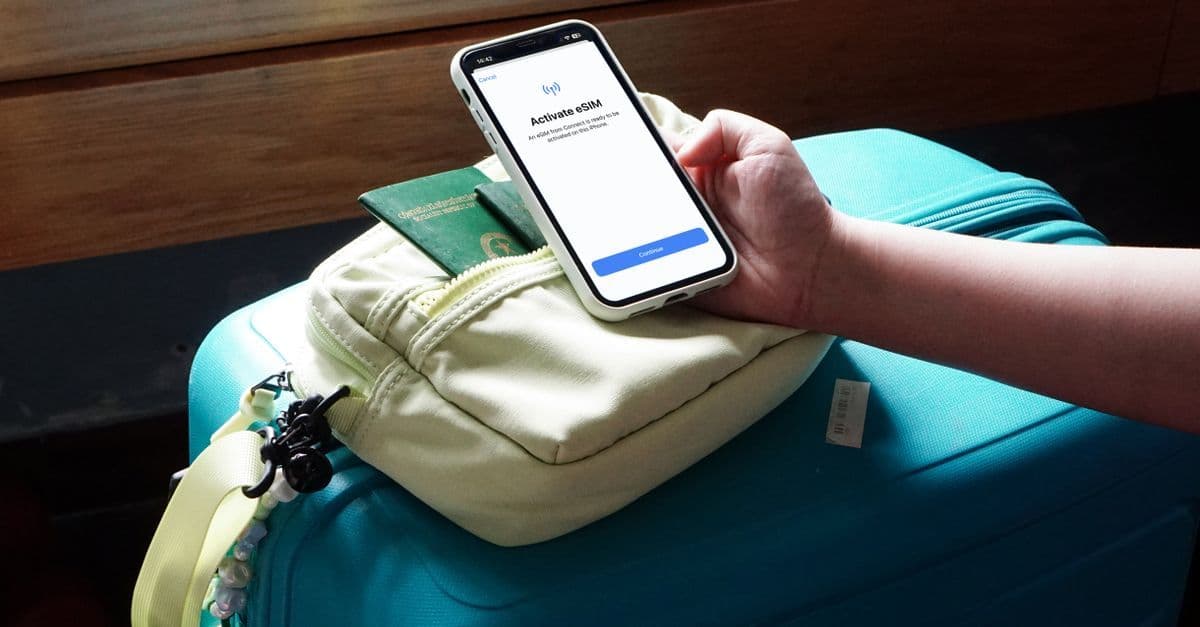
No. If your handset already supports eSIM, as most smartphones bought in or after 2018 do (covered in more detail above), you don't need to upgrade. The hardware is embedded in the device from the factory. You're not adding anything new; you're activating something that's been sitting dormant.
The catch most people miss is carrier locking. A phone purchased through EE, Vodafone, O2, or Three on a contract is often locked to that network at the software level. A third-party travel eSIM won't activate on a locked handset. Phones bought outright, direct from Apple, Samsung, or a retailer like John Lewis, are typically unlocked from the start.
That sounds like a headache. The fix is more straightforward than you'd expect.
UK carriers are legally required to unlock handsets after a contract ends, and most do it free of charge. Mid-contract, many networks will still unlock on request, sometimes at no cost at all. Check your carrier's unlocking portal or call their support line. The process typically takes between 24 and 72 hours, so factor that into your pre-trip planning.
Two quick checks before you buy a plan
For eSIM capability: on an iPhone, go to Settings > Mobile Data > Add eSIM. If the option appears, you're ready. On Android, the path sits under Connections or Network settings depending on the manufacturer.
For carrier lock status: insert a SIM from a different UK network. If the phone picks up a signal, it's unlocked. If it displays a "SIM not supported" message, contact your carrier before booking anything.
Older handsets bought before roughly 2018 to 2020, depending on the brand, don't carry eSIM hardware at all. No software update retrofits it. For those phones, a physical local SIM bought on arrival is the sensible, practical solution.

Reviewed by HelloRoam's editorial team. Last updated: 27 June 2026.
Get Connected Before You Go


Frequently Asked Questions
Yes, UK phones work abroad via carrier roaming, but since Brexit ended free EU roaming in 2022, charges now apply. Most networks charge a daily fee ranging from £1 to £5.99 in the EU.
EU roaming costs vary by carrier. EE charges around £2 per day, while O2 can charge up to £5.99 per day without the right bolt-on. A two-week trip can add £30 to £80 to your bill.
No. Free EU roaming for UK consumers ended in 2022 following Brexit. UK carriers now charge daily roaming fees for EU travel, typically ranging from £1 to £5.99 per day depending on your network.
A travel eSIM is a digital SIM profile downloaded to your phone via QR code before you travel. It activates in minutes, keeps your UK number active on your physical SIM, and provides data abroad without swapping cards.
Setting up a travel eSIM takes roughly five minutes. Buy a plan, receive a QR code by email, scan it in your phone's Settings, and configure which SIM handles calls versus data. Do this at home on Wi-Fi.
Most UK smartphones bought in the last four years support eSIM. Around 82% of phones sold in the UK in 2025 were eSIM-capable. Check Settings for an Add eSIM option to confirm your device is compatible.
eSIM support on iPhone runs from the iPhone XS and XR released in 2018 onwards. Dual eSIM arrived with the iPhone 13, and every iPhone 15 model includes it as standard.
Samsung Galaxy S20, Note 20, and Z Fold and Flip series from 2020 onwards support eSIM. A Samsung bought in 2020 or later at mid-range price or above almost certainly includes eSIM capability.
No. If your phone already supports eSIM, the hardware is embedded from the factory. Most smartphones bought in or after 2018 include it. You just need to confirm your handset is not carrier locked before activating.
Insert a SIM from a different UK network. If your phone picks up a signal, it is unlocked. If it shows a SIM not supported message, contact your carrier. UK carriers must unlock handsets free of charge after your contract ends.
Yes. With a dual SIM setup, your UK physical SIM stays active for calls and texts while the travel eSIM handles mobile data. Bank authentication texts and card codes all continue reaching your UK number.
Local SIMs are cheapest overall, especially for stays of three months or more. Travel eSIMs become more cost-effective from around day four onwards, particularly for multi-country itineraries.
For a two to three day trip, a carrier roaming bolt-on is the most convenient option. Some EU bolt-ons cost around £1 per day with no setup required. Check you have not used your annual fair-use allowance first.
A regional travel eSIM is the most practical choice for multi-country trips. One plan covers multiple countries on a single profile with no SIM swapping at borders, far simpler than buying separate local SIMs.
Fair-use caps limit roaming access to a set number of days or data volume per year. EE caps EU roaming at 62 days annually. Once exceeded, speeds drop significantly even while paying the daily rate.
On iPhone, go to Settings, then Mobile Data, then Add eSIM. Scan the QR code from your travel eSIM provider, confirm the installation, and the profile loads in under a minute. Do this at home on Wi-Fi.
Set your UK SIM as primary for calls and texts, designate the eSIM as your data line, and disable data roaming on your UK SIM to prevent unexpected carrier charges routing through your home network.
Pocket wifi suits groups of three or four travellers where splitting the rental cost can undercut individual plans. The drawback is carrying and charging a second device throughout your trip, which becomes tedious quickly.
Sources
- SIM Free Phones — argos.co.uk
- SIM Free Phones - Cheap Smartphone Deals — currys.co.uk
- Latest iPhones, Samsung Phones & more — carphonewarehouse.com