



What is an eSIM? The quick answer
An eSIM is a digital SIM card built directly into your phone's hardware. There's no plastic to slot in, no SIM tray to prise open with a paperclip, and no trip to a kiosk once you land. You download a data plan as a carrier profile, typically by scanning a QR code before you fly, and your phone connects to a local network abroad.
Your UK number stays fully active throughout. The eSIM runs a separate data profile alongside your existing SIM, so you're reachable on your normal number while routing data through a cheaper local plan.
Compatibility goes back roughly to 2018. Most iPhones from the XS onwards support it, as do a wide range of Android handsets from Samsung, Google, and others. Before purchasing a plan, check that your specific model is confirmed. HelloRoam's eSIM Compatible Devices page lists supported handsets by model, which saves a wasted purchase.
The setup is genuinely tidy: scan, download, activate. No queueing at arrivals. No fumbling with a SIM-swap tool at the gate.
But how does it actually work under the bonnet?
How does an eSIM actually work?

An eSIM stores carrier information as a digital profile on a chip called an eUICC (embedded Universal Integrated Circuit Card, the component that holds your SIM data). Instead of reading credentials off physical plastic, your phone reads them from this embedded chip. The GSMA's SGP.22 standard governs how profiles are delivered and stored, which is why an eSIM plan bought in London works identically on an iPhone 16 as it does on a Samsung Galaxy S25.
Here's where it gets interesting. Your phone can hold multiple carrier profiles simultaneously.
When you scan a QR code or install a profile through a provider's app, the carrier's details download directly onto the eUICC. The process takes roughly two minutes on a stable Wi-Fi connection. After installation, your phone's Settings menu shows the new profile sitting alongside your UK SIM. You choose which profile handles data, calls, or both.
On activation abroad, your handset broadcasts to local towers using the eSIM profile's credentials. The network authenticates your device and grants access. From that point, your phone behaves exactly as if it contained a local SIM. Data routes through local infrastructure rather than bouncing back through your UK carrier's systems, which is partly why dedicated eSIM plans undercut roaming rates so sharply.
The 'one active at a time' rule matters in practice. You can store several profiles: one for Europe, one for Asia, your UK plan as the default. Only one handles data at any given moment, though switching takes a few taps in Settings. No ejector tool. No rummaging for that tiny plastic tray.
One detail to check before buying: not every eSIM plan includes VoLTE (voice calls over 4G). If you need to make calls through the eSIM line rather than your UK number, verify the plan spec before purchasing. Most data-only travel eSIMs route calls back to your primary UK SIM anyway, which is usually exactly what you want.
Install the profile at home, on your own Wi-Fi, before you fly. It sits dormant until you land and switch it on. Connectivity isn't something you sort in the arrivals hall, surrounded by jet-lagged passengers and dodgy airport Wi-Fi.
The mechanics are solid. How does an eSIM stack up against a physical SIM, or just leaving your UK plan running abroad?
eSIM vs physical SIM vs roaming: the honest comparison
eSIMs are typically cheaper than carrier roaming, faster to set up than a physical SIM from a kiosk, and the only option that lets you activate data before you board. The landscape shifted after Brexit, when several major UK carriers reintroduced EU roaming charges, and what had once felt like a minor admin detail started showing up as a real line item on the statement.
Three's Go Roam remains the notable exception among UK carriers: EU roaming comes without a daily surcharge, though a fair-use data cap applies and speeds throttle once you hit it. For a long weekend in a city with decent hotel Wi-Fi, it's workable.
That calculation falls apart the moment you land in a second country, or your trip stretches past a week.
A physical SIM from an airport kiosk or local shop is often the cheapest option per gigabyte once you're on the ground. The catch is the arrival experience: find the kiosk, queue, configure the APN (your phone's network gateway setting), all while jet-lagged and working out which way the baggage carousel turns. Your UK number goes offline while that SIM sits in the tray, which creates a gap precisely when banks tend to send verification texts.
Travel eSIMs sidestep that entirely. Configure on the sofa, fly, land connected. The surprise for most travellers: a single regional eSIM plan can cover Spain, Portugal, and France in one purchase without touching the SIM tray. Those tracking holiday spending through Monzo or Revolut typically find the predictable flat cost far easier to budget against than variable daily roaming charges that surface on the statement three days after the trip ends.
For anything longer than a long weekend or crossing more than one border, a dedicated travel eSIM is the more sensible choice on both cost and convenience grounds.
Next up: how to choose the right plan and get it installed before you head to the airport.
How to activate a travel eSIM before you fly
Activating a travel eSIM is a five-step process you can complete from your sofa, days before departure. Buy a plan online, receive a QR code by email, scan it in your phone's settings, assign the eSIM as your data line, and keep your UK SIM active for calls. Ten minutes. No kiosk queue, no plastic.
Here's how to do it without the usual friction.
Step 1: Buy your plan before you leave the UK
Purchase your data plan online before travel day. Your confirmation email arrives with a QR code, usually within minutes of purchase. Check the delivery window in the plan terms: some providers take a few hours, particularly for less common destinations.
Step 2: Scan the QR code in Settings
On iPhone, go to Settings > Mobile Service > Add eSIM. On Android, the path varies by manufacturer: on Samsung, try Connections > SIM Manager > Add Mobile Plan. Tap to scan the QR code from your confirmation email. The eSIM profile downloads directly to your handset.
Step 3: Label it clearly
When prompted, name the new plan something obvious: 'Travel data', 'Japan trip', or just the destination country. You'll thank yourself later when toggling between lines in a crowded airport terminal. On most phones, you can also set per-line defaults at this stage, choosing which SIM handles calls and which handles data.
Step 4: Assign it as your primary data line
Set the travel eSIM as your default data SIM. Keep your physical UK SIM active for calls and texts. That dual-SIM setup means bank verification texts still reach your UK number while your data routes through the local plan.
Step 5: Activate on departure day
Don't turn the eSIM on a week before you fly. Many plans start counting validity the moment the eSIM is activated, not when your flight lands. Switch it on the morning you depart for the cleanest use of your validity window.
One more thing: do all of this while you're still on home Wi-Fi. Some plans need a live data connection to complete the profile installation, and airport Wi-Fi is patchy enough to cause genuine problems.
Setup sorted. What should the plan itself actually include?
What makes a good travel eSIM plan?
A good travel eSIM plan routes data through the destination's leading mobile networks, states its speed limits plainly, and confirms hotspot support in the terms. Validity period and support access round out the five criteria that separate a plan worth buying from a frustrating one.
Coverage tier
Not all networks in a country carry equal weight. Plans running through an MNO (mobile network operator, the carrier that owns the physical masts) generally hold up better in rural areas and at congested venues than plans relying on an MVNO (mobile virtual network operator, which purchases and resells capacity from an MNO). The network name in your plan's small print is the one to check against a coverage map before you commit.
Fair-use limits
Post-Brexit, UK travellers have had a rude education in what 'roaming included' actually means. EE Roam Abroad and Vodafone UK's roaming bolt-ons both carry fair-use thresholds that throttle speeds once breached, often not mentioned prominently in the plan overview.
Vague is a red flag.
A credible eSIM plan names the throttle threshold on the plan page itself. If you have to hunt for it, that tells you something about how the provider wants you to discover it.
Hotspot and tethering
If you plan to share data with a laptop or a travel companion, confirm tethering is explicitly included in the plan terms before purchase. Some plans block it entirely. Some throttle hotspot traffic more aggressively than direct on-device use. The terms will say: check before you buy, not after you land.
Validity period
Match the plan to your trip length. A 7-day plan on a 10-day holiday forces a top-up mid-trip, which typically costs more per gigabyte than sizing correctly from the start. Three's Feel At Home includes international data within a UK monthly allowance, but that's a domestic carrier perk, not a standalone plan you can shape around a specific trip. At the other end, a 30-day eSIM bought for a 5-day city break is rarely good value. Most providers offer 7-day, 15-day, and 30-day tiers at minimum.
Support channel
A problem with eSIM activation hits particularly hard when you're standing in an unfamiliar airport with no signal. A plan backed by live chat or a phone line is a different proposition from one that routes all queries through a ticket queue with a 48-hour turnaround. Time zones make that gap worse than it sounds.
One practical question tends to come first, though.
Is my phone compatible with an eSIM?
Most smartphones sold since 2018 support eSIM hardware, but two conditions need to be true before a third-party eSIM profile will install. The handset must carry the eUICC chip (embedded universal integrated circuit card, the component that stores digital SIM profiles) and it must be unlocked from your network. Hardware alone gets you halfway.
Myth: a new phone means automatic eSIM support
Not exactly. A handset bought through EE, Three, or Vodafone UK on a contract may reject a third-party eSIM profile even when the hardware is present, if the carrier lock is still active. Phones bought outright from Apple, Google, or Samsung directly are almost always unlocked from purchase. Carrier-shop handsets need a quick check before you assume.
Which handsets support eSIM?
The main models, confirmed as of mid-2026:
- iPhone XS (2018) and all later models carry native eSIM support. UK iPhone 14 and later models use a dual-physical-and-digital-SIM design, unlike the US versions, which dropped the physical tray entirely.
- Samsung Galaxy S20 and later carry eSIM support, as do the Galaxy Z Fold and Z Flip foldable ranges.
- Google Pixel 3 and later support eSIM, with Pixel 6 onwards offering a particularly clean activation experience.
The list of compatible handsets expands with each product cycle, so the manufacturer's specification page is the most reliable reference if your model isn't named here.
Myth: 'I already checked and my phone doesn't have it'
This is where people get caught. Some handsets launched without eSIM access and gained it later through a firmware update. The definitive check is in Settings. On iPhone: Settings > Mobile Service > Add eSIM. On Samsung: Settings > Connections > SIM Manager > Add Mobile Plan. If the option appears, the hardware is confirmed and the device is likely unlocked.
What about carrier-locked handsets?
Most phones sold in the UK since late 2021 come unlocked by default, following Ofcom's update to its general conditions requiring it. Older handsets, or those bought on contract deals before that, may still carry a carrier lock. If yours does, contact your network before you travel. The unlock is free of charge once your minimum term is met, and most UK networks turn requests around within a few business days.
Phone confirmed. But what if data runs dry mid-trip?
What happens if I run out of data abroad?
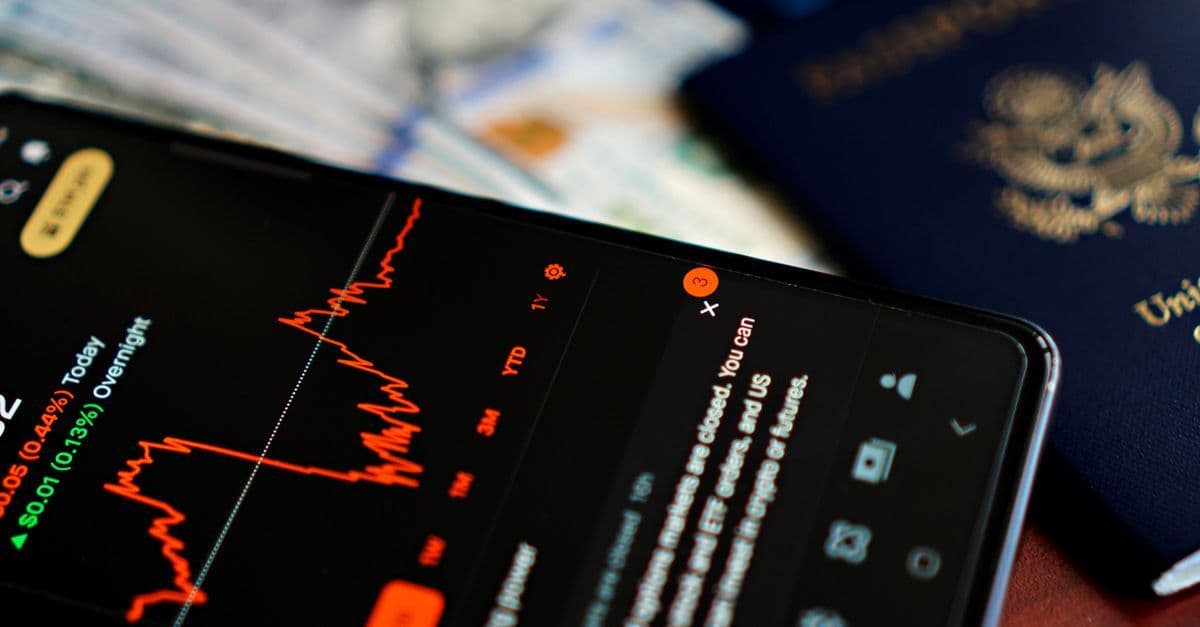
Running out of data on a travel eSIM doesn't trigger a surprise bill. Most plans pause your connection when the allowance is spent, rather than switching to per-megabyte charges. Post-Brexit, EE and Vodafone UK both reintroduced EU roaming charges for many customers, which makes that 'data paused, not billed' behaviour a considerable step up from the bog-standard carrier approach.
Topping up is straightforward. Open the provider app, buy an additional bundle or a fresh plan, and the new data activates on the same eSIM profile already installed in your handset. If you track travel spending through Monzo or Revolut, the top-up clears instantly at the live rate. No queue at an airport kiosk. No hunting down a local newsagent that stocks the right SIM. The whole process takes a few minutes, whether you're sitting in a hotel lobby in Lisbon or waiting on a platform at Amsterdam Centraal.
Your physical UK SIM keeps working throughout. Incoming calls and texts continue arriving on your British number even when data is exhausted. That matters more than most people expect: bank two-factor authentication codes, hotel booking confirmations, an airline SMS if your return flight changes. Your UK number stays reachable wherever you are.
Preparation before departure removes most of the friction entirely.
Download offline maps for your destination while still at home, save boarding passes to your phone's Wallet app, and screenshot any hotel addresses or taxi numbers you'll need without a connection. A depleted data allowance becomes a minor inconvenience rather than a proper headache when the essentials are already cached locally.
HelloRoam offers round-the-clock support for mid-trip queries, which proves useful if you're unsure which top-up option suits the rest of your stay, or if something unexpected crops up in an unfamiliar time zone.
Running dry abroad is now a practical bump, not a financial emergency. Managing the fallout takes minutes, not hours. That shifts the real question to something more useful: how much data do you actually need for the kind of trip you're planning?

Reviewed by HelloRoam's editorial team. Last updated: 14 July 2026.
Get Connected Before You Go


Frequently Asked Questions
A travel eSIM is a digital SIM card built into your phone's hardware. You download a data plan before you fly, scan a QR code, and connect to a local network abroad without swapping physical SIMs.
Your phone stores carrier profiles on an embedded chip called an eUICC. Scanning a QR code downloads the carrier's details onto this chip in about two minutes. Your phone then authenticates with local towers using those credentials.
Most smartphones sold since 2018 support eSIM. iPhone XS and later, Samsung Galaxy S20 and later, and Google Pixel 3 and later are confirmed compatible. The device must also be network-unlocked to use a third-party eSIM profile.
Yes. A travel eSIM runs as a separate data profile alongside your UK SIM. Your British number stays fully active for calls and texts while data routes through the cheaper local plan abroad.
Travel eSIMs are typically cheaper than carrier roaming. After Brexit, major UK carriers reintroduced EU roaming surcharges. A travel eSIM routes data through local networks, bypassing those charges entirely.
Buy a plan online, then scan the QR code from your confirmation email in Settings. On iPhone, go to Settings > Mobile Service > Add eSIM. Set it as your default data line and keep your UK SIM active for calls and texts.
Switch it on the morning you depart, not days before. Many plans start counting their validity window from the moment the eSIM is activated, not when your flight lands, so timing matters.
Most travel eSIM plans pause your connection when the allowance is spent rather than charging per megabyte. You can top up through the provider app and the new data activates on your existing eSIM profile within minutes.
Hotspot and tethering support varies by plan. Some plans block it entirely, others throttle hotspot traffic more aggressively than direct device use. Always check the plan terms for explicit confirmation before purchasing.
Yes. Your phone must be both eSIM-capable and unlocked from your carrier. Most UK phones sold since late 2021 come unlocked by default. Contact your network to unlock older or contract handsets — it is free once your minimum term is met.
Yes. Install the profile at home on your own Wi-Fi, days before departure. It sits dormant until you activate it on travel day. This avoids unreliable airport Wi-Fi and ensures you land already connected.
Yes. Regional travel eSIM plans cover several destinations in a single purchase, letting you cross borders without buying separate plans or touching your SIM tray for each country visited.
Look for a named network tier, a clearly stated fair-use throttle threshold, confirmed hotspot support, a validity period matching your trip length, and access to live customer support in case of activation issues.
A travel eSIM lets you arrive already connected and keeps your UK number active throughout. A local SIM may cost less per gigabyte but requires queuing at a kiosk on arrival and takes your UK number offline while in use.
Yes. Your phone can store multiple carrier profiles simultaneously — one for Europe, one for Asia, and your UK plan as default, for example. Only one profile handles data at a time, but switching takes a few taps in Settings.
On iPhone, go to Settings > Mobile Service > Add eSIM. On Samsung, try Settings > Connections > SIM Manager > Add Mobile Plan. If the option appears, your hardware is confirmed and your device is likely carrier-unlocked.
Most travel eSIMs are data-only plans. Calls route back to your primary UK SIM, which is usually preferable. If you need to make calls through the eSIM line, verify that the plan explicitly includes VoLTE before purchasing.