


HelloRoam provides an eSIM for Manila, with plans from ₹273.15 per day. Your e SIM taps into local 4G/5G networks as soon as you land, ready to use. Scan the QR code before departure, and your Jio, Airtel, or Vi number stays active for calls. Your e-sim manages travel data at local rates, with no hidden charges from HelloRoam. Setup takes under two minutes, backed by 24/7 WhatsApp support.
- carrier networks
 212+
212+- 5G support
 5G
5G- QR activation
 under 2 minutes
Last updated
Your eSIM Manila Philippines Plan with Nationwide Coverage
Affordable eSIM for Manila, starting from ₹273.15. Local 4G LTE and 5G data on top carrier networks in Manila. Works on all eSIM compatible phones including OnePlus, Samsung, and iPhone. eSIMs Manila plans from HelloRoam run on SMART and Globe 5G networks from ₹273.15. Indian travellers activate via QR code from Delhi or Mumbai before departure. No physical SIM card is needed on arrival. Data is live from landing with transparent pricing and no hidden charges.
Manila eSIM with fast 5G coverage
Manila is the Philippines capital and a growing destination for Indian business travellers and tourists exploring Southeast Asia. Connecting flights from India serve Ninoy Aquino International Airport (MNL) via Singapore or Dubai. Globe Telecom, Smart/PLDT, and DITO run 4G LTE and 5G across Metro Manila. Plans start at ₹273.15.
- Plans start at ₹273.15 with 5G speeds
- Coverage from SMART and 1+ other operators
- Instant activation in under 2 minutes
- 180-day money-back guarantee
- Manila coverage across major cities
- Network
- 5G
- Plans From
- ₹273.15
- Activation
- Under 2 min
- Guarantee
- 180 days
How to Set Up an eSIM in Manila
Follow these steps to start using an eSIM on your iPhone or Android before travelling abroad.
Set up an eSIM on your iPhone with the HelloRoam app
Set up an eSIM on your Android with the HelloRoam app
- 1
Choose your plan and checkout online
Pick a data plan for your destination and complete your purchase online.
 2
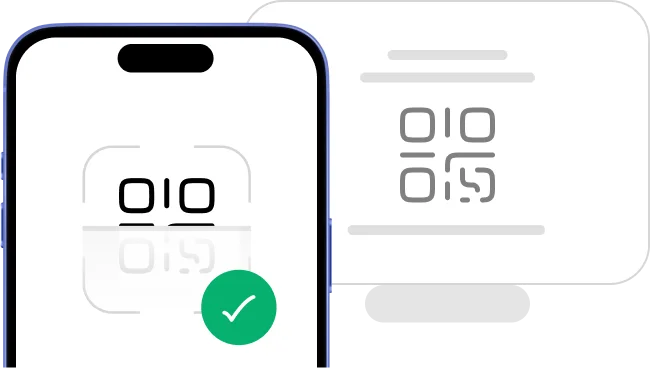
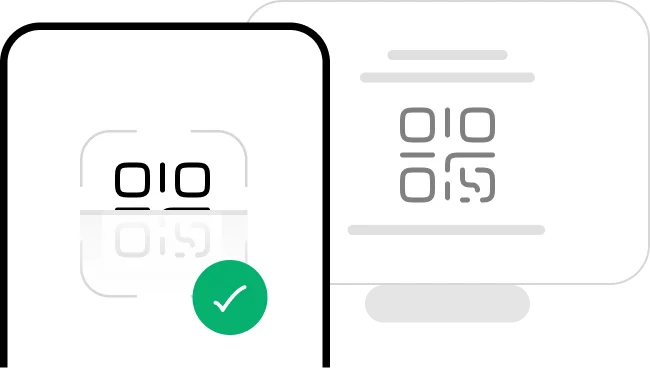
2Scan the QR code from your email
Scan the QR code from your confirmation email to install your eSIM.
- 3
Activate in minutes: ready when you land
Your eSIM installs in minutes and activates on arrival at your destination.
 4
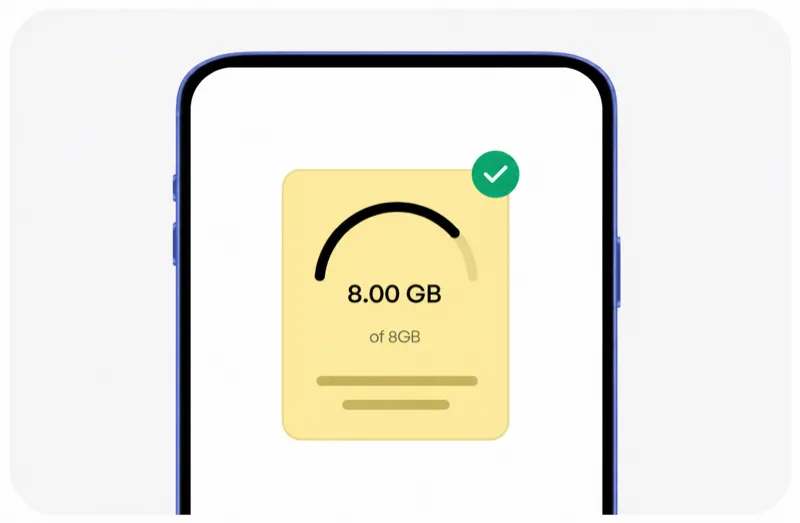
4Manage everything from the HelloRoam app
Monitor data usage, top up when needed, and manage all your eSIMs in one place.




Trip changed? No worries, we have got you covered!
Plans can change, and that is perfectly fine. With HelloRoam, you can request a full refund for an unactivated eSIM within 180 days of purchase. Once activated, the eSIM is not refundable.
Learn more about our refund policyHelloRoam Manila eSIM vs Jio, Airtel and Vi Roaming
When you compare a Manila eSIM against a travel SIM card or carrier roaming pack, HelloRoam delivers better value. Jio international roaming costs ₹575 per day. Airtel World Roaming costs ₹596 per day. Vi’s ₹2,999 pack covers just 24 days in select countries. For Indian travellers looking for the most affordable eSIM option, HelloRoam plans start from ₹273.15 with a 180-day refund window on unactivated eSIMs, zero activation fees, and no hidden charges. No airport SIM counter. No carrier contract.
| Feature comparison | HelloRoam | Jio / Airtel roaming | Limited data eSIM |
|---|---|---|---|
| 180-day refund policy |  Feature available Feature available |  Feature not available Feature not available | Feature not available |
| 24/7 live chat support | Feature available |  Feature available Feature available | Feature available |
| Zero activation fees | Feature available | Feature not available | Feature available |
| Keep your Jio or Airtel number active (dual SIM) | Feature available | Feature not available | Feature not available |
| No data overage charges | Feature available | Feature not available | Feature not available |
| Instant QR code delivery by email | Feature available | Feature not available | Feature available |
| Premium Manila carrier networks | Feature available | Feature not available | Feature not available |
Why Indian Travellers Choose HelloRoam for Mobile Data in Manila

24/7 WhatsApp and live chat support
Our support team is available 24/7 on WhatsApp, live chat, and email. A real person responds in under 2 minutes. No automated bots, no long hold queues, no waiting on the Jio or Airtel helpline for an agent. Whether you are troubleshooting a data connection in a busy Dubai market or need a top-up reminder mid-trip, our agents handle it instantly so your travel stays uninterrupted.

The best SIM card for Manila travel
Buy your plan before departure, scan the QR code, and get local 4G LTE or 5G data the moment you land in Manila. No roaming charges from Jio, Airtel, or Vi, and no SIM swap needed. Works on any eSIM compatible phone. Indian travellers consistently rate it among the best prepaid mobile data options available for international trips, offering local network speeds at a fraction of carrier roaming costs.

Keep your Jio or Airtel number active
Use HelloRoam for travel data in Manila and keep your Jio, Airtel, or Vi SIM active for calls and messages back home. Both lines run at the same time on one phone at no extra cost. This dual SIM setup is especially useful for receiving OTPs, banking alerts, and family calls on your Indian number while your travel eSIM handles maps, WhatsApp video, and streaming abroad.

212+ carrier networks including Manila
HelloRoam connects to 212+ carrier networks across 185+ countries. Your phone selects the strongest 4G/5G or 5G signal on arrival, the same way a local resident's phone does. No manual network selection required. This automatic carrier switching means you get consistent mobile data whether you are at an international airport, a city hotel, or a highway rest stop far from the city centre.

Low-data alerts so you never run out
HelloRoam sends a notification when you reach 80% of your Manila data allowance. You can top up instantly from the app without reinstalling your eSIM or scanning a new QR code. No surprise data cut-offs mid-trip. This prepaid recharge system works the same way as topping up a Jio or Airtel prepaid account at home, just faster and with no store visit needed.

Local 4G/5G network speeds
Your Manila eSIM connects to local 4G LTE and 5G networks from the moment you land. Tourist areas, airports, and city centres all get the same fast, reliable speeds. HelloRoam picks the strongest available signal automatically so maps, WhatsApp video calls, and streaming work without manual setup. Unlimited data plans are available for longer stays. Business travellers benefit from consistent high-speed connectivity for video conferences and cloud applications, removing the risk of slow hotel Wi-Fi on critical workdays abroad.

Regional and global plans in one purchase
Planning to visit Dubai, Singapore, Thailand, the UK, or multiple countries in one trip? HelloRoam regional eSIM plans cover Southeast Asia, Europe, and the Middle East in a single purchase across 185+ countries. A single regional plan removes the need to buy a new eSIM at each border crossing, which makes multi-country itineraries far simpler and significantly cheaper than purchasing individual local SIM cards at every airport.

Hotspot sharing in Manila, no extra charge
Share your Manila eSIM data with a laptop or tablet via your phone hotspot at no additional charge. Works on all eSIM compatible phones including iPhone, Samsung Galaxy, OnePlus, and Xiaomi flagships. For families travelling together, one person with a larger data plan can share the connection with other devices, making it an economical option for group trips where everyone stays connected without each buying a separate plan.
Best SIM Card Prices for Manila
HelloRoam, the best SIM card Manila. Compare plans and save versus Jio, Airtel, and Vi roaming.
| Number of days | Price |
|---|---|
| 1 day | ₹364.52 |
| 3 days | ₹1,039.31 |
| 7 days | ₹2,245.18 |
| 15 days | ₹4,374.24 |
| 22 days | ₹5,934.16 |
| 30 days | ₹7,436.02 |
HelloRoam vs Other eSIM Providers for Manila
Indian travellers searching for the best eSIM for Manila consistently rate HelloRoam for its industry-leading refund policy, zero activation fees, and 24/7 WhatsApp support. See how HelloRoam compares to Airalo, Holafly, Saily, and other providers on the features that matter most when travelling abroad from India.
| Feature comparison | HelloRoam | Airalo | Holafly | Nomad | Saily | Ubigi |
|---|---|---|---|---|---|---|
| 180-day refund policy | Feature available | Feature not available | Feature not available | Feature not available | Feature not available | Feature not available |
| 24/7 live chat support | Feature available | Feature available | Feature available | Feature not available | Feature available | Feature available |
| ₹0 activation fees | Feature available | Feature not available | Feature available | Feature not available | Feature not available | Feature not available |
| Keep your Jio or Airtel number active (dual SIM) | Feature available | Feature not available | Feature not available | Feature not available | Feature not available | Feature not available |
| No data overage charges | Feature available | Feature not available | Feature available | Feature not available | Feature not available | Feature not available |
| Instant QR code delivery | Feature available | Feature available | Feature available | Feature available | Feature available | Feature available |
| Premium Manila carrier networks | Feature available | Feature not available | Feature not available | Feature not available | Feature not available | Feature not available |
| Own branded carrier identity (SPN) | Feature available | Feature not available | Feature not available | Feature not available | Feature not available | Feature available |
What Is an eSIM? How a Travel eSIM Works in Manila
An eSIM card is a digital SIM built directly into your mobile phone. There is no plastic chip and no SIM tray to open. Scan a QR code to activate your eSIM in under 2 minutes on any eSIM compatible iPhone or Android. It works as a prepaid mobile data plan for Manila travel with no airport SIM counter queue, no replacement SIM card, and no carrier contract. Keep your Jio, Airtel, or Vi number active in dual SIM mode while HelloRoam handles your international data. Follow the step-by-step setup guide to get connected before your flight from Delhi IGI or Mumbai CSIA. guide


Manila eSIM coverage guide for Indian travellers
Metro Manila has good 4G LTE and growing 5G coverage across Makati, BGC, Ortigas, and MNL Airport. Indoor coverage in malls (SM Mall of Asia, Greenbelt) is strong. Remote provinces outside Metro Manila have reduced signal. Your HelloRoam eSIM connects on Globe or Smart on arrival.
- HelloRoam connects to SMART 5G, Globe 5G in Manila
- 4G LTE and 5G across Makati CBD, BGC, and Metro Manila
- Ninoy Aquino International Airport (MNL) covered
- Indian passport holders: 30-day visa-free entry
eSIM Travel Tips for Manila
Install your eSIM before your connecting flight to Manila
Flights from India connect to Manila via Singapore, Kuala Lumpur, or Dubai. Install your HelloRoam Philippines eSIM at home. Globe or Smart activates when you land at MNL. Book your Grab ride from Terminal 3 arrivals.
Indian passport holders get visa-free entry to Philippines
Indian passport holders can enter the Philippines visa-free for 30 days. No advance visa is required. Carry a valid passport (at least 6 months beyond your stay) and proof of onward travel.
Grab is the main ride app in Metro Manila
Grab operates extensively in Metro Manila for cars, motorcycles (GrabBike), and food delivery. Traffic in Manila can be severe. Grab is the most reliable way to navigate. Your HelloRoam eSIM provides the data you need for Grab throughout your Manila stay.
BGC is Manila's best area for modern urban experience
Bonifacio Global City (BGC) in Taguig is Manila's most modern and walkable business and entertainment district. It has excellent 4G and 5G coverage and is very safe for Indian business travellers. High Street BGC, Uptown Mall, and SM Aura are all in this area.
Download offline maps as Metro Manila traffic is heavy
Metro Manila traffic is notorious and journey times can be unpredictable. Download offline Google Maps before exploring so you can navigate even during network congestion. Your HelloRoam eSIM provides data for real-time navigation throughout the city.
Manila mobile network coverage for Indian travellers
Globe Telecom and Smart (PLDT) both provide 4G LTE and 5G across Metro Manila. Coverage is strong in Makati CBD, BGC (Bonifacio Global City), Ortigas, Manila Bay area, and Ninoy Aquino International Airport (MNL). DITO Telecommunity is a newer carrier with growing coverage in urban areas.
- SMART

- 5G
- Globe

- 5G
Manila eSIM vs local Philippines SIM vs Jio/Airtel roaming
Data options for Indian travellers visiting Manila.
| Category | HelloRoam eSIM Recommended | Local Philippines SIM (Globe/Smart) | Jio/Airtel/Vi international roaming |
|---|---|---|---|
| Typical cost | From ₹273.15 total | ₹475.87–₹2,379.37 total | ₹475.87–₹1,427.62/day |
| Details | Plans start at ₹273.15. Buy before your flight. Land at MNL already connected. No SIM registration at the airport counter. | Local SIMs at MNL cost PHP 300 to 700 (roughly ₹450 to ₹1,050). Registration with SIM card registration law required since 2023. Keep your SIM registered or it will be deactivated. | Jio international roaming for Philippines starts around ₹575 for 1 GB over 3 days. A 7-day Manila trip can cost ₹1,500 to ₹4,000 in roaming charges. |
Prices approximate as of . Actual savings vary.
Best time to visit Manila from India
November through May is the best period, with temperatures of 26C to 33C and relatively lower rainfall. December and January are the coolest and driest months, popular with Indian families during the holiday season. June through October is the typhoon season with potential heavy rains and storms. Metro Manila is generally accessible year-round but outdoor island trips (Boracay, Palawan) are best avoided during typhoon season.

NAIA (Ninoy Aquino International Airport) has four terminals spread across Pasay and Parañaque. All terminals have 4G coverage. Terminal 3 has the strongest indoor signal. Your HelloRoam eSIM connects as soon as your phone detects the local network.
MRT-3 runs elevated above EDSA highway from Taft Avenue to North Avenue with 4G at all above-ground stations. LRT-1 and LRT-2 also run elevated with outdoor coverage at stations. The PNR commuter rail has 4G at platforms.
Jeepneys and buses on EDSA and main roads have outdoor coverage throughout city routes. Indian travellers should activate their eSIM before the flight so navigation and ride-hailing apps work on arrival.
Top Attractions in Manila
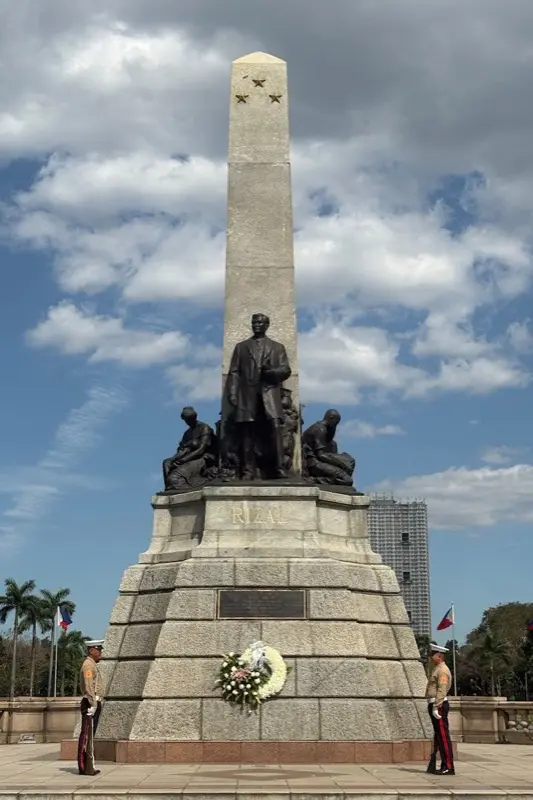
Rizal Monument Luneta Rizal Park
The Rizal Monument in Luneta Park honors national hero Jose Rizal in Manila. Use HelloRoam eSIM to stay connected.

Visit the park on Sunday morning when local families gather for activities.

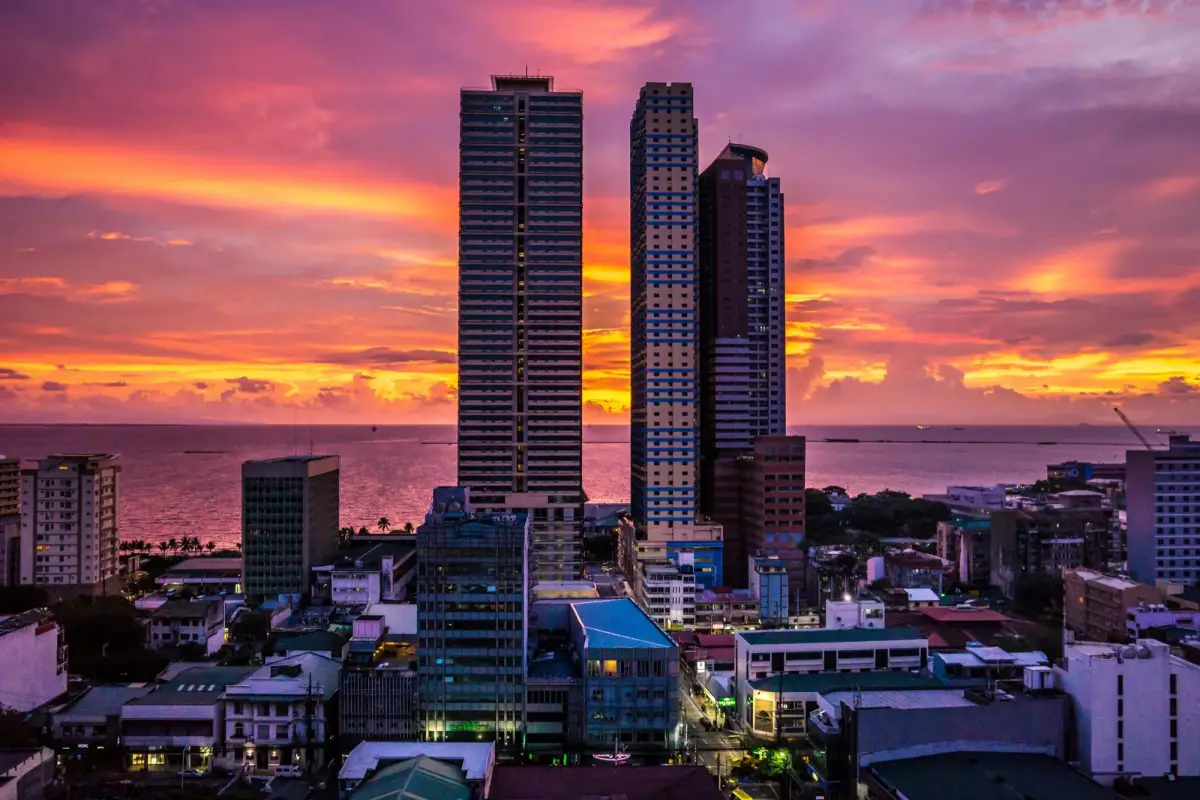
Manila Bay Roxas Boulevard Skyline At Dusk
Manila Bay at sunset from Roxas Boulevard is one of the city's most famous views. Use HelloRoam eSIM to stay connected.
Watch the sunset from the Baywalk area for the full golden hour over the bay.
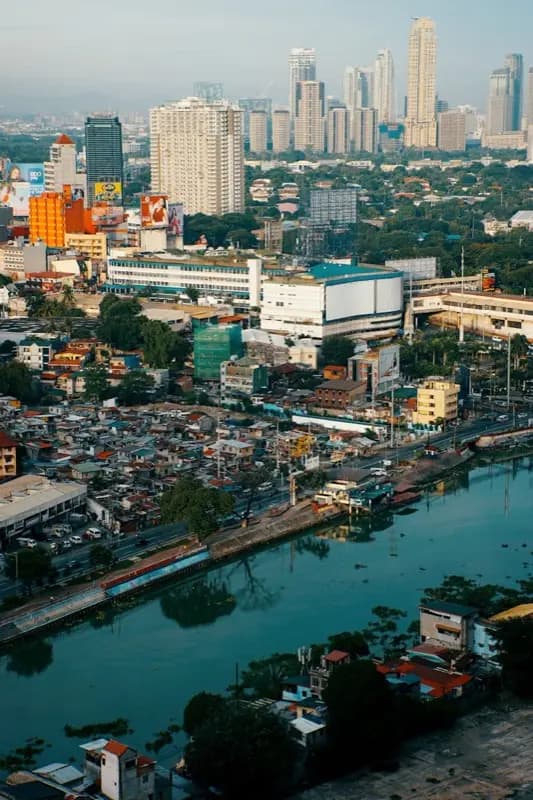
Pasig River And Manila Skyline Ortigas Bgc Corridor
The Pasig River flows through Manila with the modern Ortigas and BGC towers rising above. Use HelloRoam eSIM to stay connected.
Take the Pasig River ferry for a unique view of the city's two sides.
Showing slide 1 of 3
Reviews
What Our Customers Say
Real reviews from Trustpilot and the App Store, quoted as written.
40k+ travellers have used HelloRoam
Cat
On a trip to Europe, my hotel Wi-Fi was so slow and outside Wi-Fi was unreliable. I couldn’t take it anymore so I got helloroam for a few days. It was tricky to set up correctly because of the primary settings (with my original number). But I reached out to their customer service via WhatsApp. Super responsive and helpful, with specific and clear steps to troubleshoot. Appreciate having 4G roaming instead of being stuck with in and out Wi-Fi during my trip!!
Rated 5 out of 5 by this reviewer

Very good experience! The eSIM was easy to set up and worked great in London. It was much cheaper than it would have been to use my own operator there.
Ilona
Rated 5 out of 5 by this reviewer
metulker
Hard to set up but help was good
Rated 5 out of 5 by this reviewer
Reuben
Really happy with HelloRoam. Everything worked as expected, from messaging and Google Maps through to streaming without any issues. Easy to use, reliable and affordable. Would happily use them again when travelling.
Rated 5 out of 5 by this reviewer

Angeline
Reliable connection. Reasonable pricing.
Rated 4 out of 5 by this reviewer
Last updated
Manila eSIM Questions Answered
How much does a Manila SIM card cost from India?
HelloRoam e SIM Manila plans start at ₹273.15 on SMART and Globe 5G networks. Activate via QR code before departure from India. No physical SIM card is needed and no Airtel or Jio roaming charges apply.
Which e SIM Manila plan suits Indian business visitors to BGC and Makati?
An e-sim Manila plan from HelloRoam delivers 5G data on SMART and Globe networks from ₹273.15. QR code activation takes minutes from India. No hidden charges and no contract on any purchase.
Which eSIM is best for Manila travel from India?
HelloRoam is a top-rated eSIM for Manila for travellers departing from India. Plans start from ₹273.15, which is far below Jio international roaming at ₹575 per day or Airtel World Roaming at ₹596 per day. Before your flight from Delhi IGI (IGIA), Mumbai CSIA (BOM), Bengaluru Kempegowda (BLR), Hyderabad Rajiv Gandhi (HYD), Chennai (MAA), or Kochi (COK) airport, scan a QR code in your phone settings and the eSIM is ready the moment you land. You get local 4G/5G speeds, a 180-day refund window on unactivated eSIMs, and 24/7 WhatsApp support. No carrier contract, no hidden charges, no bill shock.
How much does a Manila eSIM cost compared to Jio and Airtel roaming?
eSIM plans for Manila start from ₹273.15. Compare that with Jio international roaming at ₹575 per day, Airtel World Roaming at ₹596 per day, or Vi's ₹2,999 pack for just 24 days in select countries. For a 7-day trip, Jio roaming costs around ₹4,025 and Airtel costs around ₹4,172. A HelloRoam plan for the same trip typically costs a fraction of that, with no daily billing and no BSNL international rates either. Pay by UPI, Google Pay, debit card, or credit card.
Which networks does a eSIM use in Manila?
eSIM in Manila connects to local 4G/5G carrier networks. Your phone selects the strongest available signal automatically on arrival, the same way a local resident's phone does. Coverage spans major cities, airports, highways, and popular tourist areas. No manual APN setup required. HelloRoam partners with hundreds of carrier networks across 185+ countries. For travellers used to Jio or Airtel coverage in India, the local network speeds in Manila are often comparable or better in urban areas.
How do I buy a Manila eSIM before flying from India?
Getting a Manila eSIM before your flight from India takes three steps. First, visit helloroam.com, search Manila, pick a plan, and pay by UPI, Google Pay, or card. Second, open your confirmation email and scan the QR code in your phone settings under Add eSIM. Third, your eSIM installs in under 2 minutes and activates automatically when you land. No airport kiosk, no SIM counter at Delhi IGI or Mumbai CSIA, no waiting in a queue after a long flight.
Does iPhone work with a Manila eSIM for Indian travellers?
Yes. iPhone XS and all newer models work with eSIM in Manila. Go to Settings, tap Cellular or Mobile Data, then Add eSIM, and scan the QR code from your HelloRoam email. Your Jio or Airtel number stays active through dual SIM while HelloRoam handles your travel data in Manila. No carrier unlocking is needed for iPhones purchased directly from Apple in India. For iPhones bought on a carrier plan, do check with Jio or Airtel for unlock eligibility.
Does eSIM work in Manila for Indian travellers?
A HelloRoam Philippines eSIM works across Metro Manila on Globe Telecom and Smart/PLDT 4G LTE networks. Install via QR code before flying and arrive at MNL already connected. Plans start at ₹273.15. HelloRoam eSIM for Manila connects to Globe Telecom / Smart (PLDT) with 4G LTE coverage across major tourist and urban areas. Plans start from ₹273.15. Activate by scanning a QR code before departure. No physical SIM card or airport queue needed.
Do Indian passport holders need a visa for Philippines?
Indian passport holders can enter the Philippines visa-free for 30 days. Carry a valid passport and proof of onward travel or return to India. Extensions beyond 30 days require applying to the Bureau of Immigration in Manila. Check the current entry requirements for Manila on the official embassy website or your government's travel portal before departure, as regulations change. Store digital copies of travel documents in the cloud so you can access them through your HelloRoam data connection while traveling.
Can I use WhatsApp calls in Philippines?
Yes. Philippines has no VoIP restrictions. WhatsApp, FaceTime, and Google Meet all work on your HelloRoam eSIM throughout Manila. HelloRoam eSIM for Manila connects to Globe Telecom / Smart (PLDT) with 4G LTE coverage across major tourist and urban areas. Plans start from ₹273.15. Activate by scanning a QR code before departure. No physical SIM card or airport queue needed.
How much data do I need for a week in Manila?
A week in Manila using Grab, Google Maps, WhatsApp, and social media typically uses 3 to 5 GB. SM Malls and many cafes in BGC have free Wi-Fi. For a week of typical travel (Google Maps navigation, WhatsApp messages, and social media) you need 3 to 5 GB. If you stream video or make video calls daily, choose a 8 to 10 GB plan. The HelloRoam app shows your remaining data balance in real time.
Does HelloRoam eSIM cover Boracay and Palawan?
Yes. A HelloRoam Philippines eSIM covers the whole country including Boracay, Palawan (El Nido, Puerto Princesa), and Cebu. Coverage on island beaches varies but main tourist areas have 4G. HelloRoam eSIM for Manila connects to Globe Telecom / Smart (PLDT) with 4G LTE coverage across major tourist and urban areas. Plans start from ₹273.15. Activate by scanning a QR code before departure. No physical SIM card or airport queue needed.
What is the PHP to INR exchange rate?
The Philippine peso (PHP) is roughly ₹1.50 to ₹1.60 per PHP. So PHP 1,000 is approximately ₹1,500 to ₹1,600. HelloRoam eSIM for Manila connects to Globe Telecom / Smart (PLDT) with 4G LTE coverage across major tourist and urban areas. Plans start from ₹273.15. Activate by scanning a QR code before departure. No physical SIM card or airport queue needed.
Is there signal at SM Mall of Asia?
Yes. SM Mall of Asia, the SM Central Business Park, and the Manila Bay waterfront area all have strong indoor and outdoor 4G and 5G coverage. Outdoor areas and main tourist zones have strong 4G LTE signal from Globe Telecom / Smart (PLDT). Large indoor venues or underground spaces may have slightly weaker coverage. HelloRoam eSIM automatically connects to the strongest available signal.
Can I use hotspot on my Manila eSIM?
Yes. HelloRoam Philippines eSIM plans include hotspot sharing. Share your 4G connection with a travel companion or laptop from your BGC hotel. You can share your 4G LTE connection with a travel companion, laptop, or tablet at no extra cost. Hotspot speeds are typically sufficient for email, navigation, and video calls. Enable it under Settings, Personal Hotspot on your device.