



Quick Answer: Travel eSIMs for US Travelers at a Glance
A travel eSIM is a downloadable SIM profile that installs onto your phone before you leave home. No physical card, no airport kiosk, no SIM-tray fumbling at midnight in a foreign terminal. Activate it before departure, and your data connection goes live the moment your plane touches down.
Key Takeaways - Travel eSIM plans for 10-30 days abroad typically cost $15-40 total. - AT&T, Verizon, and T-Mobile international day passes each run $5-15 per day. - Savings versus carrier day passes reach 60-80% on trips lasting 10 or more days. - Every US iPhone sold since the iPhone 14 in fall 2022 ships without a physical SIM tray. - Pixel 3a and later, and Samsung Galaxy S20 and later, support eSIM natively.
US carrier day passes from AT&T, Verizon, and T-Mobile run $5-15 per day internationally. A travel eSIM covering the same 10-to-30-day window typically costs $15-40 total. That's a 60-80% reduction in what you'd otherwise pay your carrier. For most trips lasting longer than a long weekend, the math is hard to argue with.
Compatibility is broad. Every US iPhone sold since the iPhone 14 launched in 2022 is eSIM-only, meaning the hardware is already inside your pocket. Pixel 3a and newer, Samsung Galaxy S20 and later, and most flagship Android lines from 2021 onward all carry native eSIM support. Setup takes roughly five minutes from purchase to live connection.(https://www.helloroam.com/all-esim) to compare options across 190+ destinations before your trip.
Here is how the technology actually works.
What Is a Travel eSIM?
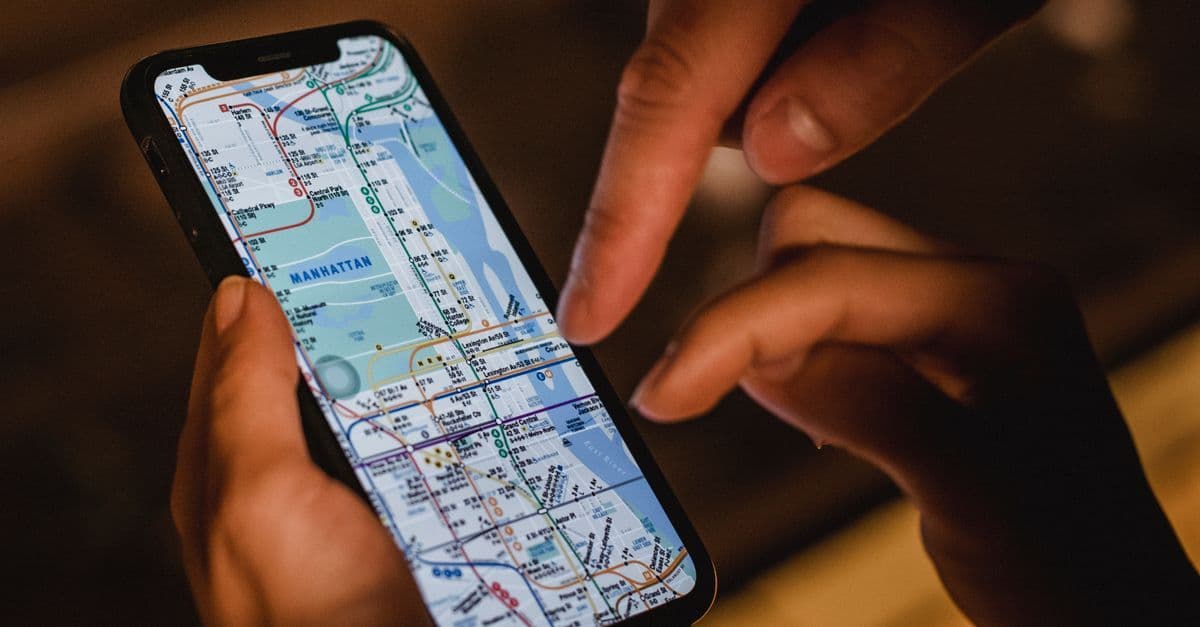
eSIM stands for Embedded Subscriber Identity Module: a chip soldered directly inside your device, not a removable card. A carrier's provisioning server pushes your travel profile onto that chip over-the-air via a QR code or a provider's app. The whole install is dead-simple: scan, tap Install, wait for the checkmark.
The chip itself predates consumer eSIM by years. Small embedded SIM hardware existed in cellular wearables well before smartphones adopted it. What unlocked mainstream travel eSIM was GSMA's SGP.22 standard (the universal specification for remote eSIM provisioning), which defined how any device and any carrier could exchange profiles securely without custom arrangements between them. That standardization is why the same travel plan loads onto an iPhone, a Pixel, or a Galaxy equally.
No card to buy, insert, or lose through a jacket pocket.
Your phone holds multiple eSIM profiles simultaneously. In practice, your AT&T, Verizon, or T-Mobile account stays exactly as-is, and you add a travel profile on top. Switch between them in your phone's cellular settings.
Your US number stays active for calls, texts, and two-factor authentication alerts while the travel eSIM handles data. That setup answers the most common hesitation up front: your home number stays reachable.
Timing is an advantage physical SIM cards can't match. An eSIM delivers to your inbox seconds after purchase. Scan the QR code in the departure lounge, and the profile is installed before the boarding door closes. No destination-country stock to worry about, no storefront hours, no language barrier at an airport kiosk counter.
One practical note: your phone needs to be carrier-unlocked to add a travel eSIM. FCC rules require US carriers to unlock devices on request after 60 days of service. If you bought your phone outright, or you've had your current carrier for over two months, you're almost certainly clear.
Now, the part that surprises most travelers:
Why US Carrier Roaming Rates Outprice a Travel eSIM

US carrier day passes charge per calendar day for international data access. AT&T's International Day Pass, Verizon's TravelPass, and T-Mobile's Go Further each run $5-15 daily. On a two-week Europe trip, that math lands at $70 on the low end and $210 on the high end. Most travelers don't calculate that total until the bill arrives.
Carrier day passes aren't a bad product. They're built for two-day business trips, not two-week vacations.
Travel eSIM plans for the same two-week window sit inside the cost range noted above, producing the savings gap described at the top of this guide. But the price comparison only tells half the story. How the plans are structured matters as much as the total cost.
Most US carrier international plans throttle to a slower connection once you exceed a daily data cap. In practice, that means solid morning navigation and a sluggish afternoon trying to load transit maps in a busy city metro. Travel eSIM plans typically sell a single data bucket valid for the full trip, not a per-day ceiling. Spend a slower day with strong hotel Wi-Fi, and those gigabytes hold in reserve for when you actually need them.
The fine print on carrier day passes is also layered. Some plans charge each device on your account separately, so two people traveling together might pay double. Others bundle calls and SMS into the daily fee whether you use those features or not. Throttle rules vary by destination country, and that nuance doesn't always appear prominently in the plan descriptions.
There's a timing angle worth flagging for Global Entry and TSA PreCheck holders. Clearing customs faster is the whole point of those programs. An eSIM activated before departure means walking out of international arrivals with a live data connection already running. No kiosk queue, no SIM vendor search, no waiting for an activation to register on a foreign network.
The fix is more straightforward than it sounds.
How Do I Set Up a Travel eSIM?
Setting up a travel eSIM takes roughly five minutes from purchase to live connection. Scan the QR code delivered to your inbox and tap Install: the carrier provisioning server handles the rest over-the-air.
- Moderate use (social media, video calls, navigation): 3 to 5 GB per week. Two weeks puts you in the 6 to 10 GB range.
- Heavy use (streaming video, hotspot tethering): 8 GB or more per week. Two weeks of heavy use can clear 20 GB.
Compare eSIM plans for your destination — See 2026 pricing →
Most two-week trips fit within 10 GB.
Where the math gets away from people
Hotspot tethering changes the calculation in ways that aren't always obvious. Running a laptop through your phone's connection for one hour of video calls consumes roughly the same data as a full day of phone-only browsing. Add a travel companion sharing the same hotspot, and you've doubled your burn rate. A group of three or four people pulling from one device can drain a mid-size plan in two or three days. Data shortfalls mid-trip cost more to fix than buying the right plan size before departure.
When a smaller plan makes more sense
For trips under three days in a city with reliable hotel or apartment Wi-Fi, a minimal data plan is often the smarter call. Offline maps and downloaded content cover most urban tourist needs without burning cellular data. The math changes decisively once your itinerary extends past four or five days, includes rural routes with spotty Wi-Fi, or involves multiple people sharing one connection.
One more scenario worth planning for:
Is My Phone Compatible with a Travel eSIM?
Most smartphones made after 2018 support eSIM, including every iPhone from the XS onward and Android flagships from Google and Samsung. The catch most buyers overlook: the device also needs to be carrier-unlocked before any third-party travel plan will install.
Flip your phone over. On a US iPhone bought since late 2022, there's no SIM tray on the side. Apple removed it intentionally.
iPhone 14, 15, and 16 US models are eSIM-only, with no physical slot at all. The hardware that used to hold a clunky plastic card is now a chip soldered to the motherboard, reprogrammable over the air.
Which Devices Are Supported
The main device families that qualify:
- iPhone XS (2018) and later: Full eSIM support on every model. US versions of the iPhone 14 and newer have no physical SIM tray whatsoever.
- Google Pixel 3a and later: Supported across the entire lineup.
- Samsung Galaxy S20 and later: Supported on most models, though some regional variants shipped without eSIM hardware. Check your specific variant before buying a plan.
If your phone's on this list, the hardware side is done.
The Carrier Lock Hurdle
eSIM hardware support is only half the equation. A carrier-locked device (one restricted to your original carrier's network) will reject any travel profile that isn't from that same carrier, regardless of what the compatibility list says. AT&T, Verizon, and T-Mobile typically unlock devices once financing clears or the contract period ends. On an iPhone, the check is dead-simple: Settings > General > About, then look for "Carrier Lock."
Phones bought outright are almost always unlocked from day one. If yours was financed through a carrier, confirm that before booking flights. Chasing down an unlock mid-trip is genuinely fiddly.
With compatibility confirmed, the next question is which plan actually fits your trip.
How Much Data Do You Actually Need for an International Trip?
For most leisure travelers, 10 GB covers a two-week international trip comfortably. The number that shapes your plan decision is simpler than most guides suggest: it comes down to how you use your phone, not where you're going.
Usage Tiers at a Glance
These figures assume you're on Wi-Fi at hotels or Airbnbs most evenings. Drop that habit and every tier shifts up a notch.
The Hotspot Trap
Hotspot tethering is the biggest wild card in any data budget.
Say four people stop for lunch in Florence, all connecting to one phone's hotspot to check the afternoon's route, share photos to Instagram, and look up the next train back. That's four devices pulling from one plan at once, and the gigabytes go faster than you'd expect.
Tethering a second device roughly doubles your real-world consumption inside any usage tier. For family or group trips, the choice is either a heavier plan upfront (15 GB or more for two weeks) or each person carrying their own eSIM.
Choosing the Right Plan Size
A 5 GB plan handles a solo week-long trip at moderate use. Push that to two weeks at the same pace and 10 GB covers most leisure itineraries with room to spare.
Streaming video is where those estimates can unravel. A single film on a long train ride can consume as much data as an entire day of maps and messaging combined.
Pick a plan with mid-trip top-up options rather than defaulting to the largest plan available. Running dry on day four of fourteen is a worse outcome than starting small and adding more if needed. With a data budget in hand, the next variable is whether your plan delivers reliable coverage at your destination.
What Happens If I Run Out of Data Abroad?
Prepaid travel eSIM plans stop when you hit the data cap. No surprise charges, no automatic top-up billing your card without warning, no unexpected line item on your statement when you land home. That's the structural advantage of prepaid: the plan pauses, and nothing more.
That fear of going over is wired into us from years of carrier bill shock. Prepaid reframes the entire equation.
Getting back online takes under two minutes. Most eSIM apps let you purchase additional data through the same interface you used to buy the original plan. No new QR code, no email to wait for. Tap, pay, and the data refreshes on your existing profile.
HelloRoam's 24/7 support chat handles top-ups at any hour, which matters when your local midnight falls during business hours back home.
For lighter tasks, hotel and cafe Wi-Fi covers the gap comfortably. Checking a reservation or sending a message doesn't need cellular.
A more considered approach: load a second eSIM profile before departure as a backup. Many phones hold multiple profiles at once. If your primary plan runs dry at an inconvenient moment, the backup gives you an immediate fallback without any setup scramble.
Prepaid means no bill shock, ever.

Reviewed by HelloRoam's editorial team. Last updated: 03 July 2026.
Get Connected Before You Go





Frequently Asked Questions
A travel eSIM is a downloadable SIM profile installed onto your phone before departure. No physical card is needed — activate it before you leave and your data connection goes live the moment you land.
Travel eSIM plans for 10-30 days abroad typically cost $15-40 total, compared to $5-15 per day for US carrier international day passes.
Travel eSIMs typically cost 60-80% less than US carrier day passes on trips of 10 or more days. A two-week trip costing $70-210 with a carrier pass runs $15-40 with a travel eSIM.
Every iPhone XS and later supports eSIM. US iPhones from the iPhone 14 onward have no physical SIM tray and are eSIM-only, so the required hardware is already built into your device.
Yes, your device must be carrier-unlocked to install a travel eSIM. US carriers typically unlock devices after 60 days of service. On an iPhone, check Settings > General > About for the Carrier Lock status.
Setup takes about five minutes from purchase to active connection. After buying, scan the QR code delivered to your inbox, tap Install, and the profile activates over the air automatically.
Yes. Your home carrier account stays active for calls, texts, and two-factor authentication while the travel eSIM handles data. Both profiles run simultaneously on your device.
Most leisure travelers need around 10 GB for a two-week trip. Light users need 1-2 GB per week; moderate users 3-5 GB; heavy users or those tethering devices need 8 GB or more per week.
Prepaid travel eSIM plans simply stop at the data cap with no surprise charges. You can purchase a top-up in under two minutes through the provider's app and the data refreshes on your existing profile.
Google Pixel 3a and later and Samsung Galaxy S20 and later support eSIM natively. Most flagship Android phones from 2021 onward also include built-in eSIM support.
You can purchase and install a travel eSIM before departure, even in the boarding lounge. The profile installs in seconds after scanning the QR code, so your connection is live when you land.
Travel eSIMs provide one data bucket valid for your entire trip, while carrier day passes charge daily and may throttle speeds after a cap. eSIMs typically cost 60-80% less on trips over a week.
Yes, tethering a second device roughly doubles your data consumption. A group of four sharing one hotspot can drain a mid-size plan in two to three days, so plan for at least 15 GB for group trips.
Yes, most phones store multiple eSIM profiles simultaneously. Your home carrier profile stays active for calls and texts while your travel eSIM handles data, and you switch between them in cellular settings.
No. A travel eSIM is delivered digitally to your inbox and installs via QR code, so there is no need to visit an airport kiosk, queue at a vendor counter, or handle a physical SIM card.
On an iPhone, go to Settings, then General, then About, and look for Carrier Lock. If it shows No SIM Restrictions, your device is unlocked and ready to install a travel eSIM.
For trips under three days with reliable hotel Wi-Fi, the savings are smaller. The value becomes most significant for trips of four or more days, especially if your itinerary includes rural areas.
Yes, but streaming consumes data quickly. A single film can use as much data as a full day of maps and messaging, so heavy streamers should choose a plan of 15 GB or more for a two-week trip.