Best eSIM for Singapore in 2026: Plans, Setup, and 5g Coverage Explained

Written by: James Harrington


14 min read
HelloRoam is a global eSIM provider offering instant mobile data in 170+ countries. Buy prepaid travel eSIM plans with no extra fees, no contracts, and instant activation on any eSIM-compatible device.
14 min read

An eSIM is the smartest connectivity option for Singapore because it eliminates airport SIM queues, costs significantly less than carrier roaming, and connects your device to a local network before you land.
Physical SIM queues at Changi Airport run 15 to 45 minutes during peak arrivals. That's the gap between landing and actually having data on your phone: no Grab, no navigation, no hotel check-in confirmation. You clear customs after a long-haul flight and your first obstacle is a counter queue.
Install the plan before your flight, and your phone connects to a Singapore network the moment you turn it on after landing. You're online before you've collected your bags.
The cost argument is straightforward. International roaming from carriers like AT&T or Verizon runs around $10 to $15 per day in Singapore, adding up to $70 to $105 for a week. That's data-only; voice and SMS often cost extra on top. A Hello Roam eSIM Singapore plan starts at $1.76 for 1GB over 7 days, or $7.04 for 5GB across 30 days. For most week-long itineraries, the 5GB option comfortably covers navigation, Grab, and hotel bookings.
Singapore consistently ranks among the top three countries globally for mobile internet speeds, according to Ookla's Speedtest Global Index. That speed matters in practice: navigation loads instantly, Grab connections are near-instantaneous, and mobile payments clear without delays.
Most Singapore itineraries include at least one side trip, whether to Malaysia, Bali, or Thailand. With an eSIM, adding coverage for a second country means downloading a new profile, not visiting a counter and swapping physical hardware.

Your phone supports eSIM if it shows an EID (Embedded Identity Document) number in device settings. The capability has been standard on flagship devices since 2019, but budget-tier models from Xiaomi Redmi, Realme's C-series, and some OPPO lines often omit this hardware entirely, even in 2026.
The fastest way to check on an iPhone is to open Settings, then General, then About. If an EID number appears, the hardware supports eSIM and you can install a plan without any additional hardware. No EID means no eSIM support.
Android checks are less uniform. Section 4 covers specific brands and models in detail, but the quickest shortcut for any Android device is to search your exact model name and the word "eSIM" on the manufacturer's website and scan the technical specifications.
Singapore's IMDA (Infocomm Media Development Authority) mandated eSIM support on all newly certified devices from 2022 onward. Any phone bought new in Singapore after that date is compatible by regulation.
If your device doesn't support eSIM, physical tourist SIM cards from all three Singapore carriers are available at Changi Airport terminal counters. Setup is straightforward once you're through passport control, and the cards are reliable for short trips.

Every iPhone from the XS and XR onward supports eSIM. Apple introduced both models in 2018, which means the vast majority of iPhones in active use today are already compatible.
The significant break in the lineup is the iPhone 14. Models sold in the United States and United Kingdom have no physical SIM tray at all. For US and UK travelers carrying an iPhone 14 or later, the eSIM is the only option. There's no physical card slot to fall back on. The iPhone 13 and earlier retain a nano-SIM slot alongside one eSIM, so you can keep your home number active on the physical card and run a data-only travel plan on the eSIM simultaneously.
To verify eSIM support on any iPhone, go to Settings, then General, then About. Your EID number will appear there if the hardware supports it. If no EID is listed, the model doesn't support eSIM.
Hello Roam's Singapore plans activate via QR code, generated immediately after purchase. Setup takes roughly five minutes from scan to live connection. For a full breakdown of how the technology works before you commit,(https://www.helloroam.com/en-SG/what-is-an-esim) covers provisioning, activation, and the most common setup questions in plain language.
Singapore's three mobile networks all support eSIM provisioning. Once your phone connects at Changi, no manual APN (Access Point Name) configuration is required.

Samsung's Galaxy S20 series, released in 2020, was the point where eSIM became consistent across the flagship lineup. Most S-series, Z Fold, and Z Flip models since then include it. Google took a similar approach, building eSIM into every Pixel from the 3a onward.
Many Motorola and OnePlus models also support eSIM. Huawei is more nuanced: flagship hardware supports it, but devices running HarmonyOS can face carrier-specific limitations that affect which eSIM profiles will activate correctly. If you're travelling with a Huawei phone, confirm compatibility with your specific plan provider before purchasing.
To check eSIM support on any Android device, go to Settings, then Connections (or Network and Internet on stock Android), then SIM Card Manager. An "Add Mobile Plan" or "Add eSIM" option confirms you're good to go. If that option is absent, the hardware likely doesn't support eSIM, regardless of how recently the phone was released.
The regional variant issue is the most commonly missed trap. The same model can ship with different hardware depending on the market it was manufactured for. A Galaxy S24 sold in certain Asian markets may not include eSIM even though the globally distributed version does. Check the spec sheet for your exact device variant before you purchase a plan.

The best Singapore eSIM plans in 2026 combine transparent carrier disclosure, honest data policies, and round-the-clock support. Price is the first thing most people check, but it should not be the deciding factor.
The more useful question is: which Singapore carrier does this eSIM run on? Whether the plan includes 5G access. Where the data throttle kicks in, if at all. How long the validity window runs. And whether you can reach a real person at 2am when your eSIM stops connecting the night before a flight.
Where the main providers stand
Airalo offers competitive entry-level pricing but doesn't consistently disclose the underlying carrier on its Singapore plan pages. That matters here. Singapore has three national carriers, and the coverage gap between the strongest and weakest is measurable once you venture beyond the Orchard to Marina Bay corridor.
Holafly markets unlimited data for Singapore. The catch: speeds are typically throttled after the first few gigabytes of usage. For a Zoom call from your hotel or uploading video to social media, the reduced throughput makes itself felt quickly. The unlimited label is accurate in the narrowest technical sense.
Hello Roam's Singapore plans run on a top-tier carrier network, with transparent data policies and no hidden throttle clauses. The 3GB plan costs $4.92, which handles navigation, Grab rides, and moderate social media use comfortably for most leisure trips. Frequent video callers or anyone working remotely from a cafe in Tiong Bahru should look at the unlimited option at $20.35, which removes the data ceiling entirely. Support runs around the clock, which matters when something stops working at an inconvenient hour. For heavy users who need large file transfers but prefer a capped spend, the 50GB plan at $34.00 is a solid alternative to unlimited.
Carrier transparency is the detail most providers bury. It's the one worth pushing on before you buy.
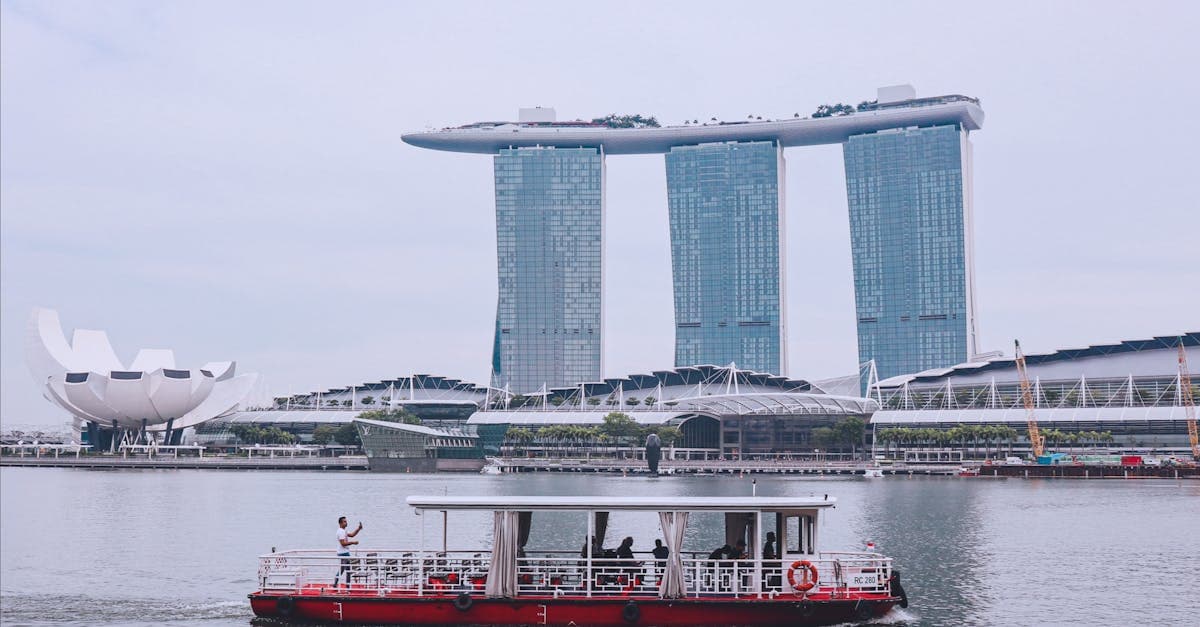
Three carriers operate Singapore's national mobile network. Which one underpins your eSIM is decided the moment you complete the purchase, often without you knowing it.
Singtel holds the largest 5G footprint in the country. Coverage is strong across the CBD, Marina Bay, Orchard, Sentosa, and Changi Airport. More importantly for travellers, it's the most consistent carrier in outlying tourist zones: the cable car routes, the resort strips, Pulau Ubin. If your itinerary pushes beyond the core MRT network at any point, Singtel is the network to be on.
StarHub performs well in the city centre and along the Orchard corridor. Its 5G speeds in central Singapore are competitive. Signal quality can soften outside the CBD, particularly in suburban HDB estates and along the western transit lines. For a trip that stays within the main tourist zones, StarHub is a solid choice.
M1, now part of the Airtel Group, operates independently and tends to underpin many budget-tier eSIM products due to competitive wholesale pricing. Coverage at standard tourist destinations is generally adequate. In industrial and outer suburban areas off the main tourist circuit, Tuas and Tengah among them, consistency falls behind the other two.
The practical implication is straightforward. A Singtel-backed plan holds up in more locations across Singapore. If you're planning a day at Sentosa, a trip along the eastern coast, or anything involving the bus network in the west, the carrier quality difference becomes tangible.
Before committing to any third-party eSIM, check the provider's FAQ or plan detail page. A reputable provider names the carrier. If that information isn't there, ask first.

Setup takes under five minutes. The one mistake worth avoiding is trying to complete it in the Changi arrivals hall with one hand on your luggage.
The sequence
Purchase your Singapore eSIM online before leaving home. The provider sends a QR code, usually by email. Downloading and installing the eSIM profile requires a WiFi connection, so complete this step at home, at your hotel if you're connecting through another city, or at your departure airport.
On iPhone, open Settings > Cellular > Add eSIM > Use QR Code. The camera opens directly. Scan the code, confirm the profile name, and follow the prompts. On Samsung and most Android devices, go to Settings > Connections > SIM Card Manager > Add Mobile Plan. The exact menu label varies slightly by manufacturer, but the path is consistent across most handsets. (For device compatibility specifics, the earlier sections cover which models support eSIM.)
At the data line selection prompt, assign the travel eSIM as the active data line. Keep your home SIM assigned to calls and SMS only. This preserves your home number for incoming calls without triggering carrier data charges in the background.
Immediately after that step, open your SIM settings and turn off data roaming on the home SIM line. Skipping this is the most common source of unexpected charges. Background apps sync silently over the home carrier if roaming stays on, regardless of which SIM is set as the data default.
The eSIM activates automatically once your device connects to a Singapore carrier network after landing. Nothing to tap, no code to enter at the gate.

Activate your Singapore eSIM at home before your flight. Installing the eSIM profile does not start your data allowance: the plan activates only when your phone connects to a Singapore carrier network at Changi, so scanning the QR code days in advance carries no cost.
Scan and install the profile at home, and it sits dormant through the entire flight. You land, your phone connects to the local network automatically, and you're already online before reaching the taxi queue.
If you genuinely forgot and land before completing setup, Changi Airport provides fast, free WiFi across all terminals with no registration step required. Find a seat near the exit, open your email, scan the QR code, and you'll have data within a few minutes. It's a reliable fallback, not a recommended primary plan.
One check worth doing as soon as your phone connects in Singapore: confirm which SIM line is actively routing data. As covered in the previous section, leaving data roaming enabled on the home SIM creates charges that accumulate silently in the background. Thirty seconds in Settings prevents a bill surprise two weeks after you return.
If the eSIM connects and then drops, or doesn't connect at all after landing, toggle Airplane Mode on, wait ten seconds, and switch it off. This forces the device to re-scan for available networks and re-register on the correct carrier, and it resolves most arrival connection issues.

Singapore's 4G LTE coverage is near-total across the island. Every MRT line, underground station, major shopping mall, and all Changi Airport terminals maintain consistent signal. Coverage isn't the variable here.
5G in 2026 is dense where tourists spend most of their time: the CBD, Orchard Road, Marina Bay, Changi, and Jurong. Rollout to HDB residential estates is ongoing through the year. If your plan and device both support 5G, Singapore is genuinely one of the few destinations where that upgrade registers in daily use rather than just speed test results.
Wireless@SG is Singapore's city-wide public WiFi network, with more than 20,000 hotspots across the island. The friction point is registration. Connecting requires either a SingPass account (a Singaporean national digital identity system, not accessible to visitors) or completion of a separate tourist registration portal in advance. Speeds run between 5 and 30 Mbps depending on load: adequate for messaging, but inconsistent under real-time mapping and navigation demands.
Changi Airport operates its own WiFi network, separate from Wireless@SG. Fast, free, no registration required. It's the one public WiFi that works immediately on arrival, with no extra steps.
MRT platforms and trains carry Wireless@SG coverage, but the same pre-registration requirement applies underground.
Singapore has the most extensive public WiFi infrastructure in Southeast Asia by hotspot count. For visitors who arrive without a pre-registered Wireless@SG account, a mobile data plan is the practical baseline for seamless navigation from the first taxi rank to the last hawker centre.

A Singapore-only eSIM stops working the moment your device registers on a Malaysian carrier network. Johor Bahru, accessible by bus or taxi in under an hour, is one of the most popular day trips from Singapore, and this border handoff is the detail that catches most travelers off guard.
The solution is an ASEAN regional plan that bundles both Singapore and Malaysia under a shared data allowance. These plans handle the handoff automatically: your device switches to a Malaysian network and the data continues without interruption.
For travel to Batam or Bali in Indonesia, verify the plan's country list explicitly. "Southeast Asia" on a plan description page doesn't guarantee Indonesia is included. Some regional eSIM products cover eight ASEAN nations; others cover three or four. The phrase "Asia" is even broader and less reliable as a guide.
Thailand, Vietnam, and Cambodia carry the same caveat. If you're building a multi-country itinerary around a single eSIM purchase, cross-reference the provider's explicit country coverage list against every destination before you buy. A quick check at purchase prevents a full day of hunting for WiFi in an unfamiliar city.
Most Singapore visitors need 1 to 2GB per day, totaling 7 to 14GB for a typical week-long trip. The exact amount depends heavily on how you use Grab.
Singapore's super-app handles ride-hailing, food delivery, and GrabPay mobile payments. All three functions require a live data connection. Lose signal and the app drops: no cached bookings, no offline mode. For most visitors, keeping Grab running throughout the day sets the floor for how much data you actually need.
Downloading an offline Singapore map in Google Maps before your flight reduces daily data consumption by up to 30 percent. A few minutes on home WiFi covers the entire island with turn-by-turn routing included.
For most 4 to 7 day visits,(https://helloroam.com) include a 30-day option sized for typical tourist use, with an unlimited tier available if video calls or remote work are on the schedule. The offline map download will make that allocation stretch noticeably further than the daily estimates alone suggest.

An eSIM is a digital SIM card embedded in your phone that lets you download a mobile plan without a physical card. For Singapore travel, it eliminates airport SIM queues (which run 15 to 45 minutes at Changi during peak arrivals), costs far less than carrier roaming, and connects your device to a local Singapore network the moment you land.
International roaming from carriers like AT&T or Verizon costs around $10 to $15 per day in Singapore, totalling $70 to $105 for a week. A Hello Roam Singapore eSIM starts at $1.76 for 1GB over 7 days, or $7.04 for 5GB over 30 days, making it significantly cheaper for most itineraries.
On iPhone, go to Settings, then General, then About. If an EID (Embedded Identity Document) number appears, your phone supports eSIM. On Android, go to Settings, then Connections or Network and Internet, then SIM Card Manager. If an Add Mobile Plan or Add eSIM option is present, the device supports it.
Every iPhone from the XS and XR (2018) onward supports eSIM. iPhone 14 and later models sold in the US and UK have no physical SIM tray, making eSIM the only option. iPhone 13 and earlier models retain a nano-SIM slot alongside the eSIM, allowing you to run a home SIM and a travel data plan simultaneously.
Yes. Samsung Galaxy S20 series (2020) and most S-series, Z Fold, and Z Flip models released since then include eSIM support. However, regional variants of the same model can differ in hardware, so a Galaxy S24 sold in certain Asian markets may not include eSIM even if the global version does. Check the spec sheet for your exact variant before purchasing.
Yes. Google built eSIM support into every Pixel from the 3a onward. All current Pixel models are compatible with Singapore eSIM plans and do not require any additional hardware or manual APN configuration when connecting to Singapore's networks.
Huawei flagship hardware supports eSIM, but devices running HarmonyOS can face carrier-specific limitations that affect which eSIM profiles will activate correctly. If you are travelling with a Huawei phone, confirm compatibility with your specific plan provider before purchasing.
Three carriers operate Singapore's national mobile network: Singtel, StarHub, and M1 (now part of the Airtel Group). Singtel holds the largest 5G footprint and the most consistent coverage across tourist zones, outlying areas, and Changi Airport. StarHub performs well in the city centre. M1 underpins many budget eSIM products and offers adequate coverage at standard tourist destinations.
The carrier is fixed the moment you purchase the plan and directly affects coverage quality. Singtel provides the strongest signal across tourist zones including Sentosa, the eastern coast, and outer suburban areas. M1-backed plans may show weaker consistency in industrial and outer suburban areas off the main tourist circuit. A reputable provider will name the carrier on the plan detail page.
Hello Roam offers Singapore plans starting at $4.92 for 3GB, $20.35 for unlimited data, and $34.00 for 50GB, all on a top-tier carrier network with 24/7 support. Airalo offers competitive entry-level pricing but does not consistently disclose the underlying carrier. Holafly markets unlimited data but typically throttles speeds after the first few gigabytes of use.
Go to Settings, then Cellular, then Add eSIM, then Use QR Code. Scan the QR code provided by your plan provider, confirm the profile name, and follow the prompts. Set the travel eSIM as your active data line and keep your home SIM assigned to calls and SMS only. Then turn off data roaming on the home SIM line to avoid unexpected charges.
Go to Settings, then Connections, then SIM Card Manager, then Add Mobile Plan. Scan the QR code from your plan provider. Assign the travel eSIM as the active data line for internet use and turn off data roaming on your home SIM to prevent background charges. The exact menu label varies slightly by manufacturer.
Scan and install the eSIM profile at home before your flight. Installing the profile does not start your data allowance: the plan only activates when your phone connects to a Singapore carrier at Changi Airport. You can scan the QR code days in advance at no cost, and the plan will activate automatically the moment you land.
Changi Airport provides free WiFi across all terminals with no registration required. Find a seat near the exit, open your email, scan the QR code, and you will have data within a few minutes. This is a reliable fallback, though installing the profile at home before travel is recommended.
Yes. Most phones support dual SIM functionality, allowing your home SIM to remain active for calls and SMS while the travel eSIM handles data. After setting up the Singapore eSIM, assign it as the data line and turn off data roaming on your home SIM to prevent silent background charges from the home carrier.
Physical tourist SIM cards from all three Singapore carriers are available at Changi Airport terminal counters. Setup is straightforward once you are through passport control. The cards are reliable for short trips and a practical alternative for devices without eSIM hardware.
Yes. Singapore consistently ranks among the top three countries globally for mobile internet speeds according to Ookla's Speedtest Global Index. Navigation loads instantly, Grab connections are near-instantaneous, and mobile payments clear without delays. Video calls and large uploads are also well supported on Singapore's network.
Many eSIM providers, including Hello Roam, allow you to add a separate eSIM profile for a second country by downloading a new plan. Most Singapore itineraries include side trips to Malaysia, Bali, or Thailand, and expanding coverage means downloading a profile rather than visiting a counter or swapping physical hardware.
Yes. Singapore's IMDA (Infocomm Media Development Authority) mandated eSIM support on all newly certified devices from 2022 onward. Any phone bought new in Singapore after that date is compatible with eSIM by regulation.
After setting the Singapore eSIM as your data line, open SIM settings and turn off data roaming on your home SIM. Background apps sync silently over the home carrier if roaming remains enabled, regardless of which SIM is set as the data default. This single step prevents the most common source of unexpected charges on return.
HelloRoam: your trusted travel eSIM that keeps you online across borders.
Explore Plans