

 Trustpilot


HelloRoam eSIM for Australia starts at NZ$5.92 per day across 204+ carrier networks. Scan a QR code to activate in under two minutes on any eSIM compatible phone. Your Spark, One NZ, or 2degrees mobile number stays active. 180-day money-back guarantee and 24/7 live support included.
202+
network coverage
5G
5G support
2 minutes
to activate


Last updated
eSIM for Australia plans from HelloRoam
eSIM plans for Australia start from NZ$5.92 per day. Local 4G LTE and 5G mobile data on trusted carrier networks. Works on all eSIM compatible phones. Pay in NZD. Australia is the most popular destination for Kiwis crossing the Tasman. A travel eSIM Australia plan from HelloRoam makes data sorting the easiest part of the trip. Every plan runs on Optus 5G networks across Sydney, Melbourne, Brisbane, Perth, and the Gold Coast, starting at NZ$5.92.
Australia eSIM with fast 5G coverage
Heading overseas from New Zealand? HelloRoam gives you data without the drama of swapping SIM cards at the airport. Getting connected on arrival is easy with a HelloRoam eSIM. You buy your plan before you leave home, scan the QR code, and land in Sydney, Melbourne, or Brisbane with data already active. HelloRoam's Australia plans connect to Telstra, Australia's largest network operator. Telstra runs 5G in all major cities and 4G LTE across coastal towns, regional centers, and the main highway corridors. Outback areas far from roads and the deep interior have no mobile signal, as distances are simply too large to cover economically. For the destinations most travellers visit, including the cities, coastal national parks, the Great Barrier Reef, and Uluru, coverage is reliable. A HelloRoam eSIM saves you the cost and time of buying a local SIM at the airport and gives you a fixed prepaid rate for your whole trip.
- Plans start at NZ$5.92 with 5G speeds
- Coverage from Optus
- Instant activation in under 2 minutes
- 180-day money-back guarantee
- Australia coverage across major cities
- Network
- 5G
- Plans From
- NZ$5.92
- Activation
- Under 2 min
- Guarantee
- 180 days

How to Set Up an eSIM in Australia


Pick a mobile data plan for your destination and pay securely in NZD.
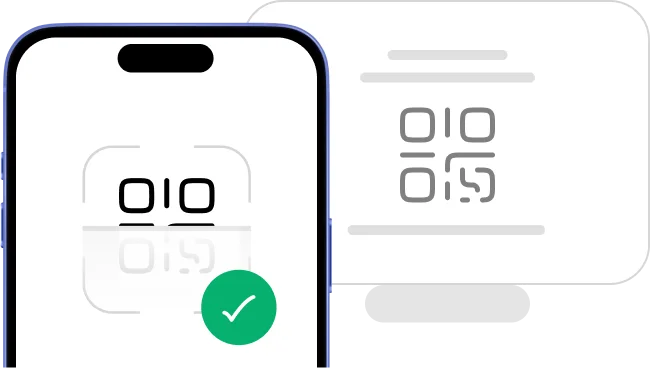
Scan the QR code to install your eSIM straight away.

Your eSIM activates when you arrive at your destination. No SIM swap, no queues, no airport kiosk.
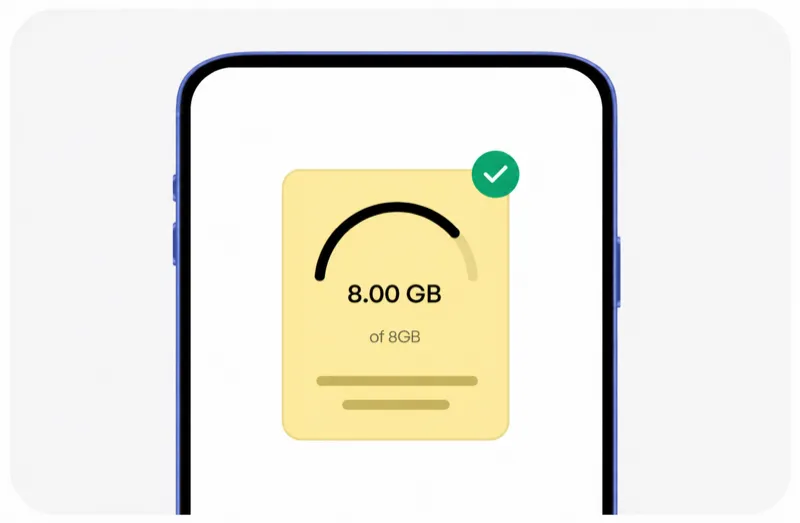
Track usage, top up data, and manage your eSIMs in one spot.
Pick a mobile data plan for your destination and pay securely in NZD.
Scan the QR code to install your eSIM straight away.
Your eSIM activates when you arrive at your destination. No SIM swap, no queues, no airport kiosk.
Track usage, top up data, and manage your eSIMs in one spot.


Plans changed? No dramas. You're covered.
Travel plans change. With HelloRoam, you can request a full refund for any unused eSIM within 180 days of purchase. No dramas.
Learn more about our refund policyHelloRoam Australia eSIM vs Spark, Vodafone NZ and 2degrees
Comparing an e SIM vs Spark, 2degrees, or One NZ roaming for Australia? Spark charges NZ$6/day, 2degrees NZ$5/day, and One NZ around NZ$5/day. HelloRoam eSIM starts from NZ$5.92 with local network speeds and a full money-back guarantee on unused plans. You pay less than a single day of carrier roaming and get no surprise bills.
| Feature |  | Local provider | Limited data eSIM |
|---|---|---|---|
| 180-day refund guarantee |  |  | |
| Live chat support | |  | |
| NZ$0 activation fees | | | |
| 99.8% uptime | | | |
| No data overage fees | | | |
| QR code delivered instantly | | | |
| Premium Australia carrier networks | | | |
eSIM vs Australia SIM card: which is better for Kiwis crossing the Tasman?
A tourist sim card Australia means queuing at a Kingsford Smith or Tullamarine kiosk after your trans-Tasman flight. HelloRoam's eSIM Australia activates at home in Auckland by QR code. You land with data already running on Optus 5G networks from NZ$5.92.
A prepaid SIM card Australia requires a physical swap and disposal when you fly home. HelloRoam's eSIM keeps your NZ number active alongside your Australian data plan. No SIM ejector tool, no extra card to lose at the bottom of your bag.
Looking for a prepaid eSIM Australia? HelloRoam starts at NZ$5.92 on Optus 5G networks. That undercuts most Australian airport kiosk tourist rates before you even factor in the time you save skipping the queue.
Want the cheapest eSIM for Australia without setting foot in a Tullamarine or Kingsford Smith SIM queue? HelloRoam activates by QR code before you leave Auckland, covers all six states from NZ$5.92, and includes a 180-day refund guarantee.
Why Kiwi Travellers Pick HelloRoam for Their Australia Trip

Best eSIM Prices for Australia
Compare eSIM plans for Australia and save versus Spark, One NZ, and 2degrees international roaming.
| Number of days | Price |
|---|---|
| 1 day | NZ$5.68 |
| 3 days | NZ$16.34 |
| 7 days | NZ$38.10 |
| 15 days | NZ$79.00 |
| 22 days | NZ$110.66 |
| 30 days | NZ$145.57 |
HelloRoam vs Other eSIM Providers for Australia
Kiwi travellers who've used HelloRoam rate the refund guarantee, zero activation fees, and 24/7 live support as the top reasons they choose it again. See how HelloRoam stacks up against Airalo, Holafly, Saily, and other eSIM providers for your Australia trip.
| Feature comparison | | Airalo | Holafly | Nomad | Saily | Ubigi |
|---|---|---|---|---|---|---|
| 180-day refund policy | | | | | | |
| 24/7 live chat support | | | | | | |
| NZ$0 activation fees | | | | | | |
| 99.8% uptime guarantee | | | | | | |
| No data overage charges | | | | | | |
| Instant QR code delivery | | | | | | |
| Premium Australia carrier networks | | | | | | |
| Own branded carrier identity (SPN) | | | | | | |

Mobile connectivity guide for Australia
Australia is the most popular destination for New Zealanders and the mobile coverage across the major coastal cities is choice. Optus covers Sydney, Melbourne, Brisbane, Perth, Adelaide, and the Gold Coast with excellent 5G and 4G.
The Australian Outback has very limited coverage across all networks, but the coastal tourist trail is very well served. A HelloRoam eSIM means you step off your trans-Tasman flight already connected without hunting for a phone shop at the airport.
- HelloRoam connects to Optus 5G in Australia
- 5G and 4G on Optus across Sydney, Melbourne, Brisbane, Perth, and the Gold Coast
- Connect the moment you land at Sydney, Melbourne, or Brisbane airports
- Great for OE adventures, work trips, and family visits across the Tasman
eSIM Travel Tips for Australia
Trans-Tasman trips: set up your eSIM at home first
Install your HelloRoam eSIM at home before your Air NZ or Jetstar flight to Australia. Enable mobile data when you land in Sydney or Melbourne and you are straight on Australian coverage. No need to find an Optus or Telstra store on arrival. Very sweet.
Australian Outback and remote areas have no signal
If your OE or adventure itinerary takes you into the Outback, along the Nullarbor, or deep into national parks, download offline maps before you go bush. All Australian carriers have limited coverage away from the coast.
Australian transport apps need live data
Sydney's Opal card app, Melbourne's Myki, Brisbane's go card, and Perth's Transperth all have real-time journey planning. Your HelloRoam eSIM keeps these running from the moment you clear immigration at Sydney or Melbourne Airport.
Keep your NZ number active for calls home
Run your NZ SIM for calls and your HelloRoam eSIM for data. Family and mates can still ring your usual NZ number while you are exploring Melbourne's laneways or Sydney Harbour. Dead easy on a dual SIM phone.
The Gold Coast and Byron Bay are well covered
Popular NZ visitor destinations like the Gold Coast, Byron Bay, and the Whitsundays all have good 4G coverage. Boat trips to the Great Barrier Reef will drop signal on the water but resort areas and dive shop zones are covered.
Mobile networks in Australia: what NZ visitors need to know
HelloRoam connects on Optus in Australia. Optus is the second-largest carrier in Australia with excellent 5G and 4G coverage in all major cities and along the coastal tourist routes. Optus has a roaming partnership with Telstra that improves rural coverage in some areas. Your eSIM connects automatically to the best available Optus signal.
- Optus

- 5G
HelloRoam eSIM vs Spark, Vodafone NZ, or One NZ roaming in Australia
Here is an honest look at your data options for a trans-Tasman trip.
RecommendedFrom NZ$8.43 total
Plans from $3.88. Buy before you fly, scan a QR code at home, and land in Sydney or Melbourne already on local data.
NZ$16.86–NZ$50.57 total
Available at Woolworths or Coles supermarkets. Good value for longer stays but requires setup after arrival. An eSIM is more convenient for short trips.
NZ$16.86–NZ$42.15/day
Trans-Tasman roaming with NZ carriers can cost $5 to $10 per day. A two-week OE trip on roaming data could add $70 to $140 to your bill. Check your specific plan add-on costs before you fly.
| Category | Recommended | Australian prepaid SIM | Spark, Vodafone NZ, or One NZ Australia roaming |
|---|---|---|---|
| Typical cost | From NZ$8.43 total | NZ$16.86–NZ$50.57 total | NZ$16.86–NZ$42.15/day |
| Details | Plans from $3.88. Buy before you fly, scan a QR code at home, and land in Sydney or Melbourne already on local data. | Available at Woolworths or Coles supermarkets. Good value for longer stays but requires setup after arrival. An eSIM is more convenient for short trips. | Trans-Tasman roaming with NZ carriers can cost $5 to $10 per day. A two-week OE trip on roaming data could add $70 to $140 to your bill. Check your specific plan add-on costs before you fly. |
Best time to visit Australia from New Zealand
Australia is a year-round destination for NZ travellers. Queensland and the Gold Coast are popular in winter (June to August) when Australia is warm and NZ is cold. Sydney and Melbourne are brilliant in late spring and autumn. The major NZ holiday periods of Christmas, Easter, and school holidays see the most NZ visitors heading over. Book flights early during the August school holiday rush.


Prices verified:
Australia eSIM Questions
The cheapest eSIM Australia plan from HelloRoam starts at NZ$5.92 with coverage across Sydney, Melbourne, Brisbane, Perth, and the Gold Coast. HelloRoam activates by QR code before you leave New Zealand. No physical SIM card swap, no NZ roaming fees on arrival.
An eSIM card Australia from HelloRoam starts at NZ$5.92 on Optus 5G and covers all six Australian states. Activate by QR code at home before your flight. No airport SIM kiosk, no contract, no NZ roaming charges on any plan.
For Kiwi travellers, HelloRoam is the top pick for Australia. Plans start from NZ$5.92 per day across carrier networks in 185+ countries. Buy online, scan the QR code at home on Wi-Fi, and connect the moment you land. It's cheaper than Spark roaming at NZ$6/day, 2degrees at NZ$5/day, and One NZ travel passes. You get local 4G LTE and 5G speeds, a full refund guarantee on unused plans, and 24/7 live chat support.
eSIM plans for Australia start from NZ$5.92 per day. That's well under what Spark charges for roaming ($6/day) or 2degrees ($5/day for selected countries). Fixed data plans run from 1GB to 20GB. Unlimited daily plans suit longer stays, OE trips, and remote work. All plans include local 4G LTE and 5G with no overage charges and no carrier contract.
HelloRoam connects to local carrier networks in Australia and your phone picks the strongest 4G LTE or 5G signal on arrival. Coverage spans major cities, airports, highways, and popular tourist areas. For Kiwis heading out of Auckland (AKL), Wellington (WLG), Christchurch (CHC), or Queenstown (ZQN), data is ready the moment you land.
Buy your Australia eSIM on helloroam.com or the HelloRoam app before you fly from AKL, WLG, CHC, or ZQN. Scan the QR code in your phone Settings to install at home on Wi-Fi. Your eSIM activates automatically when you land in Australia. The whole process takes under two minutes. No airport kiosk, no SIM swap.
iPhone XS and all newer models support eSIM for Australia. Open Settings, tap Mobile Data, then Add eSIM, and scan the HelloRoam QR code. Your Spark, One NZ, or 2degrees number stays active on the physical SIM line while HelloRoam handles data in Australia. That includes iPhone 15, 16, and SE models from 2020 onward.
5G support on eSIM depends on the local carrier network and your device. Many plans include 5G where partner networks cover major cities. Your phone must support the 5G bands used in Australia and connects to the fastest available network, whether 5G, 4G LTE, or 3G, automatically. Check the plan page to confirm 5G availability for Australia NZ$5.92.
Check your eSIM data two ways. The HelloRoam Dashboard at helloroam.com shows real-time usage, remaining balance, and plan expiry. On iPhone, go to Settings, then Cellular, then your eSIM line. On Android, go to Settings, then Network and Internet, then Data Usage. HelloRoam also sends an alert when you hit 80% so you can top up before you run dry mid-trip.
Travel plans change, and HelloRoam covers that. Unused eSIM plans come with a full refund within six months of purchase. If you've activated and used data, a partial refund applies to the unused portion. Contact support with your order ID and the refund processes within 5 to 14 business days. No Spark lock-in, no carrier contract.
Yes, HelloRoam costs less than Spark, Vodafone NZ, and 2degrees international roaming for most overseas trips. Spark charges around NZ$6 per day for roaming. Vodafone NZ and 2degrees run similar daily rates that add up fast on a two-week holiday. HelloRoam plans for Australia start from NZ$5.92 per day on local 4G LTE and 5G, with no surprise bills.
HelloRoam is a solid travel eSIM for Australia. It connects across carrier networks in 185+ countries, starting from NZ$5.92 per day. It works on any unlocked eSIM compatible iPhone, Samsung, or Android phone. You get local 4G LTE and 5G speeds, a money-back guarantee on unused data, and 24/7 live support. No Spark roaming pass, no SIM swap, no lock-in.
What to Know Before You Buy
eSIM requires an unlocked, eSIM-compatible device. Check your phone settings before buying.
Most travel eSIM plans provide data only. Your existing phone number stays active for calls and texts on your primary SIM.
Coverage quality varies by location within Australia. Urban areas typically have strong 4G/5G coverage, while rural or remote areas may have limited connectivity.
Install your eSIM before you head off. Activation requires an internet connection, which may not be available at your destination airport.
Transparency Notice
- Service Provider Name (SPN)
- HelloRoam appears as the carrier name on your phone's status bar through the SPN, a standardized field in the eSIM profile. Unlike most travel eSIM resellers, HelloRoam provisions its own Service Provider Name.
- Public Network Name (PNN)
- HelloRoam holds a registered Public Network Name, the official carrier identity filed with telecommunications authorities. HelloRoam is recognized as a licensed service provider, not a white-label reseller.
- Access Point Name (APN)
- HelloRoam eSIMs auto-configure their Access Point Name during installation. Your device connects to the strongest local network infrastructure without manual settings.
Prices are our retail rates across 185+ countries. Plan recommendations use real traveller feedback and network performance data. Every purchase includes a 180-day money-back guarantee.