


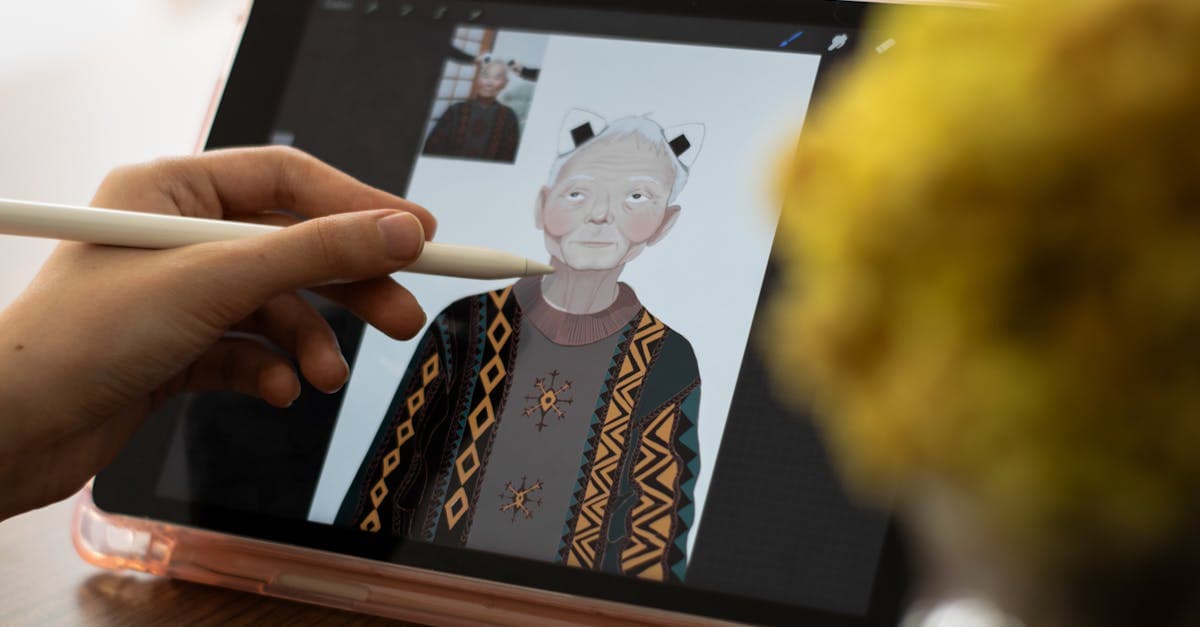
Quick Answer: What Is Gartic Phone?
Gartic Phone is a free browser-based party game that blends the classic telephone game with drawing liverpool.ac.uk. Players alternate between writing prompts and illustrating them, passing each result down the chain until every participant has contributed. No account needed. No download required. Just open garticphone.com and go.
Room sizes run from 2 to 30 players, with the only barrier to entry being a shared link. Brazilian indie studio Onrizon Social Games launched the game in 2020 garticphone.com, and it found a spirited audience during COVID-19 lockdowns when in-person game nights disappeared overnight. An iOS app launched in February 2024, with an Android version available as well apps.apple.com.
The final reveal is the hook that keeps people coming back.
Each session ends with a full replay of every chain: you watch how a carefully worded prompt became an unrecognizable scribble, got misread, rewritten, then drawn again with equal confusion. The results are reliably absurd. Screenshot-worthy, even.
For travelers staying in touch with friends back home, Gartic Phone is a practical pick: the game uses under 5 MB per hour of mobile data, making it workable on lean travel data plans. If you're sorting out connectivity abroad, Browse All eSIM Plans for options worth considering.
Setup is simpler than it looks.
How to Play Gartic Phone: Setting Up Your First Game
Open garticphone.com in any browser and click "New Room." That's the entire host setup. Players join by following the shared link, no accounts or downloads required on their end.
Here's how a standard round plays out:
- Write: Every player submits an original prompt, anything from a movie title to a made-up scenario.
- Draw: Each player receives someone else's prompt and draws it within the time limit.
- Write again: The next player sees only the drawing and writes what they think it shows.
- Repeat: The chain keeps passing until every player has contributed once.
- Reveal: The full sequence plays back for everyone, showing each step from original prompt to final result.
The host sets a few parameters before the game starts: drawing time, player count, and which of Gartic Phone's 9 modes to run. Normal is the classic chain format. Animate has players draw sequential frames that play back as a GIF. Speedrun compresses the drawing timer down to roughly 8 to 15 seconds, producing brisk, chaotic results.
One thing that catches new players off guard: the mid-chain drawings, where someone tried to interpret a mangled description, tend to generate the most energetic reactions during the reveal.
Nickname and avatar come before any of this.
Choosing a nickname and character
Before the game starts, every player enters a display name and picks a character avatar. The process takes about ten seconds and asks for nothing beyond a name you want to be called.
Type any nickname into the entry field. No email. No password. No profile of any kind. The name persists for the whole session and appears above every prompt and drawing you submit, which adds a small but lively personal signature to each contribution.
The character selection sits right next to the name field.
Gartic Phone offers a range of preset illustrated avatars. Selecting one has no effect on gameplay or drawing speed. It's purely cosmetic, a quick identity signal before the chaos begins.
Every nickname shows up in the final reveal sequence, labeled clearly next to each contribution. So the group can see exactly who wrote "sunset melancholy" and then drew something that resembled a confused potato. That visibility gives even a cosmetic choice an oddly dynamic quality, making the name you pick feel like part of the game.
The host then configures the room settings before play begins.
Creating a room and sharing the link

Click Create on the gartic phone homepage and you're running the show in under a minute. The setup screen asks for a game mode and a drawing timer before anything else. Pick your mode from the dropdown, dial in how long players get to draw, and the dead-simple room setup is done.
A unique URL generates instantly. Copy it, paste it into Discord, a group text, or a Zoom chat, and your crew clicks through. No accounts, no downloads, no waiting room queue. Players arrive, pick their nicknames (covered earlier), and the lobby fills up briskly.
Private by default.
That link is the only way in, so nobody stumbles into your room uninvited.
Before clicking Play, check two more settings: round count and player limit. Fewer rounds keep the session lively; more rounds work better for a crowd that's already warmed up. A player cap is worth setting if you expect a larger crowd than you actually want drawing.
Hit Play when the lobby looks right. The first prompt goes out to every player immediately.
The game mode chosen here shapes everything.
All Gartic Phone Game Modes Explained

Gartic Phone offers 9 game modes: Normal, Animate, Secret, Icebreaker, Speedrun, Complement, Knock Knock, Solo, and Passing garticphone.com. Each mode reshapes how a round unfolds, from the first prompt to the final reveal.
Compare eSIM plans for your destination — See 2026 pricing →
Normal is the familiar foundation. Every player writes a prompt, passes it to the next player who draws it, then someone else writes what they think they see, and the chain keeps moving. By the time the full chain plays out, the original idea has usually transformed into something unrecognizable. That gap between intention and result is what makes each payoff feel energetic.
Animate takes the concept somewhere nobody expects. Players draw sequential frames instead of static images, and the result plays back as a looping, shareable GIF. Groups who've never made animation in their lives suddenly produce a complete short film.
Secret inverts the whole mechanic. Each player writes their own prompt and draws it themselves, no passing involved. The payoff still generates laughs, because everyone followed a completely separate creative thread.
Icebreaker swaps creative prompts for personal questions. New to each other? This mode does the social lifting.
Speedrun cuts the drawing timer to between 8 and 15 seconds. There's not enough time. That's intentional.
Complement asks each player to add to the previous drawing rather than start fresh. What begins as a simple sketch becomes a dynamic, unplanned collaboration.
Knock Knock frames the session around joke structure: one player sets up, the next draws the punchline. A punchy format that rewards timing over artistic skill.
Solo removes multiplayer entirely: one player, one prompt queue, no audience. It's Gartic Phone in its quietest form.
Passing extends the chain with longer sequences, amplifying the distortion before everything comes out.
Picking the right mode depends on your group.
Tips for Hosting a Gartic Phone Night
Six to twelve players is the sweet spot for a hosted Gartic Phone session. That range keeps rounds snappy without stretching the reveal sequence into a slog.
Here's the myth worth busting: bigger groups don't automatically mean better laughs. Push past 20 players and the pacing falls apart. People zone out waiting to see their chain. The energy that makes the game feel spirited starts working against itself.
Normal mode is a no-brainer opening for any first-timer group. Everyone grasps it in one round without needing an explanation, which means the laughs start immediately instead of stalling on rules questions. Save Animate, Complement, and the experimental modes for later in the evening.
Set the drawing timer to 90 seconds if anyone in the group is new. Experienced players handle shorter timers without issue, but 90 seconds keeps beginners from feeling panicked every round.
If you're running this over a video call, share your screen during the reveal. Half the fun is watching faces when the chain collapses, and you miss that entirely if everyone watches their own screen in isolation. Zoom, Google Meet, and Discord video all work for this.
Introduce Speedrun only after at least one warm-up round. Cold-starting with timers that short shuts down players still figuring out the controls.
Working with coworkers or a new team? Skip Normal for the first game and open with Icebreaker mode instead. Personal questions generate actual conversation, not just laughs.
Good hosting is mostly sequencing: Normal first, creative modes second, Speedrun last.
Mobile players can join without any friction.
Can You Play Gartic Phone on Mobile?
A dedicated iOS app launched on February 5, 2024, putting Gartic Phone on the App Store with full functionality apps.apple.com. Android players grab it from Google Play, and anyone on Chrome or Safari can skip the install and run the browser version instead. All three routes play identically; nothing's stripped out for smaller screens.
The data footprint barely registers. Each hour of gameplay uses under 5 MB, lighter than loading a short video thumbnail. That's a trivial draw on any cellular plan, even across back-to-back sessions on the same evening.
No stylus required.
Touchscreen drawing works with your finger, and the results tend to be funnier that way. Wobbly lines and rough approximations fit the telephone-game chaos better than anything polished. The game's funniest moments come from the gap between what someone intended to draw and what made it to the next player.
Waiting for a gate change at O'Hare, or sitting in a hotel lobby in Rome with 40 minutes to kill: open a browser tab, paste the room link, and you're drawing prompts before anyone's found a comfortable seat. The data requirement is minimal enough that even a bare-bones cellular plan covers a full session with room to spare.
For groups scattered across time zones, this portability removes the last excuse to skip a game night. No gaming PC, no desk setup, no faster-than-average connection. Cellular signal is all it takes.
Cost is usually the next question players ask.
Is Gartic Phone Free to Play?
No account. No credit card. No paywall. Gartic Phone is completely free, with zero time restrictions and no gameplay features locked behind a purchase garticphone.com. You don't even need an email address. The room link arrives in the group chat, you open it, you play.
That's rarer than it sounds.
Pull up a link at an airport lounge, tap a nickname, and you're in. No payment screen appears, no download prompt either. The same applies at a hotel lobby on Wi-Fi or over a cellular connection at a train station.
The only purchases available are cosmetic items for your avatar. Buying a custom border or animated hat is optional; skipping it doesn't limit a single game mode or drawing timer. Every feature covered in this guide is accessible without spending a cent.
Ads don't interrupt active rounds either. There's no banner sliding in while someone's racing to draw a convincing llama on a short timer. Onrizon Social Games, the Brazilian indie studio behind the game, funds the project through those voluntary cosmetic purchases rather than forcing ad breaks into gameplay.
The model holds up because the game is social by design. Players who get attached want to personalize their character, so optional spending covers operating costs without penalizing anyone who never pulls out a wallet.
Full access from day one, nothing required. That's uncommon in multiplayer browser gaming, and it's a big part of why Gartic Phone built its audience so fast after launching in 2020.
Reviewed by HelloRoam's editorial team. Last updated: 02 June 2026.
Get Connected Before You Go





Frequently Asked Questions
Gartic Phone is a free browser-based party game combining the telephone game with drawing. Players alternate writing prompts and illustrating them, passing results down a chain until everyone has contributed.
Gartic Phone is completely free with no account, paywall, or time restrictions. Optional cosmetic avatar purchases exist but no gameplay features are locked behind them.
No download or account is required. Open garticphone.com in any browser, click New Room or follow a shared link, and you can start playing immediately with just a nickname.
Gartic Phone supports 2 to 30 players per room. The sweet spot for a hosted session is 6 to 12 players, keeping rounds snappy without stretching the reveal sequence into a slog.
Open garticphone.com, click New Room, choose a game mode and drawing timer, then share the unique link with players. No accounts or downloads are needed for anyone joining.
Gartic Phone uses under 5 MB per hour of gameplay, less than loading a short video. This minimal footprint makes it practical to play on cellular connections while traveling abroad.
Yes. Gartic Phone has a dedicated iOS app released in February 2024 and an Android app on Google Play. You can also play directly in a mobile browser with no installation needed.
Gartic Phone offers 9 modes: Normal, Animate, Secret, Icebreaker, Speedrun, Complement, Knock Knock, Solo, and Passing. Each mode reshapes how rounds unfold from the first prompt to the final reveal.
Normal mode is best for beginners. Everyone grasps it in one round without explanation, so laughs start immediately rather than stalling on rules questions.
Speedrun mode cuts the drawing timer to roughly 8 to 15 seconds, producing chaotic results by design. It works best after at least one warm-up round so players are familiar with the controls.
In Animate mode, players draw sequential frames instead of static images, and the result plays back as a looping shareable GIF. Groups produce a complete short animation with no experience required.
Icebreaker mode swaps creative drawing prompts for personal questions, making it ideal for new teams or groups meeting for the first time. It generates real conversation alongside the visual chaos.
Gartic Phone launched in 2020, created by Brazilian indie studio Onrizon Social Games. It gained a large audience during COVID-19 lockdowns when in-person game nights were no longer possible.
Click the unique link shared by the host. No account, download, or password is required. Pick a nickname and avatar and you are immediately in the lobby ready to play.
Yes. Gartic Phone uses under 5 MB per hour and runs in any mobile browser, so a basic travel eSIM or data plan provides more than enough bandwidth for a full session anywhere you have a cellular signal.
Sources
- garticphone.com — garticphone.com
- Gartic Phone: Draw & Guess — apps.apple.com
- Gartic Phone — youtube.com
- Gartic Telephone Guide - Researcher Hub — liverpool.ac.uk